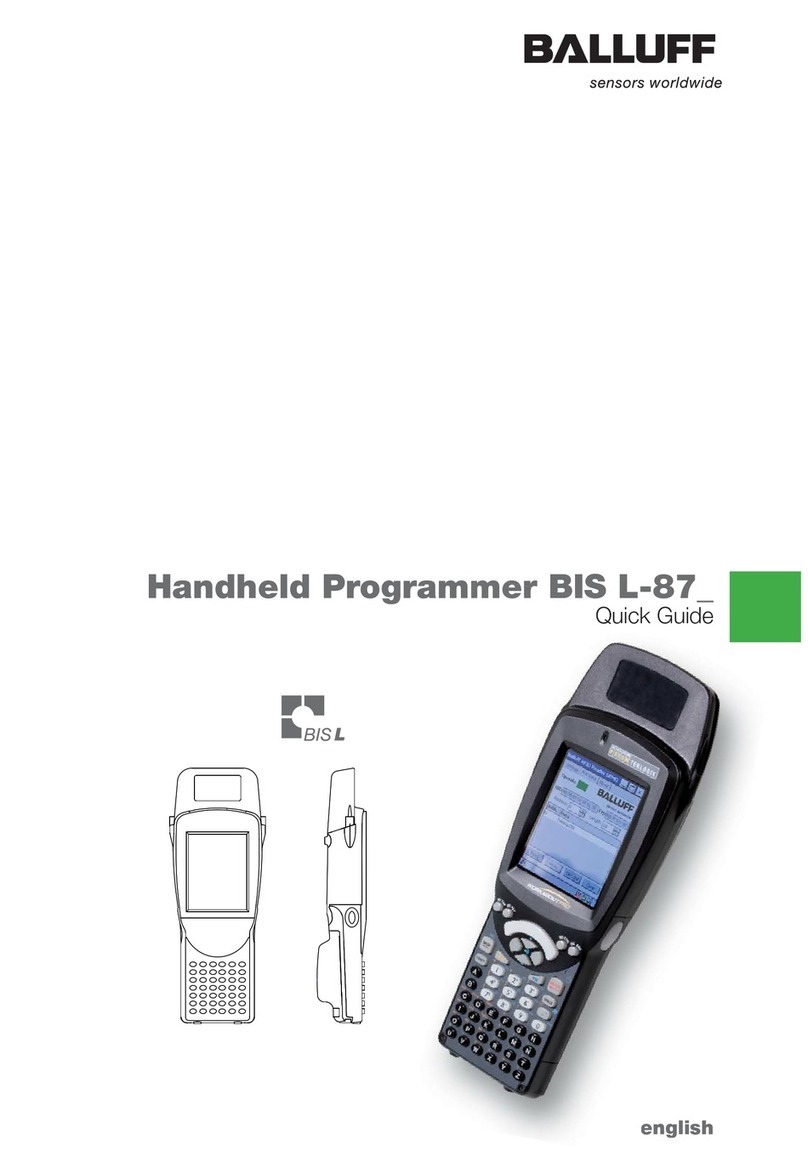
Balluff BIS M-87 Manuel utilisateur

english
Handheld Programmer BIS M-87_
Technical Description, User's Guide

www.balluff.com

www.balluff.com
Handheld Programmer
BIS M-87_
3
6
5
4
3
2
1User Instructions 4
1.1 CE Declaration of Conformity and User Safety 4
1.2 Scope of delivery 4
1.3 About this manual 4
1.4 Structure of the manual 4
1.5 Typographical conventions 5
1.6 Symbols 5
1.7 Abbreviations 5
Safety 6
2.1 Intended Use 6
2.2 General safety notes 6
2.3 Notes on using and returning rechargeable batteries 6
2.4 Meaning of warning notes 6
Getting Started 7
3.1 Battery operation 7
3.2 Overview of WORKABOUT PRO C 8
3.3 COLD RESET or battery replacement 11
3.4 Turning the Handheld Programmer on/off 11
3.5 Keyboard, display and operating concept 11
3.6 Creating your own operating interface 11
3.7 Starting the RFID application 12
3.8 Operating menu overview 12
Basic Knowledge 18
4.1 Function principle of Identification Systems 18
4.2 Product description 18
4.3 Control function 18
4.4 Data integrity 18
4.5 Files 19
4.6 Data carrier types 20
4.7 CRC check 21
Operation 22
5.1 Keyboard, display and operating concept 22
5.2 Reading data carriers 22
5.3 Writing to data carriers 23
5.4 Editing data 25
5.5 Initializing data carriers 26
5.6 Working with files 27
5.7 Connecting the Handheld Programmer to a PC/laptop 28
Technical Data 29
Appendix 32
Index 35

Handheld Programmer
BIS M-87_
4
User Instructions
1
1.1 CE Declaration of
Conformity and
User Safety
1.2 Scope of delivery
1.3 About this
manual
1.4 Structure of the
manual
Declaration of Conformity
This product was developed and produced in compliance with applicable European
standards and directives.
Note
You can request a Declaration of Conformity separately.
For additional safety instructions, refer to the “Safety” section on page 6
Included in the scope of delivery:
– Handheld Programmer BIS M-87_
– AC adapter
– Operating instructions in printed form (GER/ENG)
This manual describes operation of the BIS M-87_ Identification System together with the
“Workabout Pro” handheld computer made by “PSION Teklogix GmbH”
This manual does not describe:
– Startup, operation, and care of the “Workabout Pro” handheld computer,
– Installation and operation of accessories and expansion devices,
– Docking station and device interfaces.
The newest information for the product can be found on the internet at “www.balluff.de”.
The manual is organized so that the sections build on each other.
Section 2: Basic Safety Information.
Section 3: First steps (starting the software).
Section 4: Processing data carriers and using files.
Section 5: Connecting the Handheld Programmer to the PC.
Section 6: Technical data for the Identification System.

www.balluff.com
Handheld Programmer
BIS M-87_
5
1.5 Typographical
conventions
Enumerations
Actions
Cross-references
Buttons
Menu commands
Buttons
1.6 Symbols
1.7 Abbreviations
The following conventions are used in this manual.
Enumerations are shown as a list with an en-dash.
– Entry 1,
– Entry 2.
Action instructions are indicated by a preceding triangle. The result of an action is indicated by
an arrow.
►Action instruction 1.
⇒Action result.
►Action instruction 2.
Cross-references indicate where additional information on the topic can be found, e.g. (see
“Technical Data” starting on page 28).
Buttons are set in square brackets, e.g. [Write].
Menu commands are joined with a greater-than symbol, e.g. “Start > Programs” stands for the
menu command <Programs> from the start menu.
Keys are set in angle brackets, e.g. confirm by pressing <Enter>.
Caution!
This symbol indicates a security notice which must be observed.
Note, tip
This symbol indicates general notes.
BIS Balluff Identification System
CRC Cyclic Redundancy Check
EEPROM Electrically Erasable Programmable Read Only Memory
EMC Electromagnetic Compatibility
PC Personal Computer
RFID Radio Frequency Identification
PLC Programmable Logic Controller
User Instructions
1

Handheld Programmer
BIS M-87_
6
2.1 Intended Use
2.2 General safety
notes
2.3 Notes on using
and returning
rechargeable
batteries
2.4 Meaning of
warning notes
The BIS M-87_ Handheld Programmer is a component of the BIS M identification system. Within
the identification system it is used for checking, correcting or initializing data carriers.
The Handheld Programmer may only be used for this purpose in an industrial environment
corresponding to Class A of the EMC Law.
This description is valid for Handheld Programmers in series BIS M-87_-1-…
Startup
Startup is only to be performed by trained specialists. Any damage resulting from unauthorized
manipulation or improper use voids the manufacturer's guarantee and warranty.
When starting up, observe the instructions in the manuals from PSION Teklogix GmbH.
The Handheld Programmer is to be operated only using the power supply approved for the
device (see “Technical Data” on page 28).
Operation and testing
The operator is responsible for ensuring that locally applicable safety regulations are observed.
In the event of defects and non-correctable faults in the identification system, take the system
out of service and secure it to prevent unauthorized use.
Caution!
Improper use, charging, disposal, or replacement of the rechargeable battery may
result in an explosion! Replace the rechargeable batteries only with the same type or a
type recommended by the manufacturer.
Note
Every user is legally obligated by the German Battery Ordinance to return all regular or
rechargeable batteries that have been used or spent. Disposal with household waste
is prohibited. Old batteries and rechargeable batteries can be returned without charge
at your municipal collection point and anywhere that batteries and rechargeable batte-
ries of the type in question are sold. You can also return the included batteries to the
following address (with sufficient postage) after using them:
Balluff GmbH, Schurwaldstraße 9, 73765 Neuhausen a.d.F., Germany
Caution!
Use only Balluff-approved power supplies.
Caution!
The pictogram used with the word “Caution” warns of a situation that could harm
someone's health or damage equipment. Failure to observe these warning notes
may result in injury or damage to equipment.
►Always take the described measures to prevent hazardous situations.
Safety
2

www.balluff.com
Handheld Programmer
BIS M-87_
7
3.1 Battery operation
Changing
rechargeable
batteries and
operating life
Charging
rechargeable
batteries
Note
The system components of the Handheld Programmer are powered by a 3.7 V
rechargeable battery pack (Li-Ion).
►Please charge rechargeable batteries provided by Balluff before using them for the
first time!
Fig. 3: Connecting the power supply – Charging the battery pack
A high-capacity rechargeable battery has a battery life of up to 48 hours after a full charge.
Prerequisite: 200 read/write operations, after 3 min. without being used, the device enters
Suspend Mode. Data in the Handheld Programmer are retained for at least 10 to 15 minutes
while the battery is being replaced.
Note
User data are saved by default in a RAM-based folder. The data in this RAM folder are
lost if the main battery pack and backup battery pack are completely drained or if the
device is restarted cold (see also “Cold Reset”, Section 3.3 on page 10). The safest
place to store the data is an SD or MMC memory card (flash disk).
Caution!
Components can be damaged by using an incorrect charging current.
►Use the docking station or the Balluff-recommended charger/power supply for
charging the battery pack.
►Insert the device into the docking station or connect the power supply
Note
When using a docking station, an uncharged battery pack may be inserted. Then
simply dock the unit and turn it on.
Getting Started
3

Handheld Programmer
BIS M-87_
8
3.2 Overview of
WORKABOUT
PRO C
BIS M-870-1-
0__-X-001
BIS M-871-1-
0__-X-001
21
Fig. 4: Handheld Programmer BIS M-870-1-0_ _-X-001
1Read/write head for BIS U data carrier with round coil Ø ≥ 20 mm
2Active surface (underside)
21
Fig. 5: Handheld Programmer BIS M-871-1-0_ _-X-001
1 Read/write head for BIS M-15_-XX
2Active surface (front side)
Getting Started
3

www.balluff.com
Handheld Programmer
BIS M-87_
9
Getting Started
3
BIS M-873-1-
0_ _-X-001
BIS M-870-1-
0_ _-X-004 /
BIS M-870-1-
0_ _-X-005
1
Fig. 6: Handheld Programmer BIS M-873-1-0_ _-X-001
1Read/write head for BIS M data carrier with round coil Ø ≤ 19 mm
Active surface (front side)
2 31
Fig. 7: Handheld Programmer BIS M-870-1-0_ _X-004 / BIS M-870-1-0_ _-X-005
1Read/write head for BIS M data carrier with round coil Ø ≥ 20 mm
2Barcode scanner
3Active surface (underside)

Handheld Programmer
BIS M-87_
10
Getting Started
3
2 31
Fig. 8 : Handheld Programmer BIS M-871-1-0_ _-X-004 / BIS M-871-1-0_ _-X-005
1Read/write head for BIS M-15_-XX data carrier
2Barcode scanner
3Active surface (underside)
21
Fig. 9: Handheld Programmer BIS M-873-1-0_ _-X-004 / BIS M-873-1-0_ _-X-005
1Read/write head for BIS M data carrier with round coil Ø ≤ 19 mm
Active surface (front side)
2Barcode scanner
BIS M-871-1-
0_ _-X-004 /
BIS M-871-1-
0_ _-X-005
BIS M-873-1-
0_ _-X-004 /
BIS M-873-1-
0_ _-X-005
Table des matières
Autres manuels Balluff portable