
Avonic AV-MT300 Manuel utilisateur

USER MANUAL
Avonic Wall and Ceiling Mount
AV-MT300
www.avonic.com • © January 2023 • Version 1.0

DISCLAIMER, CONTACT AND CE MARKING
Disclaimer
All text, graphics, photographs, trademarks, logos, artwork and computer code (collectively, “Content”), including
but not limited to the design, structure, selection, coordination, expression, “look and feel” and arrangement of
such Content, contained in this Manual is owned, controlled or licensed by or to Avonic, and is protected by trade
dress, copyright, patent and trademark laws, and various other intellectual property rights and unfair competition
laws.
Except as expressly provided in these Terms of Use, no Content of this Manual may be copied, reproduced,
republished, uploaded, posted, publicly displayed, encoded, translated, transmitted or distributed in any way
(including “mirroring”) to any other computer, server, Website or other medium for publication or distribution or for
any commercial enterprise, without the prior written consent of Avonic.
Copyright © 2023 AVONIC All Rights Reserved.
The information contained in this Manual is subject to change without notice.
Contact Info
For any questions or suggestions, contact your reseller or local distributor of Avonic.
Visit the Avonic website www.avonic.com to find your local Avonic distributor or to download the most recent
version of the documentation.
Join Avonic on Social Media
www.Facebook.com/avonicPTZ www.instagram.com/avonicPTZ
www.LinkedIn.com/company/avonic www.youtube.com/channels/avonic
www.twitter.com/avonic
ii
IMPORTANT INFORMATION
Liability
Avonic will NOT be held responsible for any damage or injury caused by unqualified persons carrying out these
tasks, or by not following the instructions in this Manual.
Intended Use and Non-Intended Use
Installation
The following applies to the installation of the mount and the camera:
• The installation activities described in this Manual should ONLY be executed by experienced technicians.
• The installation activities should NOT be executed by minors, mentally disabled persons or other persons
not qualified to perform these tasks.
Operation
The following applies to the operation of the mount and the camera:
• The operational activities described in this Manual should ONLY be executed by people with enough
technical knowledge to perform the activities in a safe manner.
• This Product is specifically developed for video conferencing / streaming via internet by companies,
institutes and universities. It is NOT meant for private use in the residential area.
• This Product should ONLY be used indoors.
• This Product is NOT a medical device and should NOT be used as a substitute for professional medical
judgment. It is NOT designed or intended for use in the diagnosis of disease or other conditions, or in the
cure, mitigation, treatment, or prevention of any condition or disease. Please consult your healthcare
provider prior to making any decisions related to your health.
Important Precautions
This Product is NOT intended for use where failure of the device could lead to death, personal
injury, or severe environmental damage.
Failure to follow the SAFETY NOTES as described in this chapter could result in fire, electric
shock, injury, or damage to this Product or other property.
Power this Product ONLY with the included cable and power adapter. Other adapters
may not meet applicable safety standards, and could pose a risk of death or injury when
connected.
To prevent the risk of injury or damage to the Product or other property caused by a
potentially explosive atmosphere.
Be sure that you have COMPLETELY READ and UNDERSTOOD ALL information in this Manual
before unpacking, installing and using this Product. Keep the Manual in a safe place for future
reference or download it from www.avonic.com.
Symbols Used in This Manual
Symbol Meaning Description
Danger Not following the instructions associated with this symbol may lead to
life-threatening situations and / or serious damage to the Product.
iii
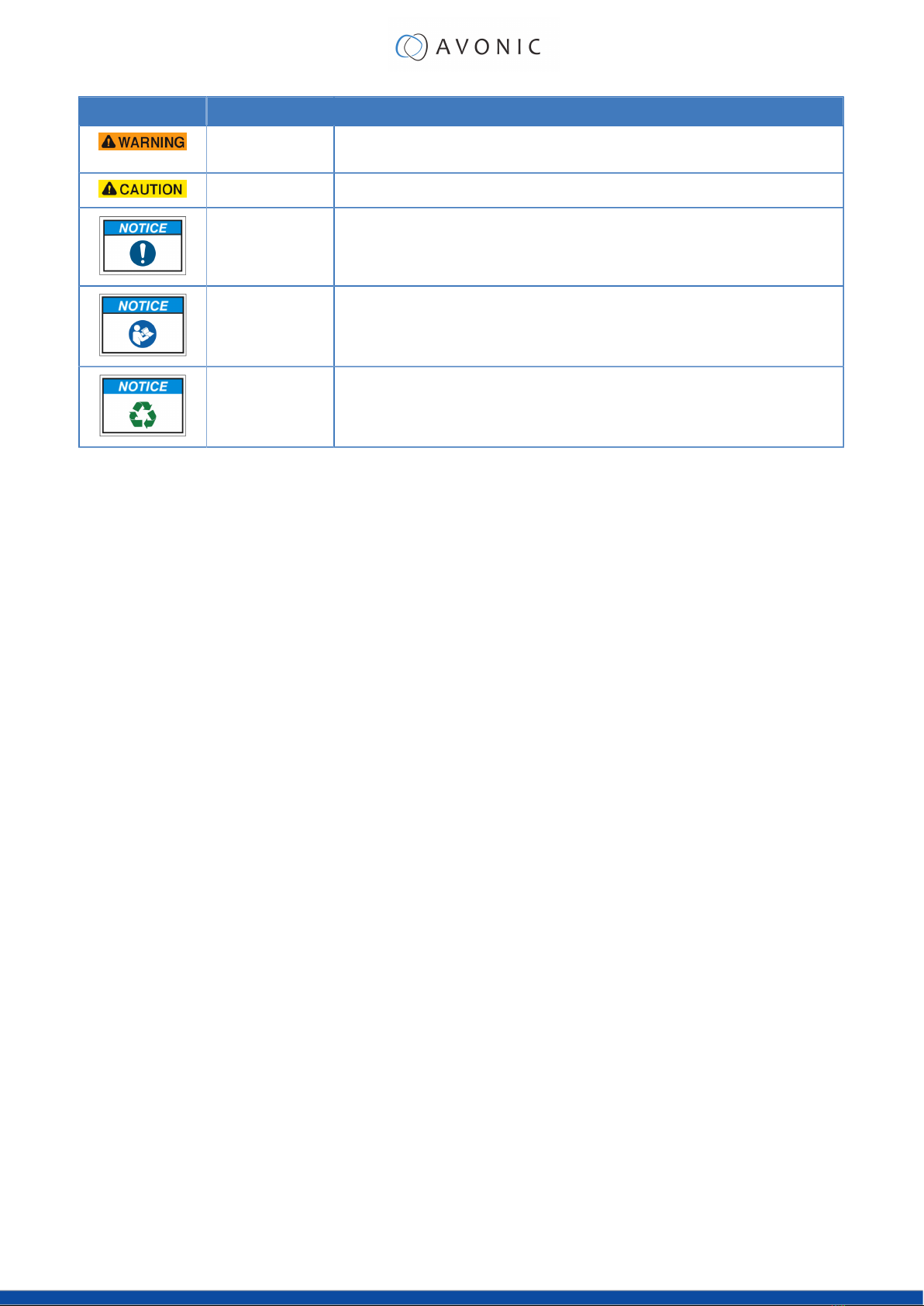
Symbol Meaning Description
Warning Not following the instructions associated with this symbol may lead to
personal injury and / or serious damage to the Product.
Caution Caution should be exercised with the associated information.
Information The information associated with symbol refers to a general remark or a
reference to other documentation.
Instruction This symbol refers to one or more user instructions.
Recycling Specific parts of the Product can be re-used.
Acronyms
The following acronyms are used in this Manual:
PTZ Pan / Tilt / Zoom
SKU Stock Keeping Unit
UNC Unified National Coarse
iv

Contents
DISCLAIMER, CONTACT AND CE MARKING........................................................................................ii
IMPORTANT INFORMATION...................................................................................................................iii
Liability..........................................................................................................................................iii
Intended Use and Non-Intended Use...................................................................................... iii
Installation.......................................................................................................................... iii
Operation.......................................................................................................................... iii
Important Precautions...................................................................................................... iii
Symbols Used in This Manual..................................................................................................... iii
Acronyms.................................................................................................................................... iv
INTRODUCTION...................................................................................................................................... 6
Purpose of This Manual.............................................................................................................. 6
Target Audience......................................................................................................................... 6
Document Structure................................................................................................................... 6
SAFETY INSTRUCTIONS........................................................................................................................... 7
Important Precautions................................................................................................................ 7
Intended Use............................................................................................................................... 7
Handling.............................................................................................................................7
Mounting............................................................................................................................7
Ventilation.......................................................................................................................... 8
Repair................................................................................................................................. 8
PRODUCT OVERVIEW............................................................................................................................9
Description................................................................................................................................... 9
Features........................................................................................................................................9
UNPACKING.........................................................................................................................................10
Package Contents................................................................................................................... 10
Unpacking the Mount.............................................................................................................. 11
Return Procedure......................................................................................................................11
MOUNTING AND INSTALLATION......................................................................................................... 12
Mounting on a Wall or mounting pole...................................................................................12
1. Baseplate.....................................................................................................................12
2. Mounting the Camera............................................................................................... 13
3. Cable Cover............................................................................................................... 13
Mounting on a Wall or mounting pole...................................................................................14
1. Baseplate.....................................................................................................................14
2. Mounting the Camera............................................................................................... 14
3. Cable Cover............................................................................................................... 15
4. Cover Cap.................................................................................................................. 15
Mounting Pole................................................................................................................. 16
MEASUREMENTS AND SPECS.............................................................................................................. 17
General Specifications............................................................................................................. 17
TRANSPORT AND STORAGE................................................................................................................19
DISPOSAL AND RECYCLING............................................................................................................... 20
v

INTRODUCTION
Purpose of This Manual
This Manual describes the safety precautions and the instructions for safe unpackaging, installation, operation,
maintenance and disposal of the Avonic MT300 Mount.
In this Manual the Avonic MT300 Mount is referred to as the 'Product'.
Target Audience
This Manual is developed for installation technicians who install the Product at client sites, and for IT professionals
who are responsible for operating the Product.
Document Structure
The Manual is subdivided into the following Chapters:
1. Introduction
2. Safety
3. Product Overview
4. Unpacking
5. Mounting and Installation
6. Measurements and Specs
7. Transport and Storage
8. Disposal and Recycling
6
SAFETY INSTRUCTIONS
This chapter contains important safety information regarding the unpacking, installation and use of the mount and
the camera.
Important Precautions
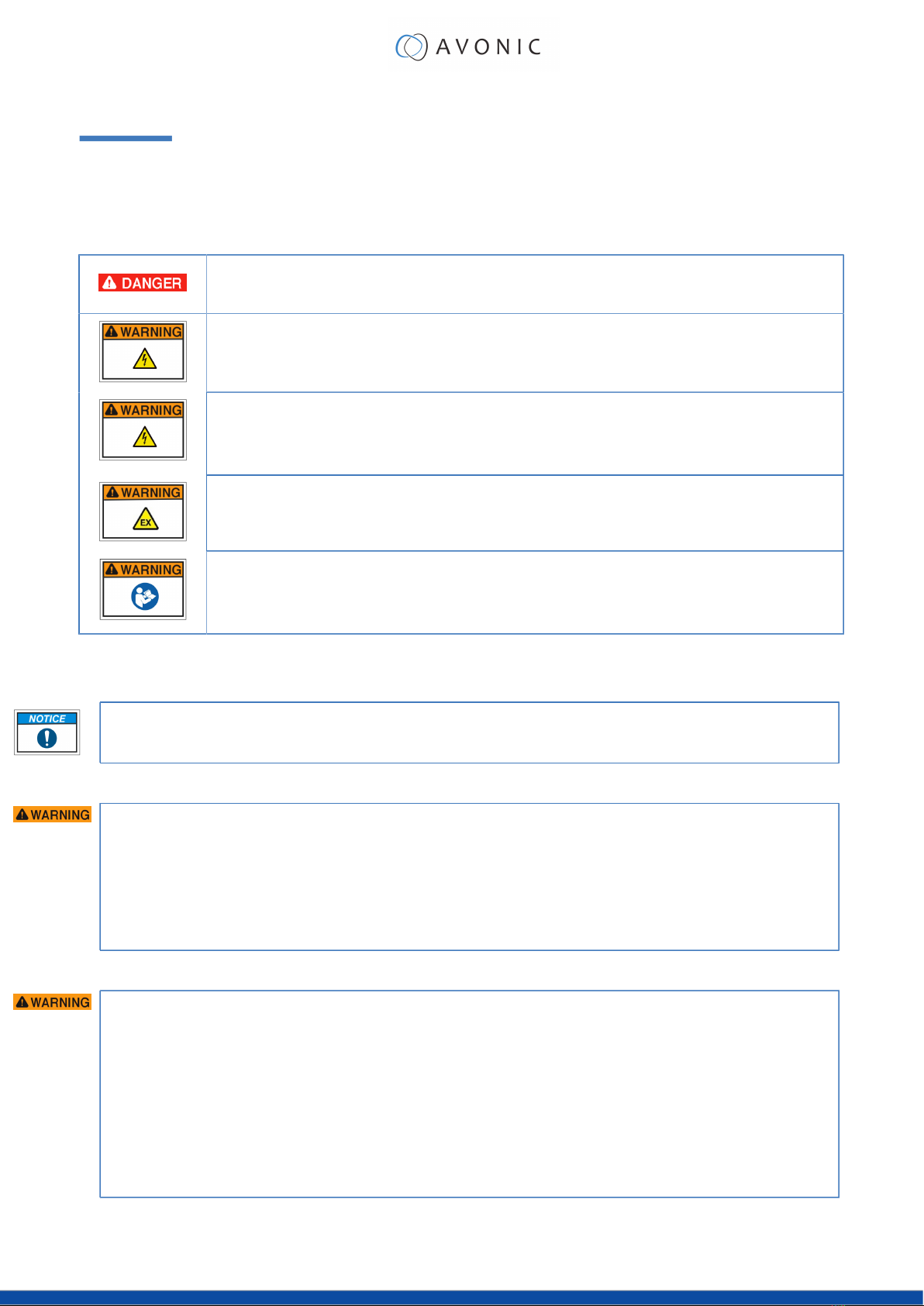
This Product is NOT intended for use where failure of the device could lead to death, personal
injury, or severe environmental damage.
Failure to follow the SAFETY NOTES as described in this chapter could result in fire, electric
shock, injury, or damage to this Product or other property.
Power this Product ONLY with the included cable and power adapter. Other adapters
may not meet applicable safety standards, and could pose a risk of death or injury when
connected.
To prevent the risk of injury or damage to the Product or other property caused by a
potentially explosive atmosphere.
Be sure that you have COMPLETELY READ and UNDERSTOOD ALL information in this Manual
before unpacking, installing and using this Product. Keep the Manual in a safe place for future
reference or download it from www.avonic.com.
Intended Use
See section Intended Use and Non-Intended Use on page iii for details.
Handling
To prevent the risk of injury, take the following precautions when handling this Product:
• Handle the Product with care. It is made of metal and plastic components.
• The Product can be damaged if dropped, burned, punctured or crushed, or if it comes into contact with
liquid.
• Do not pick up and move the Product unit while a tripod is attached. The fitting may break under the
weight of the tripod, which may result in injury.
• If you suspect any damage to the Product, discontinue its use, as it may cause injury.
Mounting
To prevent the Product from falling down which may cause injuries:
• Set up this Product on a hard, stable surface or mount it to a wall or ceiling.
• ONLY use an Avonic mount for mounting to a wall or ceiling.
• Ensure the mounting construction is capable of supporting four times the weight of the Product. (See
'General Specifications > Weight product’ in the Product Datasheet for the exact weight.)
• Use a safety loop or drop protection that prevents the Product from falling if the mounting construction
fails.
• During installation, NEVER install a Product above a person.
• Check the installation at least once a year. An improper mounting could cause the unit to fall off,
resulting in personal injury.
7

Ventilation
To prevent the risk of life-threatening injury or damage to the Product or other property, caused by electric
shock or fire hazard due to overheating of the camera mounted on the Product:
• Maintain adequate ventilation by NOT installing or placing the Product unit in a bookcase, built-in
cabinet or any other confined space.
• Ensure that curtains or any other material does NOT obstruct the ventilation.
Repair
Take the following precautions if the Product should be repaired:
• Don’t open this Product and don’t attempt to repair it yourself. Disassembling the Product may damage
it or may cause injury to you.
• If this Product is damaged, malfunctioning, or if it comes into contact with liquid, contact Avonic or an
Avonic Authorized Service Provider.
• Repairs by service providers other than Avonic or an Avonic Authorized Service Provider may not involve
the use of Avonic genuine parts and may affect the safety and functionality of the device. You can find
more information about repairs and service at www.avonic.com.
8

PRODUCT OVERVIEW
Description
The Avonic MT300 wall and ceiling mount is a solid wall and ceiling mount suitable for the support of the CM93
PTZ camera. Its discrete design matches the silent operation of Avonic PTZ cameras. The wall and ceiling mount
is a beautiful extension that not only ensures great and safe support of the PTZ cameras but also allows for all the
cables to be hidden inside the mount. For mobile applications the MT300 can be mounted on a tripod. Available
in black and white to match our PTZ cameras.
Features
The Avonic MT300 has the following features:
Separate base and plate
Separate base and camera plate for hassle free mounting and cable installation.
Hands free installation
Hands free installation of the camera, only one screw needed to secure it.
Integrated
Integrated cable cover.
Design
Discrete and compact design.
Seamless integration
Seamless integration with the shape and color of Avonic PTZ cameras.
9
UNPACKING
This describes the contents of a complete Product package, and instructions for safe unpacking and (if necessary)
Product return.
It is subdivided into the following sections:
1. Package Contents
2. Unpacking the Camera
3. Return Procedure
Package Contents
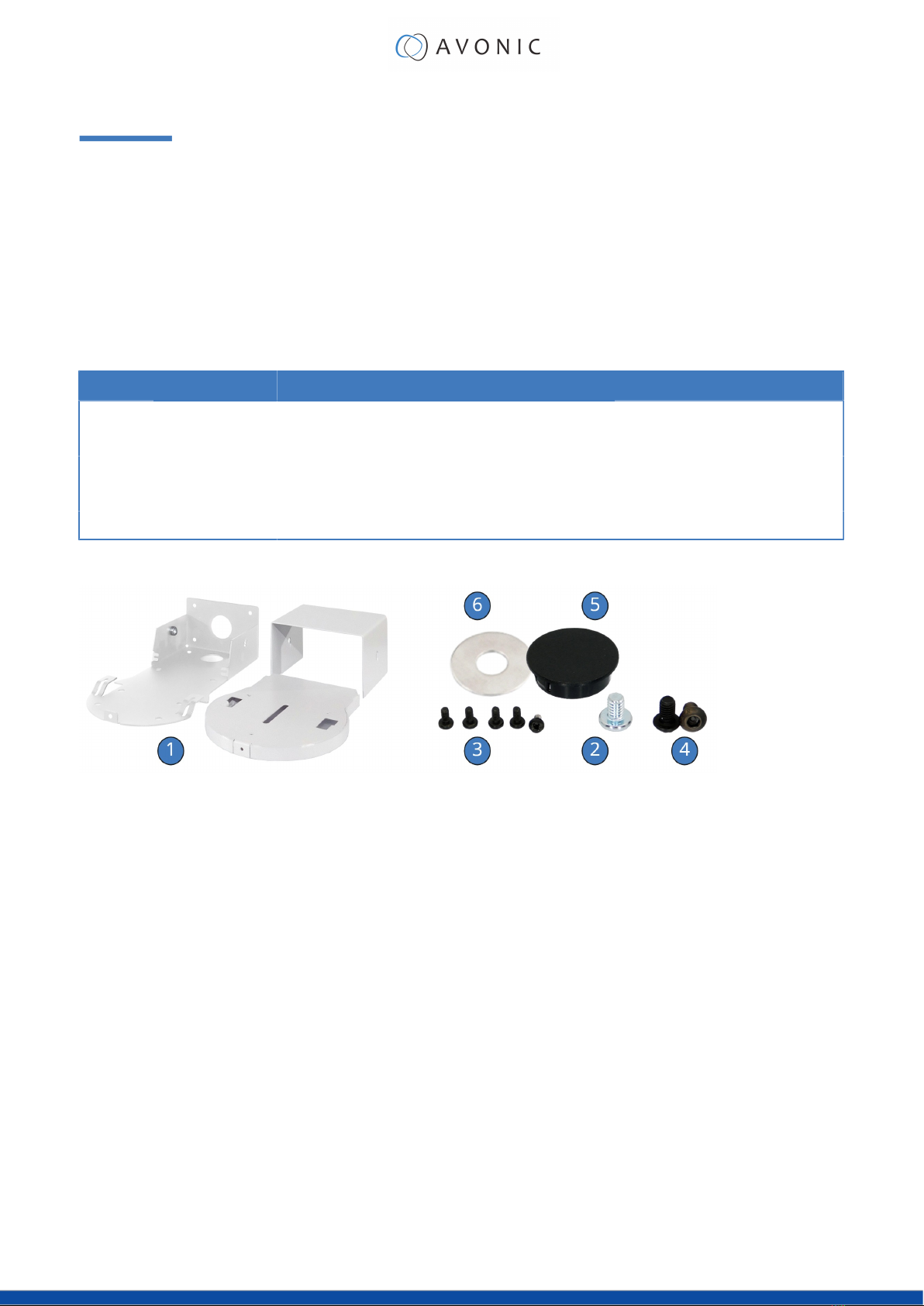
The following tables contains an overview of the package contents of the Product.
No. Quantity Description Avonic SKU
1 1 pc Ceiling mount AV-MT300-B/ -W AV-MT300-B/ -W
2 1 pc 1/4”-20 UNC Central Camera Screw -
3 5 pc M3*6mm DIN9785 black screw -
4 2 pc Black Allen bolt (back cover) -
5 1 pc Black 30MM Cover Cap -
Each item is visualized below and referenced by the associated number in the table above:
Figure 1: Package Contents
10
Table des matières
Autres manuels Avonic Support et étagère


Manuels Support et étagère populaires d'autres marques

Salamander
Salamander Acadia AC/W/L400/WH Manuel utilisateur

Fohhn
Fohhn VAT-09 Guide de l'utilisateur

ricoo
ricoo FS0522 Manuel utilisateur

AMSOIL
AMSOIL BMK-22 Guide rapide

Kargo Master
Kargo Master 48220 Manuel utilisateur

Milestone AV Technologies
Milestone AV Technologies SIMPLICITY SLF2 Manuel utilisateur


