Q ick Blind Test mode:
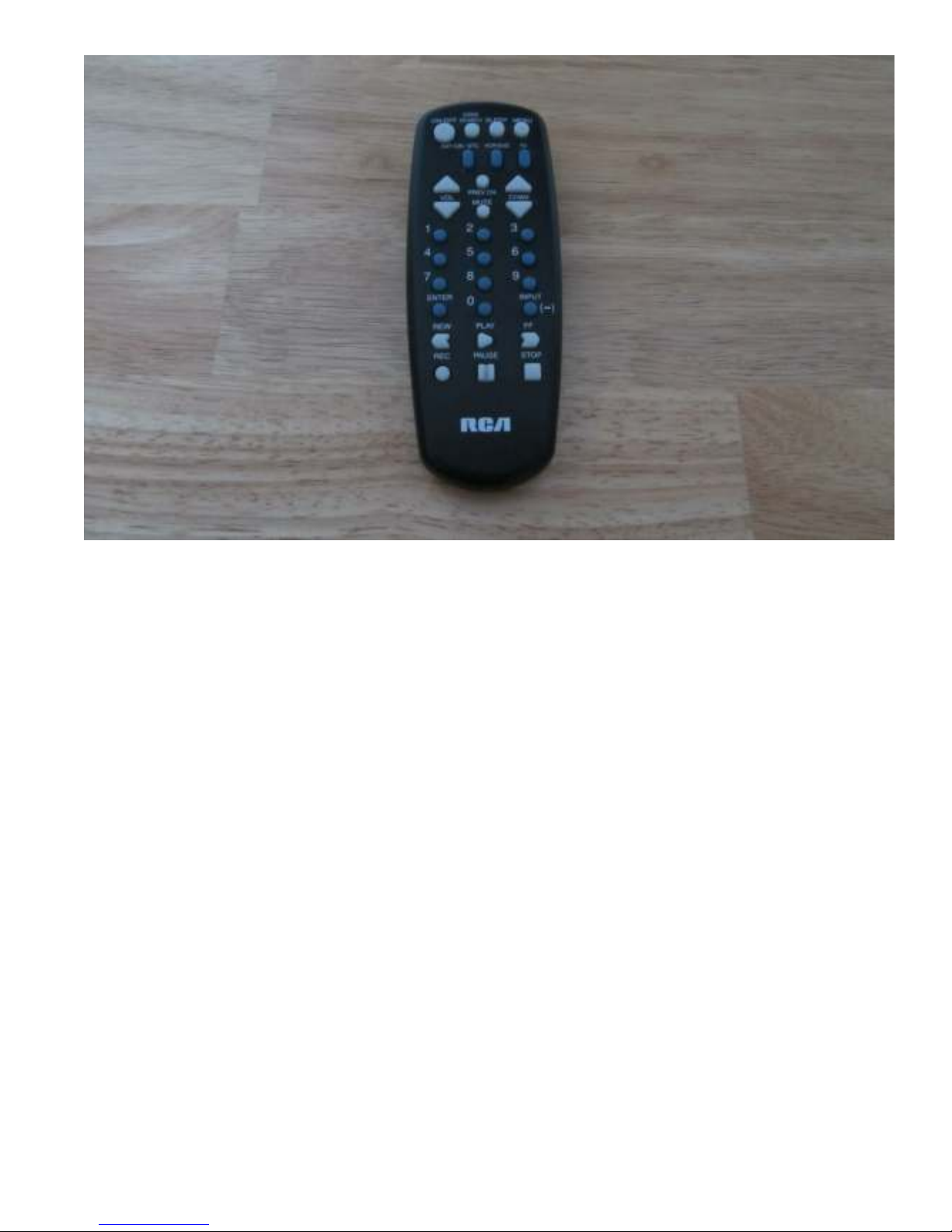
The “stop” key enters and exits q ick blind test mode. In this mode the front panel LED’s are t rned off
and the vol me display is set to “00” so no indication is given to the listener as to what components are
selected. If the “toggle” keys on the remote (keys 3, 6, and 9) are sed to compare so rce A / B or amp A /
B or speaker A / B even the remote operator can lose track of what is c rrently selected. After deciding
what so nds best (or worst) pressing “stop” again exits q ick blind test mode and reveals what is c rrently
selected.
Blind Test Example: say yo want to compare A so rce, B amp, A speaker, with L/R vol me = 90/89 to B
so rce, A amp, C speaker with L/R vol me set to 99/73
1) select A so rce (press “1”)
2) select B amp (press “5”)
3) select A speaker (press “7”)
4) adj st both vol mes to 90 by pressing the vol me p/dn b ttons
5) be s re arrow on display points to the right. If it does not, press the “prev ch” key
6) Since both vol mes are set to 90, set the right side vol me to 89 by pressing the “chan dn” b tton
once
7) Press “on-off” followed by “enter” to define this system as the “enter” system
8) In a similar fashion, select B so rce (press “2”), A amp (press “4”), C speaker (press “9”), adj st the
L/R vol mes to 99/73 sing vol me p/dn, chan p/dn, and “prev ch” b ttons, and define this
system as the “inp t” system by pressing “on-off” followed by “inp t”.
9) By alternately pressing “enter” and “inp t” the ABX switch sho ld change between these two
systems. Make s re the systems are defined correctly and make any final vol me adj stments.
Press “on/off” followed by “1” to enter blind test.
Blind test mode:
Once two systems have been defined with the “enter” and “inp t” switches, and the vol me of the two
systems is closely matched, yo are ready for blind test mode. It is important to realize that vol me has a
tremendo s effect on how the brain perceives a dio. A system that is slightly lo der than another system
has a tremendo s advantage in being selected as the better so nding system. Take care.
Press “on-off” followed by “1” to enter blind test mode. The LED’s will go o t, the relays will click, a “1”
will be displayed (to indicate test 1), and “blind test” will be displayed. A random n mber is “grabbed”
when the b tton to enter blind test mode is pressed. That n mber is sed to select either system “enter” or
system “inp t” for the 8 tests that are sed in blind test mode. The vol me p/dn and chan p/dn b ttons
will either advance or retard the test n mber. Wrap occ rs, so test 8 pl s vol p will go to test 1 and test 1
pl s vol dn will go to test 8. Once the 8 tests have been listened to and yo decide what yo like best (or
don’t like) yo can reveal which system goes with which test. Press the “m te” b tton to toggle the LED’s -
in this case from off to on. Yo can now step thro gh the tests again, sing the vol me p/dn, and see
which system was selected for each test. It sho ld be noted that there is a 1 in 256 chance that all 8 tests
will select the “enter” system so no changes will occ r thro gho t the entire test. Likewise there is a 1 in
256 chance that all 8 tests will select the “inp t” system. To exit blind test mode press “on-off” followed by
“0” or simply press the “stop”.