
AmazonBasics B0787G1YFG Manuel utilisateur

Wireless Keyboard - Quiet and Compact
Clavier Sans Fil - Silencieux Et Compact
Kabellose Tastatur - Geräuscharm und kompakt
Tastiera Wireless - Silenziosa e Compatta
Teclado Inalámbrico - Compacto y Silencioso
ワイヤレスキーボード - 静かでコンパクト
B0787G1YFG, B0787HH4L4, B0787KRLDQ,
B0787HV36B, B0787KN8YX, B0787KRF9W

English ..................................... 3
Français ................................. 12
Deutsch.................................. 20
Italiano ................................... 28
Español .................................. 36
日本語 ..................................... 44

3
Parts List
1 To turn on the Media player program
2 To decrease volume
3 To increase volume
4 To mute the sound
5 Previous track

4
6 Next track
7 To play/pause media playback
8 To stop media playback
9 To start the default Web browser and load the home page
10 To start the default e-mail client
11 To open up the folder ‘My Computer’
12 To open ‘My favorite’ when inside the browser
13 LED indicator Caps Lock on
14 LED indicator Number Lock on
15 LED indicator Low battery and pairing indicator
16 To enable the second function of the Function keys
17 CONNECT button To establish pairing with the nano receiver
18 Battery cover
19 Nano receiver
Note: Press + any function key (1 through 12) to trigger the secondary
function of each key.

5
Setup
Installing the Batteries
AAA battery
1. Remove the battery cover.
2. Insert the batteries correctly with regard to polarity (+ and –) marked on the
battery and the product.
3. Place the cover back over the battery compartment.
Pairing
• Plug the nano receiver into a USB port of your computer. The connection
between keyboard and nano receiver should occur automatically.
If the connection between keyboard and the receiver fails or is interrupted,
proceed as follows:
1. Remove the nano receiver from the USB port and plug it back in.
2. Press the CONNECT button of the keyboard.
6
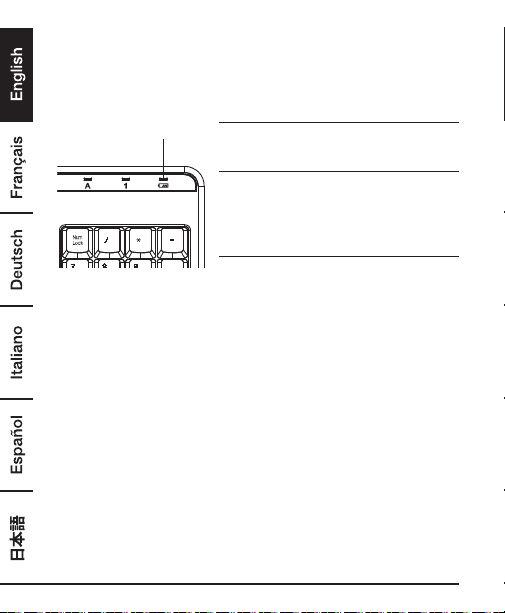
Note: The LED indicator on the keyboard blinks when it is in pairing mode and
stops blinking when it is successfully paired with the receiver.
LED lndicator
LED Indicator
LED is on for 10 sec.
Power ON
LED blinking
During pairing (The LED goes off when
pairing is successful or if it keeps failing for
longer than 10 seconds.)
LED blinks for 10 sec.
Low battery warning
Federal Communication Commission
Interference Statement
This equipment has been tested and found to comply with the limits for a Class
B digital device, pursuant to Part 15 of the FCC Rules. These limits are designed
to provide reasonable protection against harmful interference in a residential
installation. This equipment generates, uses and can radiate radio frequency
energy and, if not installed and used in accordance with the instructions,
may cause harmful interference to radio communications. However, there is
no guarantee that interference will not occur in a particular installation. If this
equipment does cause harmful interference to radio or television reception,
which can be determined by turning the equipment off and on, the user is
encouraged to try to correct the interference by one of the following measures:

7
• Reorient or relocate the receiving antenna.
• Increase the separation between the equipment and receiver.
• Connect the equipment into an outlet on a circuit different from that to which
the receiver is connected.
• Consult the dealer or an experienced radio/TV technician for help.
FCC Caution: Any changes or modifications not expressly approved by the
party responsible for compliance could void the user’s authority to operate this
equipment.
This device complies with Part 15 of the FCC Rules. Operation is subject to the
following two conditions: (1) This device may not cause harmful interference,
and (2) this device must accept any interference received, including interference
that may cause undesired operation.
Radiation Exposure Statement:
The product complies with the FCC portable RF exposure limit set forth for an
uncontrolled environment and are safe for intended operation as described in
this manual. The further RF exposure reduction can be achieved if the product
can be kept as far as possible from the user body or set the device to lower
output power if such function is available.
IC Caution
This device complies with Industry Canada’s licence-exempt RSSs. Operation is
subject to the following two conditions:
(1) This device may not cause interference; and (2) this device must accept any
interference, including interference that may cause undesired operation of the
device.
8
Simplied EU Declaration of Conformity
• Hereby, Amazon EU Sarl declares that the radio equipment type
B0787G1YFG, B0787HH4L4, B0787KRLDQ, B0787HV36B, B0787KN8YX,
B0787KRF9W is in compliance with Directive 2014/53/EU.
•
The full text of the EU declaration of conformity is available at the following internet
address: https://www.amazon.co.uk/amazon_private_brand_EU_compliance
Intended Use
This product is a wireless computer peripheral intended for interacting with your
desktop/laptop.
Safety and Compliance
Read this instruction manual carefully before using the product. It contains important
information for your safety as well as operating and maintenance advice. Observe
all safety instructions to avoid damage through improper use! Follow all warnings
on the product. Keep this instruction manual for future use. Should this product
be passed on to a third party, then this instruction manual must be included.
• Never use this product if damaged.
• Do not insert any foreign objects into the inside of the casing.
• Protect the product from extreme temperatures, hot surfaces, open flames,
direct sunlight, water, high humidity, moisture, strong jolts, flammable gases,
vapours and solvents.
• Keep this product and its packaging out of the reach of children and pets.

9
Battery Safety Advice
• Keep batteries out of the reach of children.
• Do not mix old and new batteries or batteries of different types or brands.
• Do not dispose of batteries in fire.
• Store unused batteries in their original packaging away from metal objects. If
already unpacked, do not mix or jumble batteries.
• Remove batteries from product if it is not to be used for an extended period
of time unless it is for emergency purposes. Exhausted batteries should be
immediately removed from product and properly disposed.
• If the battery leaks avoid contact with skin and eyes. Rinse affected areas
immediately with plenty of clean water, then consult a doctor.
Cleaning and Maintenance
• Clean the product with a dry lint-free cloth. Do not allow any water or other
liquids enter the product’s interior.
• Do not use abrasives, harsh cleaning solutions or hard brushes for cleaning.
• Clean the battery contacts and also those of the product prior to battery
installation.
Specications
Power Supply: 3 V (2 x 1.5 V AAA battery)
Current consumption: 50 mA
Weight - Keyboard: 0.47 kg (1.05 lbs)
Dimensions- Keyboard: 44.9 x 14.2 x 2.3 cm (17.7 x 5.6 x 0.9 in)
Encryption: AES128
OS compatibility: Windows®7/8/10
Transmission power: 1 mW
Frequency band: 2.4 GHz (2.402 GHz - 2.480 GHz)

10
Disposal
Regulatory information: Disposal of Waste Electrical and
Electronic Equipment (WEEE) The Waste Electrical and Electronic
Equipment (WEEE) Directive aims to minimize the impact of
electrical and electronic goods on the environment, by increasing
re-use and recycling and by reducing the amount of WEEE going
to landfill. The symbol on this product or its packaging signifies
that this product must be disposed separately from ordinary
household wastes at its end of life. Be aware that this is your
responsibility to dispose of electronic equipment at recycling
centers in order to conserve natural resources.
Each country should have its collection centers for electrical and electronic
equipment recycling. For information about your recycling drop off area, please
contact your related electrical and electronic equipment waste management
authority, your local city office, or your house hold waste disposal service.
Used batteries must not be disposed of through household garbage,
since they might contain toxic elements and heavy metals that can
be harmful to the environment and human health.
Consumers are therefore obligated to return batteries to retail or local
collection facilities free of charge. Used batteries will be recycled.
They contain important raw materials such as iron, zinc,
manganese or nickel.
The crossed-out wheelie bin symbol indicates: Batteries
and rechargeable batteries must not be disposed of through
household garbage.
Ce manuel convient aux modèles suivants
5
Table des matières
Langues :
Autres manuels AmazonBasics Clavier


