
ADC ACE-COM L1 Manuel utilisateur
USER MANUAL
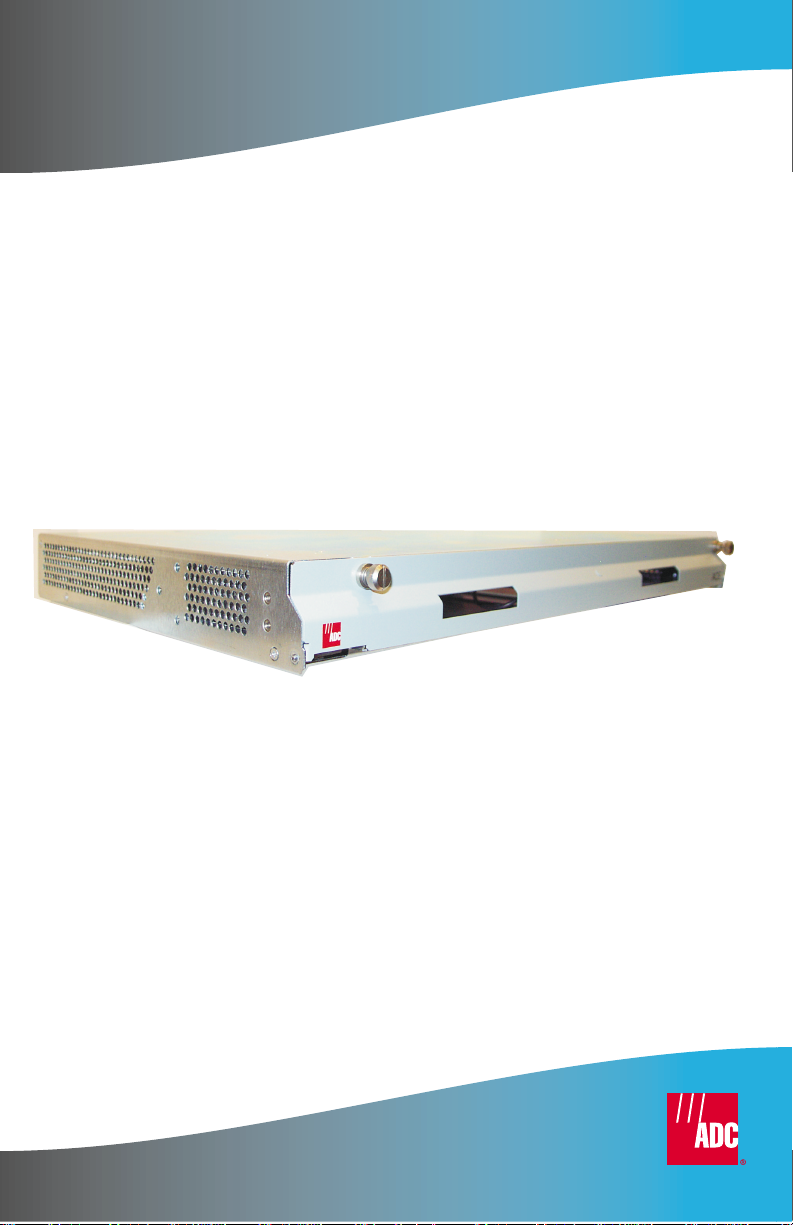
ThinMux Chassis
Product Catalog: ACE-COM L1
Part Number: 150-2263-01
CLEI: VAMXHN0F

LTPH-UM-1088-02, Issue 2
ii January 3, 2002 ThinMux Chassis
Revision History of Manual
To order copies of this document, use document catalog number
LTPH-UM-1088-02.
Copyright
January 3, 2002
© 2002 ADC DSL Systems, Inc. All rights reserved.
Trademark Information
ADC is a registered trademark of ADC Telecommunications, Inc. No right, license, or
interest to such trademarks is granted hereunder, and you agree that no such right,
license, or interest shall be asserted by you with respect to such trademark.
Other product names mentioned in this practice are used for identification purposes
only and may be trademarks or registered trademarks of their respective companies.
Disclaimer of Liability
Information contained in this document is company privateto ADC DSL Systems, Inc.,
and shall not be modified, used, copied, reproduced or disclosed in whole or in part
without the written consent of ADC.
Contents herein are current as of the date of publication. ADC reserves the right to
change the contents without prior notice. In no event shall ADC be liable for any
damages resulting from loss of data, loss of use, or loss of profits, and ADC further
disclaims any and all liability for indirect, incidental, special, consequential or other
similar damages. This disclaimer of liability applies to all products, publications and
services during and after the warranty period.
similar damages. This disclaimer of liability applies to all products, publications and
services during and after the warranty period.
Issue Release Date Revisions Made
1June 22, 2001 Initial release.
2January 3, 2002 Update to reflect install, wiring, and setup only.

LTPH-UM-1088-02, Issue 2 Using This Manual
ThinMux Chassis January 3, 2002 iii
USING THIS MANUAL
The following conventions are used in this manual:
•Monospace type indicates screen text.
•Keys you press are indicated by small icons such as or . Key
combinations to be pressed simultaneously are indicated with a plus sign
as follows: + .
•Items you select are in bold.
Three types of messages, identified by icons, appear in text.
UNPACK AND INSPECT YOUR SHIPMENT
Upon receipt of the equipment:
•Unpack each container and inspect the contents for signs of damage. If
the equipment has been damaged in transit, immediatelyreport the extent
of damage to the transportation company and to ADC. Order
replacement equipment, if necessary.
•Check the packing list to ensurecomplete and accurate shipment of each
listed item. If the shipment is short or irregular, contact ADC as
described in “Appendix C - Product Support” on page 19.Ifyoumust
store the equipment for a prolonged period, store the equipment in its
original container.
Notes contain information about special circumstances.
Cautions indicate the possibility of personal injury or
equipment damage.
The Electrostatic Discharge (ESD) symbol indicates that a
deviceorassemblyissusceptibletodamagefromelectrostatic
discharge.
YENTER
CTRL ESC

Safety Warnings and Notices LTPH-UM-1088-02, Issue 2
iv January 3, 2002 ThinMux Chassis
SAFETY WARNINGS AND NOTICES
The ThinMux chassis DC power supply feeds must be
connectedto either (1) -48Vdc Safety ExtraLow Voltage (SELV)
sources or (2) -48 Vdc sources that are electrically isolated
from the AC sector and reliably connected to earth. The
source’s fault current capacity shall be lower than 50A, or an
appropriate overcurrent protection rated 5A, must be provided
on each -48 Vdc conductor. The overcurrent protection can
also be used as a cutoff switch if another disconnect device is
not installed.
This equipment may be provided with a module that
incorporates laser source(s). Refer to the module’s
documentation for detailed safety information.
The telemetry I/O must be connected to either a SELV source or
an ELV source that is electrically isolated from the AC sector
and reliably connected to earth.
The metallic telecommunication interface should not leave the
building premises unless connected to telecommunication
devices providing primary and secondary protection.

LTPH-UM-1088-02, Issue 2 Table of Contents
ThinMux Chassis January 3, 2002 v
TABLE OF CONTENTS
Overview ________________________________________________ 1
Features............................................................................................ 1
Backplane......................................................................................... 2
External Interfaces________________________________________ 3
T1/E1 Interface ................................................................................ 3
T1/E1 Test Interface.........................................................................3
RS-232 Craft Interface..................................................................... 4
10/100BASE-T Ethernet Interface...................................................4
Discrete Alarms................................................................................ 4
Battery Supply.................................................................................. 5
Installation ______________________________________________ 5
Mounting the Chassis....................................................................... 6
Installing the Fan Module (FB1)......................................................7
Wiring the Common Access Panel .................................................. 8
Connect a BITS Timing Source.............................................8
Connect Test Access..............................................................9
Connect Alarms ................................................................... 10
Connecting Power.......................................................................... 10
Installing DS3 or STS-1 Interface Cables...................................... 11
Appendix A - Pin Assignments _____________________________ 14
T1/E1 Interface .............................................................................. 14
RS-232 Craft Interface................................................................... 17
10/100BASE-T Ethernet Interface................................................. 17
Appendix B - Specifications________________________________ 18
Appendix C - Product Support _____________________________ 19

List of Figures LTPH-UM-1088-02, Issue 2
vi January 3, 2002 ThinMux Chassis
Appendix D - Abbreviations ________________________________20
Certification and Warranty __________________ Inside Back Cover
LIST OF FIGURES
1. Backplane Interfaces (rear view)...........................................................2
2. ThinMux Chassis in a CO Rack ............................................................6
3. Installing the Fan Module (FB1)...........................................................7
4. Wire-Wrap Pin Positions/Common Access Panel (rear view)..............8
5. Installing Line Terminators ...................................................................9
6. Battery Supply Connector (rear view).................................................10
7. DS3 or STS-1 Shelf Configuration......................................................12
8. Male Cable Connector Into Female Backplane Connector.................14
LIST OF TABLES
1. T1/E1 Receive Pin Assignments .........................................................14
2. T1/E1 Transmit Pin Assignments........................................................16
3. RS-232 Craft Interface Pin Assignments.............................................17
4. Ethernet 10/100BASE-T Pin Assignments..........................................17

LTPH-UM-1088-02, Issue 2 List of Figures
ThinMux Chassis December 7, 2001 vii
LIST OF FIGURES
1. Backplane Interfaces (rear view) .......................................................... 2
2. ThinMux Chassis in a CO Rack............................................................6
3. Installing the Fan Module (FB1)...........................................................7
4. Wire-Wrap Pin Positions/Common Access Panel (rear view)..............8
5. Installing Line Terminators................................................................... 9
6. Battery Supply Connector (rear view) ................................................ 10
7. DS3 or STS-1 Shelf Configuration..................................................... 12
8. Male Cable Connector Into Female Backplane Connector................. 14
LIST OF TABLES
1. T1/E1 Receive Pin Assignments......................................................... 14
2. T1/E1 Transmit Pin Assignments ....................................................... 16
3. RS-232 Craft Interface Pin Assignments............................................ 17
4. Ethernet 10/100BASE-T Pin Assignments......................................... 17

List of Tables LTPH-UM-1088-02, Issue 2
viii December 7, 2001 ThinMux Chassis

LTPH-UM-1088-02, Issue 2 List of Tables
ThinMUX Chassis November 7, 2001 ix
LIST OF TABLES
1. T1/E1 Receive Pin Assignments......................................................... 14
2. T1/E1 Transmit Pin Assignments ....................................................... 16
3. RS-232 Craft Interface Pin Assignments............................................ 17
4. Ethernet 10/100BASE-T Pin Assignments......................................... 17

List of Tables LTPH-UM-1088-02, Issue 2
x November 7, 2001 ThinMUX Chassis
Ce manuel convient aux modèles suivants
1
Table des matières
Autres manuels ADC Châssis

ADC
ADC Optical Normal Through Panel Pro Patch Manuel utilisateur

ADC
ADC FL1000 Series Manuel du système

ADC
ADC DSXpert 2005 Manuel utilisateur

ADC
ADC VAM (Value Added Modules) System Manuel utilisateur

ADC
ADC Migration Modules DSX-3 Manuel utilisateur

ADC
ADC Soneplex Soneplex Quad Loop Extender Manuel utilisateur


