
3nStar PPT305 Manuel utilisateur

PPT305
User
Manual
Portable
Printer
http://www.3nStar.com

Contents
I. Overview...................................................................................................................................................................... 1
1.1 Introduction...................................................................................................................................................... 1
1.2 Parameters of product...................................................................................................................................... 2
1.3 General specification........................................................................................................................................ 3
1.4 Printing specification........................................................................................................................................ 3
1.5 Paper specification............................................................................................................................................4
II. Product........................................................................................................................................................................ 5
2.1 Unpacking and inspection.................................................................................................................................5
2.2 Printer components.......................................................................................................................................... 6
III. Installation..................................................................................................................................................................9
3.1 Install the printer.............................................................................................................................................. 9
3.2 Install the paper roll........................................................................................................................................10
It is recommended that you shall calibrate the sensor again when you replace with different types of label paper.10
IV. Display Screen and Button Functions...................................................................................................................... 11
4.1 Button names and display screen:..................................................................................................................11
4.2 Power-on function.......................................................................................................................................... 11
4.3 Switching between barcode/bill mode...........................................................................................................15
V. LCD Operation Panel................................................................................................................................................. 16
5.1 Setting............................................................................................................................................................. 17
5.2 File management............................................................................................................................................ 24
5.3 Printing debugging..........................................................................................................................................26
5.4 Language......................................................................................................................................................... 26
5.5 Printer information......................................................................................................................................... 27
VI. Diagnostic Tool.........................................................................................................................................................28
6.1 Enable the Diagnostic Tool program...............................................................................................................28
6.2 Printer settings................................................................................................................................................29
6.3 Calibrate the paper sensor with the Diagnostic Tool..................................................................................... 30
VII. Troubleshooting......................................................................................................................................................31
7.1 Common problems......................................................................................................................................... 31
VIII. Simple Maintenance of the Printer....................................................................................................................... 34
Update history...............................................................................................................................................................35
Copyright statement
Information in this subject to change without notice and does not represent a commitment on
the part. No part of this manual may be reproduced or transmitted in any form by any means,
for any purpose other than the purchaser’s personal use, without the expressed written
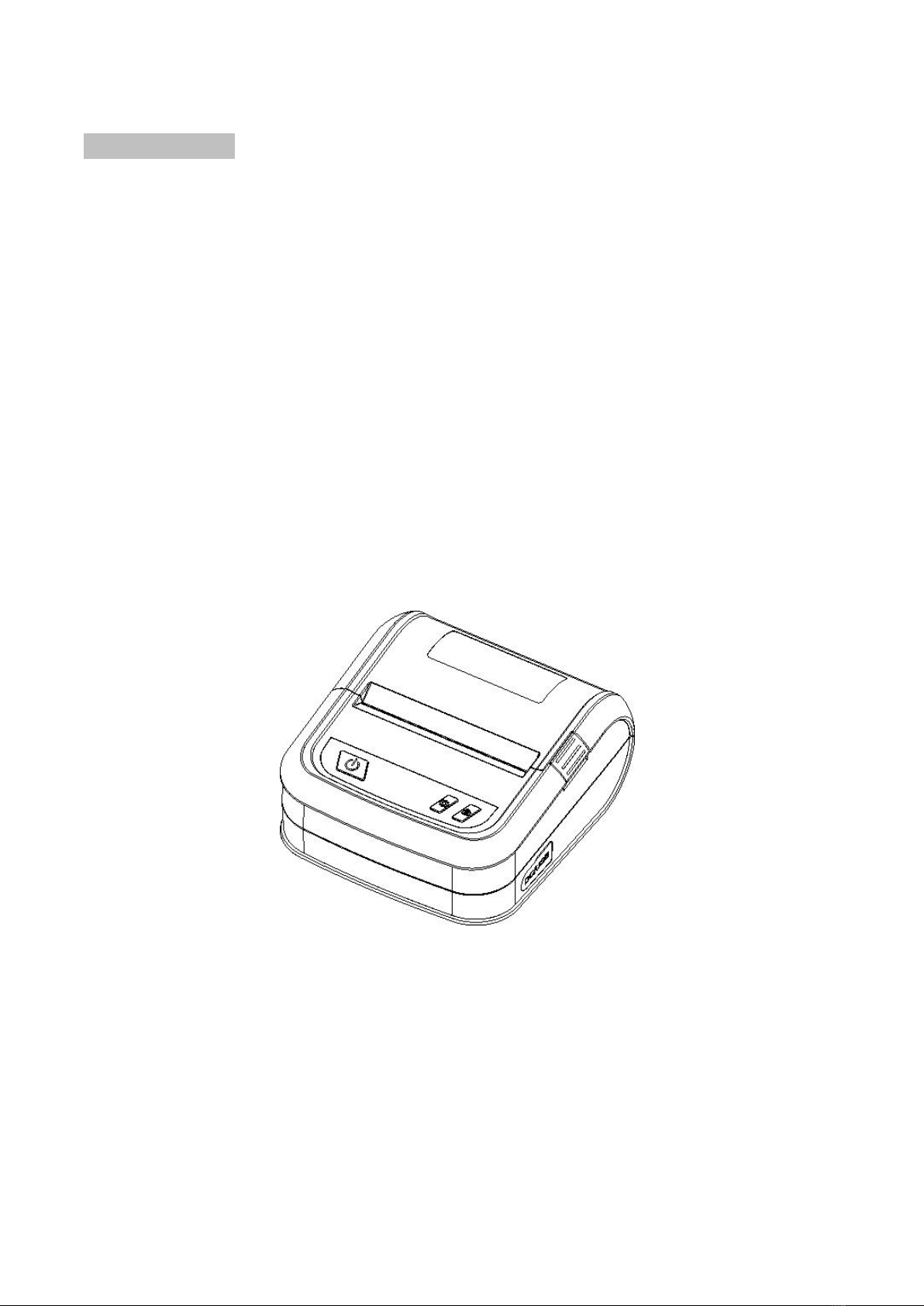
permission.The picture below is for reference only, and the appearance is subject to the
product purchased.

1
I. Overview
1.1 Introduction
Thank you for purchasing the portable barcode printer made by our company.
This model simultaneously supports two modes including labels and bills, so as to deal with
different usage scenarios. In addition, this model has a built-in high-quality and efficient “True
Type Font” engine and font library. With a flexible design of firmware, the users can also
download the True Type Font from the computer into the printer’s memory. In addition to the
ability to zoom the fonts, there are five different sizes of bitmap font, OCR-A and OCR-B fonts.
Integrated with such powerful functions, affordable price, and the best printing quality, this
printer will be your best choice for portable barcode printers at the same level.
Please refer to the information provided by your volume label editing software when printing the
label format. If you need to write your own instruction program, please refer to the instruction
manuals for TSPL, ZPL, DPL, EPL, CPCL, and ESC/POS.
Scope of application
o Manufacturing & warehousing logistics
Volume label of manufacturing mark
Label of inventory management
Label of item mark
Label of operation instruction
Label of distribution instruction
o Medical care
Identification of patients
Medicine mark
Label of specimen
o Parcel mailing
Label of posting/receipt
o Small office/studio
o Retail
Price mark
Shelf item mark
Volume label of jewelry product

2
Supported barcodes
Supported formats of pictures
1D bar code
2D bar code
BITMAP,
BMP,
PCX
(Max. 256 colors graphics)
Code 39,
Code 93,
Code128UCC,
Code128 subsets
A, B, C, Codabar,
Interleaved 2 of 5, EAN-8,
EAN-13, EAN-128,
UPC-A, UPC-E,
EAN and UPC 2(5)
digits add-on, MSI,
PLESSEY, POSTNET,
China POST, GS1
DataBar, Code 11
PDF-417,
Maxicode,
DataMatrix,
QR code,
Aztec,
GS1 DataBar
Composite code
1.2 Parameters of product
Standard configuration
Standard configuration of product
203 dpi
Thermal printing
○
Two-color plastic case
○
Adjustable gap sensor/penetration type
○
Adjustable black mark sensor/reflection type
○
Printhead open sensor
○
USB 2.0 communication interface
○
8 MB SDRAM memory
○
8 MB FLASH memory
○
Date/time generator
○
Paper-out button and LCD display
○
Supporting programming languages of barcode printers of other brands
(Eltron® and Zebra®)
○
Supporting bill instructions
○
Containing 8 kinds of bitmap English digital types
○
Printing out fonts and barcodes rotationally in four directions (0,
90,180, 270 degrees)
○
Containing fonts
○
Downloading Windows fonts for use
○
Downloading firmware updates
○
Printing text, barcode, image/picture (for those supporting code page,
please refer to the instructions manual of TSPL)
○

3
Optional accessories
Optional accessories of product
Optional by
customer
Optional by
distributor
Optional by
manufacturer
Wireless network communication interface
-
-
○
1.3 General specification
General specification
Volume and
dimensions of
printer
124 mm (D) x 108 mm (W) x61 mm (H)
Weight of printer
0.357 kg
Power supply
Internal voltage automatic switching power supply
Input: AC 110-240V
Output: DC 9V 2A, 18W/DC 5V 2A, 10W (Specific in kind)
Environmental
conditions
Operation environment: Temperature 5 ~ 40˚C (41 ~ 104˚F); humidity
(non-condensing) 25~85%
Storage environment: Temperature -40 ~ 60˚C (-40 ~ 140˚F); humidity
(non-condensing) 10~90%
1.4 Printing specification
Printing specification
203 dpi
Resolution of print head
8 dots/mm (203 dots/inch)
Printing mode
Direct Thermal
Dot size
(Width x Length)
0.125 x 0.125 mm
(1 mm = 8 dots)
Printing speed
(ips: inch/second)
4B-2033PA: 1, 2, 3, ips
(1 ips = 25.4mm/s)
Maximum printing width
72 mm (2.83”)
Maximum printing length
1778 mm (70”)

4
1.5 Paper specification
Paper specification
203 dpi
Paper bin capacity
50 mm OD
Type of paper
Continuous paper, gap paper, black mark paper, perforated
paper
Winding type of paper
Outward winding of printing surface
Width of paper (label +
body paper)
Maximum 76 mm (3”)
Minimum 25.4 mm (1.0”)
Thickness of paper (label
+ body paper)
Maximum 0.25 mm (10 mil)
Minimum 0.06 mm (2.36 mil)
Axis size of paper roll
12.7 mm~25.4 mm (0.5”~1”)
Length of label
10~1778 mm (0.39”~70”)
Remark:
If you are using a label in the length less than 25.4mm (1"), it is
recommended to use a label paper with perforated lines on the
gap so as to tear apart easily.
Spacing height of gap
paper
Minimum 2 mm (0.09”)
Black mark height of black
mark paper
Minimum 2 mm (0.09”)
Black mark width of black
mark paper
Minimum 8 mm (0.31”)

5
II. Product
2.1 Unpacking and inspection
This printer is specially packaged to protect against possible damage in transit. However, since
the printer may still be subjected to unexpected damage during transportation, you are kindly
required to check the packaging and all units carefully when receiving the printer. In case of
obvious damage, please contact the sales dealer directly and indicate the severity of the
damage. Please keep the packaging materials for returning the printer.
Once you have received your barcode printer, place it on a clean, steady table and carefully
remove the packaging materials. Check if the following items are included:
One barcode printer
One installation driver CD-ROM
One copy of operation instructions
One Type C data cable
One power adapter
One set of paper roll supply shaft
Please keep the printer’s packaging materials properly for future handling. In case of any
shortage or missing of the aforesaid items, please contact the customer service department in
the place where you purchased the printer.

6
2.2 Printer components
Appearance
6
1
2 3
5
4 7
77
7 8
9
10
1. Paper exit
2. Power on/off button
3. Clamshell
4. Display screen
5. Clamshell switch
6. Transparent clamshell lens
7. Medium frame
8. Paper feeding button
9. Base
10. Menu button

7
Interior
1. Printing rubber roller
2. Print head
3. Battery
1
2
3
Table des matières
Autres manuels 3nStar Imprimante


