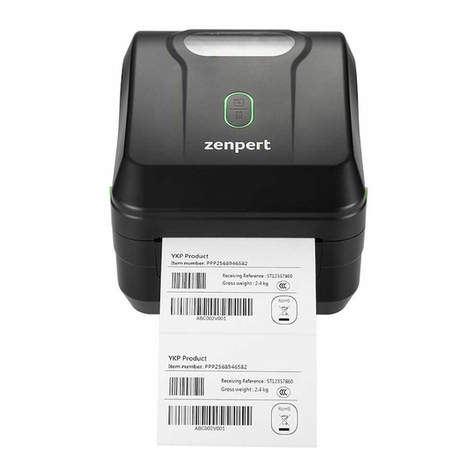
zenpert 4T520P Series Manuel utilisateur

i
USER’S
MANUAL
4T520/ 4T530 Series
4T520P/ 4T530P Series
THERMAL TRANSFER/DIRECT THERMAL
BAR CODE PRINTER

ii
Copyright Information
The copyright in this manual, the software, and firmware in the printer described
therein are owned by TSC Auto ID Technology Co., Ltd, All rights reserved.
Windows is a registered trademark of Microsoft Corporation.
All other trademarks are the property of their respective owners.
Information in this document is subject to change without notice and does not
represent a commitment on the part of zenpert. No part of this manual may be
reproduced or transmitted in any form or by any means, for any purpose other
than the purchaser’s personal use, without the expressed written permission of
zenpert.

iii
Agency Compliance and Approvals
GB 4943.1
GB 9254, Class A
GB 17625.1
此为 A 级产品,在生活环境中,该产品可能会造成无线电干扰,在这种情况
下,可能需要用户对干扰采取切实可行的措施。
IS 13252(Part 1)/
IEC 60950-1
KN 32
KN 35
Important safety instructions:
1. Read all of these instructions and keep them for later use.
2. Follow all warnings and instructions on the product.
3. Disconnect the power plug from the AC outlet before cleaning or if fault happened.
Do not use liquid or aerosol cleaners. Using a damp cloth is suitable for cleaning.
4. The mains socket shall be installed near the equipment and easily accessible.
5. The unit must be protected against moisture.
6. Ensure the stability when installing the device, Tipping or dropping could cause damage.
7. Make sure to follow the correct power rating and power type indicated on marking label
provided by manufacture.
8. Please refer to user manual for maximum operation ambient temperature.
WARNING:
Moving parts. Keep finger or body away from moving parts.
Caution: The printhead may be hot and could cause severe burns. Allow the
printhead to cool.
WARNING:
Remove the power from AC inlet before opening the media cover for cleaning or repairing
faults. After cleaning or fixing faults, media cover closing before power connecting to AC
inlet.

iv
Contents
1. Introduction..........................................................................................................1
1.1 Product Introduction......................................................................................... 1
1.2 Product Features............................................................................................... 2
2. Operations Overview ...........................................................................................3
2.1 Unpacking and Inspection................................................................................ 3
2.2 Printer Overview................................................................................................ 4
2.2.1 Front View ............................................................................................... 4
2.2.2 Interior View............................................................................................ 5
2.2.3 Rear View ................................................................................................ 6
3. Setup.....................................................................................................................7
3.1 Setting up the Printer........................................................................................ 7
3.2 Loading the Ribbon........................................................................................... 8
3.3 Loading the Media........................................................................................... 11
3.3.1 Loading the Roll Labels ....................................................................... 11
4. LED and Button Functions ...............................................................................14
4.1 LED Indicator................................................................................................... 14
4.2 Regular Button Functions .............................................................................. 14
4.3 Power-on Utilities............................................................................................ 14
4.3.1 Gap/Black Mark Sensor Calibration .................................................... 15
4.3.2 Gap/Black Mark Calibration, Self-test and Dump Mode..................... 16
4.3.3 Printer Initialization .............................................................................. 19
4.3.4 Set Black Mark Sensor as Media Sensor and Calibrate the Black Mark
Sensor............................................................................................................ 20
4.3.5 Set Gap Sensor as Media Sensor and Calibrate the Gap Sensor...... 20
4.3.6 Skip AUTO.BAS .................................................................................... 21
5. Diagnostic Tool..................................................................................................22
5.1 Start the Diagnostic Tool................................................................................ 22
5.2 Printer Function .............................................................................................. 23
5.3 Calibrating Media Sensor by Diagnostic Tool................................................24
5.3.1 Auto Calibration.................................................................................... 24
6. Troubleshooting.................................................................................................25
6.1 Common Problems ......................................................................................... 25
7. Maintenance.......................................................................................................28
Revise History........................................................................................................30

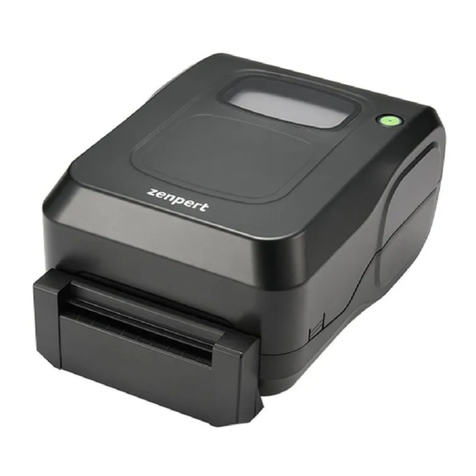
1
1. Introduction
1.1 Product Introduction
Thank you very much for purchasing zenpert bar code printer.
The 4T520(P) / 4T530(P) series printer features the single motor that is capable of handling
large capacity 300 meters ribbon and large rolls of media inside its sleek design. If the 5”
interior label capacity is not enough, simply add an external media roll mount and the 4T520(P)
/ 4T530(P) series can easily handle 8”OD rolls of labels designed for expensive industrial label
printers.
The moveable black mark sensor design can accept a wide range of label media. All of the
most frequently used bar code formats are included. Fonts and bar codes can be printed in any
one of the four directions.
The 4T520(P) / 4T530(P) series printer is built-in the high quality and support various kinds of
media. With flexible firmware design, users can also download the True Type Font from PC into
printer memory for printing labels. Besides the scalable font, it also provides a choice of eight
different sizes of the alphanumeric bitmap font. By integrating rich features, it is the most cost-
effective and high-performance printer in its class!
To print label formats, please refer to the instructions provided with your labeling software; if
you need to write the custom programs, please refer to the TSPL/TSPL2 programming manual
that can be found on zenpert official website.
•Applications
oManufacturing & Warehousing
▪Work in Progress
▪Item Labels
▪Instruction labels
▪Agency labels
oHealthcare
▪Patient Identification
▪Pharmacy
▪Specimen Identification
oParcel Post
▪Shipping / Receiving
Labels
oSmall Office / Home Office
oRetail Marking
▪Price tags
▪Shelf labels
▪Jewelry tags

2
1.2 Product Features
The printer offers the following product features.
Model Name
4T520
4T530
4T520P
4T530P
Resolution
203 dpi
300 dpi
203 dpi
300 dpi
Speed
6 ips
4 ips
6 ips
4 ips
Max. printable width
108 mm
105.6 mm
108 mm
105.6 mm
Max. media width
19~118 mm
Min. label length
5 mm
Label thickness
0.06 ~ 0.19 mm
Max. OD
127 mm
Inner core
1”
Media wound type
Outside wound
Min. gap length
2 mm
Gap sensor position
Fixed
Min. black mark size
2 mm x 8 mm
Ribbon width
40~110 mm
Ribbon
300 m long, max. OD 67 mm, 1” core (ink coated outside)
110 m long, max. OD 40 mm, 0.5”core (ink coated outside)
Ribbon wound type
Outside wound (ink coated outside)
CPU
ATMEL AT91SAM9G25-CU
DRAM
64MB
FLASH
16MB
128MB
Interface
USB2.0
USB2.0 + Ethernet 10/100Mbps
Sensor
Gap sensor
Black mark sensor
Head open sensor
Ribbon end sensor
Buzzer
Standard
Environmental
WEEE、REACH、RoHS
Operation
temperature
0 ~ 40 ℃
Operation humidity
10-85%, non-condensing
Storage temperature
-20 ~ 60 ℃
Storage humidity
5-90%, non-condensing
Option
Cutter
Factory option (China
only)
Internal Bluetooth

3
2. Operations Overview
2.1 Unpacking and Inspection
This printer has been specially packaged to withstand damage during shipping. Please
carefully inspect the packaging and printer upon receiving the bar code printer. Please retain
the packaging materials in case you need to reship the printer.
Unpacking the printer, the following items are included in the carton.
◼ One printer unit
◼ One quick installation guide
◼ One power cord
◼ One external universal switching power supply
◼ One USB interface cable
◼ A pair of 1”ribbon spindles
◼ A pair of 0.5”ribbon spindles
◼ One ribbon paper core
◼ One label spindle with two wings and two 1.5” adaptors
If any parts are missing, please contact the Customer Service Department of your purchased
reseller or distributor.

4
2.2 Printer Overview
2.2.1 Front View
1. LED indicator & Feed/Pause button
2. Top cover open tab
3. Paper exit chute
3
2
1

5
2.2.2 Interior View
1. Printer top cover
2. Ribbon supply spindle
3. Ribbon supply hub
4. Ribbon rewind hub
5. Print head release button
6. Ribbon rewind spindle
7. Fixing tab
8. Media supply spindle
9. Platen roller
10. Gap sensor
11. Black mark sensor
12. Media guide
13. Ribbon cover
14. Print head
15.Cutter (optional)
WARNING
HAZARDOUS MOVING PARTS
KEEP FINGERS AND OTHER
BODY PARTS AWAY
OPEN
12
13
15
9
11
10
7
6
1
4
5
2
3
8
14

6
2.2.3 Rear View
•4T520/4T530 model
•4T520P/4T530P model
1. Power switch
2. USB interface (USB 2.0/Full speed mode)
3. Power jack socket
4. Ethernet interface (10/100 Mbps)
Note:
The interface picture here is for reference only. Please refer to the product specification for
the interfaces availability.
1
2
3
1
2
4
3
Ce manuel convient aux modèles suivants
3
Table des matières
Autres manuels zenpert Lecteur de codes-barres
Manuels Lecteur de codes-barres populaires d'autres marques

POSMicro
POSMicro Datalogic PowerScan D7100 Manuel utilisateur

Marson
Marson MT780 Guide de configuration rapide

NCR
NCR RealPOS Manuel utilisateur

Motorola
Motorola SE3300 Guide de configuration rapide

Element
Element P130BT Manuel utilisateur

Motorola
Motorola Symbol LS3008 Manuel d'installation et d'exploitation