
Xcube X-307 OG Manuel utilisateur

INSTRUCTION MANUAL
INSTRUCTION MANUAL 4
ИНСТРУКЦИЯ
ПО ЭКСПЛУАТАЦИИ 27
X-307 OG
portable multimedia player
307IM.indd 1 16.02.2007 10:02:37
2
1
26
7
8
4
5
3
307IM.indd 2 16.02.2007 10:02:37
4
3
307IM.indd 3 16.02.2007 10:02:38

English
4
Instruction Manual
Portable Multimedia player
X-307 OG
Trademark copyright
Thank you for purchasing XCube
X-07 OG-player
We are sure you will like this player
and it will make you life brighter.
This manual contains the informa-
tion on safe usage of the unit.
Please read this manual carefully
before operating the unit.
1. Copyright
XCube is a registered trademark of
the American company New Media
Entertainment (NME), Inc.
• This appliance is for private
usage only and should not be
used for benefits.
• Unlawful copying of the
manual in parts or the whole is
prohibited.
• Software, audio/video
information, games are the
intellectual property and are
under the copyright law.
• We recommend the users to
visit our web site
www.xcubedigital.com where
you can find all the information
about the company, products
and technical specifications.
• Any part of this manual
can be changed without
preliminary notice in order to
improve functions or change
specifications of the unit.
Accessories
Please check if all the accessories
below have been supplied in the
package:
(1) Earphones
(2) Charger
() Software CD
(4) Instruction manual
(5) USB cord
(6) Line-in cord
Power
This product has a built-in recharge-
able battery. The player can be
inserted directly to the USB jack of a
PC for charging. Standard charging
time is about 4-5 hours.
307IM.indd 4 16.02.2007 10:02:38

English
5
Note:
No play operation is available dur-
ing charging. The battery should be
charged for at least 12 hours before
first use.
Precautions:
1. In order to make the player
operate correctly and prevent
incidents, please do not
place it in extreme high or low
temperature environments.
2. Do not subject this product to
high humidity, or place near fire
or where it could be splashed
by liquids.
. Please do not attempt to
disassemble or repair this
product yourself.
4. Please do not listen to music
with earphone while driving a
car, while crossing the road
or while riding a bike in traffic
conditions.
5. It is advised that you do not
subject your ears to high
volume levels for a long time as
this may cause serious damage
to your hearing.
6. Do not disconnect this product
from the computer system
whilst transferring data.
7. This product is a high-tech
electronic appliance. However,
there still remains the possibility
of malfunction due to misuse.
Therefore, it is advised that you
make a backup copy of ALL
data and files stored within this
product. This will minimize the
in-convenience caused by such
a situation. The supplier does
not accept responsibility for any
damage, loss or corruption of
data within this product.
Computer configuration require-
ment
It supports Windows Me / 2000 / XP
Mac OS10. XTT and LinuxKerne l
2.4.2 or above.
• Compatible with audio formats
including MP1, MP2, MP,
WMA, AMV, ASF and WAV.
• You can conduct file operation
via the “Removable disk” icon in
307IM.indd 5 16.02.2007 10:02:38

English
6
“My Computer”.
• This product Supports AMV
files.
• This product Supports JPG
pictures.
• This product Supports e-book
function.
• This product has a game
function.
• This product has a built-in
Speaker for listening to music
without earphones.
Functional parts
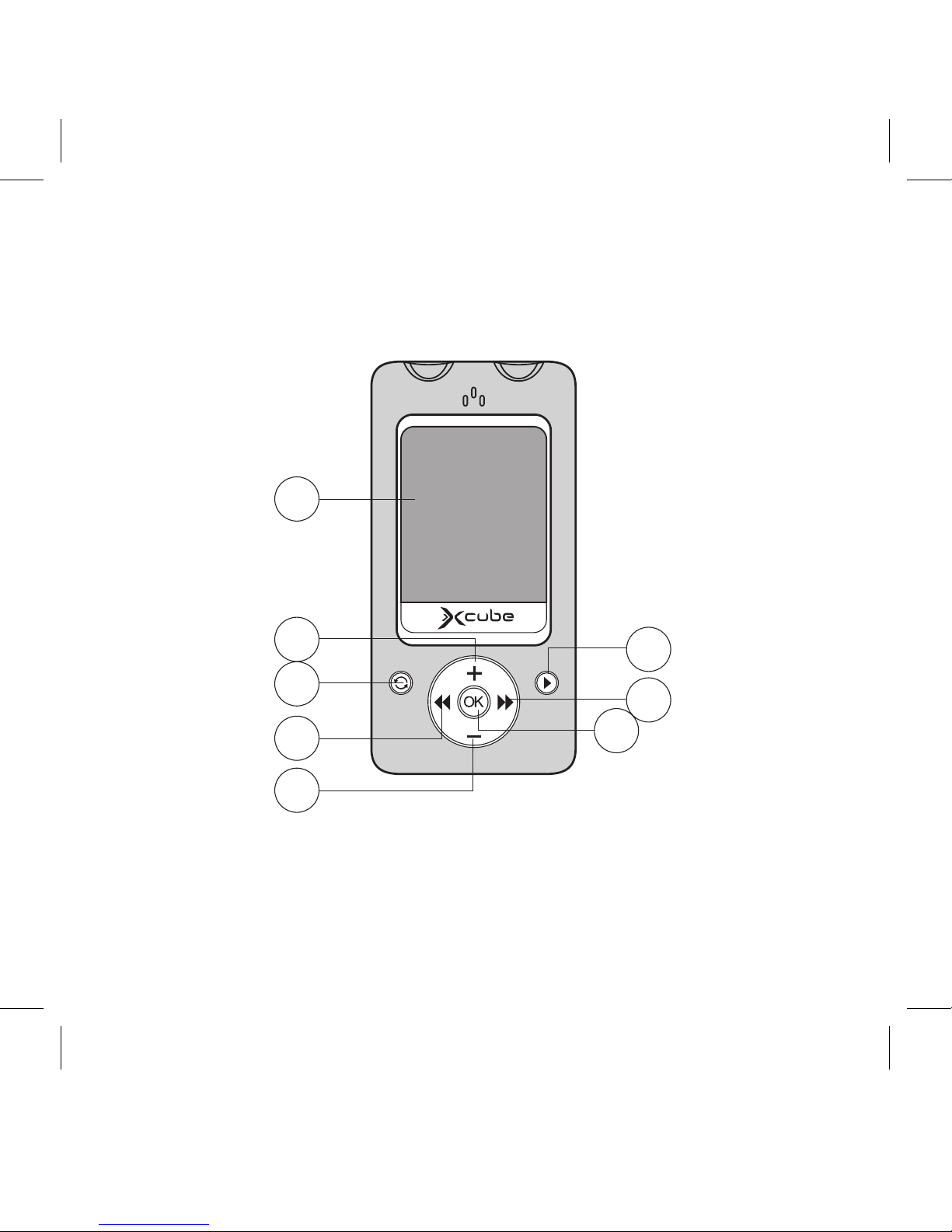
Front panel
1. Display Screen.
2. Volume + key: volume increase.
. A-B/REC key: repeat, record
function.
4. Previous track key: previous
entry/rewind.
5. Volume - key: volume decrease.
6. Play/Pause key: power on/off,
play, pause and stop.
7. Next track key: next entry, fast
forward.
8. OK key: this key enters Menu
modes and confirms selections.
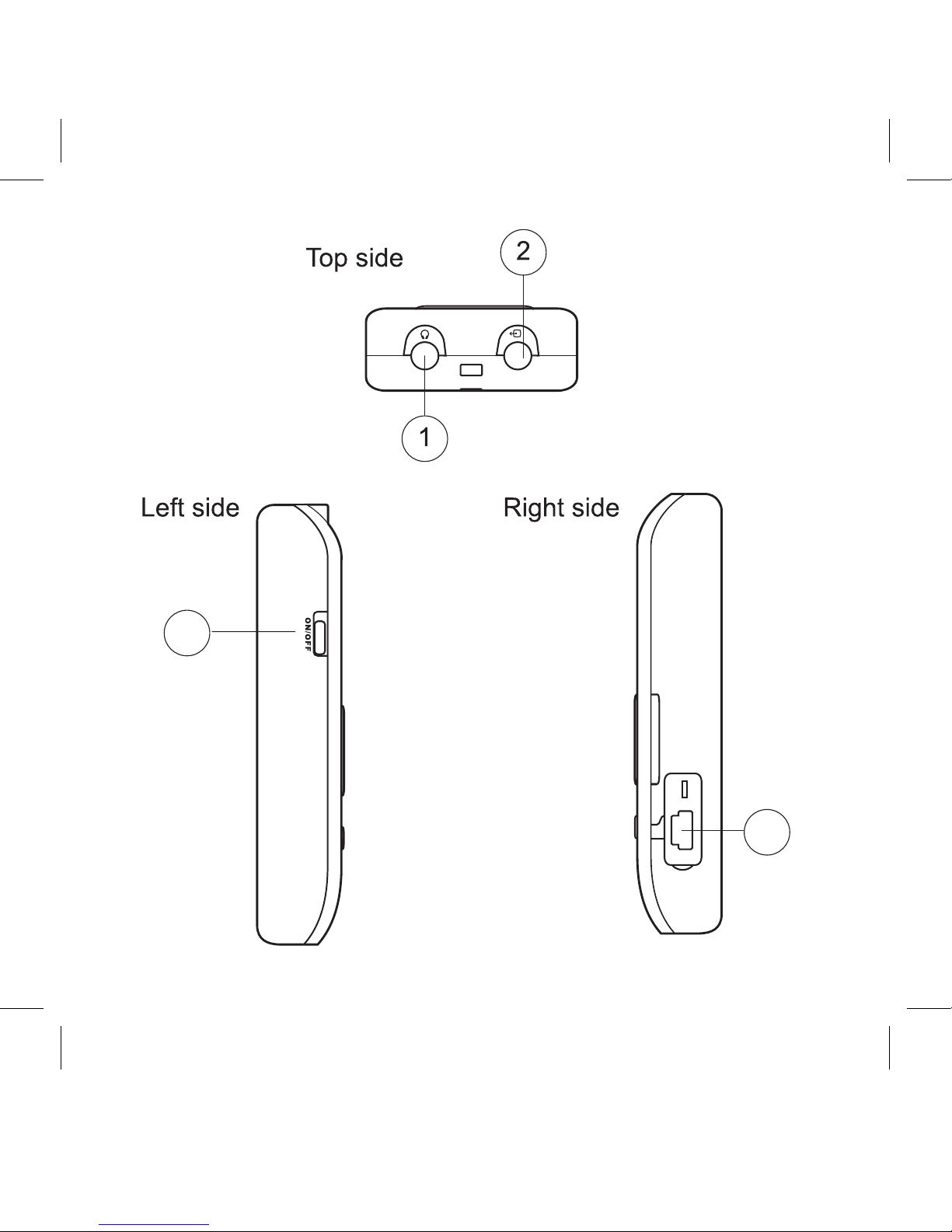
Top sides
1.Earphone Jack
2.Line-in Jack
Left side
. Power
Right side
4. USB port
Operation instructions
I. Power on
1.1. Power on
Hold PLAY for one second to turn the
device on.
1.2. Function Selection
In the main menu state, press
NEXT or PREV to select your de-
sired mode, and then press OK
to enter. The information for the
selected mode will be displayed on
the screen.
II. Detailed Applications
2.1. MUSIC Mode
In MUSIC mode, you can play MP,
WMA and WMV files, with lyric dis-
played simultaneously!
307IM.indd 6 16.02.2007 10:02:38
English
7
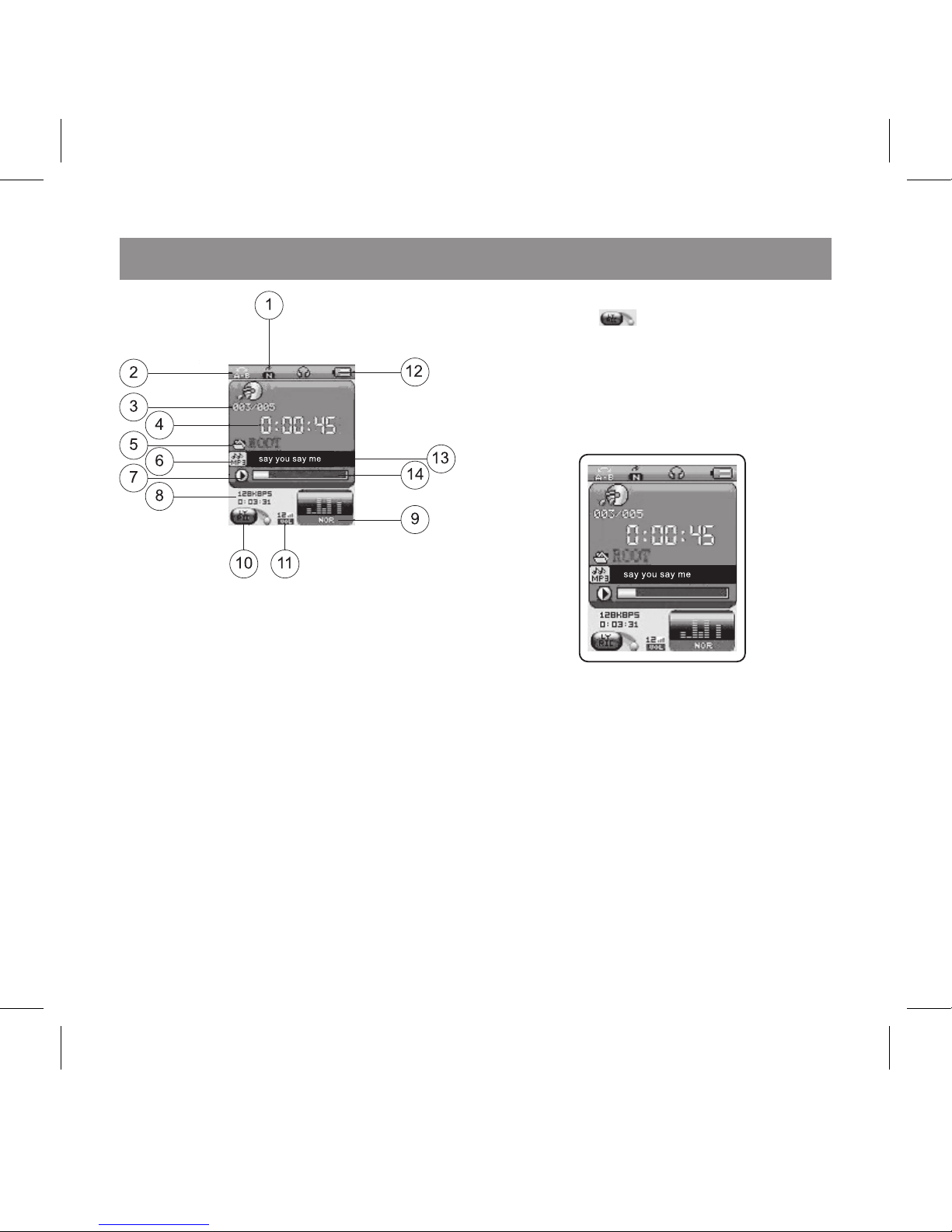
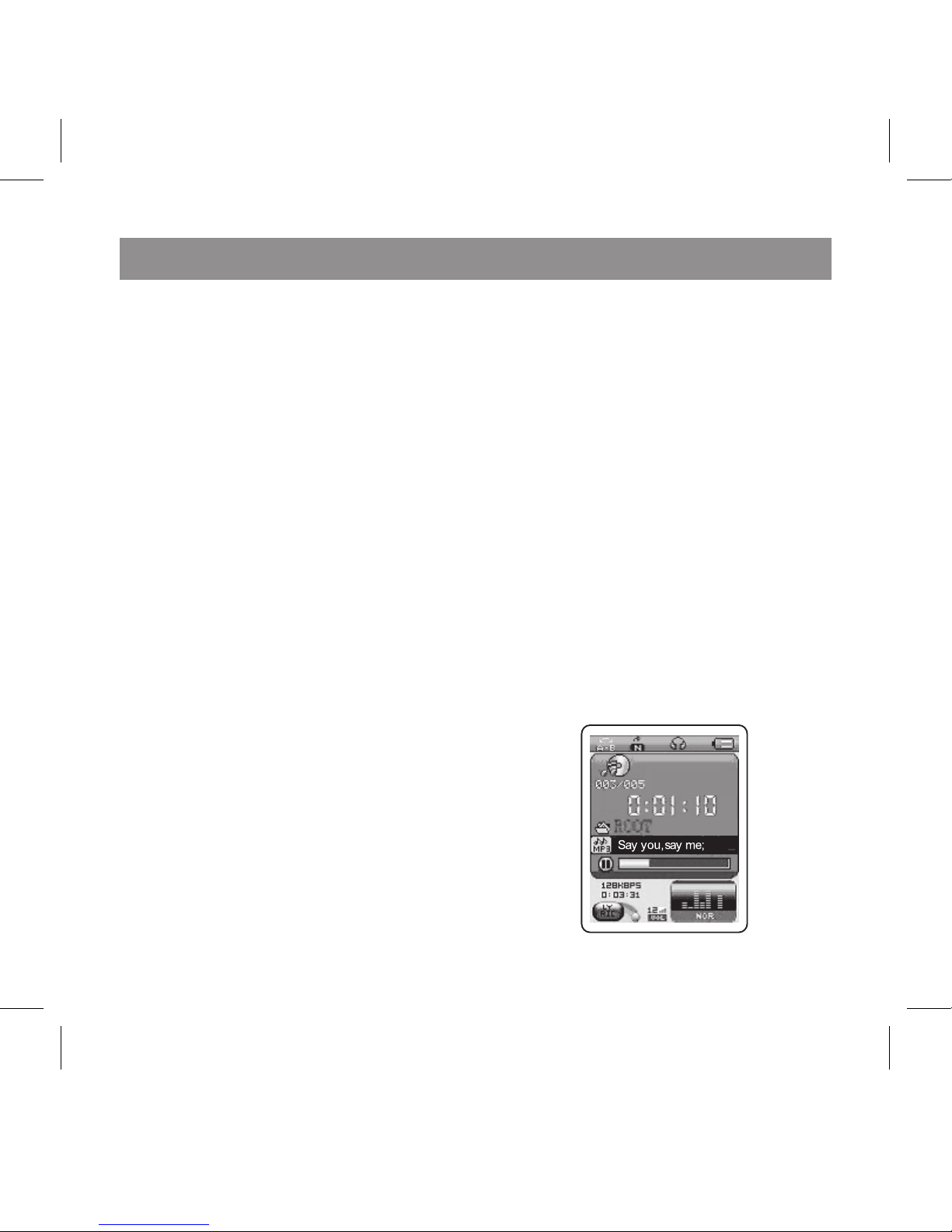
1. Cycle Mode
2. Re-read Icon
. Music No./Music Total
4. Play Time
5. Directory Icon
6. File Mode
7. Play State
8. it Rate/Music Total Time
9. Sound Effect Mode
10. Lyric Hint
11. Volume Icon
12. Power Icon
1. Music Played
14. Play Progress
If a lyric file is available for the music
currently played, then lyric hint will
appear as “ “.
2.1.2. Music play state
2.1.2.1. Basic functions
In MUSIC standby state, press PLAY
to start playing, as follows:
PAUSE MODE:
While a song is playing, press PLAY
to pause.
Press PLAY again to resume play-
back
Press VOL+/VOL- to increase/de-
crease volume. Press NEXT/PREV to
choose the next or previous music
file. Press and hold NEXT or PREV to
fast forward/fast rewind the
current music. Press OK to enter
307IM.indd 7 16.02.2007 10:02:39
English
8
into MUSIC setup mode. Press and
hold MENU to exit to the main menu.
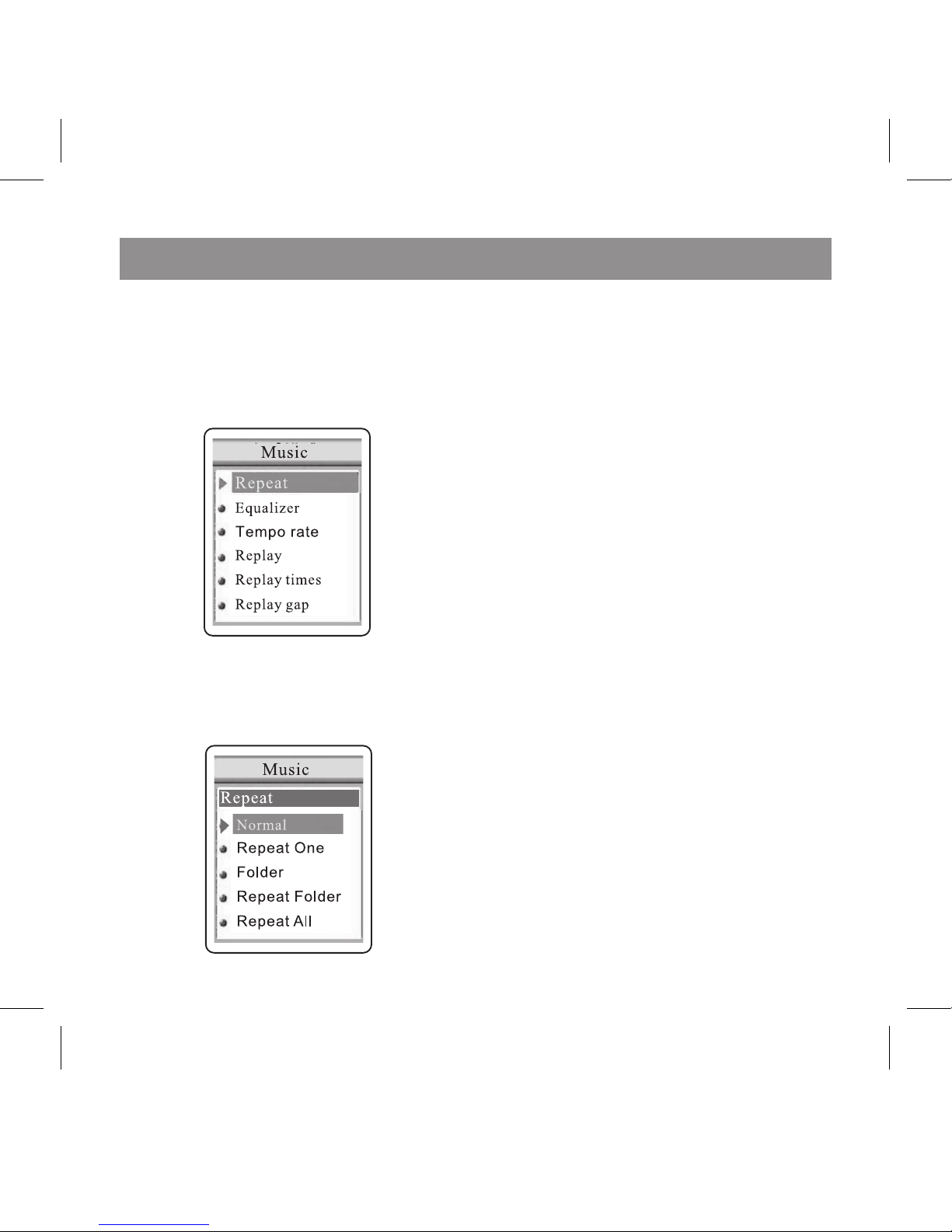
2.1.2.2. MUSIC Setting
While playing music, press OK to en-
ter MUSIC setup, shown as follows:
Move the highlight bar by press-
ing the NEXT or PREV buttons until
REPEAT is highlighted.
Enter the repeat MENU by press-
ing the OK button. Highlight your
desired repeat mode which includes
- Normal, Repeat One, Folder, Re-
peat Folder, Repeat All, Random
and Intro.
Normal: The player will cease op-
eration after playing all songs.
Repeat One: Play a single song
repeatedly.
Folder: Play all the music in the
folder once.
Repeat Folder: Play all the music in
the folder repeatedly.
Repeat All: Play all the music in the
player repeatedly.
Random: Play the music in the cur-
rent folder at random.
Intro: Play the first ten seconds of
all music.
OTHER SELECTIONS IN THE
PLAY MENU:
Equalizer Setting:
During playback, enter the play
menu by pressing the OK button.
Use the PREV & NEXT buttons to
highlight EQ mode. Press OK to
confirm and enter. The available EQ
307IM.indd 8 16.02.2007 10:02:39
English
9
modes are: NATURAL ROCK POP
CLASSIC SOFT JAZZ and DBB. Use
the PREV and NEXT buttons to high-
light the desired selection. Press the
OK button to confirm.
Tempo Rate Setting:
Enter the Tempo Rate setting by
a similar process to above, press
NEXT or PREV to alter the play
speed in between +8 and -8. +8
means play at the fastest speed, -8
means play at the slowest speed
and 0 is the normal play speed (This
function is only applicable to MP-
format files).
Replay:
After choosing and entering the
replay mode in the menu, “A” will
be displayed and will begin to flash.
Press the NEXT button to select the
starting point of the section you wish
to repeat. “A” will stop flashing and
“B” will begin to flash. Press NEXT
again to confirm the end of the sec-
tion you wish to repeat. The player
will begin to repeat the selected
section for the amount of cycles
selected within the
REPLAY TIMES Section.
Replay Time Setting:
Replay time determines the times
of A-B repetition before resuming
normal playback
Replay Gap Setting:
Replay gap determines the pause
time period between each repeat
cycle.
Exit: Return to the playing mode.
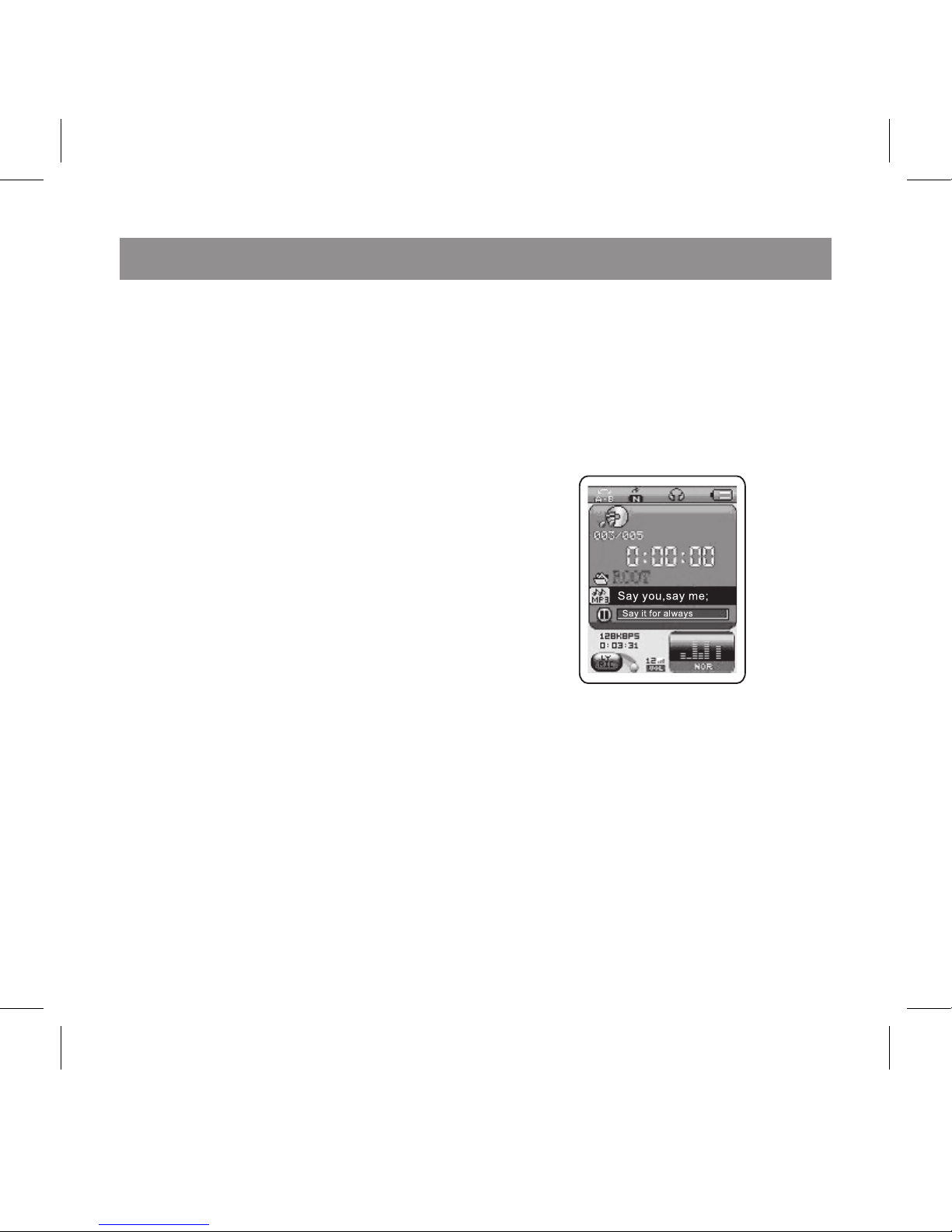
2.1.3 MUSIC Pause State
Firstly, Press and hold the OK button
to enter the MAIN MENU. Use the
PREV and NEXT buttons to select
MUSIC mode. Press OK to enter.
307IM.indd 9 16.02.2007 10:02:39
English
10
Basic Operation:
Press PLAY to play the current song
shown on the display.
Press the PREV or NEXT buttons to
choose an alternate file.
Press the PLAY button again to
PAUSE. To resume playback, Press
PLAY again.
Press and hold the NEXT or PREV
during playback to fast forward or
fast reverse.
Press VOL+/VOL- to increase/de-
crease volume by one level. Press
and hold VOL+/VOL- to fast in-
crease/decrease volume. Press OK
to enter into MUSIC deleting mode.
Press and hold OK to return to main
menu.
2.1.4. STANDBY MODE
If the player is not being used for
more than the preset power off time,
the device will automatically turn
off to save energy; or you can press
and hold the PLAY button to turn off.
MUSIC Directory Setting:
To enter the Music submenu, enter
pause mode of the current track
then Press the OK button. You may
browse the local folders in the Mp
player. Press the OK button to enter
the highlighted selection. Press
the PLAY button to return to MUSIC
Mode. The following display will
appear:
Local folder:
Choose Local folder to access the
available files or folders within the
player’s memory. Press NEXT or
PREV to highlight your desired se-
lection and press OK to enter into it.
307IM.indd 10 16.02.2007 10:02:40
Table des matières
Langues :
Autres manuels Xcube Lecteur multimédia


