
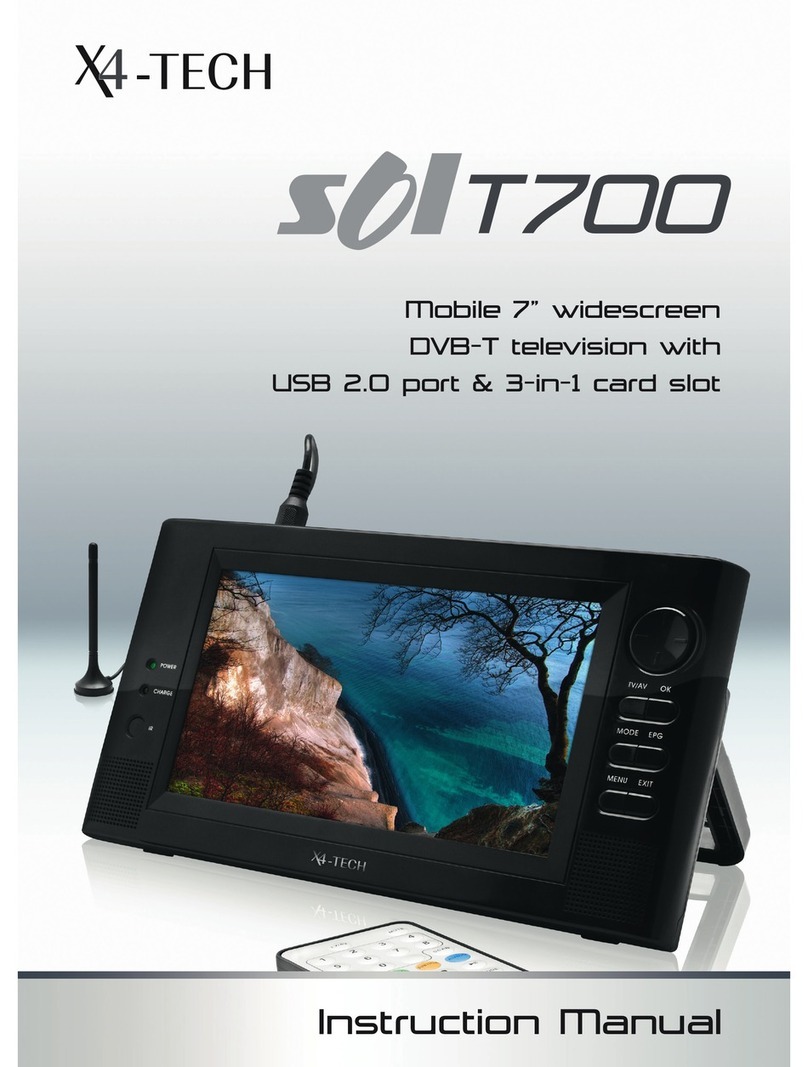
X4-TECH S01T7 Manuel utilisateur

Instruction Manual
DVB-T TV with photo frame
and MP3 function

2 3
Table of Contents
6 Chapter 1 Intended use
6 Explanation of symbols
7 Chapter 2 Safety information
10 Before use
11 Copyright information
11 Note on volume regulation
12 Chapter 3 Features
13 Chapter 4 The device
16 Remote control
19 Batteries/Inserting/Changing batteries
19 Rechargeable battery
20 Information on handling batteries/rechargeable batteries
22 Chapter 5 Connections
22 Power supply
22 Antenna
22 USB connection
23 Memory cards
24 Chapter 6 Turning on/off
25 Chapter 7 Menu
26 Digital TV
26 Channel manager
27 Installation
27 Configuration
29 Movie
30 Music
30 Photo
31 Chapter 8 Record
32 Chapter 9 Troubleshooting
33 Chapter 10 Maintenance, handling and cleaning
36 Chapter 11 Specifications
36 Technical data
37 Delivery contents

4 5
Dear Customer:
Thank you for deciding on purchasing this quality product from X4-TECH.
This instruction manual will give you a general idea of how this device operates, as well
as provide you with information on cleaning and safety procedures. Please take a few
minutes to read and follow all safety and operating instructions found in this manual
carefully, in order to maintain this products condition and ensure safe operation. Reta-
in this manual for future reference and pass on to third parties where applicable.
Should you have any additional questions regarding this device or should any sugge-
stions arise, please contract a specialized dealer or our service team for further infor-
mation.
We look forward to you recommending us to others and hope you enjoy using this
device from X4-TECH.
Your X4-TECH Team
All company and product names mentioned in this document are registered trade-
marks of their respective owners. All rights reserved.
We assume no liability for damage occurred as a result of improper use or damage
resulting from the failure to comply with the safety instructions found in this manual,
improper operation or handling! Under such circumstances, all claims under warranty
will become void. We assume no liability for consequential damage!
The information contained in this instruction manual is subject to change without notice.
This product is EMV-certified and fulfils all European and National guideline require-
ments. A declaration of CE conformity has been established for this product. Certifica-
tion has been documented and entrusted to the manufacturer.

6 7
1 2
Intended use Safety information
Chapter 1 Intended use Chapter 2 Safety information
The SOL T7 is intended for DVB-T television reception and playback. USB flash drives
and hard disks can be used via the USB 2.0 connection. You can also use MS, MMC, SD
and SDHC memory cards with this device. Video, music and image files found on the
above mentioned storage media can be used with this device.
Please adhere to all of the safety information/instructions found in this instruc-
tion manual!
Explanation of symbols
An exclamation mark is intended to inform the user of important information,
operation or maintenance instructions or that special attention is required.
This symbol is intended to alert you to the presence of unprotected, live parts
or components found within the product’s enclosure or of dangerous connec-
tions that upon contact may be of sufficient magnitude to constitute a risk of
electric shock. Cables intended for such connections should only be connected
by qualified personnel or you should only use ready to connect cables. There
are no user-serviceable parts found inside the device, therefore the device is
never to be opened.
Dear Customer:
The following safety and hazard warnings are not only for the protection of your de-
vice, but also serve as a protection against potential health hazards. Please take time to
read the following instructions carefully.
We assume no liability for personal or property damage resulting from
the failure to comply with the safety instructions, improper operation
and handling. Under such circumstances, all claims under warranty will
become void.
› For safety and licensing (CE) reasons any unauthorized modification and/
or change on the device is prohibited and will void the warranty and all
warranty claims.
› Any persons operating, installing, setting up, or servicing this device must
be trained and qualified accordingly and observe these operating instruc-
tions.
› Ensure that the device has been set up accordingly by following all in-
structions found in the instruction manual.
› Power supply cords should be routed so that they are not likely to be wal-
ked on or pinched by items placed upon or against them, paying particu-
lar attention to cords at plugs, convenience receptacles, and the point at
which they exit from the device. Avoid exposing the cable to extreme heat
or cold. Never modify/change the cable. This could otherwise damage the
cable and result in the dangerous risk of electric shock.
› Should any evident damage be seen on the device or on the connection
cables, do not come in contact with or touch these. Switch off the corre-
sponding circuit breaker in the power distribution panel first before care-
fully unplugging the power plug from the wall outlet. Do not operate this
device further! Please contact or take it to a qualified service technician/
specialty workshop.

8 9Chapter 2 Safety information Chapter 2 Safety information
› Unplug the power plug from the wall outlet in order to completely cut off
the power supply to the device. Merely turning the device off with the ON/
OFF button is not sufficient enough. Make sure that receptacles are easily
accessible.
› Always pull on the plug’s grips and never on the cable to remove from a
power outlet.
› The device should be unplugged from the power outlet if it is not in use
for a longer period of time.
› For safety reasons always unplug the device from the power outlet during
thunderstorms.
› Eliminate potential tripping hazards by routing cables so that no one can
trip or stumble over them.
› Never use the device if the power cable or device is damaged.
This device is not suitable for children under 3 years of age.
Small children are unaware of the serious and immediate dangers
involved when exposing themselves to or handling electronic de-
vices. Furthermore, this product contains small parts that could be
swallowed. Never leave packaging material lying around unsuper-
vised. For children it could become a hazardous toy and lead to se-
rious injury. Keep packaging and protective foil away from children
at all times to a void the danger of suffocation.
› The device should never come in contact with water or moisture.
› To prevent the risk of fire or electric shock make sure that liquids, such as
dripping or splashing water, rain or moisture, do not come in contact with
the device and power supply plug.
› Operate this device in a moderate climate and never expose to extreme
temperatures, such as high humidity.
› Condensation can build up suddenly when this device is brought from
a colder into a warmer area (e.g. when transporting). Should this happen,
allow the device to warm up to room temperature first before using.
› Care should be taken that liquids do not come in contact with the interior;
this is why containers containing liquids, e.g. bucket, vase or plants should
never be placed anywhere near or on this device. This can not only damage
the device, but also become a fire hazard.
› It is imperative to avoid contact with moisture, e.g. in the bathroom.
› Never touch the power plug with damp or wet hands. There is the risk of
electric shock!
› Ensure that the device is properly ventilated during operation and never
operate it in constricted areas, such as for example in a bookcase or shelf.
› Never block ventilation openings with magazines, tablecloths, curtains or
similar.
› Make sure the device is placed on a firm and stable surface.
› Never place any sources of fire on top of or near the device and power
supply plug (e.g. lighted candle).
› Your full concentration and attention is required while driving in traffic
(as well as in many other surroundings). Operating the device, listening to
music with earphones/headphones or watching a movie can divert one’s
attention and be just as distracting, as using your cell phone while driving.
In case of an accident, insurance coverage might be denied and you could
be partially blamed for the accident respectively!
› Please note that excessive sound pressure levels created when listening to
loud volume levels with earphones or headphones can lead to permanent
hearing damage or loss.

10 11
Chapter 2 Safety information Chapter 2 Safety information
› Please adhere to the additional safety information found in the individual
chapters of this instruction manual.
› When connecting other devices, please refer to the safety and operating
instructions found in the literature accompanying these devices.
Please contact our technical hotline or a service technician for further in-
formation, should you be in doubt about device operation, safety or when
making connections or if any questions arise that are not explained within
this manual.
› Contribute to a better environment by using a designated disposal sy-
stem (e.g. Dual System in Germany) or recycling site for the disposal of pa-
ckaging material.
Before use
Please read this instruction manual thoroughly before operating this device and re-
tain it for further reference, questions and use. Following and heeding all information
found in this instruction manual shall maintain this products condition and ensure safe
operation. Pass on to third parties, where applicable.
This instruction manual contains information on how to operate and maintain this de-
vice. Should a component require maintenance, servicing or repairs, then please con-
sult a qualified dealer or service technician.
When connecting other devices, please refer to the safety and operating instructions
found in the literature accompanying these devices.
Copyright information
The reproduction, duplication and copying of copyright protected material, as well as
the distribution, circulation, public access to or even the rental of these, without expli-
cit authorization of the copyright holder, is strictly prohibited.
Note on volume regulation
Try to maintain a safe volume level with this device and avoid excessive noise.
Over a certain amount of time your hearing will become accustomed to the
adjusted volume level.

12 13
3
Features
Chapter 3 Features Chapter 4 The device
4
The device
› USB 2.0 connection for USB flash drives with a capacity of up to 8 GB and hard disks
with a capacity of up to 160 GB formatted to FAT32.
› Card reader for SDHC/SD cards up to 8 GB, MMC cards up to 1 GB and MS cards up
to 2 GB formatted to FAT32.
› Lithium-ion polymer rechargeable battery with a capacity of 1400 mAh
› 17.6 cm (7“) TFT display
› DVB-T reception
› Remote control
› View and display photos
› Play music
› Recording function
1. IR sensor (Receptor for the remote control)
2. LED display
(1) The LED indicator will not light up when the device is turned on.
(2) When the device is turned off the LED indicator:
› will blink during a battery charging mode.
› will light up permanently when the battery has been completely charged.
3. 17.6 cm (7“) analogue TFT display
Front panel

14 15
1. Antenna connection
2. USB 2.0 connection
3. Memory card slot
Suitable for SDHC/SD/MMC/MS cards
4. Speaker
5. Stand
Carefully fold out the stand. Where required, rotate carefully downwards until
it engages into place taking note of the small arrows when doing so.
6. ON/OFF switch
7. DC IN 5 V
Power supply connection
Chapter 4 The device Chapter 4 The device
Back panel
8. Button panel
a) MODE
Press this button repeatedly to switch through various setting options available
during a DVB-T mode.
b) MENU
Press to switch from a DVB-T mode to the main menu.
c) CH + / /
1. Skip to the next channel during DVB-T operation.
2. Moves the cursor upwards.
3. Skips to the next track in a USB or memory card mode.
d) CH – / /
1. Return to the previous channel during DVB-T operation.
2. Moves the cursor downwards.
3. Skips to the previous track in a USB or memory card mode.
e) /Decrease the volume
1. Moves the cursor to the left.
2. Regulates setting options during DVB-T operation.
3. Press this button to decrease the volume.
f) / Increase the volume
1. Moves the cursor to the right.
2. Regulates setting options during DVB-T operation.
3. Press this button to increase the volume.
g)
Press this button to confirm settings made in a DVB-T mode.

16 17Chapter 4 The device Chapter 4 The device
Remote control
1.
ON/OFF button
2. MODE
Press repeatedly to switch through display setting options
3. TV/R
Switches between a television and radio mode
4. AUDIO
Sets the audio channel or language
5. 0 – 9
Numerical buttons
6. MENU
Opens/Exits a menu/moves one browser level higher
7.
Next photo/video/song
8. /CH +
Next channel/move cursor upwards /mirror photo left to right/
move zoom section upwards
9.
Previous photo/video/song
10.
Move cursor to the left / setting for display settings/move zoom section to the left
11.
Move cursor to the right/setting for display settings/move zoom section to the left
12. Enter
Confirm selection / starts a slideshow
13.
Press repeatedly to switch through various fast reverse levels/zoom in
14.
Press repeatedly to switch through various fast forward levels/zoom out
15. /CH –
Previous channel/move cursor downwards/mirror photo top to bottom/move
zoom section downwards

18 19Chapter 4 The device Chapter 4 The device
16. VOL +
Increase volume
17. VOL –
Decrease volume
18.
Start/pause/resume playback
19. MUTE
Deactivates the sound
20. SKIP
Yellow function button
21. FAV
Green function button
22. ZOOM
Red function button/photo zoom on/off
23. LOCK
Blue function button
24. S.TITLE
Select a subtitle
25. EPG
Displays the electronic program guide
26. INFO
Displays information when available
27. TTX
Opens the teletext function
28. REC
Starts/Stops recording a DVB-T program
For best possible results, point the remote control directly at the device. Ensure that
there is not more than a distance of 5 meters between the remote control and device
and that the remote control is not used at an angle of over 60 degrees.
Batteries/Changing/Inserting batteries
This remote control requires a CR2025 battery for operation.
Always remove the battery if the device is not in use for longer periods of time.
› Carefully slide the battery compartment in the direction of the arrow, as displayed on
the back of the compartment.
› Remove the used battery and dispose of accordingly.
› Remove a new battery from its packaging and insert into the battery compartment.
Ensure correct polarity as indicated on the back of the battery compartment.
Rechargeable battery
› This device utilizes a lithium-ion polymer rechargeable battery with a capacity of 1400
mAh. A fully charged battery will give you the opportunity to watch television for up
to approximately two hours.
› A direct charge is achieved when the device is turned off. The control light blinks
red during a charging mode and lights up permanently once charging has been com-
pleted.
Table des matières
Autres manuels X4-TECH TV
Manuels TV populaires d'autres marques

Philips
Philips Colour Television Manuel utilisateur

Toshiba
Toshiba 27A10 Manuel utilisateur

Philips
Philips 42PF9630A/37 Manuel utilisateur

Hitachi
Hitachi 32FX48B Manuel utilisateur

DAEWOO ELECTRONICS
DAEWOO ELECTRONICS DTQ-14V1FC Manuel utilisateur

Changhong Electric
Changhong Electric uhd55b6000is Manuel utilisateur


