
WinSystems PPC65-1210S Manuel utilisateur
WinSystems, Inc.
715 Stadium Drive
Arlington, TX 76011
http://www.winsystems.com
WinSystems
®
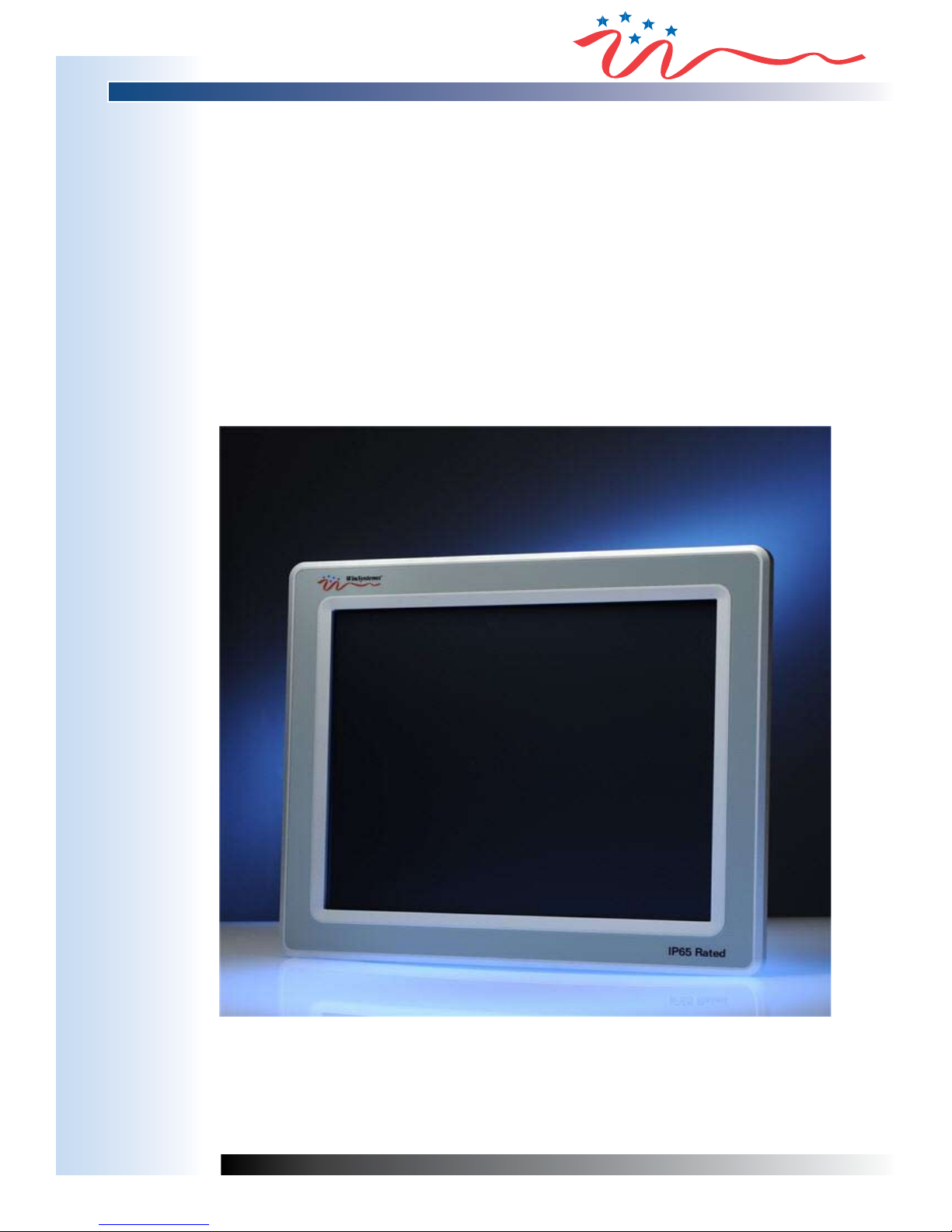
PPC65 Panel PC Series
Slim, Fanless, Rugged, Touchscreen Panel PC
PRODUCT MANUAL

110912 PRODUCT MANUAL PPC65 2
Revision Date Code ECO Number
110912
MANUAL REVISION HISTORY

110912 PRODUCT MANUAL PPC65 3
TABLE OF CONTENTS
BEFORE YOU BEGIN 6
FCC CLASS B 6
How to Use this Manual 8
CHAPTER 1 9
System Overview 9
1.0 Specication Overview of PPC65 Panel PC Series 9
1.1 Introduction 10
1.2 Packing List 10
1.3 Product Specication 12
1.3.1 Specication of the built-in Mini-ITX Board in PPC65 Panel PC 12
1.3.2 Specication of TFT-LCD Display 15
1.3.3 Specication of Touch Screen 17
1.3.4 Mechanical Drawing of the PPC65 Panel PCs (12”, 15”, 17”, 19”) 18
1.4 System Architecture 20
1.5 Brief Overview of the Assembly of Hardware Components 21
CHAPTER 2 23
Hardware Conguration 23
2.1 Jumper Setting 23
2.2 Connector Allocation 25
CHAPTER 3 34
System Installation 34
3.1 Intel®ATOM™ CPU 34
3.2 Main Memory 34
3.3 Installing the Mini-ITX Board 35
3.3.1 Chipset Component Driver 35
3.3.2 Intel® Integrated Graphics GMCH Chip 35
3.3.3 Realtek Gigabit Ethernet Controller 35
3.3.4 Audio Controller 36
3.4 Clear CMOS Operation 36
3.5 Watchdog Timer (WDT) Function 36
3.6 Hardware Installation 38
3.6.1 Serial ATA and IDE Hard Disk Setting 38
3.6.2 Install CF Card 40
3.6.3 DC12V Power Input 41
3.7 Driver Installation 43
3.7.1 Driver Directory 43

110912 PRODUCT MANUAL PPC65 4
CHAPTER 4 44
BIOS Setup Information 44
4.1 Entering Setup 44
4.2 Main Menu 45
4.3 Standard CMOS Setup Menu 46
4.4 IDE Adapters Setup Menu 48
4.5 Advanced BIOS Features 49
4.6 Advanced Chipset Features 53
4.7 Integrated Peripherals 55
4.8 Power Management Setup 60
4.9 PnP/PCI Congurations 64
4.10 PC Health Status 66
4.12 Supervisor/User Password Setting 67
4.13 Exiting Selection 67
CHAPTER 5 68
FAQ 68
5.1 How to do Panel Mounting Kit Assembly and VESA Mount? 68
5.2 What if there is no display on the PPC Screen? 71
5.3 I forgot my system BIOS password. What am I supposed to do? 72
5.4 I’d like to know the System Memory Address Map 72
5.5 I’d like to know more about the BIOS Setting 72
5.6 I’d like to know more about Interrupt Request Lines (IRQ) 74
APPENDIX - A 75
BEST PRACTICES 75
WARRANTY INFORMATION 79

110912 PRODUCT MANUAL PPC65 5
This page has been left intentionally blank.

110912 PRODUCT MANUAL PPC65 6
BEFORE YOU BEGIN
WinSystems offers best practice recommendations for using and handling WinSystems embedded PCs. These methods
include valuable advice to provide an optimal user experience and to prevent damage to yourself and/or the product.
YOU MAY VOID YOUR WARRANTY AND/OR DAMAGE AN EMBEDDED PC BY FAILING TO COMPLY WITH THESE
BEST PRACTICES.
Reference Appendix - Afor Best Practices.
For any questions you may have on WinSystems products, contact our Technical Support Group at (817) 274-7553, Monday
through Friday, between 8 AM and 5 PM Central Standard Time (CST).
Please review these guidelines carefully and follow them to ensure
you are successfully using your embedded PC.
This product ships with a heat sink. Product warranty is void if the
heat sink is removed from the product.
FCC CLASS B
The PPC65 Panel PC series has been fully tested and is compliant with the technical standards of FCC Part 15 Class B
(DoC); IC ICES-003 and CE EMC Directive 2004/108/EC (EN55022 / EN55024).
These limits regulate the digital device to provide proper protection from harmful emission interference when it is under
operation in a residential, hospital or working environment. Digital device compliance with Class B generates less noise
and lower radio frequency emission in order to not affect the health of the human body and not to interfere with other
equipment, devices or machines operated nearby as seriously as those units with Class A only.

110912 PRODUCT MANUAL PPC65 7
This page has been left intentionally blank.

110912 PRODUCT MANUAL PPC65 8
How to Use this Manual
This manual addresses the PPC65 Panel PC’s conguration, installation and setup. It is divided into ve chapters. Each
chapter addresses a basic concept and operation of the built-in Mini-ITX Board with the LCD Panel.
Chapter 1 : System Overview presents what you will see and what you have inside the carton and gives you an
overview of the product specications and basic system architecture for the PPC65 series.
Chapter 2 : Hardware Conguration shows a brief hardware installation, the denitions and locations of Jumpers and
Connectors congured in the system.
Chapter 3 : System Installation describes how to properly assemble /disassemble the IPC system on the Panel PC,
insert the main memory and CompactFlash, install drivers, calibrate the touch screen. It also provides a programming
guide of the Watchdog Timer function.
Chapter 4 : BIOS Setup Information species the meaning of each setup parameter, how to get advanced
BIOS performance and update the new BIOS. In addition, the POST checkpoint list will give users guidelines for
troubleshooting.
Chapter 5 : FAQ indicates the most frequently asked questions.
WinSystems reserves the right to make changes to products and/or documentation without notice. Changes will be
incorporated into a new edition of the document. See the Revision History section of this manual for more information on
various editions.
For additional information regarding WinSystems, visit our website at: http://www.winsystems.com.

110912 PRODUCT MANUAL PPC65 9
CHAPTER 1
System Overview
1.0 Specication Overview of PPC65 Panel PC Series
Model Name PPC65-1210S PPC65-1510S PPC65-1710S PPC65-1910S
LCD Display
Size: 12.1”
Resolution: 800x600
Brightness: 400 cd/m2
Contrast Ratio: 600:1
Backlight MTBF: 50,000 hrs
Size: 15”
Resolution: 1024x768
Brightness: 350 cd/m2
Contrast Ratio: 700:1
Backlight MTBF: 50,000 hrs
Size: 17”
Resolution: 1280x1024
Brightness: 350 cd/m2
Contrast Ratio: 1000:1
Backlight MTBF: 50,000 hrs
Size: 19”
Resolution: 1280x1024
Brightness: 250 cd/m2
Contrast Ratio: 1000:1
Backlight MTBF: 50,000 hrs
Touchscreen 5-Wire Resistive type
CPU ATOM N270 1.6 GHz
Chipset Intel 945GSE + ICH7M
Memory DDR2 SODIMM up to 2 GB
Storage
Device 2.5” SATA HDD
Solid State
Disk CompactFlash up to 32 GB
VGA Intel GMA 950 Graphics
Ethernet Realtek Gigabit Ethernet
Audio Realtek High Denition Audio
I/O
1x VGA port
1x Gigabit Ethernet port
4x USB 2.0 port
1x Line-out, 1x MIC port
2x RS-232 port
1x CF
Expansion TBD
Operating
Temperature 0˚C~50˚C degrees
Storage
Temperature -20˚C~80˚C degrees
Relative
Humidity 5~95%, non-condensing
Operation
Vibration 1.0G Random Operation, 5~500 Hz
Packaged
Vibration 2.16G, 5~500 Hz
Shock 15G peak acceleration (11m sec. duration)/operation
Weight 4.8 KG 5.8 KG 7.3 KG 8.3 KG
Dimension 343 mm x 278 mm x 61 mm 392 mm x 323 mm x 63 mm 421 mm x 358 mm x 67 mm 463 mm x 392 mm x 67 mm
Mounting VESA Mount 75x75, 100x100 & Panel Mount
Power Supply DC 12V
Front Panel
Protection IP65-compliant
Certicate CE/FCC Class B

110912 PRODUCT MANUAL PPC65 10
1.1 Introduction
WinSystems, Inc. offers its rugged and fanless PPC65 Panel PC (PPC) series by incorporating a thinner, fanless Mini-
ITX board with the latest Intel®platform for embedded applications. This system can provide low power consumption for
compact and fanless MMI Panel PC in applications such as Automation, Vending Machine, POS, Nursing Cart, Kiosk, and
Digital Signage.
This built-in Mini-ITX board supports dual display by VGA and 24-bit LVDS. With its display interface it can support various
multimedia devices and enriched I/O interfaces that can supply various USB and COM devices.
The board includes a 2 GB DDR2 SDRAM SODIMM, and comes with a PS/2 Keyboard and Mouse header, 2 x RS232, 2
x SATA, 1 x IDE, 1 x Gigabit Ethernet, 6 x USB 2.0 ports. It also supports a CompactFlash socket and one PCIe x1 Slot.
1.2 Packing List
□One Power Adapter (Input AC 100-240V @ 1.5A, 50-60 Hz; Output DC 12V 5A/60W)
□One Power Cord (by country)
□One Serial ATA Cable
□One SATA Power Cable
□One HDD Bracket with 4x Screws
□One Panel Mount Kit (10~12 pieces/kit by model)
□One Product Manual & Installation Resources CD-Title
□ HDD/CF/RAM (Optional at request of conguration)
The packing list of the PPC65 series should cover the following basic items:
Ce manuel convient aux modèles suivants
3
Table des matières
Autres manuels WinSystems Écran tactile


Manuels Écran tactile populaires d'autres marques


IBASE Technology
IBASE Technology ASTUT-152-RE1S Manuel utilisateur

YASKAWA
YASKAWA TP 610C Manuel utilisateur

B&R
B&R Power Panel C Series Manuel utilisateur

Beijer Electronics
Beijer Electronics X2 control Manuel utilisateur

AXIOMTEK
AXIOMTEK GOT321W-521 Manuel utilisateur

TRIDONIC.ATCO
TRIDONIC.ATCO x-touchBOX Manuel utilisateur


