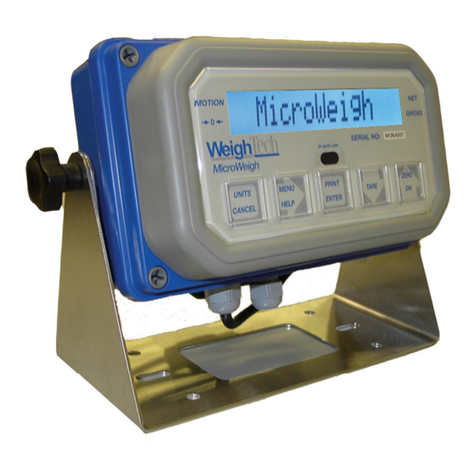
WeighTech WT3000-P Manuel utilisateur

WEIGHTECH Conversor WT-420 –Manual Técnico
Wt420_mt_v20150729 Página 1
WT3000-P
Weight Indicator.

WEIGHTECH Conversor WT-420 –Manual Técnico
Wt420_mt_v20150729 Página 2
Thank you for choosing Weightech!
Now, in addition to acquiring an equipment of excellent quality, you will have an
agile, dynamic and differentiated support team to solve any problems.
Before using your Weighing Indicator WT3000-P for the first time, read this
manual carefully. You can also get additional information on this and all other
WEIGHTECH USA products at www.weightechusa.com

WEIGHTECH Conversor WT-420 –Manual Técnico
Wt420_mt_v20150729 Página 3
ÍNDICE
1SPECIFICATIONS...............................................................................................5
2SAFETY REMINDER ..........................................................................................6
3EXTERNAL APPEARANCE ...............................................................................6
4CONNECTIONS..................................................................................................8
5KEYPAD FUNCTION ..........................................................................................8
6OPERATION .......................................................................................................9
6.1. CHARGING THE INDICATOR ...................................................................................9
6.2. POWER SUPPLY ...................................................................................................9
6.3. DISPLAY ............................................................................................................10
6.4. MANUAL ZERO ...................................................................................................10
6.5. TARE FUNCTION.................................................................................................11
6.6. PRE TARE FUNCTION..........................................................................................11
6.7. GROSS AND NET WEIGHT INDICATION...................................................................12
6.8. PIECE COUNTING................................................................................................12
7CONFIGURATION ............................................................................................13
7.1 USER CONFIGURATION.......................................................................................14
7.2 SERIAL COMMUNICATION ....................................................................................17
8TRANSMISSION FORMATS DESCRIPTION....................................................20
8.1 SERIAL COMMANDS ............................................................................................24
9CALIBRATION PARAMETERS ........................................................................26
9.1 ACCESS TO THE CALIBRATION JUMPER ................................................................26
9.2 CALIBRATION AND SETUP MENUS.........................................................................27
9.3 CAPACITY AND DIVISION SETTING ........................................................................28
9.4 CALIBRATION .....................................................................................................29
9.5 FILTER AND AUTO ZERO CONFIGURATION.............................................................30

WEIGHTECH Conversor WT-420 –Manual Técnico
Wt420_mt_v20150729 Página 4
10 DETAILED CONNECTIONS .............................................................................32
10.1 LOAD CELL CONNECTION ....................................................................................32
10.2 SERIAL OUTPUT CONNECTION .............................................................................33
10.3 CONNECTION OF SERIAL OUTPUT RS 232 OR RS 485.................................34
10.4 CONNECTIONWITH PRINTER ZEBRA TLP 2844...........................................35
10.4.1 PRINTER SETUP ................................................................................................35
10.4.2 SETTING THE INDICATOR....................................................................................35
10.4.3 PRINT BUTTON ..................................................................................................36
10.4.4 CONNECTION WITH ZEBRA PRINTER....................................................................36
10.5 REMOTE DISPLAYS DR-WT75DR-WT125 E DR-WT200......................................36
10.5.1 SETTING THE INDICATOR....................................................................................36
10.5.2 CONNECTIONS WITH REMOTE DISPLAY DR-WT75DR-WT125 E DR-WT200.........37
10.6 BLUETOOTH CONNECTION INTERFACE (OPTIONAL) ............................................37
11 SELF-TEST MODE ...........................................................................................38
12 ERROR MESSAGES ........................................................................................39
13 APPENDIX........................................................................................................40
14 WEIGHTECH LOCATIONS...............................................................................41

WEIGHTECH USA Weighing indicator WT3000-IR ABS–Technical manual
Wt3000irabs v20151126
5
1 SPECIFICATIONS
Table 1
Input sensitivity
µV/d
0,3
Input signal range
mV/V
From -1 up to +14
Input zero range
From -1 up to +5
Units
kg, g and lb
Internal resolution
1 / 500.000
Non-linearity
0,01% FS
Load cell drive capacity
Up to 8 x 350Ω
Load cell excitation
VDC
5
Load cell connection type
6 wires
Power supply
VAC
AC 110 or 220V 50/60HZ - Battery internal
rechargeable 6V/4,5Ah
Power consumption
mA
150
Operation temperature
°C
de 0 a +40
Display
mm
6 digits LCD with backlight
Display height
55
Display label
Zero, Net, Battery level, Stable, Gross, High,
Low and OK.
Communication interfaces
RS232 output
Degree of protection
IP-68

WEIGHTECH USA Weighing indicator WT3000-IR ABS–Technical manual
Wt3000irabs v20151126
6
2 SAFETY REMINDER
•The indicator should not be directly exposed to intense sunlight.
•The indicator should be used in a flat and leveled surface.
•The AC power supply must be grounded.
•This equipment may not be used in hazardous areas.
•Do not use corrosive products to clean the indicator.
•Power off the indicator before connecting to any other devices, including the load cell.
•If the indicator will not be used for prolonged periods of time, is recommended that the
battery installed inside the equipment needs to be recharged every 3 months in order to
prevent damage.
3 EXTERNAL APPEARANCE

WEIGHTECH USA Weighing indicator WT3000-IR ABS–Technical manual
Wt3000irabs v20151126
7

WEIGHTECH USA Weighing indicator WT3000-IR ABS–Technical manual
Wt3000irabs v20151126
8
4 CONNECTIONS
5 KEYPAD FUNCTION
Switch the power on/off.
Function key specified by the parameter FnC 12.
Toggle the display of gross and net weight values.
Switches the operation of the indicator between weighing and piece
counting.
Zero balance function.
Tare function.
Performs the accumulation of weight value show on the display and
sends the weight value through the serial port.

WEIGHTECH USA Weighing indicator WT3000-IR ABS–Technical manual
Wt3000irabs v20151126
9
6 OPERATION
•To turn onthe indicator, pressthe key . The display performs the self-test indicating
"999999" to "000000". Then goes into weighing mode.
•To turn off the display press and hold for about 2 seconds button.
6.1.CHARGING THE INDICATOR
To charge the internal battery, connect it to the power source, the supply voltage is (110V or
220V).
The battery charging time is about 8 hours and the battery life is up to 15 hours.
•Caution: Before connecting the indicator to power supply check the selected voltage
transformer located inside the indicator housing.
6.2.POWER SUPPLY
•Caution: Before connecting the indicator to power supply check the selected voltage
transformer located inside the indicator housing.
To select the voltage for the power supply, use the wires connected to the transformer located
inside the equipment.
Wire colors
Voltage selected
red and black
220V
blue and black
110V
•Important: Latest version of this device have aautomatic voltage selectionon power supply.

WEIGHTECH USA Weighing indicator WT3000-IR ABS–Technical manual
Wt3000irabs v20151126
10
6.3.DISPLAY
Zero indication.
“STAB”
Stability indication.
“NET”
Net weight indication
Insufficient sample indication.
“PT”
Pre-tare function indication.
“Pcs”
Pieces counting indication.
“M+”
Indication of cumulative weighing in memory.
Battery charge level indication.
Connected to AC power source indication.
Bluetooth transmission indication.
6.4.MANUAL ZERO
Press to reset the zero balance of the indicator.
Table des matières
Autres manuels WeighTech Accessoires