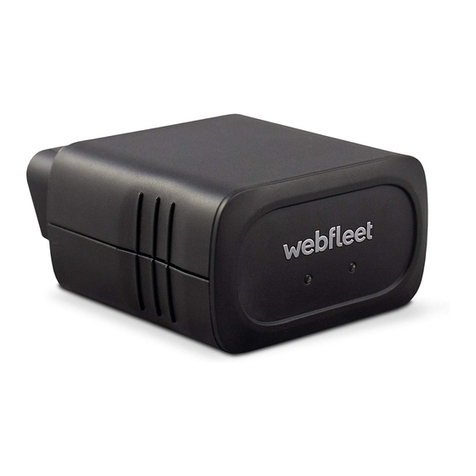
Webfleet LINK 740 Manuel utilisateur

LINK 740
Installation Guide
1586894820069 - Draft - 2020-06-05
LINK 740
Installation Guide
1586894820069 - Draft - 2020-06-05

Contents
Installation...................................................................................................................................... 4
Read me first......................................................................................................................................... 5
Congratulations................................................................................................................................5
hat’s in the box.................................................................................................................................. 6
hat you need for the installation..................................................................................................8
Safety first..............................................................................................................................................9
Important safety notices and warnings............................................................................................9
Connection overview............................................................................................................................11
Connection overview: Power/CAN cable........................................................................................ 11
Connection overview: 12 PIN IO cable...........................................................................................12
Connection overview: 1 wire......................................................................................................... 12
Connecting to the CAN bus.................................................................................................................13
Connecting to power........................................................................................................................... 14
Choosing the correct position.............................................................................................................. 15
Mounting the LINK 740....................................................................................................................... 16
Attaching the holder using the adhesive strip................................................................................16
Attaching the holder using self-tapping screws............................................................................. 17
Mounting the external GNSS antenna........................................................................................... 18
Testing operation................................................................................................................................. 20
Testing operation with the LINK Toolkit app................................................................................. 20
Power or Ignition test....................................................................................................................20
Mobile network reception test.......................................................................................................20
Activating the LINK 740.......................................................................................................................21
Diagnostics........................................................................................................................................... 22
Monitoring operation.....................................................................................................................22
Support.......................................................................................................................................... 23
Resetting the LINK 740........................................................................................................................ 24
Restarting your LINK 740...............................................................................................................24
Resetting your LINK 740 to factory settings.................................................................................. 24
Technical data......................................................................................................................................25
Appendix: Using the I/O connector...................................................................................................... 28
iring digital inputs...................................................................................................................... 28
iring the digital output............................................................................................................... 30
Using the IN and OUT for changing the logbook mode.................................................................31
Using the input IN for changing the logbook mode...................................................................... 31
Using the input IN for idle time reporting..................................................................................... 31
Addendum.....................................................................................................................................32
Important Safety Notices and arnings........................................................................................ 33
Prohibited uses.............................................................................................................................. 34
CE mark and Radio Equipment Directive for LINK 740...................................................................34
FCC information for the user......................................................................................................... 34
Specific Absorption Rate (SAR) compliance.................................................................................... 36
Button battery warning..................................................................................................................36
Environmental and Battery information..........................................................................................36
Triman logo................................................................................................................................... 37
Operating temperature.................................................................................................................. 37
EEE – e-waste disposal............................................................................................................... 37
How ebfleet Solutions uses your information............................................................................. 37
Exposure limits...............................................................................................................................38
Mobile networks............................................................................................................................38
Technical Specifications..................................................................................................................38
Model numbers..............................................................................................................................39
Responsible party in North America...............................................................................................39
2

Responsible party in Chile..............................................................................................................39
Responsible party in Mexico.......................................................................................................... 39
Emmisions information for Canada................................................................................................ 39
Mexico........................................................................................................................................... 39
Chile...............................................................................................................................................40
arning for Australia.....................................................................................................................40
Notice for New Zealand.................................................................................................................40
Notice for South Africa..................................................................................................................40
Customer support contact............................................................................................................. 40
Certification for Australia............................................................................................................... 40
Customer support contact (Australia and New Zealand)................................................................ 40
This document............................................................................................................................... 41
EBFLEET Telematics Service Platform...........................................................................................41
Accessories supplied with this device.............................................................................................41
Accessories not supplied with this device...................................................................................... 41
Terms and conditions: Limited warranty and EULA reference.........................................................41
Copyright notices...........................................................................................................................41
Bluetooth®.............................................................................................................................. 41
OpenSynergy............................................................................................................................42
Copyright (c) 2018 - Tcl/Tk - Regents of the University of California, Sun Microsystems, Inc.,
Scriptics Corporation, and other parties...................................................................................42
Webfleet Solutions Limited Warranty...........................................................................................44
3

Installation
4

Read me first
Con ratulations
You have chosen the LINK 740, a core hardware component from EBFLEET. ith EBFLEET you are al-
ways connected to your vehicles out on the road in a smart and easy way.
LINK 740 is a GNSS receiver and mobile network module in one unit, always providing the vehicle’s current
position.
hen used with a compatible Driver Terminal, you can easily handle orders, as well as text and status mes-
sages. You can receive traffic information, and you are warned when you are driving or cornering too fast.
And you can get information about how much fuel you have used.
5

What’s in the box
•LINK 740
1. Yellow LED - connection status indicator.
2. Green LED - system status indicator.
3. Reset button.
4. Service/Update Mini-USB-cable connector.
5. 1- ire-Interface.
6. I/O-cable connector.
7. Power/CAN connector.
8. CAN DIP switch (sealed).
9. GNSS antenna connector.
6

•Holder
•Power/CAN cable
•Fixings - 1 adhesive strip, 4 self-tapping screws and a cleaning tissue
•Basic installation guide and additional QR code labels
7

What you need for the installation
Before starting the installation of your LINK 740, read the installation instructions and the safety notices and
warnings carefully and make sure you have the following:
•The Contract Confirmation letter including the Activation Code.
•A device with internet connection that is able to scan QR codes, has the LINK Toolkit app installed and
the necessary LINK Tookit login credentials.
•The QR code of the LINK 740 (on the device label or on the additional QR code label).
•All parts contained in the box.
•A connection to the vehicle’s power supply that is fused with max. 10 A.
•A place with a clear view of the sky where you can move your vehicle to check GNSS reception.
•A Driver Terminal that is compatible with LINK 740* - optional.
* To check available LINK 740 accessories or device compatibility please visit https://www.webfleet.com/
products
8

Safety first
Important safety notices and warnin s
Important: Read the following safety instructions carefully. Read the instructions in this document carefully.
ebfleet Solutions accept no liability for damage that results from disregarding the safety instructions. This
document is part of the product. Keep it in a safe place. If you pass the unit on to a new user, make sure
you give them this document as well.
Positionin
Position the device in such a way that it doesn’t block or interfere with your view of the road, the controls in
your vehicle, or the rear-view mirrors and airbags.
Dan er of explosion
Parts of this product can cause sparks that can lead to explosions. This may endanger human health and life.
Do not use the unit in areas with high risk of explosion. hen using this product in a vehicle fuelled by liq-
uefied gas, follow the safety regulations of the country in which the vehicle is operated.
Dama e caused throu h improper installation
The installation and initial operation of the unit must be performed by authorised personnel only, for exam-
ple, a qualified radio dealer or an automotive electronics workshop.
Risk of injury in case of accidents
Do not mount the unit or accessories in the inflation area of airbags or in the impact area for the head or
knees. Choose an installation location that will avoid interference with displays, safety equipment and con-
trols.
Dama e to the chassis
Make sure you do not drill into parts of the chassis that have structural or security-related functions. This is
because you cannot be certain that they will function properly after modification.
Risk of fire
Make sure you do not drill into covered wiring harnesses, fuel lines or similar components. Drilling into these
can cause fire.
Repair and replacement
Repairs must be carried out by authorised and qualified personnel only. Never replace damaged parts of the
unit yourself. Send the defective unit to ebfleet Solutions for repair. Only the qualified staff of ebfleet
Solutions are authorised to repair or replace parts.
9

Dama e to the device
Short-circuits inside the unit can be caused by contact with water or other liquids. The unit may be dam-
aged by contact with water. Use and store the unit in an area protected from water.
10
Table des matières
Autres manuels Webfleet Accessoires automobiles