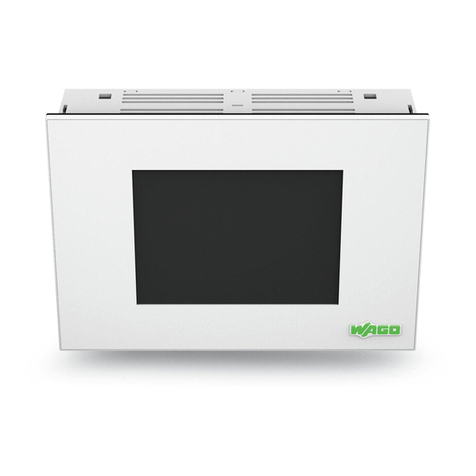
WAGO PERSPECTO VP Visu-Panel 762 Manuel utilisateur

Manual
WAGO-PERSPECTO 762
PERSPECTO VP, Visu-Panel
762-2035, -2057, -2104, -2121, -2150
Version 1.0.0

2 Imprint WAGO-PERSPECTO 762
762-2035, -2057, -2104, -2121, -2150 PERSPECTO VP, Visu-Panel
Imprint
© 2010 by WAGO Kontakttechnik GmbH & Co. KG
All rights reserved.
WAGO Kontakttechnik GmbH & Co. KG
Hansastraße 27
D-32423 Minden
Tel.: +49 (0) 571/8 87 – 0
Fax: +49 (0) 571/8 87 – 1 69
Web: http://www.wago.com
Technical Support
Tel.: +49 (0) 571/8 87 – 5 55
Fax: +49 (0) 571/8 87 – 85 55
Every conceivable measure has been taken to ensure the accuracy and
completeness of this documentation. However, as errors can never be fully
excluded, we always appreciate any information or suggestions for improving the
documentation.
We wish to point out that the software and hardware terms as well as the
trademarks of companies used and/or mentioned in the present manual are
generally protected by trademark or patent.
Manual
Version 1.0.0

WAGO-PERSPECTO 762 Table of Contents 3
762-2035, -2057, -2104, -2121, -2150 PERSPECTO VP, Visu-Panel
Table of Contents
Imprint ................................................................................................................... 2
Table of Contents................................................................................................... 3
1Information about this Documentation ..................................................... 5
1.1 Scope of Validity ........................................................................................... 5
1.2 Copyright ....................................................................................................... 5
1.3 Symbols.......................................................................................................... 6
1.4 Number Notation ........................................................................................... 8
1.5 Font Conventions........................................................................................... 8
2Important Notes ........................................................................................... 9
2.1 Legal Principles ............................................................................................. 9
2.1.1 Subject to Change .......................................................................................... 9
2.1.2 Personnel Qualification.................................................................................. 9
2.1.3 Use of the 762 Series in Compliance with Underlying Provisions.............. 10
2.1.4 Technical Condition of Specified Devices .................................................. 10
2.2 Safety Information ....................................................................................... 11
3Device Description ..................................................................................... 13
3.1 PERSPECTO VP Visu Panel....................................................................... 13
3.2 View............................................................................................................. 14
3.3 Connections.................................................................................................. 15
3.4 Technical data:............................................................................................. 16
4Assembly..................................................................................................... 20
4.1 Connect devices ........................................................................................... 21
4.1.1 X1 – Supply Voltage.................................................................................... 22
4.1.2 X2 - Serial Interface RS-485 / RS232.......................................................... 23
4.1.3 X3 - Serial Interface RS232......................................................................... 24
4.1.4 X4 - CAN 1 Interface................................................................................... 25
4.1.5 X5 - CAN 0 Interface................................................................................... 26
4.1.6 X6 - Ethernet Interface................................................................................. 27
4.1.7 X8 / X9 - USB Interface .............................................................................. 28
4.2 Battery Compartment................................................................................... 29
4.3 Service switch .............................................................................................. 30
5Commissioning ........................................................................................... 31
5.1 Switch on ..................................................................................................... 31
5.2 IP address of the device ............................................................................... 32
5.2.1 General......................................................................................................... 32
5.2.2 Einstellen der IP-Adresse............................................................................. 33
5.2.3 IP Address for Crossover Connection.......................................................... 34
5.3 The WAGO Control Center......................................................................... 35
5.3.1 Starting the WAGO Control Center............................................................. 35
5.3.1.1 The General Tab................................................................................. 36
5.3.1.2 The Autostart Applications Tab ......................................................... 38
5.3.1.3 The Users Tab..................................................................................... 39
5.3.1.4 The FTP Tab....................................................................................... 40
Manual
Version 1.0.0

4 Table of Contents WAGO-PERSPECTO 762
762-2035, -2057, -2104, -2121, -2150 PERSPECTO VP, Visu-Panel
5.3.1.5 The HTTP Tab.................................................................................... 41
5.3.1.6 The RAS Tab...................................................................................... 42
5.3.1.7 The Backup / Restore Tab .................................................................. 43
5.3.1.8 The Advanced Tab ............................................................................. 45
5.4 Saving the Configuration ............................................................................. 45
6Maintenance ............................................................................................... 46
List of Figures...................................................................................................... 47
List of Tables........................................................................................................ 48
Manual
Version 1.0.0

WAGO-PERSPECTO 762 Information about this Documentation 5
762-2035, -2057, -2104, -2121, -2150 PERSPECTO VP, Visu-Panel
1 Information about this Documentation
The PERSPECTO VP, Visu-Panel 762-2035, -2057, -2104, -2121, -2150 shall
only be installed and operated according to the instructions in these operating
instructions and according to the instructions for the fieldbus coupler/controller
used.
Note
Please retain documentation!
This documentation is part of the product. Therefore, retain it during the entire
service life of the device. Transfer the documentation to any subsequent owner or
user of the device. In addition, ensure that any supplement to this documentation
is included if necessary.
1.1 Scope of Validity
This documentation applies to PERSPECTO VP, Visu-Panel 762-2035, -2057, -
2104, -2121, -2150.
1.2 Copyright
This documentation, including all figures and illustrations, is copyright-protected.
Any further use of this documentation by third parties that violate pertinent
copyright provisions is prohibited. Reproduction, translation, electronic and
phototechnical filing/archiving (e.g., photocopying) as well as any amendments
require the written consent of WAGO Kontakttechnik GmbH & Co. KG, Minden,
Germany. Non-observance will involve the right to assert damage claims.
Manual
Version 1.0.0

6 Information about this Documentation WAGO-PERSPECTO 762
762-2035, -2057, -2104, -2121, -2150 PERSPECTO VP, Visu-Panel
1.3 Symbols
DANGER
Personal Injury!
Indicates a high-risk, imminently hazardous situation which, if not avoided, will
result in death or serious injury.
DANGER
Personal Injury Caused by Electric Current!
Indicates a high-risk, imminently hazardous situation which, if not avoided, will
result in death or serious injury.
WARNING
Personal Injury!
Indicates a moderate-risk, potentially hazardous situation which, if not avoided,
could result in death or serious injury.
CAUTION
Personal Injury!
Indicates a low-risk, potentially hazardous situation which, if not avoided, may
result in minor or moderate injury.
NOTICE
Damage to Property!
Indicates a potentially hazardous situation which, if not avoided, may result in
damage to property.
NOTICE
Damage to Property Caused by Electrostatic Discharge (ESD)!
Indicates a potentially hazardous situation which, if not avoided, may result in
damage to property.
Note
Important Note!
Indicates a potential malfunction which, if not avoided, however, will not result in
damage to property.
Manual
Version 1.0.0

WAGO-PERSPECTO 762 Information about this Documentation 7
762-2035, -2057, -2104, -2121, -2150 PERSPECTO VP, Visu-Panel
Information
Additional Information:
Refers to additional information which is not an integral part of this
documentation (e.g., the Internet).
Manual
Version 1.0.0

8 Information about this Documentation WAGO-PERSPECTO 762
762-2035, -2057, -2104, -2121, -2150 PERSPECTO VP, Visu-Panel
1.4 Number Notation
Table 1: Number Notation
Number code Example:
navigation of level
3.
Note
Decimal 100 Normal notation
Binary '100'
'0110.0100'
in Hochkomma,
Nibble durch Punkt getrennt
1.5 Font Conventions
Table 2: Font Conventions
Font type Meaning
italic Names of paths and files are displayed in italics; e.g.:
C:\Programme\WAGO-IO-CHECK
Menu Menu options are displayed in bold; e.g.:
Save
> Ein Größer als Zeichen zwischen zwei Namen bedeutet die Auswahl
eines Menüpunktes aus einem Menü z. B.:
Datei > Neu
Input Designation of input or optional fields are displayed in bold; e.g.:
Start of measurement range
"Value" Input or selective values are displayed in inverted commas; e.g.:
Enter the value “4 mA” under Start of measurement range.
[Button] Button names in dialog boxes are displayed in bold in square
brackets; e.g.:
[Input]
[Key] Names of keys on the keyboard are displayed in bold in square
brackets; e.g.:
[F5]
Manual
Version 1.0.0

WAGO-PERSPECTO 762 Important Notes 9
762-2035, -2057, -2104, -2121, -2150 PERSPECTO VP, Visu-Panel
2 Important Notes
This section includes an overall summary of the most important safety
requirements and notes that are mentioned in each individual sections. To protect
your health and prevent damage to devices as well, it is imperative to read and
carefully follow the safety guidelines.
2.1 Legal Principles
2.1.1 Subject to Change
WAGO Kontakttechnik GmbH & Co. KG reserves the right to make any
alterations or modifications that serve to increase the efficiency of technical
progress. WAGO Kontakttechnik GmbH & Co. KG owns all rights arising from
the granting of patents or from the legal protection of utility patents. Third-party
products are always mentioned without any reference to patent rights. Thus, the
existence of such rights cannot be excluded.
2.1.2 Personnel Qualification
All sequences implemented on Series 762 devices may only be carried out by
electrical specialists with sufficient knowledge in automation. The specialists
must be familiar with the current norms and guidelines for the devices and
automated environments.
All changes to the controller shall always be performed by qualified personnel
with sufficient skills in PLC programming.
Manual
Version 1.0.0

10 Important Notes WAGO-PERSPECTO 762
762-2035, -2057, -2104, -2121, -2150 PERSPECTO VP, Visu-Panel
2.1.3 Use of the 762 Series in Compliance with Underlying
Provisions
762 Series modules are suitable for use in the area of time control and automation.
Their use extends beyond residential and commercial areas, as well as industrial
areas. In all application cases for controlling inductive loads (motors and relays,
etc.), it must be ensured that the occurring voltage peaks do not exceed the
maximum input voltages of the I/O specified in the technical data. External
protective circuits may need to be installed.
This is a class A device. This device can cause radio interference in residential
areas. In this case, the operator may be required to take appropriate measures.
2.1.4 Technical Condition of Specified Devices
For each individual application, the devices are supplied from the factory with a
dedicated hardware and software configuration. Changes in hardware, software
and firmware are permitted exclusively within the framework of the various
alternatives that are documented in the specific manuals. WAGO Kontakttechnik
GmbH & Co. KG will be exempted from any liability in case of changes in
hardware or software as well as to non-compliant usage of components. Please
send your requests for modified and new hardware or software configurations
directly to WAGO Kontakttechnik GmbH & Co. KG.
Manual
Version 1.0.0
Ce manuel convient aux modèles suivants
5
Table des matières
Autres manuels WAGO Panneau de contrôle