
VOSKER V300 Manuel utilisateur
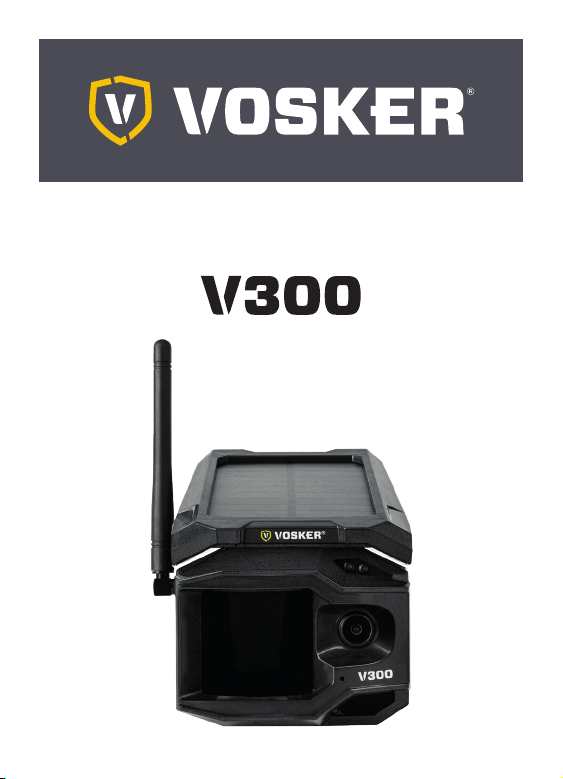
QUICK START GUIDE
V 1.4

2
ENGLISH
CHARGING THE LITHIUM BATTERY PACK (INCLUDED)
1. IMPORTANT: The lithium battery MUST be charged APART
the camera.
2. Apart the camera, plug the USB cable to the lithium battery
USB port and connect it to a power source. Once plugged,
the red LED will show the charging battery is ongoing.
When the charge is completed, the LED will turn green.
3. Charge the camera’s lithium battery pack for 12-24* hours
before use.*May vary depending on the type of charger
and the battery level at the time of charging.
4. IMPORTANT: The battery CANNOT be charged via
the camera’s USB port.
INSTALL THE FREE VOSKER APP
The VOSKER app lets you connect and control your camera
remotely using a smartphone or tablet. Features include viewing
your camera status, pictures, full camera control and more.
Install the free app
1. Make sure you have a data package with either
your smartphone or tablet or a Wi-Fi connection.
2. To install the app, you can either:
• Get it on Google PlayTM
(Google Play is a trademark of Google Inc.)
• Download on the app StoreTM
(App Store is a trademark of Apple Inc.)

3
ENGLISH
3. Search for the VOSKER app from VOSKER.
4. Install the app on your smartphone or tablet.
INSERT THE MEMORY CARD
Open the battery case at the back of your camera.
Insert your microSD memory card (up to 2 TB capacity)
in the card slot following the indication on the camera.
We suggest formatting your SD card
if it’s been in another electronic device.
FINDING THE SIM ID
The SIM ID number is in the battery case door in the back
of the camera.
ACTIVATE YOUR CAMERA
1. Start the VOSKER app and select“Activate a new camera”.
2. Select the model V300.
3. Scan the barcode from the camera.
• Open the case at the back of your camera.
4. Back to the VOSKER app: scan the barcode using the camera
on your phone.

4
ENGLISH
5. Choose the type of surveillance you are going to do
with your VOSKER security camera.
6. Enter your personal information.
7. Your camera is now activated and you will receive
a confirmation message by email and text message.
SETTING THE APP
The VOSKER app let you configure all the camera’s settings.
These new settings will take effect the next time the V300
camera connects to update its status. Here are the most
important settings, there are more available in the app.
FIRST TRANSFER TIME
Allows the user to choose at what time of the day the camera
communicates for the first time.
TRANSFER FREQUENCY
Allows the user to choose the number of synchronizations that
the camera performs daily.
START THE CAMERA
Turn on the camera (OFF/ON switch) and let it do the network
search as it can take a few minutes.

5
ENGLISH
Once the network search is completed, you’ll see the signal
strength appear according to the“connectivity light” pattern.
If you have no signal, move outside or get near a window
and restart the camera a few times if need be to get all the
information from the cell network.
Note that the“Signal light”LEDs on a V300 might not be equal
to your other cellular devices as there are no industry standard
and practice to label dBm values to a specific number of bars.
When the light found on the top right of the camera is flashing
red“Delay light”, it is a 30-second countdown before activated.
The camera has now updated its status in the VOSKER app with
its latest information. The camera is now ready to take video
and transmit them to your VOSKER app.
The“Signal light“ are located on the back of the camera. It
allows the user to measure the strength of the cellular signal
during installation. The“Signal light” will continuously be lit
during installation and
will appear in one of the
following patterns (from
left to right):
• Red: no signal;
• Orange: fair signal;
• Green: good signal.
OFF/ON
OFF/ON
OFF/ON

6
ENGLISH
STATUS LIGHT
When the“Status light” flashes, the camera is searching for a
signal. Searching for a signal may take several minutes. During
regular use, the“Status light“ will also indicate when files are
being saved or transferred.
INSTALLATION OF THE CAMERA
Install the camera with or without the mount.
Recommended installation height:
The camera should be installed at a reasonable distance from
the area you want to secure.
Ideal installation for quality pictures:
For a better field of view, keep in mind that depending on the
weather and the camera you are using, the normal range of
detection is 100 feet.
To get brighter pictures at night, you should have elements in
the background to reflect back the IR flash to the camera.
PRO-TIPS:
Solar panel & internal rechargeable battery
• You need at least 50% of the solar panel cleared for maximum
performance.
• If the power of the battery pack becomes insufficient (around
30%), the camera will shut down. Once the battery has been

7
ENGLISH
charged sufficiently by the solar panel, the camera will auto-
matically turn on leaving the settings untouched.
• An optional power source can be used via the USB-C port.
DISPOSAL
ONLY USE ORIGINAL SPARE PARTS AND ACCESSORIES.
If, one day, your camera has been used so intensively that it has
to be replaced, or if you no longer have any use for it, you are
obliged to dispose of it at a recycling center.
Information on return points for your electrical appliance can
be obtained from your local waste disposal company or from
your local administrative offices.
Electrical appliances not only contain valuable recyclable raw
materials, but also substances which, if disposed of improperly,
can affect public health and the environment. Help ensure
that valuable raw materials are recycled by returning your old
appliance to a central collection point.
The WEEE (Waste Electrical and Electronic Equipment Directive)
symbol represents the obligation for the labeled camera to be
sent to a separate center for the proper recycling of electrical
and electronic equipment.

8
ENGLISH
FREQUENCY
FREQUENCY RANGE:
800/850/900/1900/2100 MHz
MAXIMUM TRANSMISSION POWER:
FREQUENCY MAX.
GSM850 33DBM±2DB
EGSM900 33DBM±2DB
DCS1800 30DBM±2DB
PCS1900 30DBM±2DB
GSM850 (8-PSK) 27DBM±3DB
EGSM900 (8-PSK) 27DBM±3DB
DCS1800 (8-PSK) 26DBM±3DB
PCS1900 (8-PSK) 26DBM±3DB
UMTS 2100 24DBM+1.7/-3.7DB
UMTS 1900 24DBM+1.7/-3.7DB
UMTS 900 24DBM+1.7/-3.7DB
UMTS 850 24DBM+1.7/-3.7DB
UMTS 800 24DBM+1.7/-3.7DB
THIS DEVICE COMPLIES WITH PART 15 OF THE FCC RULES.
Operation is subject to the following
two conditions:
(1) This device may not cause harmful interference.
(2) This device must accept any interference
received, including interference that may cause
undesired operation.

9
ENGLISH
WARRANTY
Sit back & relax as this VOSKER cameras are covered by the
“Know you’re covered” 2-year warranty. We strive on offering
all customers a positive, user-friendly experience that will have
a lasting impression.
FAQ, user manual & latest firmware available at:
www.vosker.com
Live Chat support at VOSKER.COM
support@vosker.com
USA: 1-888-986-7537 Canada: 1-866-986-7537
UK: 44 80 00 41 87 96 Europe: 49 (0) 36 331 / 40 3 555
Join the community
THANK YOU FOR CHOOSING

GUIDE DE DÉMARRAGE RAPIDE
Autres manuels pour V300
1
Table des matières
Langues :
Autres manuels VOSKER Caméra de sécurité


