5
Auto Connection of VSS and VMS
Refer to the following for details of auto connection and auto setting of VSS and VMS.
VSS and VMS will be automatically login with the username “admin”and the password “1234”.
IP cameras connected via the PoE ports are plug-and-play. They will be automatically added to the start
group of VSS.
The <Schedule Record> setting will be unavailable. VSS is preset to record all sites at all times.
VMS will automatically add VSS as the start group and videos from the connected IP cameras will be
automatically retrieved and displayed.
Auto HDD Management
The Auto HDD Management function of VSS helps to automatically add all connected HDDs, except the C drive,
as the storage folders of the recorded videos. If the system has detected any portable HDD at any time, it will be
added to the folder list as well. Click on the <Setting> button and select the <File Path> tab to see the folder list.
Check the box in front of <Hard Disk Auto Detection> to enable or disable this function.
NOTE: For 16CH models, WD RED and WD Se series HDDs are recommended. As for 24CH models, it
is recommended to install WD RED, Se or Re series HDDs.
Add More IP Camera Sites
If any PoE port is not connected to IP cameras, users can add IP camera connections via internet. Follow the
steps below.
Click on the <Setting> button. Right click on <New Group> in the site tree and select <Add a site> to add
another connected IP camera. Input the IP address of the IP camera or find it via <Device Search>. Input
the username and password to complete adding the IP camera site.
Alternatively, users can also right click on <New Group> in the site tree and select <Add sites…> to add
multiple IP camera sites at once. Press and hold the “Ctrl”key to select IP cameras. Then input username
and password for each site
Enable auto streaming configuration for the added IP cameras.
Click on <OK> at the bottom to save the setting.
Default IP Addresses for IP Cameras and VSS
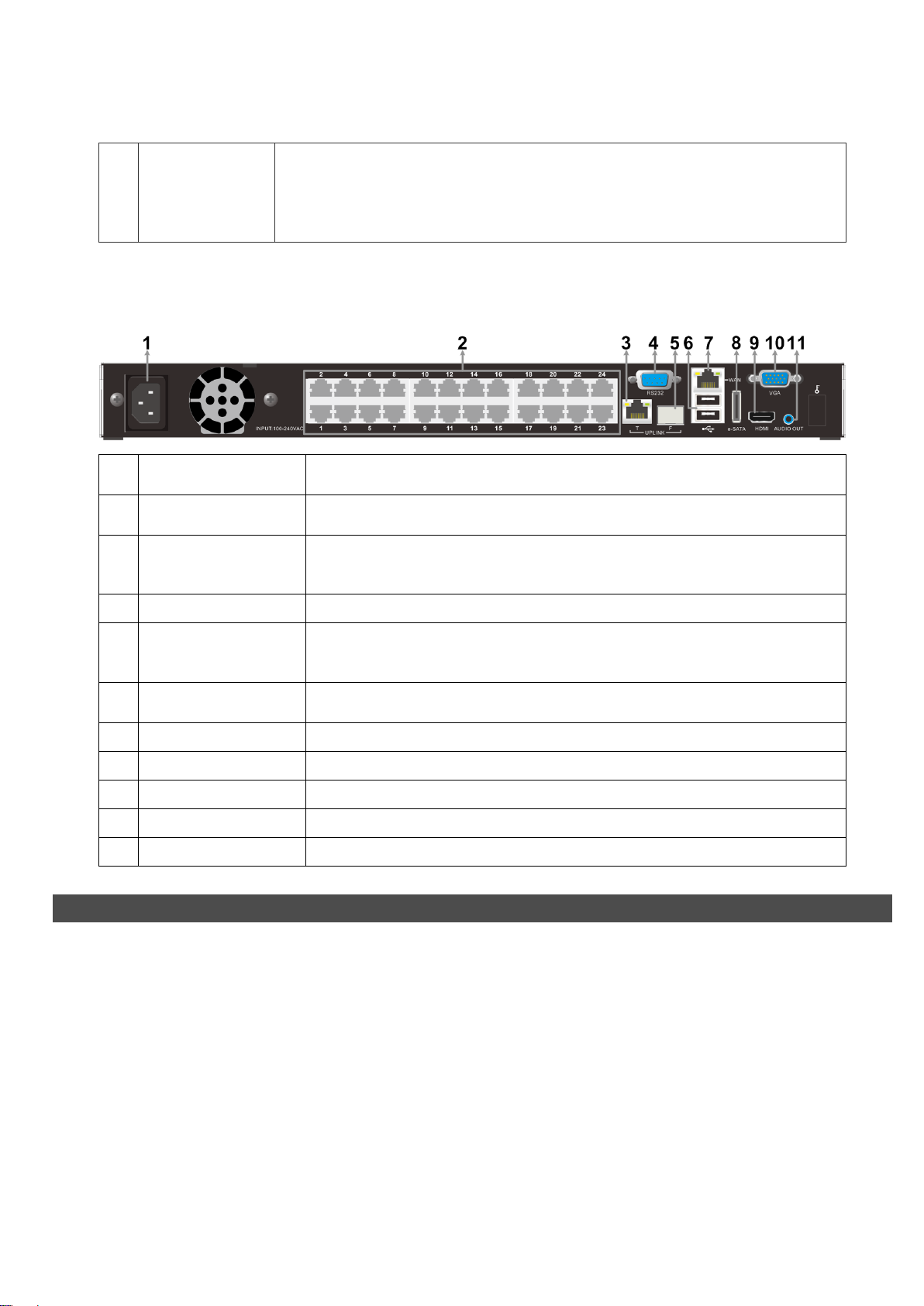
The connected IP cameras will each be automatically assigned a unique IP address, for connection from other
devices in the same local area network. The default IP address for CH1 is 192.168.50.11; for CH2 is
192.168.50.12; and so on. Note that the network setting of the IP cameras need to be set to DHCP or the NVR
will not be able to assign the default IP addresses to them.
In the mean time, VSS also has a default IP for LAN connection, which is 192.168.50.27 for 16CH models and
192.168.50.35 for 24CH models. This IP address can be found when users check <Control Panel> <Network
and Sharing Center> <Local Area Connection> <Details>.