Unitone PVR24CFLSR Manuel utilisateur

CONTENTS
1. SAFETY PRECAUTIONS........................................................................................................1
2. FEATURES.................................................................................................................................2
3. PACKING LIST.........................................................................................................................3
4. NAME AND FUNCTION OF EACH PART...........................................................................4
4.1 MPEG4 DVR - FRONT VIEW ....................................................................................................4
4.2 MPEG4 DVR –SIDE VIEW.....................................................................................................5
4.3 WHEN MPEG4 DVRAPPLIED TO AUTO INSTALLING GUARD AGAINST THEFT RECORDING......6
4.4 MPEG4 DVRAPPLIED TO FALLING BACK MOTORCAR OR RECORDING ....................................7
4.5 MPEG4 DVRAPPLIED TO POCKET DATUM AND MESSAGE INVESTIGATION..............................7
4.6 MPEG4 DVRAPPLIED TO HOME GUARD AGAINST THEFT RECORDING.....................................8
4.7 MPEG4 DVRAPPLIED TO VISIBLE DOORBELL ........................................................................8
5. CONFIGURATION...................................................................................................................9
6. OPERATION............................................................................................................................10
6.1 POWER ON............................................................................................................................10
6.2 LIVE MODE ...........................................................................................................................10
6.3 RECORD MODE......................................................................................................................11
6.4 PLAYBACK MODE..................................................................................................................12
6.5 PC PLAYBACK.......................................................................................................................14
6.6 CF CARD MAINTENANCE ......................................................................................................14
6.7 HOW TO DOWNLOAD THE UPDATE SOFTWARE.......................................................................14
7. MENU SETUP..........................................................................................................................15
7.1 MAIN MENU..........................................................................................................................15
7.2 DATE/TIME............................................................................................................................15
7.3 MOTION DETECTION .............................................................................................................16
7.4 RECORD SETUP......................................................................................................................17
7.5 CF CARD FUNCTION..............................................................................................................18
7.6 SYSTEM STATUS DISPLAY......................................................................................................18
7.7 RETURN TO FACTORY DEFAULT VALUE..................................................................................18
8. SPECIFICATION....................................................................................................................19
8.1 WIRELESS MPEG4 DVR.......................................................................................................19
8.2 WIRELESS IR CAMERA..........................................................................................................20
9. TROUBLESHOOTING ..........................................................................................................21
The author assumes no responsibility for any errors or omissions that may appear in this
document nor does it make a commitment to update the information herein.

1
1. SAFETY PRECAUTIONS
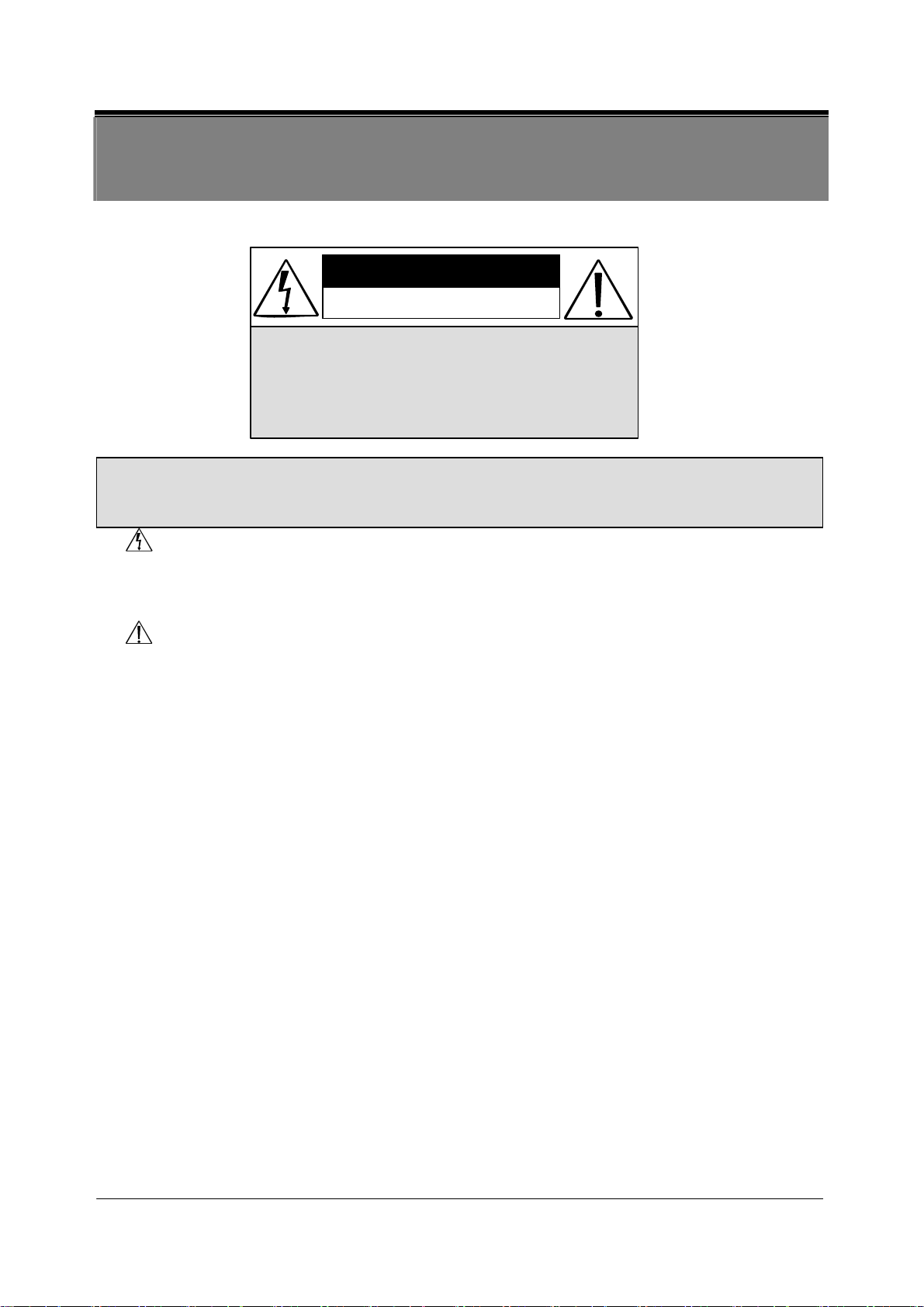
CAUTION
RISK OF ELECTRIC SHOCK.
DO NOT OPEN!
CAUTION :
TO REDUCE THE RISK OF ELECTRICAL SHOCK,
DO NOT OPEN COVERS (OR BACK).
NO USER SERVICEABLE PARTS INSIDE.
REFER SERVICING TO QUALIFIED
SERVICE PERSONNEL.
WARNING: The lightning flash with an arrowhead symbol within an equilateral
triangle is intended to alert the user to the presence of un-insulated “dangerous
voltage”.
CAUTION: The exclamation point within an equilateral triangle is intended to alert the
user to presence of important operating and maintenance.
Do not Plug and unplug the power cord, it may result product malfunction.
Do not install the product in an environment where the humidity is high.
Unless the product is waterproof or weatherproof, otherwise poor image quality may
occur.
Do not drop the product or subject them to physical shocks.
Except for vandal-proof or shockproof product, otherwise malfunctions may occur.
Never keep the product to direct strong light.
It can damage the product.
Do not spill liquid of any kind on the product.
If it gets wet, wipe it dry immediately. Alcohol or beverage can contain minerals that
corrode the electronic components.
Do not install the product in extreme temperature conditions.
Use the camera under conditions where temperatures are between 0∘C(32∘F ) ~ 4 5 ∘C.(113∘F ) .
Be especially careful to provide ventilation when operating under high temperatures.
Do not replace or remove the antenna at will.
It can damage the product.
It is advised to read the Safety Precaution Guide through carefully before operating the product,
to prevent any possible danger.

2
2. FEATURES
zThe kit includes one MPEG4 DVR and one camera both build in 2.4 GHz wireless
modules. The effective wireless transmission range of audio/video signal up to 50 M
in open area.
zThe camera builds in IR LED whose effective lighting distance is around 5 M. The
video image is distinguishable even at dark place.
zThe portable DVR builds in 2.5” Color TFT-LCD panel, speaker, and 4xAA battery
power supply. There is no limitation for the place you can see the video and hear the
voice wireless transmitted from the camera.
zThe DVR supports NTSC or PAL video system, and auto detects video loss. AV line
in or 4 channels RF input source is selectable.
zThe DVR builds in MPEG4-SP video and G.726 audio codec. It supports 1 channel
video and 1 channel audio record and playback operation. For 128 MB CF card, the
record time is about 40 minutes at Middle Quality for NTSC: 30 fps @ 352 x 240 and
PAL: 25 fps @ 352 x 280.
zAudio/ Video data are recorded directly on the Compact Flash card with FAT16 file
system and ASF file format. You can backup the data to a PC, and playback those
ASF files with popular media players.
zRecording date and time are video overlay with video images in ASF files.
zThe DVR supports: manual, motion detection, and schedule recording mode with
independent video size, quality, and frame rate set up.
zFor motion detection, multiple detection blocks and appropriate motion trigger level
can be set up.

3
3. PACKING LIST
Check to make sure all of the items shown below are included in your Portable Security
Recorder Kit. If something is missing, contact your dealer as soon as possible.
Item Description Item Picture QTY
Wireless Portable MPEG4
DV R
1
Wireless IR Camera
optional
Audio /Video Cable
2
Car cigarette charger cable
1
Permanent power cable in car
1
Reinforce bracket for
recorder 1
Round magnet
reinforce bracket for recorder 1
PowerAdapter 12V/ 1A
(DVR & Camera) 2
User Manual
1

4
4. NAME and FUNCTION of EACH PART
4.1 MPEG4 DVR - Front View
(1) LCD :2.5” COLOR TFT-LCD
(2) POWER LED :Lights when POWER ON.
(3) STATUS LED :Lights when recording, flashes when
storage or otherwise unlit.
(4) RECBUTTON :Press to start recording.
(5) PLAY/ PAUSE /BUTTON :Press to pause or restart playback.
(6) DISPLAYBUTTON :Press to switch ON/ OFF status info or
LCD monitor.
(7) STOP/ EXITBUTTON :Press to stop playback or recording.
Press to exit the menu.
(8&11) SVOL + / ▼VOL – BUTTON :Press to adjust the volume level.
Press to move the cursor up or down.
(9&13) CH- / CH+ BUTTON :Press to switch camera channels
Press to fast forward or fast rewind.
Press to step play.
(10) MENU/ ENTER BUTTON :Press to enter menu setup.
(12) ANTENNA
(14) BUILD-IN SPEAKER.

5
4.2 MPEG4 DVR – Side View
(1) INPUTSOURCE:SwitchestoRForAVcameras.
(2) AV IN:
Audio/Video IN: 3.5 mm ∅jack for audio/ video line in.
(3) AV OUT:
Audio/Video OUT: 3.5 mm ∅jack for audio/ video line out.
(4) VIDEO SYSTEM: Switches video system to NTSC or PAL format.
(5) POWER ON: Switches power to ON or OFF.
(6) DC 12V IN: Power input.
(7) Compact Flash Card Slot.
Video Out
Audio Out
AV Out
Video In
Audio In
AV In

6
4.3 When MPEG4 DVR applied to Auto installing guard against
theft Recording configuration Device
1.Installing Suction Cup on 2. Installing Suction Cup on 3.Installing MPEG4 DVR
Autoglass motorcar batteries
4.Installed on the side of glass 5.Installed in drawer, and wireless 6. Camouflaged at the back of Auto,
Recording andwirelessrecording
6. Put camera under windscreen 7.when put cameraside 8.Selectangle from left to right
Takethefullmotorcarphotos takesidephotos
Selectable and adjustable
9.Camera usage at the back 10.Pragmatic taking photos in Car 11.Work when the power of camera inserted
of motorcar

7
4.4 MPEG4 DVR applied to falling back motorcar or recording
motorcar driving configuration Device
MOTORCAR-BRAND EASEL OF CAMERA INSTALLMOTORCAR-BRAND,AND THEN CAN
BACKA CAR
4.5 MPEG4 DVR applied to pocket datum and message investigation
Configuration Device
Install Button Lens camera Install Pinhole Lens camera

8
4.6 MPEG4 DVR applied to home guard against theft recording
Configuration Device
Install camera at the corner of home Safe-guard housekeeper and take care of older
No need to have wire connected, installed Home guard against theft, can receive 4 cameras,
Information of From every angle easily , and synchron-record video and audio
Makechildrensafely
4.7 MPEG4 DVR applied to visible doorbell Configuration
Device
Wireless camera at the doorway
Wireless surveillance recording- MPEG4 DVR
Looking on from every angle
Putting on/off recording video and time/date are
adjustable

9
5. CONFIGURATION
(1) RF Camera: Switch INPUT SOURCE to “RF”.
Install onto high position, to reduce effects on transmission quality and free from
motion interference.
When low signals occur, please adjust the antenna to the appropriate angle for
the optimum receiver/ transmission performance.
(2) AV Line In: Switch INPUT SOURCE to “AV”.
Audio/ Video Transmission
Table des matières


