
TRUCKRUN CB03 Manuel utilisateur

Wuxi Truckrun Motor Co.,Ltd
Wuxi Truckrun Motor CO.,Ltd reserves the right of final interpretation
CB03 LCD Screen Display
The user manual
Gold quality + perfect experience

Wuxi Truckrun Motor Co.,Ltd
Wuxi Truckrun Motor CO.,Ltd reserves the right of final interpretation
I. Introduction
1.1 Name
Left sit LCD display
1.2 Model No.
CB03
1.3 Appearance
The shell material of the product is PC, the display screen is acrylic.The button is
made of silica gel.(as below image).
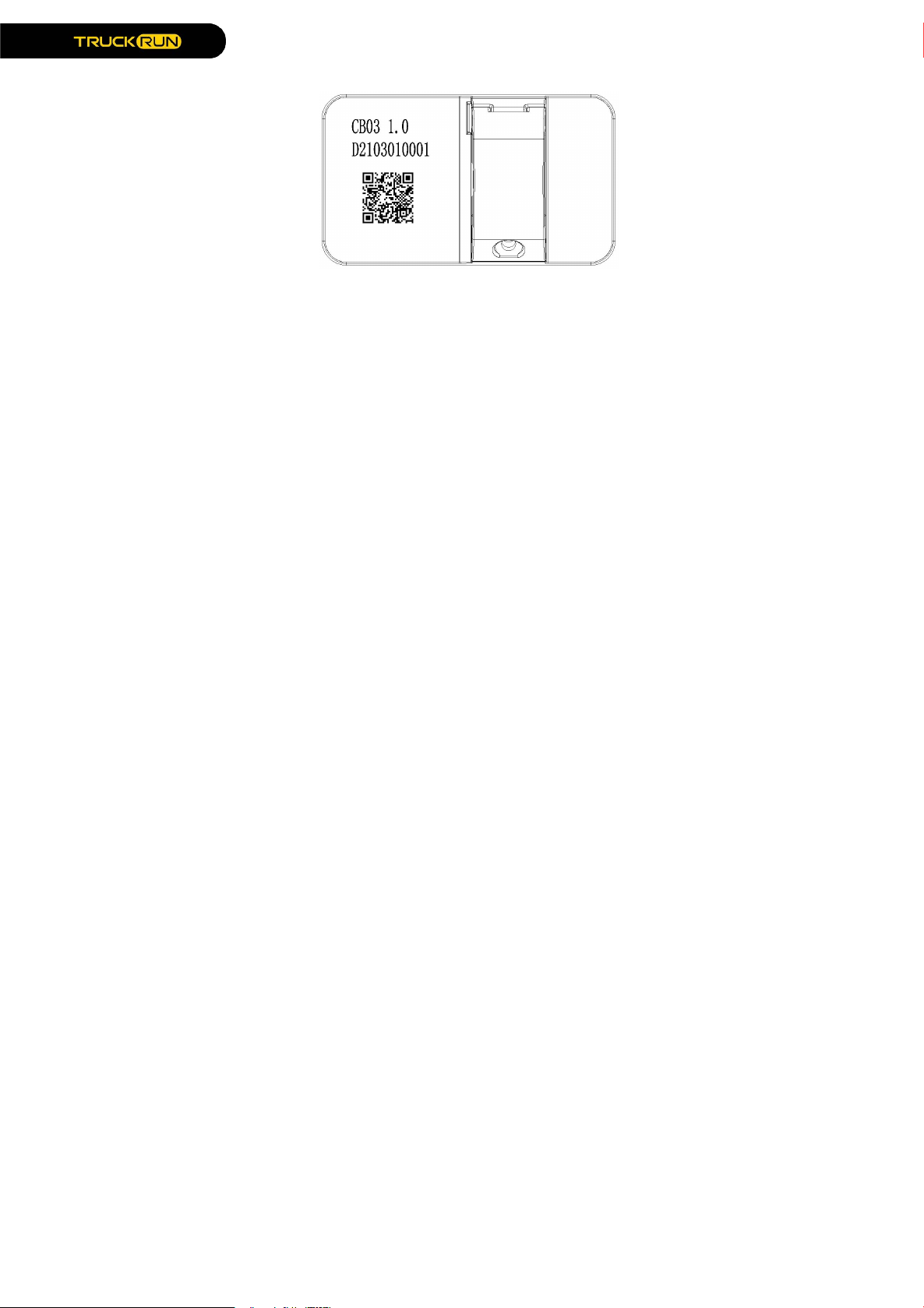
1.4 QR code rules on the backside
Laser and QR code label(as below image)
Wuxi Truckrun Motor Co.,Ltd
Wuxi Truckrun Motor CO.,Ltd reserves the right of final interpretation
1) Laser content:
1st row: CB03 1.0;
Definition:CB03: Display model No.(X means CANbus Protocol. Otherwise UART
Protocol.
2nd row: D2103010001
Definition: D(Truckrun’s track code)
210301:Production date, 21(Year)03(Month)01(Day);
0001: Serial number
2) QR code content:
1st row: DCB031001.0
Definition: D:Short name
CB03:Model No.
10:Hardware version No. 1.0
01.0:Software version No.
2nd row: ST050527.525
Definition: ST:Setting
05:0-5gears
0:Default gear 0
5:Display off at 5min automaticlly;
27.5:Wheel size
25:Limited speed
3rd row: CB03-01
Definition: CB03:Model No.
01:The 1st drawing No.

Wuxi Truckrun Motor Co.,Ltd
Wuxi Truckrun Motor CO.,Ltd reserves the right of final interpretation
1.5 Outlet cable illustration
1) Cable model No.: A0.5(Round 5Pin Female cable).
2) Cable definition:
Pin Numbering color
orange
brown
black
white
green
Wire Locking
Power Positive Terminal
orange
brown
black
white green

Wuxi Truckrun Motor Co.,Ltd
Wuxi Truckrun Motor CO.,Ltd reserves the right of final interpretation
II.Product description
2.1 Specification parameters
1)Protocol: UART;
2)Working Voltage: DC36V/48V, the highest Voltage should less than 60V;
3)Rated working current: 10mA;
4)The largest working current: 30mA
5)Shutdown leakage current<1uA;
6)Supply controller’s working current: 50mA;
7)Operation temperature: -20~45℃;
8)Storage temperature: -30~70℃;
9)Storage humidity: 30%-70%;
10) Waterproof degree: IP65;
2.2 Functions
1)Real time speed;
2)Speed unit select: mph、km/h;
3)Real time battery (Battery display please see attached list 1);
4)Gear options: 0-3/0-5/0-9 ;
5)Single mileage Zero clearing function;
6)Speed limited setting ;
7)Wheel size setting ;
8)Automatic off time setting
9)Mileage display: Single TRIP ;
Total trip ODO ;
REST trip;
10)Walking assist function and display :

Wuxi Truckrun Motor Co.,Ltd
Wuxi Truckrun Motor CO.,Ltd reserves the right of final interpretation
11)Lamp switch and display;( Lamp on, screen brightness gets darker)
12)Bluetooth function( reserved): Bluetooth icon on after Connected APP;
13)Error display: Any system with error, the related icon will be bright, and show error
code on mileage position;
14)View historial error report; (Error code in attahced lsit 2)
15)View display’s hardware & software version No. ;
16)View controller’s hardware & software version No. ;
17)View battery’s hardware & software version No. ;
18)Restore factory Settings.
2.3 Function area
2.4 Buttons definition
CB03 with 3 buttons. Including Turn On&Off / Mode key 、Plus key and minus key
.
In following introduction: MODE replaces ; UP replaces ; DOWN replaces ;
( Long time Press the button more than 2s; short time press button less than 0.5s)

Wuxi Truckrun Motor Co.,Ltd
Wuxi Truckrun Motor CO.,Ltd reserves the right of final interpretation
2.5 Normal operation
1)Power ON/OFF
Under power off state, The display starts working after a long time press mode key.
Long time press mode key to turn off the battery power supply. (Under power off state,
the leakage current of display is less than 1ua).
By default within 5 mins no operation, and no speed output, the display will be off
automatically.
2) ◆ Turn on / off lamp
Press “UP key”2S, Inform controller turns on lamp, display shows lamp symbol,
meanwhile the backlight gets darker. Press’UP key’2S, Inform controller turns off lamp,
and recover backlight brightness..
3)Walking assist
In static state of the vehicle, press more than 2S the "DOWN key" at any gear ,the
vehicle enters the electric power walking assist, and screen displays walking symbol.
The actual wheel speed is not detected, the speed shows 2.5KM/H (1.5MPH in miles).
The actual speed is detected, it shows real time speed, the maximum speed is 6KM/H.
Release "DOWN" button the electric vehicle will immediately stop output and return to
pre-walking state.

Wuxi Truckrun Motor Co.,Ltd
Wuxi Truckrun Motor CO.,Ltd reserves the right of final interpretation
4)Gears options
Press 0.5S “UP/DOWN key”,Switch assist gears, change motor’s output power,
The default display is 0-5gear (or customized), gear 0 means stop output power, gear
1 means the lowest power output, gear 5 means the largest output power. No limited
fastest speed at every gear, it can be customized .
Power on , the display is 0 gear in default.
5)Switch mileage show
In default, single TRIP is km/h, press 0.5S “MODE Key” switch to ODOmeter(total
trip mileage) , Press 0.5S“MODE” again,Switch to REST trip mileage,Loop switch show.
Gear 0 and assist walking rest trip is infinity, Trip place no signal.( If the controller
without this function, no signal all the time) .

Wuxi Truckrun Motor Co.,Ltd
Wuxi Truckrun Motor CO.,Ltd reserves the right of final interpretation
2.6 Function setting and View
1) Setting function
Enter/Exit setting: When the vehicle is powered on and at resting state, hold “DOWN”
and “UP” to enter the setting screen. The speed position with characters blinking. Press MODE
to enter the setting or viewing screen. Press the UP/DOWN key to adjust the parameter Settings,
and press the MODE key to save the Settings and exit. Press the UP/DOWN key to enter the
next function screen, hold DOWN and UP to save the Settings and exit.
During setting state, no any operation within 30S, Display saves current setting and
back to main UI, Gear 0 in default.
2) Select Metric and imperial system
The speed position P1 is displayed on the setting screen. Press MODE to enter the
setting option. Press UP/DOWN to switch mph or km/h . Press the MODE key to exit the setting
option, press the UP key to enter the speed limiting setting screen. Hold DOWN and UP keys at
the same time to return to Main UI.
The default unit is KM/H.
3) Speed limited
Enter the setting menu, "P2" is displayed in the speed position, Speed unit is metric,
the speed limit number is displayed in the mileage position. Press 0.5S "MODE" to enter the
speed limit setting interface, and press "UP/DOWN" to set speed limit. Press 0.5S "MODE" to
exit setting , press 0.5S "UP" to enter the wheel size setting , or hold DOWN "UP" and "Down" to
return to the main screen.

Wuxi Truckrun Motor Co.,Ltd
Wuxi Truckrun Motor CO.,Ltd reserves the right of final interpretation
4) Wheel size setting
Enter setting menu, P3 is displayed in the speed position and wheel size in the trip
position. The unit is inch, which is represented by the character "IN". Press 0.5S "MODE" to enter
the wheel size setting , press 0.5S "UP/DOWN" to set wheel size of vehicle. Press 0.5S the
MODE key to exit the setting, press 0.5S UP key to enter the screen for setting the backlight
brightness, or hold DOWN and UP key to return to the home screen.
5) Backlight brightness setting
Enter setting menu, P4 is displayed in the speed position and bL-5 in the TRIP position.
bL is the short name of backlight, 5 is the brightness level . Press 0.5S MODE key to enter the
setting menu. Press 0.5S UP/DOWN key to select the backlight level. "1" is the darkest backlight
and "5"is the brightest backlight. After completed setting, press 0.5S MODE key to exit the
setting , press 0.5S UP key to enter setting the automatic shutdown time, or hold DOWN and UP
key areturn to the main menu.
In default, the backlight brightness level is 5.
6) Turn off time Automaticly
Enter setting menu, P5 is displayed in the speed position and SL-5 in the TRIP position.
"SL" is short for sleep, "5" is off time automaticly. Press 0.5S MODE key to enter the setting menu,
press 0.5S UP/DOWN key to select the automatic off time. The time range is 0-9 minute. 0 is
awake, and 9 is automatic off after 9 minutes. After the setting is complete, press "MODE" to exit
the setting screen, press "UP" to enter the single mileage clearing screen, or long press "UP" and
Table des matières


