
Tronsmart Apollo Q10 Manuel utilisateur
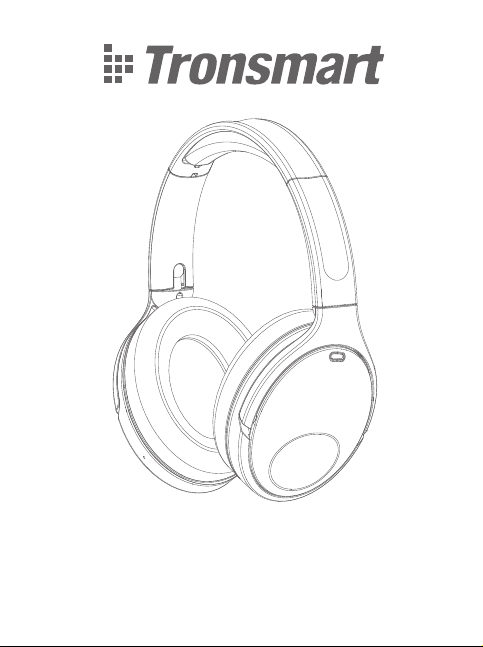
Apollo Q10 Headset
User Manual

CONTENTS
01~05
06~10
11~15
16~20
21~25
26~30
31~35
English
Italiano
Español
Deutsch
Français
русский
日本語

English
Thank you for purchasing the Tronsmart Apollo Q10 Headset. Please read the
user manual before use and keep it handy for future reference. If you have any
additional questions or comments, please contact us by email at:
PACKAGE CONTENTS
1 x Apollo Q10 Headset
1 x Type-C charging cable
1 x Warranty card
1 x User manual
1 x PU storage bag
BUTTON INSTRUCTION
MFB button (Multi-function button)
Power button
Touch panel
LED indicator
Type-C charging port
Earcups
1
2
3
4
5
6
1
2
3
45
6
01

SPECIFICATIONS
Power On/Off
Press and hold the power button for 2 seconds to power on/off.
The indicator light status: The indicator light flashes blue. (Power on.)
The indicator light goes off. (Power off)
Bluetooth Pairing with your Device
Under the power off state: Press and hold the power button for 2 seconds. The
indicator light will flash red and blue together with a sound prompt and enter the
pairing mode.
Under the power on state: Double-click the power button to enter the pairing
mode again; If a Bluetooth device is currently connected, it will disconnect the
Bluetooth and enter the pairing mode again.
Model
Bluetooth
Speaker unit
Audio codec
Bluetooth transmission
Battery Capability
Power supply
Frequency range
Playtime
Talk time
Sensitivity
Impedance
Charging time
Dimension(mm/inches)
Weight
Apollo Q10
5.0
40mm
SBC, AAC
Up to 15m/49ft (open area)
1200mAh
DC 5V/1.0A(Max), via Type-C port
20Hz – 20KHz
Up to 100 hours (on a 50% volume)
Up to 100 hours (on a 70% volume)
100dB
32 ohms
About 3 hours
196.6 X 174.8 X 80/ 7.74’’ X 6.88’’ X 3.15’’
220 g / 7.76 oz
On: 2 s Off: 2 s
02

How to Reset if the headset is malfunctional?
1. Power on the headset.
2. Press and hold the MFB button and the power button for 5 seconds to
disconnect Bluetooth and enter the pairing mode.
3. When the indicator light flashes red and blue, the pairing setting will be cleared
and reset is completed.
Touch & button control
R
R
R
R
R
R
MFB
Switch three modes
Play/Pause
Next track
Previous track
Volume +
Volume -
Activate voice assistant
Press and hold for 3 seconds
Tap twice
Swipe right/forward
Swipe left/back
Slide up
Slide down
Press to activate
On: 2 s
power off state
hold 2 s
hold 5 s
power on state
Double-click
03

How to activate the ANC mode without pairing with your
phone?
1. Power on but not pair with your phone. (The indicator light flash red and blue)
2. Switch to the ANC mode and the indicator light will flash blue slowly after 5
minutes.
3. Double tap the power button to wake up the headset to enter the Bluetooth
pairing mode. (The indicator light flash red and blue)
Disconnect and reconnect
1. After the headset is disconnected from the currently connected mobile phone,
the Bluetooth will automatically reconnect within 10 minutes within the effective
connection range;
2. After the headset is disconnected from the currently connected mobile phone
and returns to the effective connection range within 10-20 minutes, the Bluetooth
needs to be manually reconnected;
3. After the headset is disconnected from the currently connected mobile phone
and returns to the effective connection range after 20 minutes, the headset will
automatically shut down, and it needs to be restarted and reconnected.
LED indicator
1. Pairing mode: The indicator flashes red and blue.
2. Paired: The indicator light flashes blue slowly.
3. Charging: The indicator light keeps on red.
4. Charging finished: The indicator light keeps on blue.
5. Bluetooth play status: The indicator light flashes blue slowly.
6. Low battery level: The indicator light flashes red slowly.
Note: Switch the EQ effects or customize the button control on the APP.
Care & Maintenance
R
R
R
R
R
Answer/End a phone call
Reject a phone call
Answer a new phone call
End the previous call
Reject a new phone call
Tap twice
Press and hold for 2 seconds
(New incoming call)
Tap twice
Tap twice
Press and hold for 2 seconds
04

Do not use any form of detergents or cleaning material to clean the product as
any type of chemical may make this device unusable. Do not disassemble this
product. It contains no user serviceable parts. Do not drop or jump on it and treat
it with care for the best performance. Keep the product in a dry location. Dust,
dirt & moisture from humidity can accumulate on the body of the product if kept
at an unfriendly place. Do not dispose this product in fire or batteries may
explode or leak.
Warranty Information
Your ‘Tronsmart Apollo Q10 Headset’, is warranted to the original owner for 12
months from the date of purchase against defects in material and workmanship
under normal use and service. Tronsmart is not responsible for the accidental use
of this product and its liability will not exceed the purchase price of the product. If
you have any problems while using the product, please do not hesitate to contact
FCC STATEMENT
This device complies with Part 15 of the FCC rules. Operation is subject to the
following two conditions: 1) this device may not cause harmful interference, and
2) this device must accept any interference received, including interference that
may cause undesired operation.
Note: This equipment has been tested and found to comply with the limits for a
Class B digital device, pursuant to part 15 of the FCC Rules. These limits are
designed to provide reasonable protection against harmful interference in a
residential installation.
This equipment generates uses and can radiate radio frequency energy and, if not
installed and used in accordance with the instructions, may cause harmful
interference to radio communications. However, there is no guarantee that
interference will not occur in particular installation. If this equipment does cause
harmful interference to radio or television reception, which can be determined by
turning the equipment off and on, the user is encouraged to try to correct the
interference by one or more of the following measures:
--Reorient or relocate the receiving antenna.
--Increase the separation between the equipment and receiver.
--Connect the equipment into an outlet on a circuit different from that to which
the receiver is connected.
--Consult the dealer or an experienced radio/TV technician for help.
Changes or modifications not expressly approved by the party responsible for
compliance could void the user’s authority to operate the equipment.
RF warning statement:
The device has been evaluated to meet general RF exposure requirement. The
device can be used in portable exposure condition without restriction.
05

Italiano
Grazie per aver acquistato gli auricolari Tronsmart Apollo Q10. Si prega di leggere
il manuale dell'utente prima dell'uso e di tenerlo a portata di mano per riferimenti
futuri. Se avete ulteriori domande o suggerimenti, vi preghiamo di contattarci via
IL PACCHETTO INCLUDE
1 x Auricolari Apollo Q10
1 x Cavo di carica di tipo C
1 x Carta di garanzia
1 x Manuale dell'utente
1 x Borsa di stoccaggio in PU
ISTRUZIONI PER I PULSANTI
Pulsante MFB (pulsante multifunzione)
Pulsante di accensione
Pannello tattile
Indicatore LED
Porta di ricarica di tipo C
Tappi per le orecchie
1
2
3
4
5
6
1
2
3
45
6
06

SPECIFICAZIONI
Accensione/spegnimento
Premere e tenere premuto il pulsante di accensione per 2 secondi per
accendere/spegnere.
Lo stato dell'indicatore luminoso: La spia luminosa lampeggia in blu. (Accensione)
La spia luminosa si spegne. (Spegnimento)
Associazione Bluetooth con il vostro dispositivo
Sotto lo stato di spegnimento: Premere e tenere premuto il pulsante di
accensione per 2 secondi. L'indicatore luminoso lampeggerà in rosso e blu
insieme ad un segnale acustico ed entrerà nella modalità di associazione.
Sotto lo stato di accensione: Fare doppio clic sul pulsante di accensione per
entrare di nuovo nella modalità di associazione; se un dispositivo Bluetooth è
attualmente connesso, esso scollegherà il Bluetooth ed entrerà di nuovo nella
modalità di associazione.
Modello
Bluetooth
Unità altoparlante
Formato audio
Trasmissione Bluetooth
Capacità della batteria
Alimentazione elettrica
Intervallo di frequenza
Tempo di riproduzione
Tempo di conversazione
Sensibilità
Impedenza
Tempo di ricarica
Dimensioni (mm/pollici)
Peso
Apollo Q10
5.0
40mm
SBC, AAC
Fino a 15 m/49 piedi (area aperta)
1200mAh
DC 5V/1.0A (Max), tramite porta di tipo C
20Hz – 20KHz
Fino a 100 ore (su un volume del 50%)
Fino a 100 ore (su un volume del 70%)
100dB
32 ohm
Circa 3 ore
196.6 X 174.8 X 80/ 7.74’’ X 6.88’’ X 3.15’’
220 g / 7.76 oz
Attivo: 2
secondi Spento: 2
secondi
07

Come resettare se l'auricolare non funziona corretta-
mente?
1. Accendere gli auricolari.
2. Premere e tenere premuto il pulsante MFB e il pulsante di accensione per 5
secondi per scollegare il Bluetooth ed entrare in modalità di associazione.
3. Quando la spia luminosa lampeggia in rosso e blu, l'impostazione di
associazione viene cancellata e il ripristino è completato.
Comando a sfioramento & a pulsante
R
R
R
R
R
R
MFB
Commutare tra le tre modalità
Riproduci/Pausa
Prossima traccia
Traccia precedente
Volume +
Volume -
Attivare l'assistente vocale
Premere e tenere premuto per 3 secondi
Toccare due volte
Scorri verso destra / avanti
Scorri verso sinistra / indietro
Scorrere verso l'alto
Scorrere verso il basso
Premere per attivare
Attivo: 2
secondi
stato di
spegnimento.
tenere 2s
tenere 5
secondi
stato di
accensione.
doppio click
08
Table des matières
Langues :
Autres manuels Tronsmart casque


