5
CONNECTORS
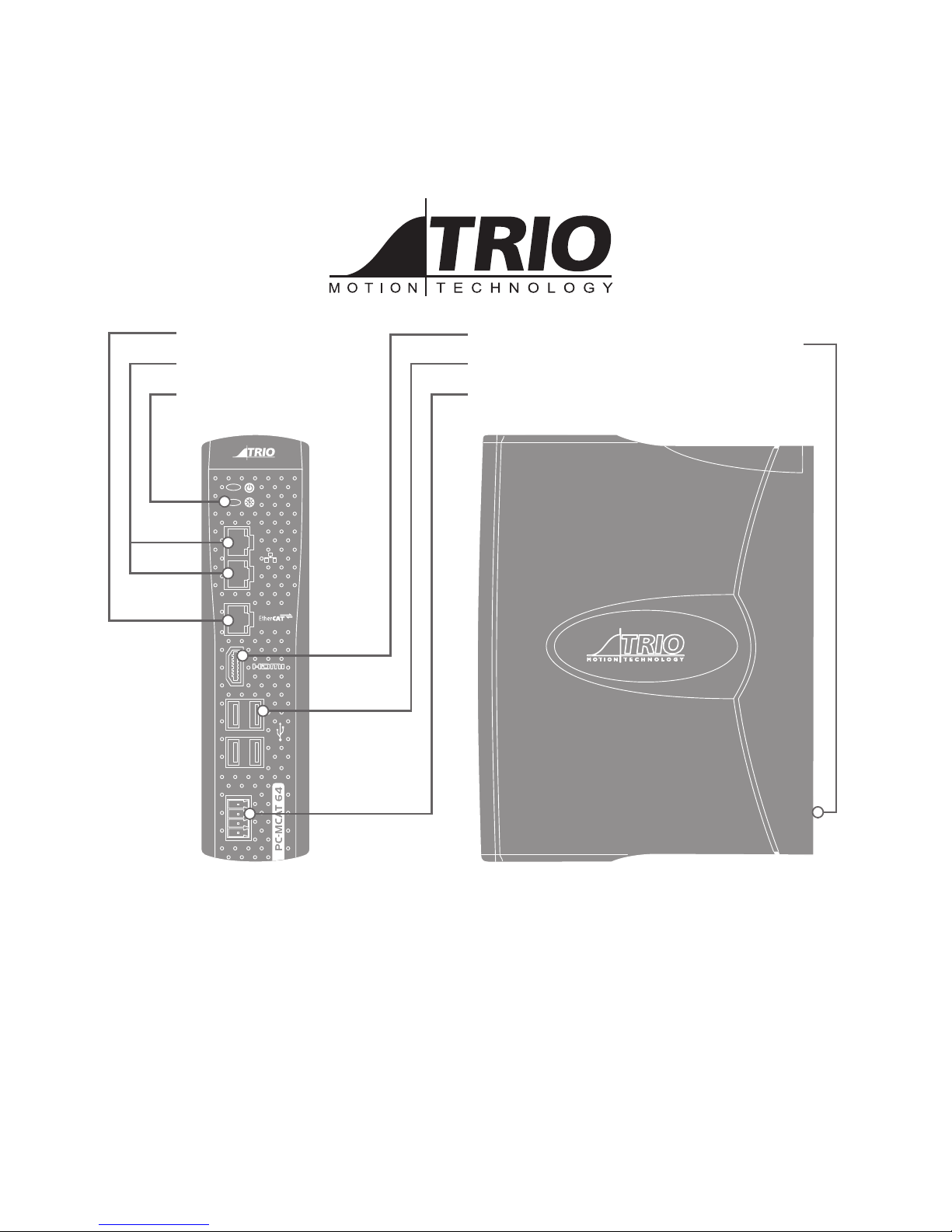
Dual Input / Power connector:
Note: Use ferrules on all wires for best connection.
1. Connection: Push wire into hole of connector. Tighten
screw. Insert connector into PC-MCAT.
2. Removal: Reverse the procedure.
POWER CONNECTOR
The 24V Main connection, pin
2, is the primary supply to
the PC-MCAT. The 24V Main
connection is monitored and
when it drops below 18V, IN(0)
is set to ON. This can be used
as a trigger to run a controlled
shutdown of the PC-MCAT.
If a controlled shutdown is
required, then the Aux (pin 1) must be connected to a battery
or other maintained source that lasts for the length of time
needed to complete the shutdown.
The Aux power input can be between 12 - 24V
POWER UP SEQUENCE
The PC-MCAT 64 will automatically boot into Windows
Embedded with RTX real time running. The default password
“trio” for default user “Trio” needs to be entered.
The Motion Coordinator program will be run as a service using
the RTX real time executive automatically.
If the RTX is not required the boot sequence must be altered
to bypass running RTX during the startup sequence.
POWER DOWN SEQUENCE
A controlled power down sequence should be used to avoid
damaging Windows and to allow the machine to complete a
cycle.
Windows should be shutdown using the command EX(2) inside
a Motion Coordinator program. Alternatively EX(3) can be
used to re-start Windows. Using EX(2) allows the Motion
Coordinator service to be closed then Windows to shutdown.
This process takes about 30 seconds.
Input 0 can be used to detect the main 24v power supply
rail if an auxiliary power supply (12-24v) is provided from a
battery or UPS.
Input 1 is used by Windows to indicate to the Motion
Coordinator that a Windows shutdown has been requested.
USB PORT (X4)
The USB ports on the front panel are for use
with standard Windows peripheral devices.
If a keyboard and mouse are used, connect
them to 2 of these ports.
HDMI PORT
The HDMI port allows cthe PC-MCAT to drive high
resolution screens.
Aux 12 - 24V
Main 24V
0V
0V