
Trends Audio UD-10 Manuel utilisateur
7. Trouble Shooting
Symptom
Solution
No power
Check battery pack is not flat & is
switched on.
No sound
Check USB cable is connected
Restart your media player
Sound is intermittent
Check battery pack it may need
charging. Restart your media player
No Sound & No power
Check USB cable - battery pack
- power supply
Volume very low
Check PC/Mac master volume &
media players volume setting
8. Contact
Blue Elephant Desktop Audio
61 St George Street
Tyldesley
MANCHESTER
M29 8HY
UK
Phone: +44 07919214629
Email: [email protected]
Website: www.desktopaudio.co.uk
8
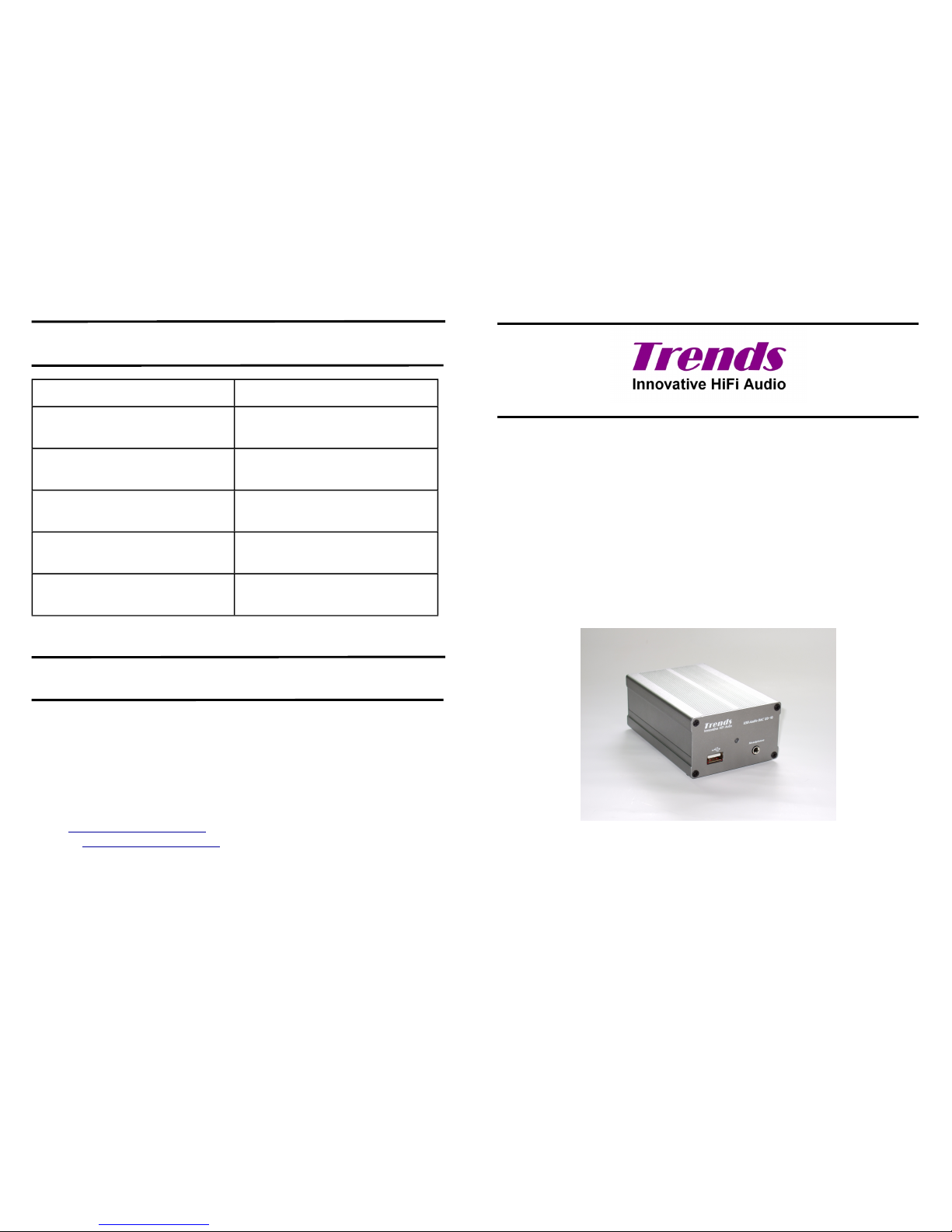
Trends Audio UD-10
UD-10 USB Audio Converter
User Guide

Table Of Contents
Table Of Contents 2
Introduction 3
Hints & Tips 3
Features 4
Overview 5
Setup 6
Connect your PC or Mac to your Hi-Fi system 6
Connect your PC or Mac to your Hi-Fi systems DAC 6
PC or Mac Headphone Amplifier 6
Advanced Use 7
Accessories 7
Trouble Shooting 8
Contact 8
2
5. Advance Use
Battery Power: It is possible to power the UD-10 with battery power for the
best possible sound quality. Using the supplied battery box install four
recharges AA batteries, 2000mAh or larger capacity recommended this will
give you approximately 16hrs of playing time. Small capacity batteries are
suitable but will need recharging more frequently.
Do Not Be Tempted to use ordinary AA batteries as this could cause
irreparable damage.
Rechargeable batteries (1.2V x4=5V). Normal batteries (1.5V x4=6V).
Mains Power: You can power the UD-10 directly from the mains for
improved sound quality and to reduce the currant draw on the USB bus
power, this will be an advantage when you are already using many USB
peripherals. It is recommended that you use a 5V power supply with Centre
Pin (+) 5.5mm Diameter, Pin 2.1mm
6. Accessories
Supplied:
USB type A to A cable
Mini Jack to 2 Phono Sockets Adapter
Battery Box (Takes Four AA Rechargeable Batteries) UK ONLY
User Guide
Warranty Card
Optional:
4x AA 2300mAh Rechargeable Batteries
Battery Charger
7

4. Setup
Plug-and-play without driver installation for most operating systems, e.g. PC
Windows 2000, Windows XP, Vista and Mac OS X.
PC Users may need to select the UD-10 as sound output device:
Select - My Computer – Sound Devices – USB Audio DAC
MAC Users may need to select the UD-10 as sound output device:
Select – System Preferences – Hardware Sound – USB Audio DAC
Once set up the Trends Audio UD-10 will interface with iTunes, Foobar2000,
QuickTime Player, Windows Media Player, Real Player, etc.
Connect your PC or Mac to your Hi-Fi system:
PC/Mac USB port - USB socket on the front of UD-10 - Headphone Socket
- Aux Input on amplifier / system. You can use an existing phono cable with
the supplied mini-jack to phono adaptor or a mini-jack to phono cable.
Connect your PC or Mac to your Hi-Fi systems DAC:
PC/Mac USB port - USB socket on the front of UD-10 - Select digital output on
back of UD-10 - Connect to digital input on DAC.
PC or Mac Headphone Amplifier:
PC/Mac USB port - USB socket on the front of UD-10 - Headphone socket on
front of UD-10.
6
1. Introduction
Thank you for purchasing a Trends UD-10 USB Audio Converter
There are three main uses for the Trends UD-10 USB Audio Converter.
1. Connect your PC or Mac to your Hi-Fi system
2. Connect your PC or Mac to your Hi-Fi systems DAC
3. PC or Mac Headphone Amplifier
There are a lot of good quality audio DAC’s on the market. But a good
inexpensive audio source is still difficult to find. Trends Audio developed the
UD-10 USB Audio Converter as an external sound card. It has four digital
outputs and a headphone socket. It effectively isolates the interference from
within the PC/Mac case, caused by high frequency data signals, the switching-
mode power supply and the fan motors.
The UD-10 upgrades your PC/Mac to be a hi-end audio source. Thanks to the
high quality components and engineering the UD-10 makes your PC/Mac into
a high-end CD Player. The UD-10 and PC /Mac combination provides better
sound quality, larger storage capacity and a more user-friendly interface than
most standard CD players. The computer hard disk is far superior to a CD
transport, no matter the speed, stability, error correction or jitter reduction.
1.1 Hints & Tips
Always power the UD-10 before starting your media player.
It’s impossible to advise on the suitability of every media player, operating
system, file type combinations, so for best results experiment.
Use battery power for a more open and spacious sound.
3
Trends UD-10 User Guide
4
2. Features
On the front panel, there is a USB socket and a headphone socket that can be
converted to accept a pair of RCA phono plugs with the supplied adaptor.
Four digital outputs are located on the back panel:
•Optical x1
•Coaxial x1 RCA
•Coaxial x1 BNC
•AES/EBU x1
External power supply socket 5v:
Centre Pin + (Pin 2.1mm - 5.5mm Diameter)
Option to use USB bus power or external power for better sound.
High-end Burr Brown DAC PCM2704 for USB audio conversion.
Proprietary dual power regulation circuits design.
Separate power and ground paths for digital and analogue circuits.
High accuracy crystal clock
Proprietary impedance matching circuits for digital outputs
Plug-and-play without driver installation for most operating systems, e.g. PC
Windows-2000, Windows XP, Vista and Mac OS X.
High quality components:
•SMD resistors and capacitors.
•Sanyo OS-CON solid-state electrolyte capacitors.
•ELNA Silmic electrolyte capacitors
•WIMA MKP10 film capacitors.
The case matches the TA-10.1 amplifier in iron-grey Aluminium.
4
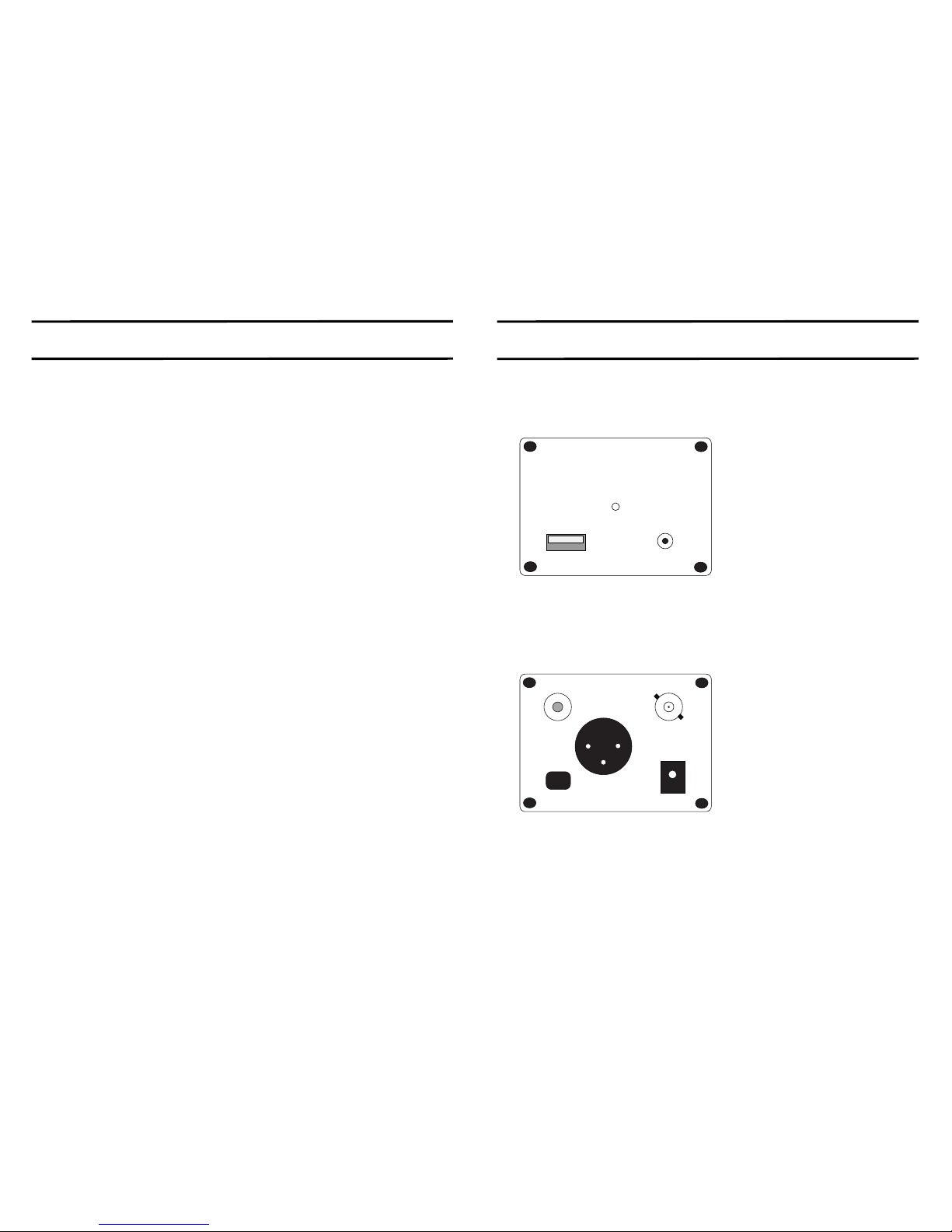
3. Overview
Front View
Trends
Innovative HiFi Audio
USB Audio DAC UD-10
Headphone
USB
(1)
(2)
(3)
1. USB Socket
2. Power Indicator
3. Headphone Socket
Back View
Coax.1 Coax. 2
AES / EBU
Optical
EXT. Power
DC +5V
(1) (2)
(3) (4)
(5)
1. Coaxial Phono
2. Coaxial BNC
3. Optical
4. Power Supply Socket
5. ABS/AEU
5
Table des matières
Autres manuels Trends Audio Convertisseur de média


