
Transmille EA015 Manuel utilisateur

EA015
MULTI FUNCTION WORKSTATION ADAPTER
OPERATION MANUAL
Ü

Version 1.10
July 2008
All product names are trademarks of their respective companies
EA015
Multi Function Workstation
Operation Manual

EA015 MULTI FUNCTION WORKSTATION
OPERATION MANUAL
Transmille Ltd. Page 2
Guarantee and service
Transmille Ltd. guarantees this instrument to be free from defects under
normal use and service for a period of 1 years from purchase. This guarantee
applies only to the original purchaser and does not cover fuses, or any
instrument which, in Transmille’s opinion, has been modified, misused or
subjected to abnormal handling or operating conditions.
Transmille’s obligation under this guarantee is limited to replacement or
repair of an instrument which is returned to Transmille within the warranty
period. If Transmille determines that the fault has been caused by the
purchaser, Transmille will contact the purchaser before proceeding with any
repair.
To obtain repair under this guarantee the purchaser must send the instrument
in its original packaging (carriage prepaid) and a description of the fault to
Transmille at the address shown below. The instrument will be repaired at the
factory and returned to the purchaser, carriage prepaid.
Note :
TRANSMILLE ASSUMES NO RESPONSIBILITY FOR DAMAGE IN TRANSIT
THIS GUARANTEE IS THE PURCHASER’S SOLE AND EXCLUSIVE
GUARANTEE AND IS IN LEIU OF ANY OTHER GUARANTEE, EXPRESSED OR
IMPLIED. TRANSMILLE SHALL NOT BE LIABLE FOR ANY INCIDENTAL,
INDIRECT, SPECIAL OR CONSEQUENTIAL DAMAGES OR LOSS.
Transmille Ltd.
Unit 4, Select Business Centre
Lodge Road
Staplehurst
Kent
TN12 0QW
United Kingdom
Tel : +44 0 1580 890700
Fax : +44 0 1580 890711
Web : www.transmille.com

EA015 MULTI FUNCTION WORKSTATION
OPERATION MANUAL
Transmille Ltd. Page 3
TABLE OF CONTENTS
GUARANTEE AND SERVICE.........................................................................................................................2
EA015 MULTI FUNCTION WORKSTATION...................................................................................................4
Design Notes ....................................................................................................................................5
Clamp Meters ..................................................................................................................5
Insulation Testers...........................................................................................................5
Process Control Calibrators..........................................................................................5
Digital Thermometers.....................................................................................................6
Optical Tachometers ......................................................................................................6
Features ............................................................................................................................................6
Using the EA015 with the Virtual Front Panel Software..............................................................8
Installing the Software ...................................................................................................8
Selecting a COM Port .....................................................................................................8
Operation of the Virtual Front Panel.............................................................................9
Functions : Thermocouple Simulation.........................................................................9
Functions : Tachometer Calibration...........................................................................10
Functions : Insulation Resistance ..............................................................................10
Functions : Insulation Test Voltage............................................................................11
Functions : Continuity Resistance & Current............................................................11
Functions : mA & mV Measurement...........................................................................12
STEP 1 : Enter an output value ...................................................................................13
STEP 2 : Setting to DC or AC.......................................................................................14
STEP 3 : Select a function ...........................................................................................14
STEP 4 : Select a Voltage / Current output ................................................................14
Terminals.......................................................................................................................15
STEP 5 : Set Output......................................................................................................16
Changing Output Values..............................................................................................16
Specifications.................................................................................................................................17
Care & Maintenance.......................................................................................................................18
Cleaning the Adapter.................................................................................................................18
Handling Precautions................................................................................................................18
Servicing Information................................................................................................................18

EA015 MULTI FUNCTION WORKSTATION
OPERATION MANUAL
Transmille Ltd. Page 4
EA015 Multi Function Workstation
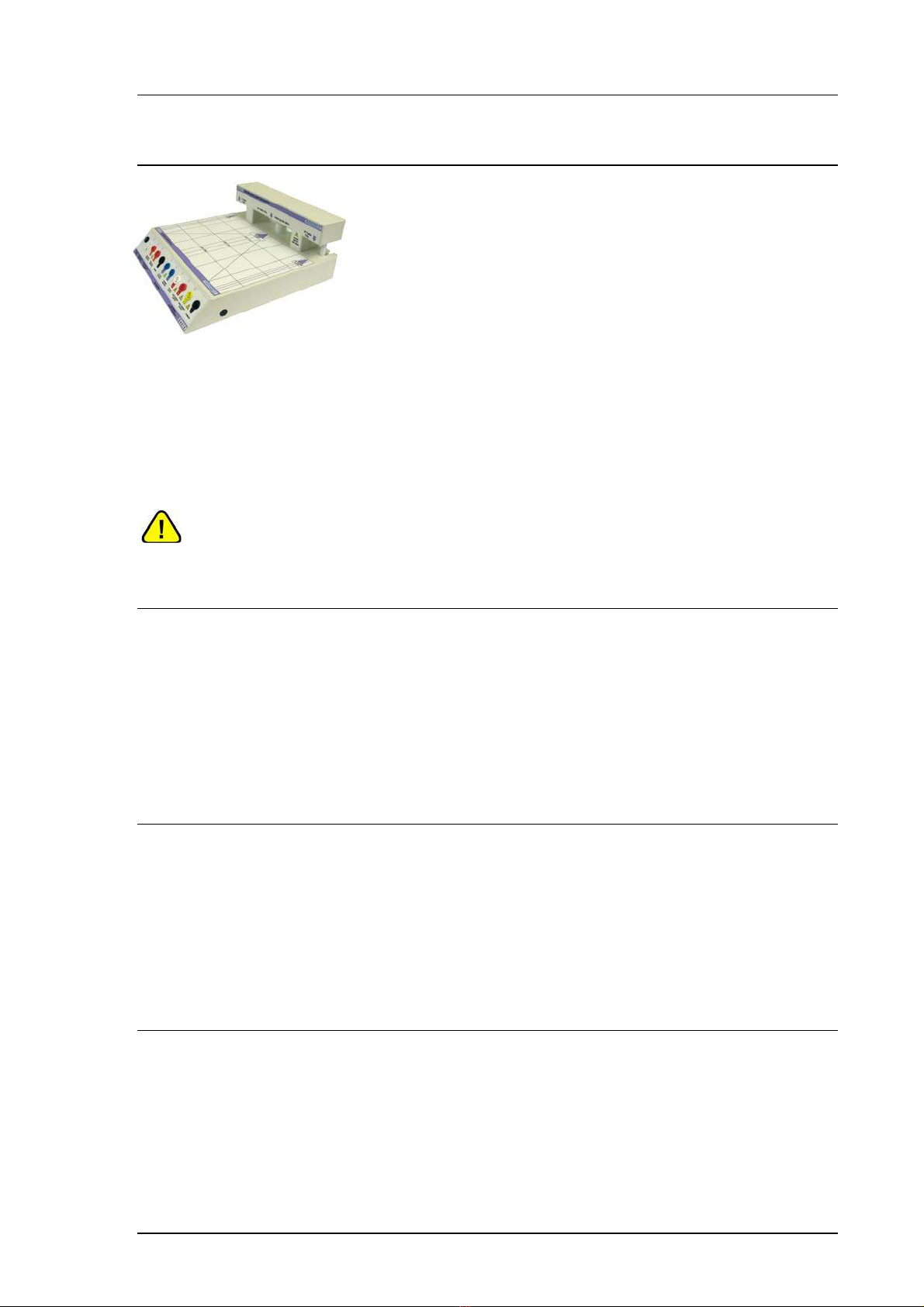
The multi function workstation provides a central work area with all connections routed
conveniently to remote terminals mounted at the front of the adapter.
The adapter extends the capabilities of the calibrator to include :
2 / 10 / 50 TURN CLAMP COIL
INSULATION RESISTANCE OUTPUT
CONTINUITY RESISTANCE OUTPUT
INS. TEST VOLTAGE MEASUREMENT
CONTINUITY CURRENT MEASUREMENT
OPTICAL TACHOMETER CALIBRATION
THERMOCOUPLE SIMULATION
VOLTAGE MEASUREMENT : 3 RANGES
CURRENT MEASUREMENT TO 30mA
CALIBRATOR OUTPUT ROUTING :
VOLTAGE, CURRENT AND HIGH CURRENT TO
DEDICATED WORKSTATION TERMINALS
EA015 MULTI FUNCTION WORKSTATION
OPERATION MANUAL
Transmille Ltd. Page 5
Design Notes
Incorporating the advanced clamp coil, thermocouple
simulation and tachometer calibration adapters as well as
process control source / measure capabilities, this workstation
adapter provides a versatile platform for efficient calibration of a
wide range of equipment.
Selection of the specific functions on the workstation requires use of either the EA015
Workstation adapter virtual front panel software (supplied) or use of ProCal software
procedure wizards to create procedures with built in commands for setting up the adapter
functions.
NOTE : The supplied virtual front panel software or ProCal software (optional) must
be used to set output functions.
Clamp Meters
Using the built in 2, 10 and 50 turn coils, clamp meters can be accurately and quickly
calibrated. Using a high accuracy balanced design both wound (AC only) & Magnetic field
(hall effect) AC/DC clamp meters can be calibrated. Three coils in one provide the ability to
calibrate a wide range of coils, from small lower clamps down to 10mm jaw diameter to larger
2000A clamps.
Insulation Testers
Insulation tester calibration is a common requirement and is now easy to perform using the
workstation. Insulation to 2GOhms @ 1000V and continuity to 1kOhm is available from
dedicated terminals. Using the measurement capabilities of the adapter interface, the
workstation also provides insulation test voltage measurement to 1000V and continuity
current measurement.
Process Control Calibrators
Source/measure process control calibrators are commonplace in industry and previously
required several references to calibrate. The workstation integrates all the functions required
to both source and measure the required signals.

EA015 MULTI FUNCTION WORKSTATION
OPERATION MANUAL
Transmille Ltd. Page 6
Digital Thermometers
Digital thermometers can be easily calibrated accurately using the workstation’s built in
thermocouple simulation output with automatic cold junction compensation.
NOTE : The EA015 Workstation adapter requires the use of thermocouple compensation
cables for connection between the adapter and the digital thermometer (UUT)
Optical Tachometers
Using a high intensity LED light source, optical tachometers can be calibrated quickly and
easily using the workstation.
Features
Functions of the terminal connections :
EA015 Output / Input Function
Optical Tacho Optical Tachometer Calibration Source (LED)
Thermocouple Simulation Thermocouple Simulation Output
(requires compensating leads)
Continuity Resistance Continuity Resistance Output /
Continuity Current Input
Insulation Resistance Insulation Resistance Output /
Insulation Test Voltage Input
Common Common for Continuity Resistance, Insulation
Resistance, Voltage Measure and Current
Measure

EA015 MULTI FUNCTION WORKSTATION
OPERATION MANUAL
Transmille Ltd. Page 7
Voltage Measure DC Voltage Measurement Input
Current Measure DC Current Measurement Input
Voltage Output Voltage output from calibrator
Low Current Output Current output from calibrator (to 2A)
High Current Output Current output from calibrator (to 30A)
Common Common for calibrator output terminals
Connection Recommendations
To connect the EA015 Multi function workstation to the 3000 Series multi product calibrator, follow
the connection diagram below :
EA015 Output / Input Function
Power Supply 15V Adapter Power Supply
Calibrator Outputs 3000 Series Voltage & Current Outputs
Adapter Interface Adapter control interface from calibrator

EA015 MULTI FUNCTION WORKSTATION
OPERATION MANUAL
Transmille Ltd. Page 8
Using the EA015 with the
Virtual Front Panel Software
The EA015 workstation adapter should be connected as shown above.
The main terminals from the calibrator should be connected to the corresponding
terminals on the side of the adapter.
The adapter interface on the calibrator should be connected to the adapter
interface on the EA015 Workstation adapter.
The 15V external power supply should also be connected to the power socket of
the EA015 workstation adapter.
Installing the Software
Insert the CD which is supplied with the EA015 workstation adapter – this should
autorun and install the software.
Once installed run the software by clicking START > ALL PROGRAMS > EA015
Workstation Adapter
Selecting a COM Port
On starting the virtual front panel for the first time, a COM port selection screen will
be displayed. Click on the COM port that is connected to your 3000 Series calibrator
to continue.
If you are using a laptop to connect to the calibrator, the COM port will usually
be COM 1. A desktop computer will usually be COM 2.

EA015 MULTI FUNCTION WORKSTATION
OPERATION MANUAL
Transmille Ltd. Page 9
Operation of the Virtual Front Panel
Once the correct COM port is selected, the calibrator will be detected, and the main
screen displayed :
The main functions of the workstation are :
Thermocouple Simulation
Tachometer Calibration
Insulation Resistance & Voltage
Continuity Resistance & Current
mA & mV Measurement
Terminal Switching
Functions : Thermocouple Simulation
Connect temperature meter to thermocouple connector on workstation using
thermocouple compensating cables for the correct thermocouple type. Select
a thermocouple type from the drop down list. Set manual or automatic cold junction.
Enter a temperature in the box marked ENTER VALUE, then click SET. Note if the
temperature is outside the range available, a message will be displayed.
Table des matières
Autres manuels Transmille Adaptateur


