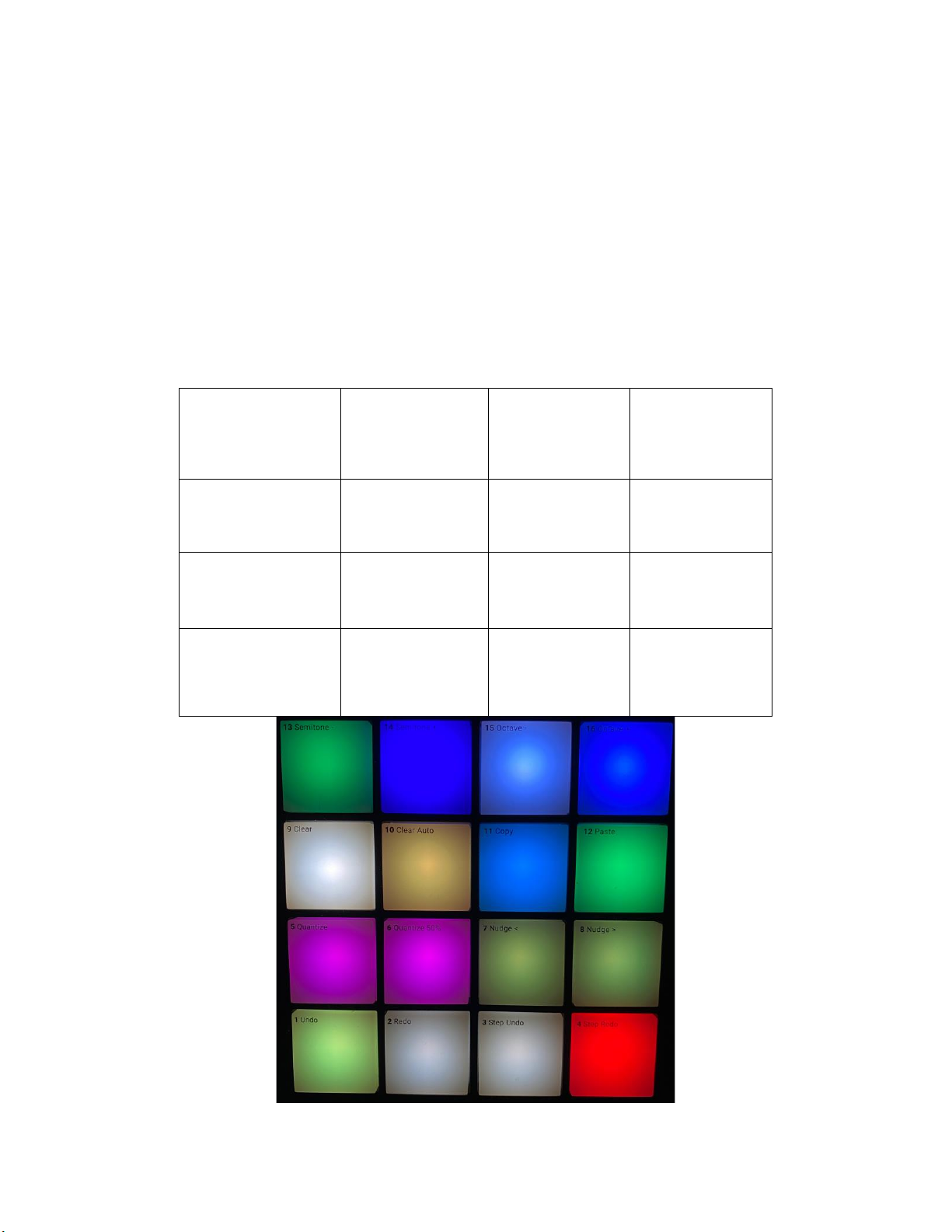
6. Knob Pages (what you see on the SCREENS).
6.3. Page 1, you can adjust the VOLUME/GAIN, FILTER/FILTER SELECT, GAIN/MONITOR,
FILTER ON-OFF/RESET for Decks ABCD
6.4. Page 2 is similar to your mixer channel strip. It controls the VOLUME (again), and EQ
functions LOW, MID, HIGH, and it Selects the Deck. This screen only controls decks A
and B by the way.
6.5. Page 3 is exactly like page 2 but this one controls decks C and D only
6.6. Page 4- This page is for FX Units 1 and 2. You have the Dry Wet Knob/FX Select (Single
Mode only) and Knobs 1, 2, and 3 (when on group mode press and hold the “Shift” button
and turn any knob and it will change the FX). The buttons on top do exactly what they
say they do: On-Off/Save
NOTE: The knobs work on both SINGLE and GROUP mode
6.7. Page 5- Same as above but for FX Units 3 and 4
6.8. Pages 6-9 were mapped to be used in conjunction with any of the Remix Decks.
6.8.1. Page 6- Controls Volume levels for Slots 1-4, monitor 1-4, the Number of steps for the Step
Sequencer and the programming mode for the Sequencer 1-4
6.8.2. Page 7 Controls FX Levels/Reset for slots 1-4, and Slot Filters for slots 1-4
6.8.3. Page 8 was mapped with the extraction of loops in mind so it has the following controls:
Loop Size, Loop Move, Slice Number (1-16), slice Size, Loop Set/In, Loop Active/out,
FREEZE Mode, Flux, Zoom, SEEK Position/ Seek Position FAST, Loop Source, Quantize
Amount/Quantize On-Off
6.8.4. Page 9 allows you to determine the behavior of your samples/loops. Turn them into 1-
Shots or Loops, Gate or Latch mode, Determine the Slot Size and turn Punch Mode on-off
6.8.5. Page 10 Has some controls already present on page 8 but now have more options for your
Track Decks (not Remix Decks). Here you’ll find controls for Beat Jump, Jump Size, Loop
Size, Lop Move, Snap/Quantize, Loop In, Out, Set, Tempo Adjust/Zoom, Seek Slow/Seek
Fast, Number of Slices/Slice Size, Cue Type/Deck Flavor, Grid Adjust, FREEZE, Flux
For instructions and a demonstration on how to use this mapping, please watch our
videos and feel free to contact us via email at: traktormapping.com@gmail.com
Check out our DEMOS page for our mapping videos here:
https://traktormapping.com/mk3-extended-videos/ or for an in-depth demonstration of
the Remix Decks watch this video: https://youtu.be/TENqNBunopg That video is not
hosted by us, but rather by a gentleman (DAVE) that allowed us to showcase a mapping
on his well-established channel; so show him some love and support.
Thank you!