
Totevision LCD-2300VT Manuel utilisateur

TOTEVISION SERVICE CENTER 1319 Dexter
Avenue N.#020,Seattle,Wa98109
TELL: (206) 623-6000 FAX: (206) 623-6609
LCD-2300VT
LCD-2700VT
LCD-3018VT
LCD-3200VT
LCD-4000VT
LCD-4200VT
LCD COLOR TV
P/N:7042301301 V1.0

CONTENT
SAFETY & PRECAUTIONS.................................................
ACCESSORIES......................................................................
TO CUSTOMERS..................................................................
OPERATION SAFETY............................................................
CONTENTS
PRODUCT INSTALLATION....................................................
1.Antenna Installation.......................................................
2.VGA Source Connection.................................................
4.High Definition TV (HDTV)..............................................
REMOTE CONTROL.............................................................
REMOTE CONTROL PRECAUTION & USAGE.......................
POWER ON/OFF...................................................................
1.Channel Selection.....................................................
2.Direct Channel Selection...........................................
3.Antenna /Cable TV Setup...........................................
4.Auto Scan.................................................................
TV/AUDIO/PC SELECTION...................................................
AUDIO SETTINGS................................................................
PC (RGB) MODE..................................................................
BASIC OPERATION..............................................................
FEATURES..........................................................................
SOURCE INPUT CONNECTORS...........................................
PICTURE PARAMETERS.................................................
PRODUCT SPECIFICATIONS...............................................
MULTI-MEDIA BOX...............................................................
3.DVI Source Connection...................................................
5.Speaker Jack(Audio Out)................................................
6.Power Connection..........................................................
PC PARAMETERS..........................................................
AUDIO SETTINGS................................................................
PICTURE-IN-PICTURE...................................................
CHANNEL SETTINGS...........................................................
PARENTAL CONTROLS.......................................................
GENERAL SETTINGS.....................................................
FUNCTIONS..........................................................................
2
7
815
17
18
20
20
21
23
24
24
16
17
1
2~5
18
18
22
24
24
24
25
17
18
18
32
36
37
6
26~28
29~31
2335
38~41
19
DIMENSIONS...................................................................
17

Caution:To avoid fire and electric
shocks, do not expose this
product under damp or humid
condition and make sure the
plug is fully plugged in at all time.
Warning:Never open the housing of the LCD
display. When the housing is opened,
there is a danger of injury from
electric shock.There is no
component that can be replaced by
users. Please contact the service
personnels and replace with
manufacturer appointed components.
Disposal: Due to the environmental concerns,
please refer to your local
authorized organization or
electronics industry society before
you dispose this product. Please
visit http:// www.eia.org for more
Informations.
OPERATION SAFETY
1

Thank you for purchasing this product. Please
read through the instructions and follow the steps
in order to achieve the maximum reliability.
Please keep this manual handy and close to your
LCD display after reading.
◎Manual Guide--Please read through user's
manual before operating this
product.
◎Instructions--Please follow and be aware
of cautions and warnings.
◎Follow Steps--Please follow the operation
procedures.
◎Socket Outlet--Please use standard socket
outlet to avoid damages to
the LCD display.
◎Power Source--This product has to operate with
correct power source shown on
label.
◎Power Cord Protection--Avoid tangling or
placing objects on the power cord.
◎Over-loading--Avoid AC power over-loading,
which may lead to fire or electric
shock.
TO CUSTOMERS
SAFETY & PRECAUTIONS
2

◎Donotinsertanyobjectsthroughtheslotsand
openingsoftheLCDdisplay.Thismayleadto
anelectricalshort-circuitorevencausefire
andresultsindamagestoyourLCDdisplay
◎Repair--Pleaseunplugthepowercordandcontact
distributorsorqualifiedrepairpersonnelsif
anyofthefollowingsituationshavehappened.
1.Powercordisdamaged
2.Objectshavebeeninsertedthroughtheslotsand
openingsofthedisplay.
3.Productisunderhumidconditionorliquid
leakagesontothedisplay.
4.Productcannotfunctionnormally,orcannot
operate.
5.Product was dropped or damaged
Note:When using AV signals (e.g DVD, VCR..), Please
check the input source if the screen appears glittering
or having bad signals.
For example, cables are correctly connected and DVD
player output setting is the same as TV resolution
setting. (Resolution is under 480i or 576i etc.)
◎PartsReplacement--Ifanypartsneedtobereplaced,
pleasecontacttheservicepersonnel.
3

◎Wall Mounting--Pleaseusecorrect wallmountand follow
instructionswhen installingthedisplay
ontothe wall.
◎Cleaning--Unplug powercordbeforehand.Please use
dryand softspongeto cleanthescreen
surface.Donot usedilutedacid.
◎Humidity--Keep thisproductaway frommoistureor high
humidityarea.
◎Placement--Place this product on a stable and vibration
free surface in order to avoid the LCD
display from falling.
◎Ventilation--Please never cover or block openings and
slots of the display.This may cause the
display to over-heat and reduced it's life
time.Please allow some space for
ventilation.
4

◎Away from heat sources--Keep this product away from heat
sources such as direct exposure to sunlight, heater and stove,
etc.This would avoid structure distortion or machine break down.
◎When switched off, the LCD display can be stored comfortably
between -4℉ to 140℉(-20℃ to 60℃)
◎Unplug from the socket outlet if the LCD Display is not intended
to be used for a long period of time.
5
88
88
88
88
88
88
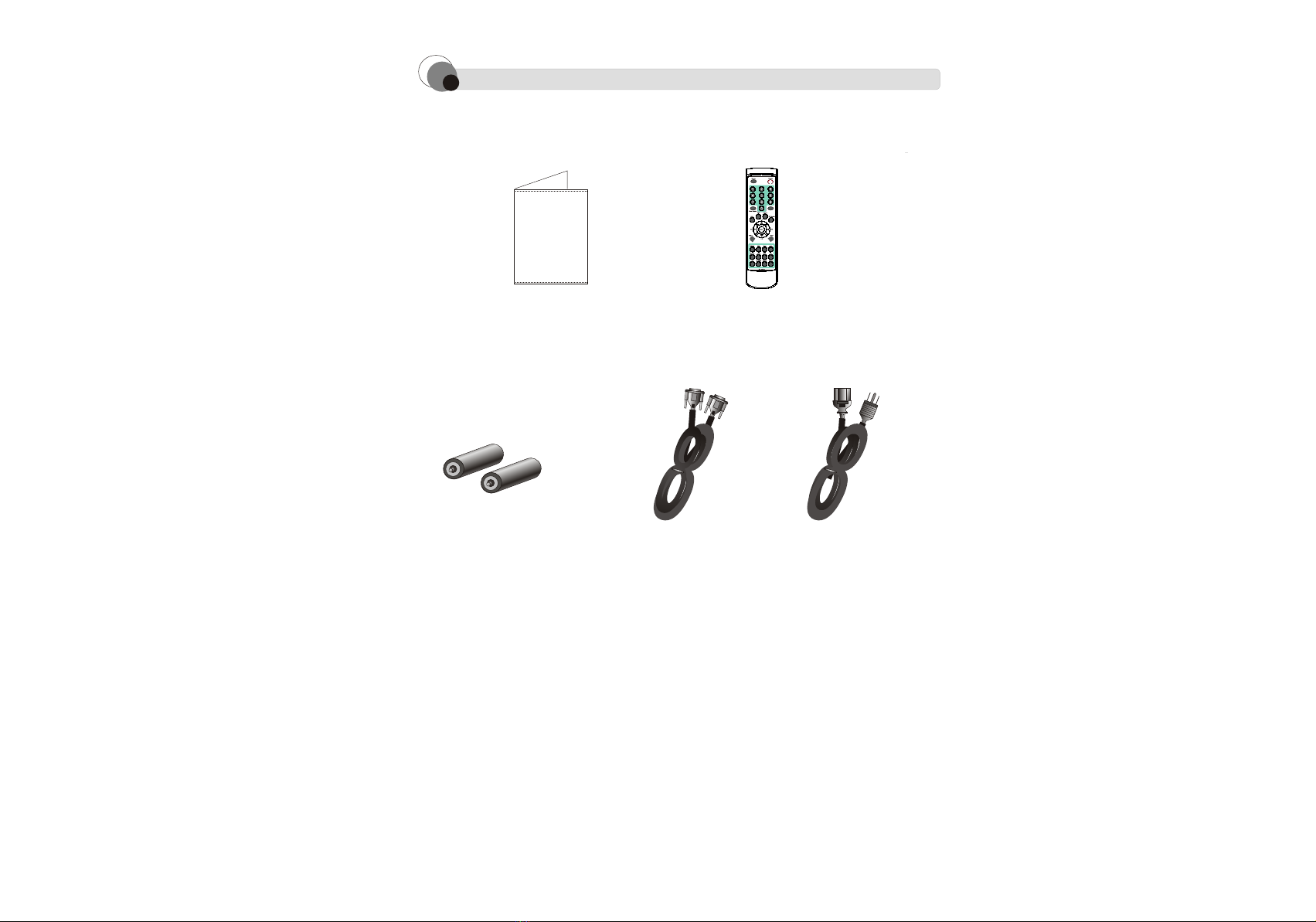
ACCESSORIES
User Menu(*1) Remote Control(*1)
AAA Batteries(*2) VGA Cable(*1) Power Cable(*1)
6

FUNCTIONS
Color Adjustment:Users are able to
adjust their custom color setup.
Auto-Adjustment:It helps users to
adjust the display into appropriate
setup.
Contrast/Brightness:Users are able to
adjust their custom setup.
Display Frequencies:Users can use this
function to check current horizontal
frequency,vertical frequency, phase
and resolution.
Position Adjustment:Users can adjust
display's vertical and horizontal
positions.
PIP setup:
(1)PIP source:Select PIP input source
(2)PIP Ver/Horz position: Allows
adjustment of PIP positions.
Menu Setting: Allows setup of OSD
language, picture position, time and
picture freeze time etc.
Source:Allows selection from PC,DVI,
S-Video1,S-Video2,AV1,AV2,YCbCr,TV/CATV,HDTV
1.
2.
3.
4.
5.
6.
7.
8.
7

23"LCD-2300VT
27"LCD-2700VT
30"LCD-3018VT
Dimensions
8
587.16
499 269.48
90
987.2
269.48
87.9
587.1
412.8
766.2
240
80.5
720
474.95
412.8
Ce manuel convient aux modèles suivants
5
Table des matières
Autres manuels Totevision Téléviseur LCD


