TOOBOM R01 Manuel utilisateur

TOOBOM VOICE RECORDER http://toobomworld.com
-2-
- 2 -
Catalog
Chapter One
How to use your voice recorder R01 ---------------------------------------------------- ------------Page 3
1) Charging your voice recorder -----------------------------------------------------------------------Page 3
2) Open your voice recorder ----------------------------------------------------------------------------Page 3
3) How to record --------------------------------------------------------------------------------------------Page 4
4) How to PAUSE and RESUME your recording--------------------------------------------------------Page 7
5) Playback Recordings -----------------------------------------------------------------------------------Page 7
6) How to delete a recording ---------------------------------------------------------------------------Page 9
7) How to Playback Music -------------------------------------------------------------------------------Page 9
8) Go to setting ----------------------------------------------------------------------------------------------Page11
9)How to return to the previous option--------------------------------------------------------------------Page 12
Chapter Two
Most Regular Issue When Use the Recorder --------------------------------------------- Page 12
1) I cannot playback the recordings on my computer ---------------------------------Page 12
2)Space is full ------------------------------------------------------------------------------------ Page 13
3) Cannot record any more -------------------------------------------------------------- Page 13
4) Cannot Switch on the voice recorder---------------------------------------------------- Page 14
5) How to know it is charging ---------------------------------------------------------------- Page 14
6) How to Adjust Playback Speaker Volume--------------------------------------------- Page 14
7) How to Switch Previous / Next Recordings or Music ----------------------------- -Page 15
8) How to turn on voice activated function ---------------------------------------------- -Page 15
9) How to set system time--------------------------------------------------------------------- Page 15
10)How to change language.............................................................................Page 16
11)I am in recording mode, how to switch to other modes?.............................Page 16

TOOBOM VOICE RECORDER http://toobomworld.com
-3-
- 3 -
Chapter One
How to use your voice recorder R01
1) Charging your voice recorder
Connect it to your computer with enclosed cable, it will charge, once it has
finished charging ( typically around 3 hours), you can eject the device from
the USB port
You could also connect to your cell phone adaptor for charging
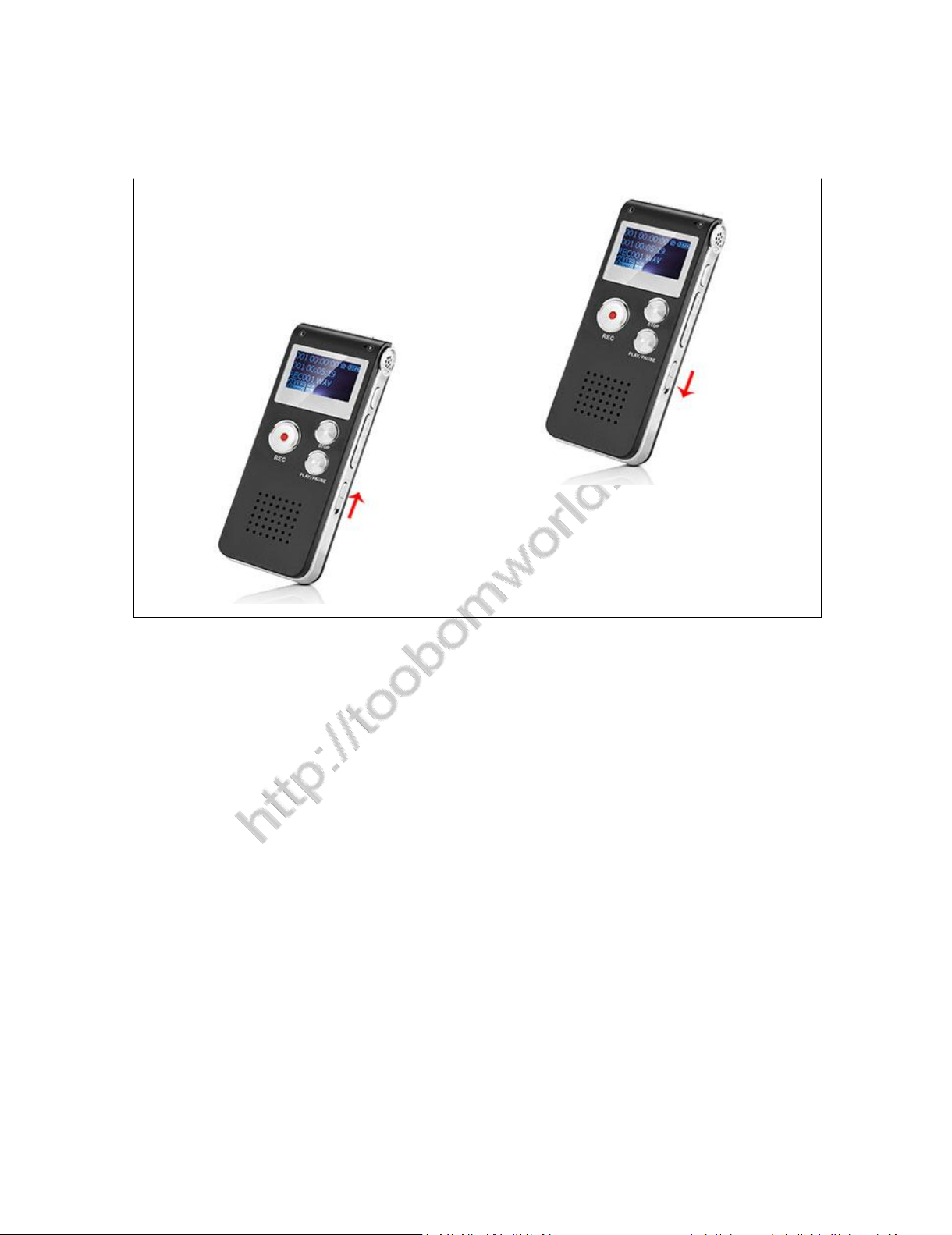
2) Turn on your voice recorder
Simply push the switch power button (at right side ) to “ON” position, it will
boot on
Switch it back to “OFF”, it will shut down
See below picture
NOTE: when connect to computer, you could see the drive connect to computer icon.
If you go to the recording interface, you could see the battery icon is filling up when you
turn on the recorder;
NOTE:
Do not use the right side switch to totally shut down your voice recorder, or
it will reset your voice recorder system time to default
We suggest you long press PLAY/PAUSE button to power off your voice
recorder, and next time you just need to press PLAY/PAUSE again to wake up
your voice recorder
TOOBOM VOICE RECORDER http://toobomworld.com
-4-
- 4 -
3)How to record
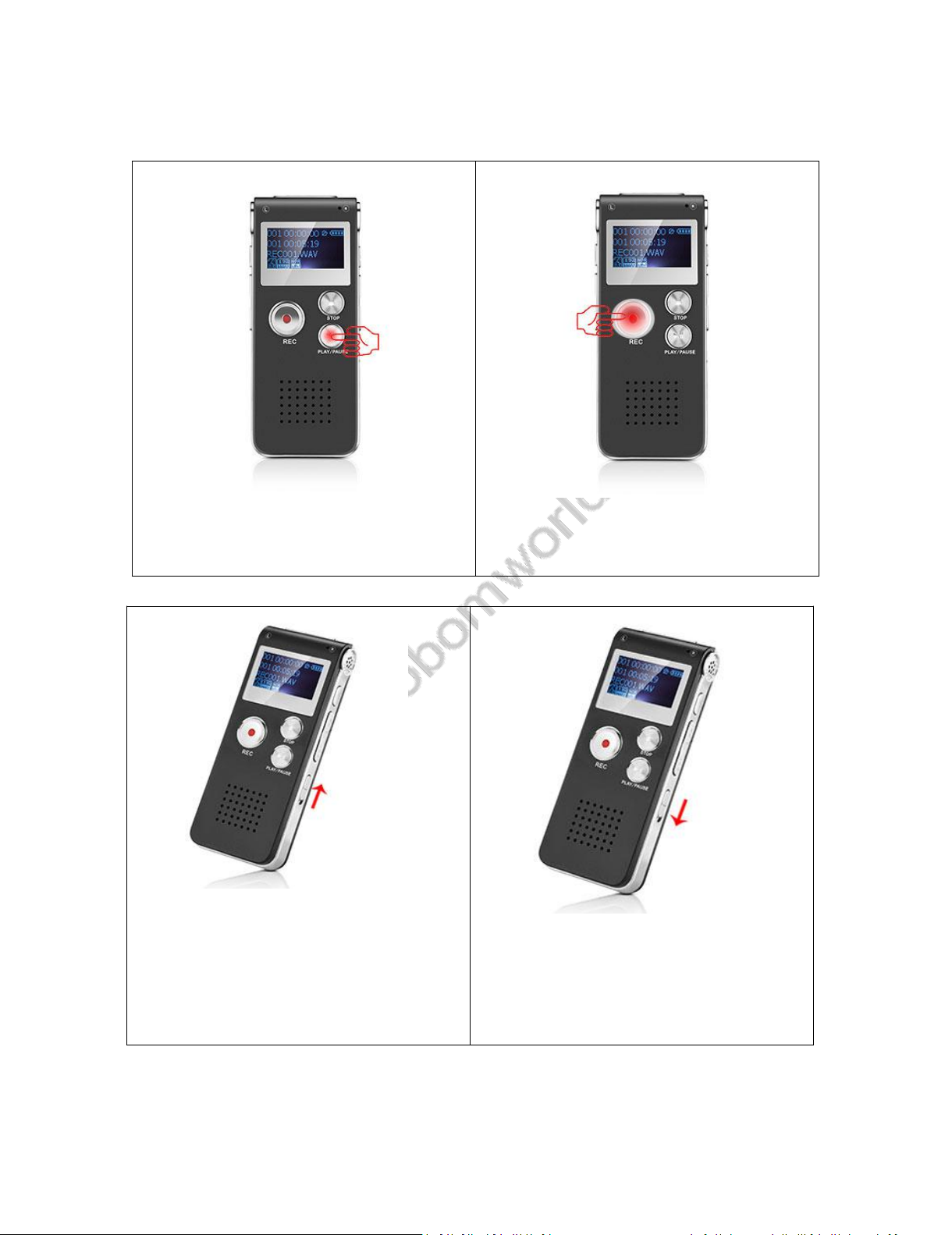
Long press PLAY/PAUSE button power on your voice recorder
(NOTE: keep your right side POWER switch at ON position, if it is at OFF
position, you need to push it to ON position first)
Press REC, it starts to record
ON: boot on the
recorder
OFF: Totally shut down
TOOBOM VOICE RECORDER http://toobomworld.com
-5-
- 5 -
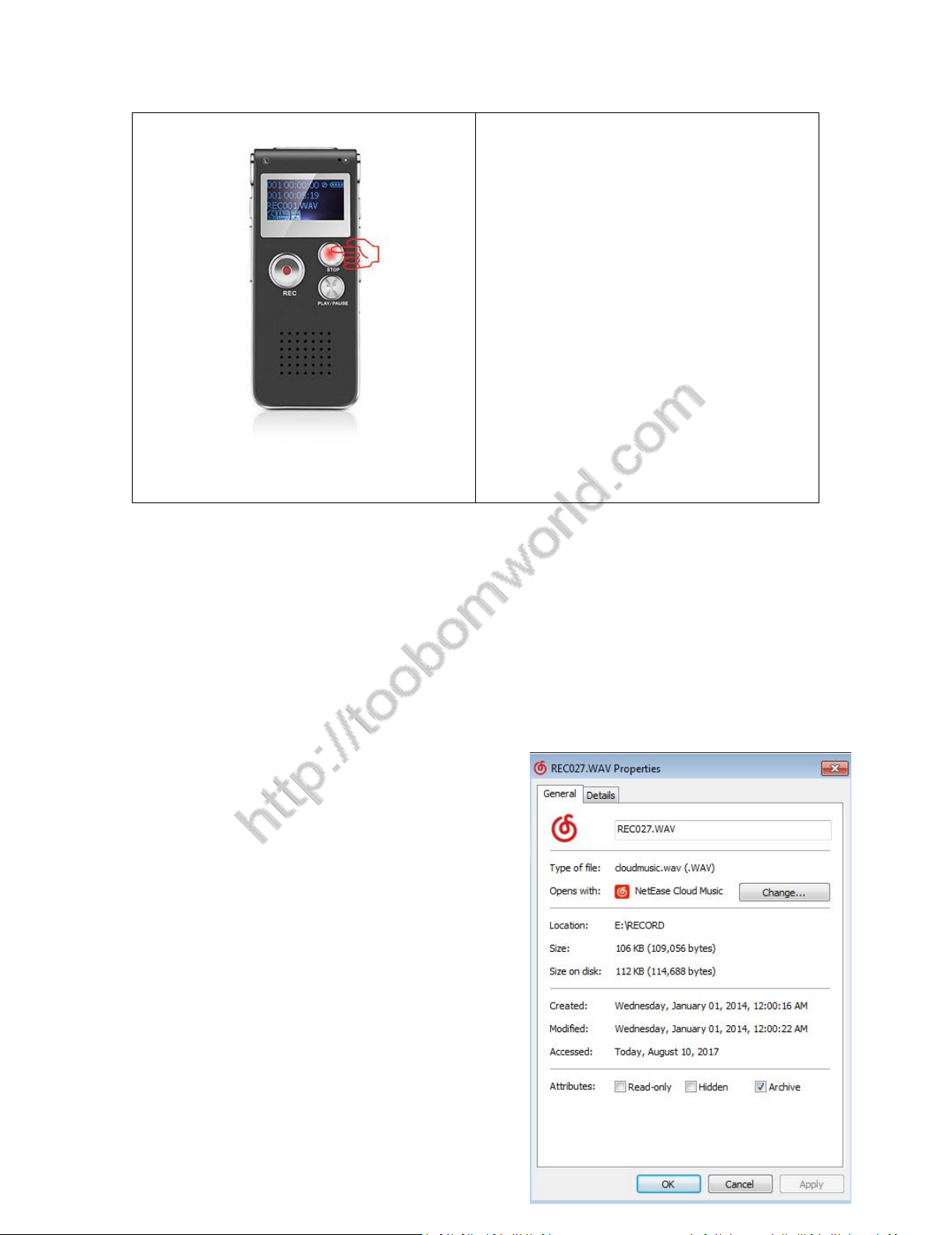
Press STOP, it saves your recordings
1) Press PLAY/PAUSE, power on
2) Press REC, it starts to record
ON: boot on the recorder
OFF: Totally shut down
TOOBOM VOICE RECORDER http://toobomworld.com
-6-
- 6 -
3) Press STOP, save your recordings
NOTE:
Before save your recordings, never
shut down the voice recorder,
otherwise, your recordings will be
format error, and lost your
recordings
If, for example, you press REC and STOP 3 times, the recorder will create 3
recorded files corresponding to each time, and they will typically be named
REC001.wav
REC002.wav
REC003.wav
Each recordings will be saved a file
names in sequence, but it has a time
stamp
If you want the see when the

TOOBOM VOICE RECORDER http://toobomworld.com
-7-
- 7 -
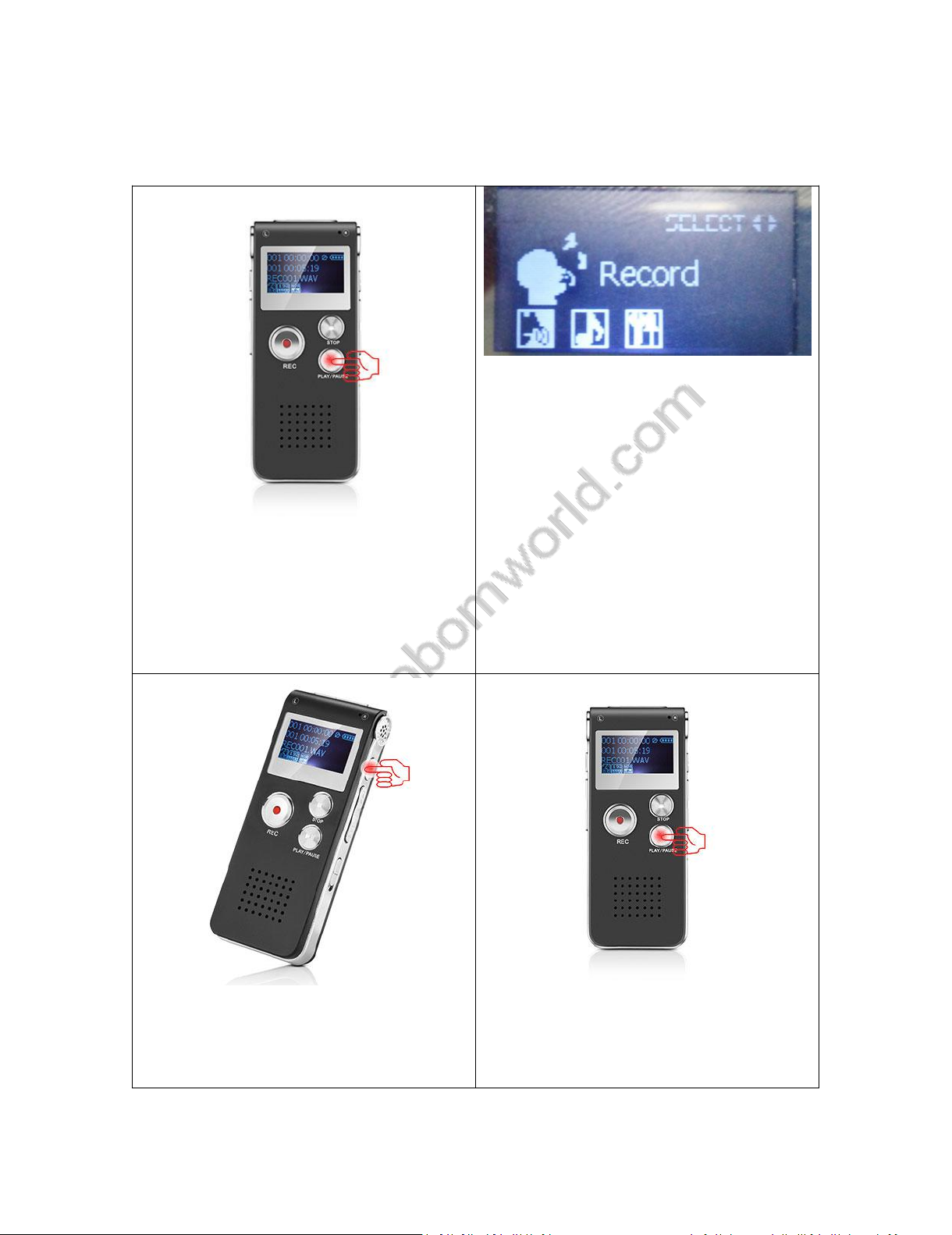
REC001.wav was recorded, you could click right button and view
file properties, you will see the recordings file time
See the picture shows:
4)How to PAUSE and RESUME your recording
During recording, press PLAY/PAUSE, pause the recording
If you want resume it, just press PLAY/PAUSE again, it resume the recording
5) Playback Recordings
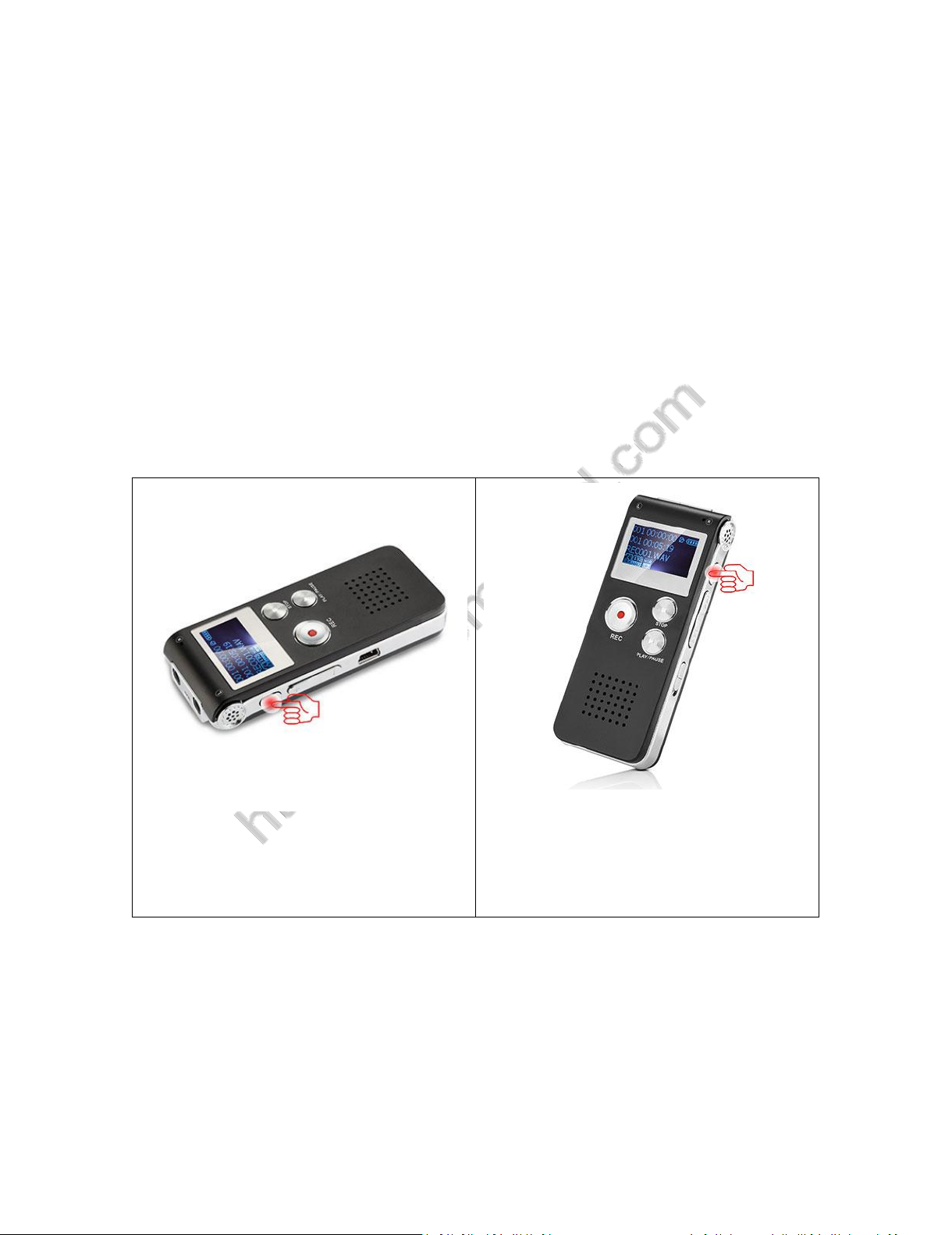
Press PLAY/PAUSE, switch on your voice recorder, you will see“Record” on
the screen
Press M, see initializing, and go to recordings folder
NOTE:
In default, the recorder system was 2014-01-01 00:00:00, you could
see our time and date setting chapter to adjust the time
TOOBOM VOICE RECORDER http://toobomworld.com
-8-
- 8 -
Press PLAY/PAUSE, start to playback your recordings
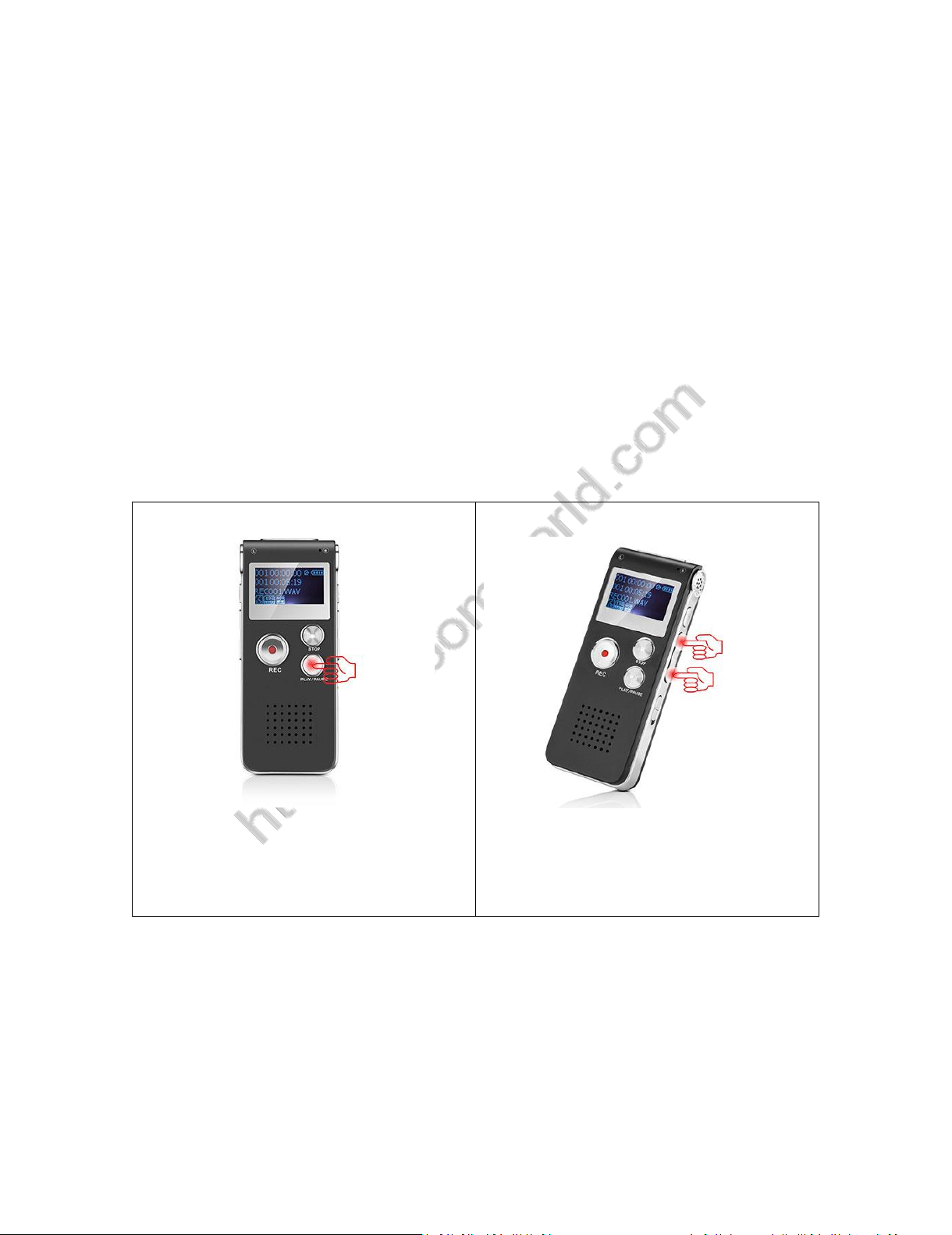
1) Press PLAY/PAUSE, power on your
voice recorder
2) You will see this, if not see this,
you could press FF/REW to select
this
3) Press M, see initializing
4) Press PLAY/PAUSE, playback
recording
TOOBOM VOICE RECORDER http://toobomworld.com
-9-
- 9 -
6) How to delete a recording
In the status of stop playback recordings
Press A-B, you will enter delete mode
You could select delete file, delete all, exit as you need, and press M
confirm it, screen will show “ deleting ”
See below picture guide
1) Press A-B, enter delete mode
2) Press M, confirm selection, and
delete file
7) How to Playback Music
Connect to computer, use the mini USB cable in the package, And then
TOOBOM VOICE RECORDER http://toobomworld.com
- 10 -
- 10 -
copy and MP3 file to your recorder from your computer
Safely reject the external drive from your computer, and then plug off the
voice recorder
Switch on the voice recorder, select MUSIC
Press M to enter music folder, and then press PLAY/PAUSE, playback your
music
See below picture for details.
1) Press PLAY/PAUSE, power on your
voice recorder
2) Press FF/REW, select music
Table des matières
Autres manuels TOOBOM Enregistreur vocal