1
Using This Guide
3
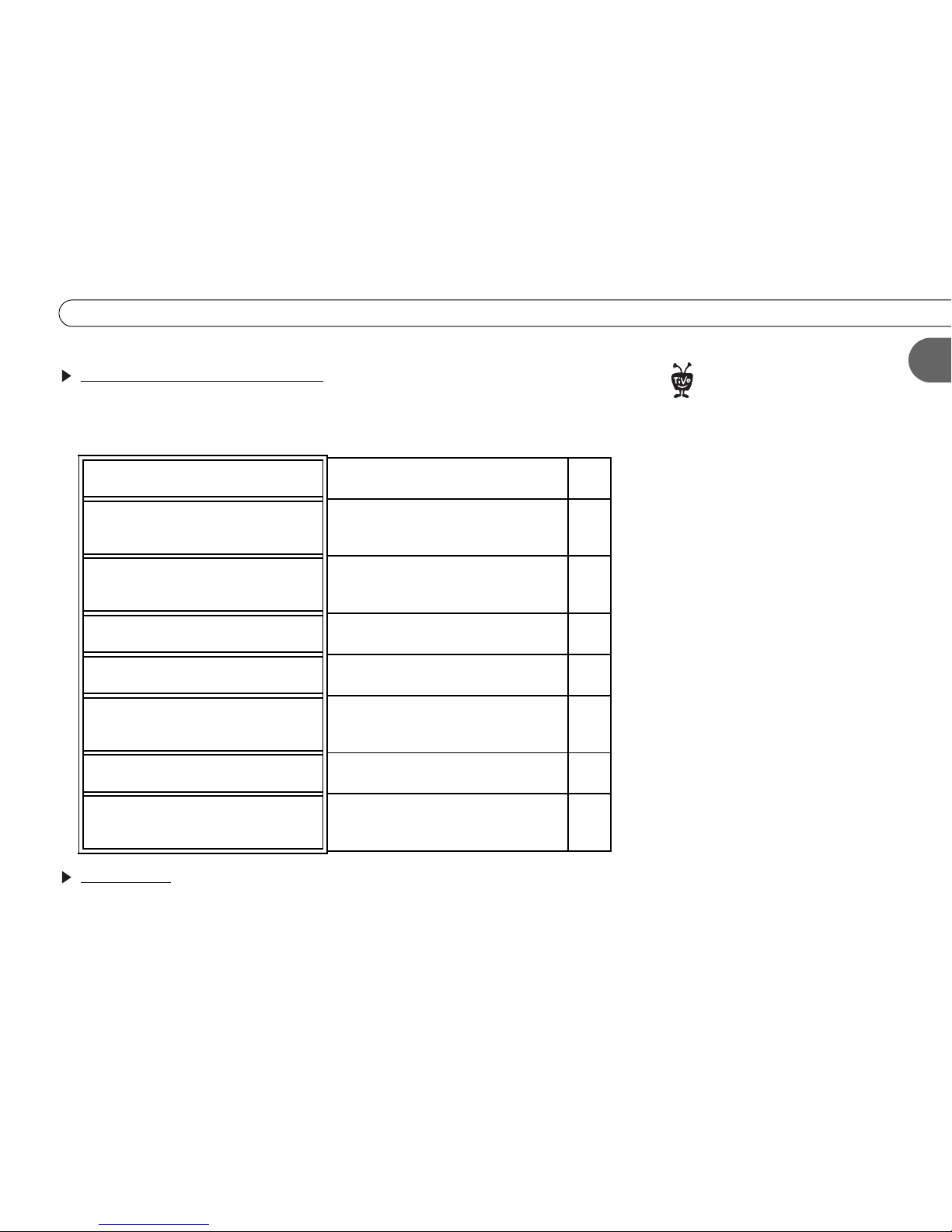
Step 2: Finding your setup example
This guide provides specific examples for connecting your TiVo DVR to an existing
antenna, cable, or satellite system and other A/V equipment. Choose your setup example
from the ones below:
What’s next?
After connecting your DVR, the last steps are to activate your TiVo service and complete
Guided Setup. See the TiVo Viewer’s Guide for help with these steps.
You use either antenna or cable without
a cable box. You may also have a VCR.
Setup 1: No cable or satellite box
(optional VCR) p. 12
You have either a cable or satellite box
(if you have both, see Setup 7, below).
You may also have a VCR.
Setup 2: Cable or satellite box (optional
VCR) p. 14
Your TV only has one input.
This is also a good setup to try if you’re
having trouble.
Setup 3: TV with only an RF Coaxial input p. 18
Your TV only has one input, and you
have a VCR.
Setup 4: VCR and TV with only an RF
Coaxial input p. 20
You use cable and want to watch one
channel while recording another.
Setup 5: Watching one channel while
recording another (antenna or cable only) p. 22
You have both a satellite box and
antenna, or both a satellite box and
cable without a cable box.
Setup 6: Both a satellite box and an RF
program source (antenna or cable). p. 24
You have both a satellite box and cable
with a cable box.
Setup 7: Both a satellite and a cable box p. 26
You have an advanced home
entertainment system with several
components.
Setup 8: A/V receiver, DVD player, game
console, and VCR p. 28
to support
a heavy load, such as a TV. Your
DVR is only capable of supporting the
weight of one or two common A/V
components such as VCRs, DVD players,
or A/V receivers (provided they have four
good, broad, padded feet that distribute
of the weight near the corners of the DVR).
Also, avoid stacking your DVR on top of
other electronic components—such as
DVD players, A/V receivers—or the vents
of your TV.
®