
Technika MP-111 Manuel utilisateur

MP-111
MP4 Player
User Guide

2
Table of Contents
Safety Information Page 3
About Your Player Page 5
Getting Started Page 6
Connecting the Player to the PC Page 6
Synchronising Files to the Player in WMP 11 Page 7
Transferring DRM Files in WMP 10 Page 13
Player File Structure Page 13
Transferring Other Files Page 14
Switching the Player On and O Page 15
Locking and Unlocking the Player Page 15
Accessing Player Modes Page 16
Playing Music Page 17
Play Modes Page 19
EQ Settings Page 20
Using Lyrics Page 21
Playlists Page 22
Viewing Movies Page 24
Viewing Photos Page 26
The FM Radio Page 28
Recording FM Programmes Page 30
Voice Recording Page 31
Replaying Voice and FM Recordings Page 39
The Text Reader Page 33
Bookmarks Page 34
The Calendar Page 35
Further Options Page 36
System Settings Page 37
Setting the Time and Date Page 41
Setting the Alarm Page 42
Using the Alarm Page 43
Using a Mini SD Card Page 44
Deleting Files in WMP 11 Page 45
Restoring Files in WMP 11 Page 47
Deleting and Restoring Other Files Page 48
Warranty Page 49
Specications Page 49

3
Important Safety Information
Please follow all these guidelines to safely operate your player.
• Readtheseinstructionsbeforeusingtheplayer
• Keeptheseinstructions.Ifyouaretransferringthisproducttoathirdpartyincludetheseinstructions.
• Donotuseearphones,viewmoviesorvideosorreadtextswhiledriving,cyclingorwalkingneartrac.
• Donotlistenatextremelyhighvolumes–doingsocandamageyourhearing.
• Toavoiddamagingtheplayer,alwaysinserttheearphonespriortoswitchingtheplayeron.
• Donotuseorstoretheplayerinexcessivelydry,dustyordirtyenvironments.
• Thisproductmustnotbeexposedtodrippingandsplashingwaterorotherliquids.
• Keeptheplayerawayfromheat,humidity,andmagneticelds.
• Donotleavetheunitexposedtodirectsunlightforlongperiodsoftime,
• Keeptheplayerawayfromheatsources.
• Cleantheplayerwithasoftclothdampenedslightlywithcleanwater.Nevercleantheplayerwithsolventsorabrasives.
• Donotpressthescreenorapplyexcessivepressuretotheplayerkeys.
• WARNING:ThisproductcontainsanintegralPolymerLi-ionbattery.Thereisariskofreandburnsiftheplayeris
handledimproperly.Donotdisassemble,crush,puncture,ordisposeofinreorwater.Donotattempttoopenthe
playercaseorservicethebatterypack.Useaqualiedservicetechniciantoreplacethebatteryandreplaceonlywitha
batterydesignatedforthisproduct.Disposeoftheproductwiththebatteryintactinaccordancewithrecycling
regulationsinyourarea.
• WARNING:Thebatterymaybeoverdischargediftheplayerisnotusedforalongtime(overthreemonths).Toavoid
overdischarge,fullychargetheplayeratleasteverythreemonthsandkeepthevoltageofthebatteryabove50%..

4
IMPORTANT INFORMATION
Windows Operating Systems And Windows Media Players (WMPs)
TherehavebeenmanyversionsofWindowsOperatingSystemsandtheirassociatedMediaPlayersovertheyears.Inmostcasesthedefault
MediaPlayersthatshippedwiththeOperatingsystemshavebeenupgraded.Hereareourrecommendations:
THIS PLAYER WILL OPERATE WITH WINDOWS XP SP1 AND ABOVE, WINDOWS VISTA, AND THE UPCOMING WINDOWS 7.
Windows Vista: ThedefaultplayerisWMP11-therearenoissues.
Windows XP: WinXPoriginallyshippedwithWMP9.ManyusersupgradedtoWMP10.
NotallusershaveinstalledWMP11whichisthelatestversion.
This player is optimised to interface with WMP11.
WindowsXPwillsupportMP11ifServicePack2(SP2)isinstalled.Tondoutifyourver-
sionisSP2:ClickSTART.RightclickintheStartMenuandthenclickonthe‘Properties’tab
whichopens.Refertotheimageattheright.
If you do not have SP2/3 use WMP 10 (or preferably install SP2 or 3 and WMP 11) .
INFORMATION FOR WINDOWS MEDIA PLAYER 10 USERS
WMP11hasseveralenhancementsoverWMP10especiallywhensynchronisingmusicles.Westronglyadviseyoutodownloadandinstall
WMP11.Copyandpastethislinkintoyourbrowserhttp://www.microsoft.com/downloads/details.aspx?FamilyID=1d224714-e238-4e45-8668-
5166114010ca&DisplayLang=en FollowtheinstructionstodownloadandinstallWMP11.

5
About Your Player
10
9
8
37
2 6
11
12
13
14
15
1 5
4
Key
1: :PresstoPlay,Pauseorconrmanaction
2: : Moveupamenulist;Increasevolume
3: Movedownamenulist;Decreasevolume
4: Microphone
5:
EXITkey.Exitthecurrentmode/menu
Returntothepreviousmode/menu
6: Movetotheprevioustrack/item
Duringplay:Pressandholdtofastrewind
7: Movetothenexttrack/item
Duringplay:Pressandholdtofastforward
8: DisplayScreen
9: 3.5mmHeadphoneSocket
10: USBSocket
11: MiniSDCardsocket
12: MENUkey:Presstoenter/leavethe menusystem
Bringupadditionalmenuswheninamode
13: POWER:PressandholdtoswitchtheplayerON/OFF
14: ResetSwitch
15: InternalLoudspeaker
6
Getting Started
Before using the player you should charge the battery
• Makesuretheplayerisswitchedo.
• ConnectthesuppliedUSBcabletotheplayer
• PlugthecableintoafreeUSBportonthePC.
• Thecomputersystemdetects“Newhardware”andinstallsthedriver
automatically.Waitforthesystemtonishtheinstallation.
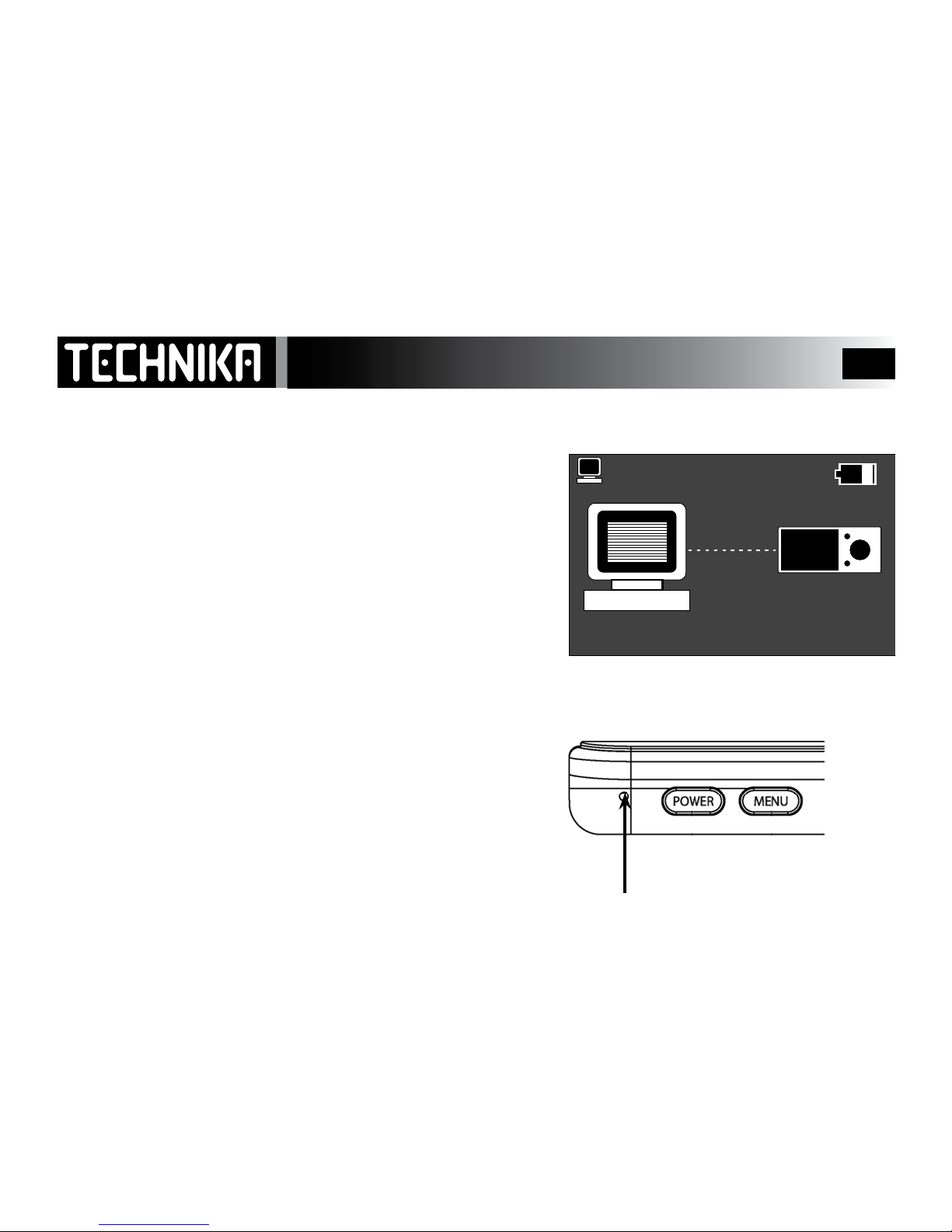
• Ifconnectionissuccessfulyouwillseetheplayerscreenontheright.
• WhentheplayerisconnectedtothePC,twodriveswillbecreatedin
“MyComputer”.RefertoPage13forfurtherinformation
• Youshouldleavetheplayerbatterytochargeforatleastsixhours.
Whiletheplayerischargingyoucanuploadlesdirectlytotheplayer
andsynchroniseyourmusicviaWindowsMediaPlayer10or11.
The player controls are disabled when it is connected to the PC!!
RESETTING THE PLAYER
Ifforanyreasontheplayerfreezesandthescreenblanksoutitwillbe
necessarytoperformthisresetprocedure.
• DisconnecttheplayerfromthePC(Refer to Page 15).
• LocatetheRESETholeontheplayer
• Placeasmallpieceofwire(theendofapaperclip)intotheholeand
pressgently.
• Thiswillresettheplayerwhichwillnowworknormally.
OK to disconnect!

7
Synchronising Files to the Player -1
• For best results connect the PC to the Internet
• Start Windows Media Player 11
WMP11willdetecttheplayer
Selectanoption
Click“Next”
PMP351 1.8Gb
PMP351

8
Windows Media Player will now set the
player up for Synchronization
You may, if you wish choose to give the
player a name for easy future recognition
Click “FINISH’ to continue
Synchronising Files to the Player -2
My MP4 Player
PMP351
PMP351

9
Windows Media Player 11 is divided
into two panes.
Therightpanehastheimageof
yourplayer’sharddrive.
Theleftpanecarriesdetailsofall
thelesonyourPC.
Youcannowlocatethelesyou
wanttocopytotheplayerand
dragthemtotherightpane.
Youcandragacompletealbumor
selectedtracks.
When all the les have been trans-
ferred: Click‘STARTSYNC’
Please NOTE: This player does not
support DRM.
MP3 Player
Synchronising Files to the Player -3
PMP351
My MP4 Player
PMP351

10
The les will now be uploaded and
synchronised to the player.
Do not interrupt this process.
Synchronising Files to the Player -4
PMP351
Table des matières
Autres manuels Technika Lecteur multimédia


