
Tecevo S100 Manuel utilisateur
TECEVO.CO.UK
1
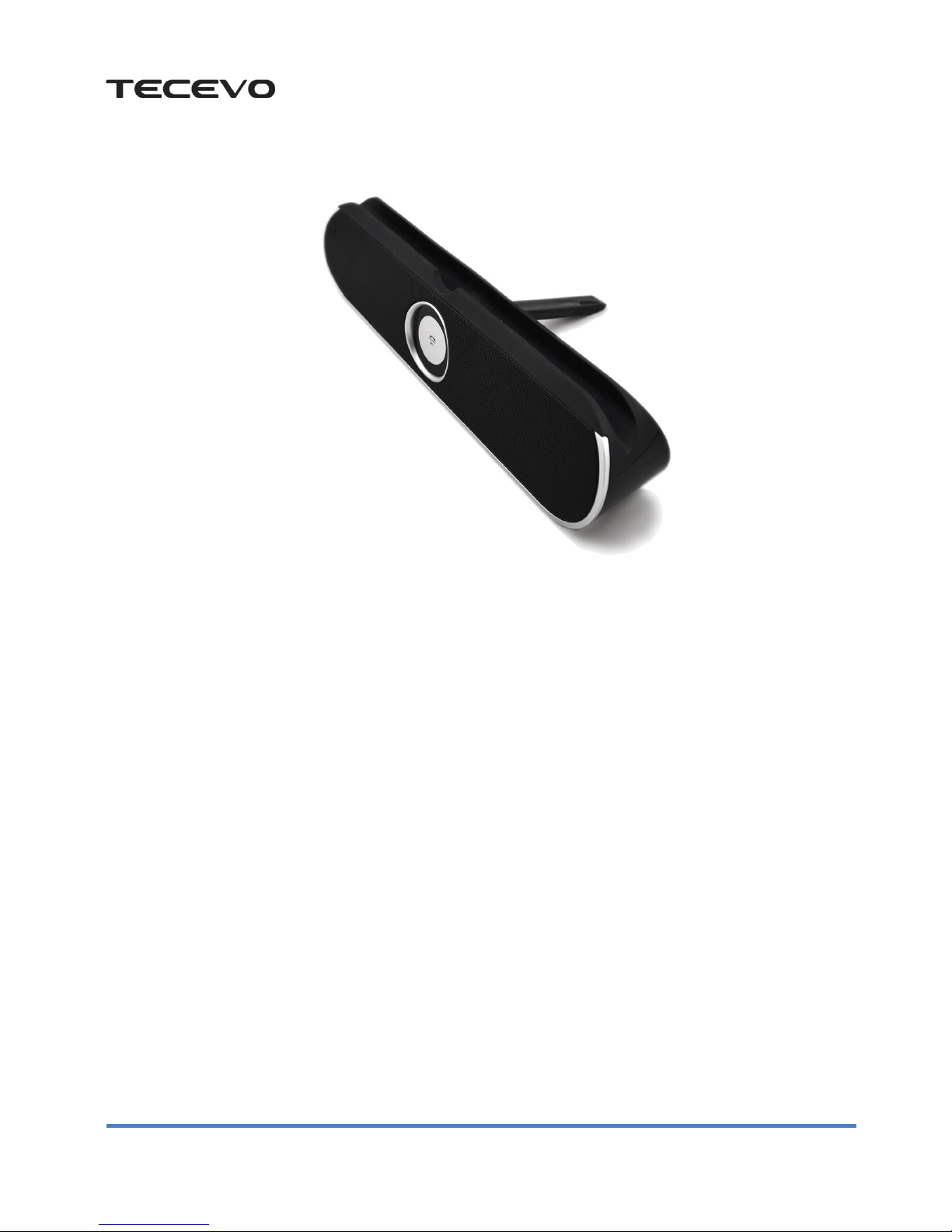
TECEVO S100 Bluetooth Speaker
User Manual
Introduction
Thank you for purchasing TECEVO S100 Bluetooth speaker. Before getting started, please read the user's manual
carefully so as to ensure proper operation and optimized performance of this product. This product is designed to provide
high quality wireless sound for your iPad, iPhone, iPod, computer, PDA or other Bluetooth audio device.
Along with the included Quick Bluetooth Connection Guide this instruction booklet explains the basic operation and care
of the unit. Please read them carefully and keep for future reference.
This unit features NFC (near field communication) technology which allows you to wirelessly connect your
NFC–enabled device to instantly „pair and play‟. See your device‟s user manual for details on how to interact with NFC
devices.
If your Bluetooth device does not support NFC, you can pair it manually with this unit.
TECEVO.CO.UK
2
Maintenance
- Please store and use this product at the ambient temperature;
- Do not expose this product to the rain or damp surroundings;
- Prevent this product from falling that could result in serious damage;
- Do not dismantle, repair or modify this product on your own;
- In order to avoid any risk, do not dispose this product inappropriately or toss it into the fire as there is a built-in
lithium battery.
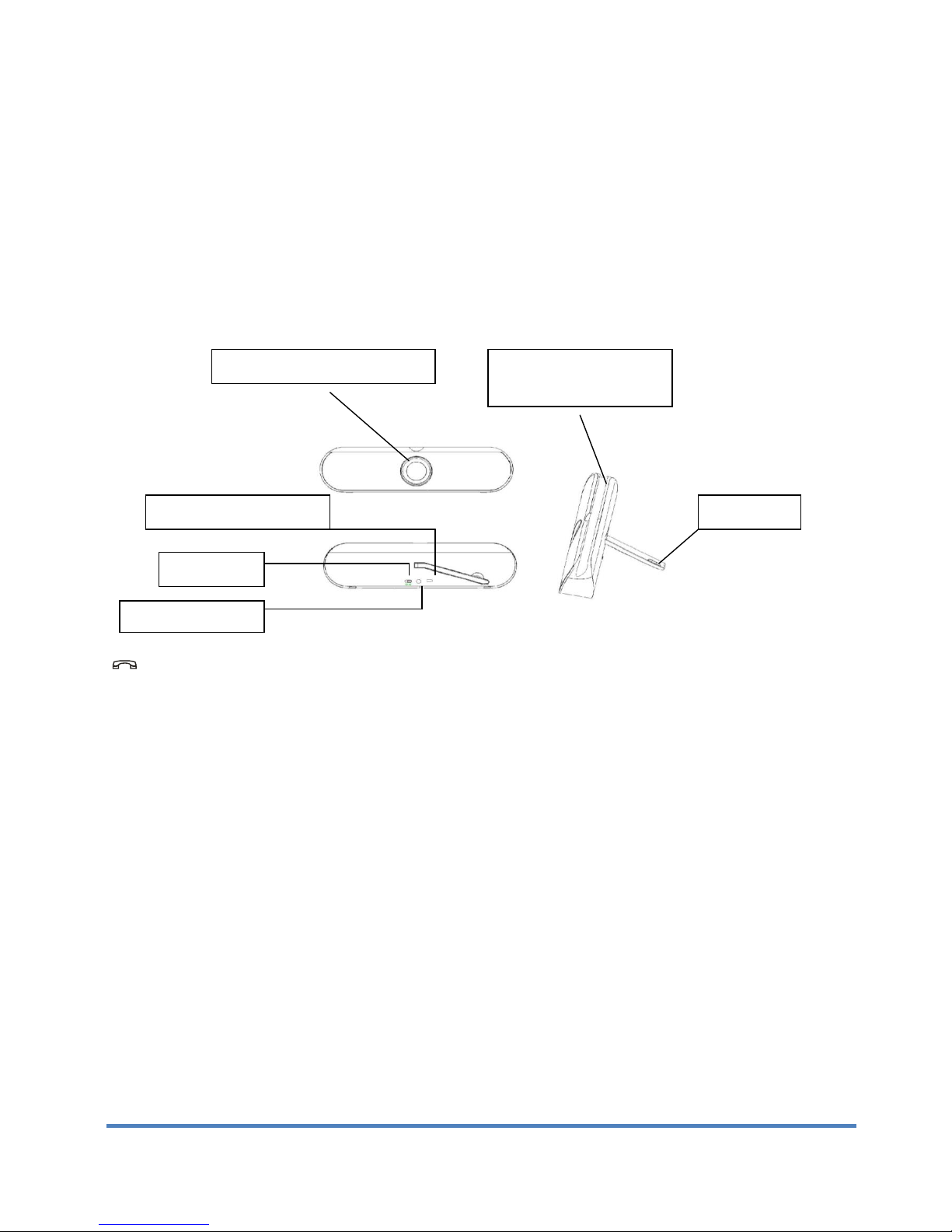
Meet Your S100
/:Press to pause/play music. Press to answer phone calls. Press and hold the button to refuse phone calls.
Specifications
Product Model:S100
Bluetooth Specifications:Bluetooth V2.1+EDR
Transmission Distance:≤10M (depending upon operation environment and devices to which it connects))
USB Recharge Voltage:DC 5V
Built-in Battery:1050Mah Lithium battery
Output Power: 5W ×2
Frequency Response: 90Hz-20KHz
Sensitivity: 80db±2db
Signal to Noise Ratio (SNR): ≥76dB
Dimensions: 240mm x 60mm x 41mm
Weight: 320g
Power switch
Micro USB charging port
3.5”AUX Audio-in
jainterface
Indicator lights and functional buttons
键键
Cradle for Mobile phone or
Tablet
Foldable Stand

TECEVO.CO.UK
3
Package Contents
1. Speaker
2. USB Power Cable
3. Audio Cable
3. User's Manual
Charging the Unit
1. Connect the micro USB plug to the micro USB charging port on the back of the unit.
2. Connect the standard USB plug end of the cable to a power USB port on a computer or other USB charging device.
For first time use, please charge unit for minimum 8 hours.
3. The charging indicator light on the front light up while the unit is charging and turns OFF oncethe unit is fully
charged.
Power-on
Switch on the power supply of speaker. The speaker will give out prompt powering on tone and the Bluetooth indicator
light flashes at the same time.
Bluetooth Connection
After the power supply is switched on, the speaker will enter Bluetooth search state automatically. For automatic pairing,
Bluetooth equipments will ask whether to pair or not. Click pairing, Bluetooth indicator light will flash slowly after
successful connection and the speaker gives out prompt tone of “toot”. If Bluetooth speaker fails to detect any equipment
within five minutes during the power is switched on, Bluetooth will shut itself down automatically. To make another
connection, it is necessary to switch on. This device is provided with back connection function. The Bluetooth
equipments that are connected successfully will connect automatically when Bluetooth is activated next time.
Considerate hints: if connection fails, please switch off the device to restart. It may be that the electric quantity of battery
is not sufficient. Please charge.
Pairing and Playing Your Device Using NFC
This unit features wireless NFC (Near Field Communication) pairing, which allows playing NFC–enabled devices to pair
and play instantly by a simple physical contact. For pairing non-NFC devices, please see the above section “Bluetooth
Connection”to pair manually.
1. Turn on your Bluetooth–enabled/NFC–enabled device and turn on NFC capability (typically under „Settings‟) as

TECEVO.CO.UK
4
described in the device‟s user manual.
2. Switch the Bluetooth speaker on.
3. Place your NFC–enabled device in play mode.
4. Tap the NFC area of your playing device against the NFC antenna on side of the S100 speaker unit (marked as „NFC‟).
The unit will enter automatic pairing mode, tones will sound and the Bluetooth Indicator will flash and the unit attempts
to pair. If prompted, accept Bluetooth pairing. “S100” should appear on your device‟s menu. Once paired with a device,
the Bluetooth indicator light on the front of the unit will glow steadily and your music will play through the unit.
5. Use the controls on your device to play or pause audio, adjust volume, and navigate tracks.
6. When done listening, power off the unit or tap the devices again to disconnect.
* NOTE: To disconnect your device, simply touch it again on the NFC antenna on top of the unit. To pair a
device manually, please see the following “Bluetooth Connection” section.
Bluetooth music playback
Upon Bluetooth connection is successful established, the equipment will play music directly. Press button to pause
during playback; Press again to play during pause.
Hand free calls
Upon Bluetooth connection is successful established, the speaker beeps when a call comes in. Press to pick it up
and start handsfree conversation. Press again to hang up the call. When a call comes, press down and hold the
button to eject the incoming call. Double click on button to redial the last phone number at Bluetooth connection
state.
AUX Playback For Non-Bluetooth Devices
Insert the video cable into AUX audio input interface of speaker or the audio interface of players such as computers, and
the AUX indicator light is on. The player begins to play. The device will start music immediately. Volume, skip tracks, etc
is controlled by the player itself.
Hints:
1. At AUX playback state, press / to mute and press / again to release sound.
2. The speaker will turn itself off automatically after 5 Minutes without a connection, in order to save power. Use the
On/Off switch to turn on again.

TECEVO.CO.UK
5
Compatibility
Wireless:Devices configured with Bluetooth V2.1+EDR or higher version such as iPad, iPhone (at least the second
generation iPhone installed the iPhone software 3.1), iPod touch and MAC as well as a majority of smart
phones or computers that support Bluetooth.
Bluetooth V2.1+EDR consists of protocols A2DP, AVRCP and HFP and so on.
Toubleshooting
Faults
Phenomena
Solutions
Unable to pair up with other
devices
1. Check whether the speaker is still in the process of search or switch it off and
then on.
2. There are too many Bluetooth devices in the proximity that cause difficulty in
connection. Please turn them off.
The sound is rather low or
distorted
1. Check the Bluetooth device‟s volume and then adjust it to a proper level.
2. Recharge the battery
The music stops from time to
time
1. Check whether the speaker‟s effective transmission range is exceeded or there
is
an obstacle standing between the speaker and other Bluetooth devices.
The Bluetooth indicator remains
off
1. It suggests the battery power drops quite low and retry once being recharged.
2. Turn it on again.
WARNING/DISPOSAL OF UNIT
Please do NOT attempt to change the battery yourself. If the battery has died and you do not want us to replace
your battery, you should follow the disposal instructions below:
•Never dispose of used batteries/electronics with ordinary solid wastes, since they contain toxic substances.
•Always dispose of used batteries/electronics in accordance with the prevailing community regulations that apply
to the disposal of batteries/electronics. If there are no local regulations concerning battery/electronics disposal,
please dispose of the device in a waste bin for electronic devices.
•Many electronics retailers now recycle batteries and other electronic components at no charge. Check to see
which ones in your area do so.
CAUTION
The battery used in this device may present a risk of fire, explosion or chemical burn if mistreated
•Never use or charge the battery if it appears to be leaking, discolored, deformed, or in any way abnormal.
•Never disassemble the unit or attempt to remove battery as that could cause leakage of alkaline solution or other
electrolytic substance.
•Always confirm that the temperature is 5°C –35°C (41°- 95°Fahrenheit) before you charge the battery.
Leakage or deterioration of the battery may occur if this warning is not heeded.
•Never expose the battery to any liquid.
•Never expose the battery to excessive heat such as direct sunlight or fire. Never use the battery pack in an
unventilated vehicle where excessive internal temperatures may be encountered.
•Always keep the battery out of the reach of infants and small children.
Table des matières
Autres manuels Tecevo Intervenants


Manuels Intervenants populaires d'autres marques


Bowers & Wilkins
Bowers & Wilkins 4 Manuel utilisateur

Sonance
Sonance SONOS OUTDOOR Series Manuel utilisateur

Electro-Voice
Electro-Voice EVID FM4.2 Manuel utilisateur

Pioneer
Pioneer XW-HTD630 Manuel utilisateur

Onn
Onn BWA16AA002 Manuel utilisateur

HP
HP GL313AA - USB Speakers PC Multimedia Manuel utilisateur