
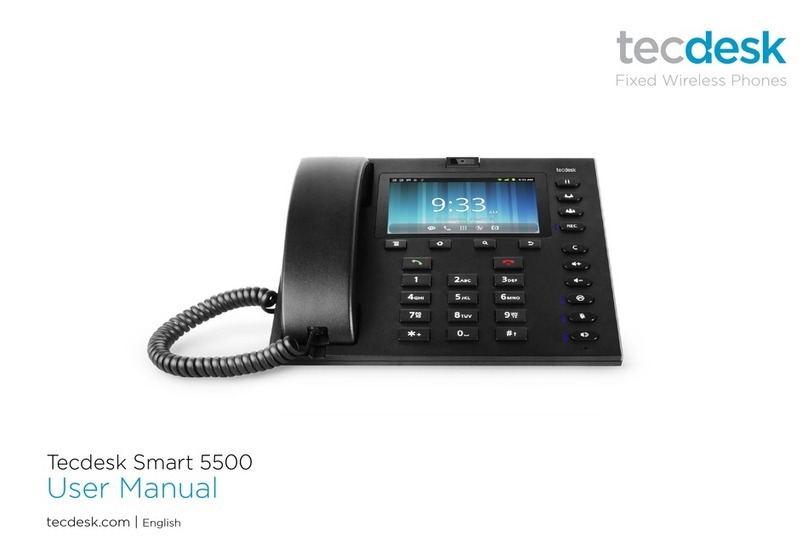
Tecdesk Smart 5500 Manuel utilisateur

Smart 5500 - 3G Desktop Phone
User Manual


Page: 3
Introduction 4
Safety Instructions 4
Section 1: Getting Started 5
Contents in the box 5
USIM card 6
Battery 7
SDcard 8
Section 2: Getting to Know Your Phone 9
Function of buttons 9
Finger Gestures 11
Home Screen 11
Applications 12
Status icons 13
Section 3: Power ON/Off 14
Section 4: Text Entry 14
Section 5: Call Functions 15
Making Calls 15
Answering/ Ending a call 17
Section 6: Contacts 18
Section 7: Messages 19
Creating and Sending Messages 19
Settings 20
Section 8: Browser 21
Section 9: Music 24
Section 10: Camera 25
Taking Pictures 25
Section 11: Video Player 26
Section 12: Gallery 27
Section 13: Calendar 27
Section 14: Clock 28
Section 15: Settings 28
Theme settings 28
Wireless & networks 28
Call settings 29
Sound 30
Display 30
Battery 31
Location & security 31
Applications 32
General sync settings 32
Privacy 33
Storage 33
Language & keyboard 33
Date & time 34
About phone 34
Section 16: Tecdesk Smart 5500 Expansion Module (Optional) 34
Section 17: Trouble Shooting 36
Section 18: Legal Information 38
Section 19: Health and safety 39
Section 20: Declaration of conformity 42
Contents

Page: 4
Introduction
Thank you for purchasing the Tecdesk Smart 5500 3G Desktop Phone. This phone is designed for use with GSM 900/1800/850/1900
and UMTS 900/2100 MHz networks. You will require a valid SIM card from your network operator. Please refer to your network operator
for more information.
Safety Instructions
Please read the following instructions carefully before starting to use the Tecdesk 5500 3G Desktop Phone.
• Always read the safety instructions carefully.
• Keep this User Guide for future reference.
• Keep the phone away from humidity.
• Place the phone on a reliable at surface before setting it up.
• If any of the following situations arise, have the unit checked by a service technician.
– Has been exposed to moisture.
– Has been dropped and damaged.
– Has obvious signs of breakage.
• Do not place the phone in a damp room at a distance of less than 1.5m from a water source. Keep water away from the
device.
• Do not use the device in environments where there is a risk of explosions.
• Maintain the desktop phone in an environment-friendly manner.

Page: 5
Section 1: Getting Started
Contents in the box
Please check the box includes the following components. If there are any items missing please contact your supplier.
a. Tecdesk Smart 5500 3G Desktop Phone
b. USB data cable
c. User manual
d. AC/DC Power Adapter
e. Li-ion rechargeable battery
f . CD PC suite
r's
d e f
b
Use
guide
ca

SIM
USIM card
Ensure a valid SIM card is inserted correctly into the desktop phone.
Page: 6

Battery
The phone is powered by a rechargeable, standard Li-Ion battery. It comes with a USB Charger to charge your phone. The battery is
under a removable cover on the back of the phone. Ensure the polarity of the battery is aligned correctly with the connectors on the
device before inserting the battery into the device.
Page: 7

SDcard
Your phone supports removable microSD™ memory cards of up to 32GB capacity, to store your music, pictures, and other les.
Page: 8

Section 2: Getting to Know Your Phone
Function of buttons
1. Options button
Press to display options for the current screen.
2. Home button
Press to display the Home screen.
3. Search button
Press to enable Google search, search contacts and search messages.
4. Back button
Press to revert to the previous screen or to go back to home screen.
5. Dial button
Press to dial or answer a call.
6. End button
Press to terminate a call or power ON/OFF.
7. Alphanumeric keypad
Page: 9

Page: 10
When entering usernames/ passwords or writing messages, you can press the buttons to toggle between numbers (123), lowercase
(abc) characters, and uppercase (ABC) characters. Use this buttons to dial the phone numbers you want to call.
8. Hold button
1. Press the button and the current call will be placed on hold.
2. If you receive a new call while you are already on a call, you can press the button to switch between the two calls.
3. While you are on a call, you can make another call, press the button to switch between the two calls.
9. Transfer button
During an active call, press the button to put caller 1 on hold. Using the keypad dial the contact number of the second caller
and press the [Dial] button. When the call is answered, press the button and replace the handset. Caller 1 will be transferred
to caller 2. Replace the handset when the call is nished.
10. Conference button
During an active call, press the button to put caller 1 on hold. Using the keypad to dial the contact number of the second caller
and press the button. When the call is answered press the button to put caller 1 and 2 and yourself on a conference call.
Replace the handset when the call is nished.
11. Rec button
Press the button during an active call to record your voice.
12. Volume up or Volume down button
From the Home screen press the button to adjust the Ringer Volume. When playing music or during an active call press
to adjust the volume.
13. Cancel button
Press the button to delete an incorrect number entry or text, when editing a text message or typing a number into the dial pad.
14. Mute button
Press the button to enter into Silent Mode. This temporarily silences all the sounds your phone makes except for media
playback and alarms.
15. Silent button
Press the button during an active call to mute/silent your phone.
16. button
Press the button to enable or disable the speakerphone. In Speakerphone mode, Press the button to terminate a call.
Autres manuels pour Smart 5500
2
Table des matières
Autres manuels Tecdesk Téléphone

Tecdesk
Tecdesk 1000 Manuel utilisateur

Tecdesk
Tecdesk 5 Manuel utilisateur

Tecdesk
Tecdesk 3500 Manuel utilisateur

Tecdesk
Tecdesk 5500i Manuel utilisateur
Tecdesk
Tecdesk Smart 5500 Manuel utilisateur

Tecdesk
Tecdesk 3500 Manuel utilisateur

Tecdesk
Tecdesk 8000 Manuel utilisateur

Tecdesk
Tecdesk Connect 100 Manuel utilisateur

Tecdesk
Tecdesk Smart 5500 Manuel utilisateur

Tecdesk
Tecdesk 1000V Manuel utilisateur


