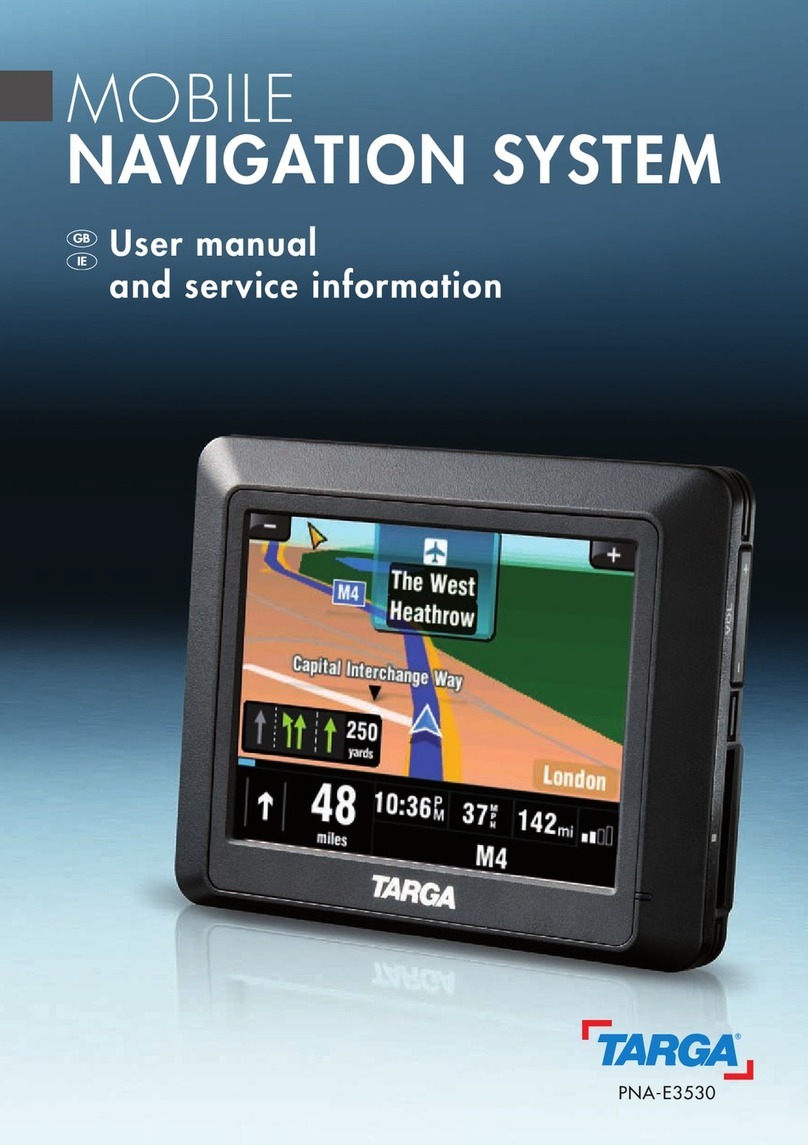
Targa PNA-E3530N Feuille d'instructions

PNA-E3530N
User manual and
service information
MOBILE NAVIGATION SYSTEM
GB
IE

Contents
Navigation Device PNA-E3530N 1
Contents
Navigation Device
Targa PNA-E3530N
Contents
Important Safety Notice Page 6
Introduction Page 10
Navigation Page 30
Appendix Page 98

Contents
2 English
Contents
1. Important Safety Notice ..........................................6
1.1 Operating Environment .............................................................. 6
1.2 Power Supply............................................................................. 7
1.3 Rechargeable Battery ................................................................ 7
1.4 Cables........................................................................................ 7
1.5 Maintenance and Care............................................................... 8
1.6 Children...................................................................................... 8
1.7 Intended Use.............................................................................. 8
1.8 Conformity.................................................................................. 9
1.9 Disposal of Old Devices............................................................. 9
2. Introduction ...........................................................10
2.1 Package Contents.................................................................... 10
2.2 Overview .................................................................................. 12
2.3 Care ......................................................................................... 13
2.3.1 Caring for the Display.......................................................... 13
2.4 General Operation Notes ......................................................... 14
2.5 Charging the Battery ................................................................ 14
2.5.1 Recharging in the Car ......................................................... 15
2.5.2 Recharging from a Computer .............................................. 16
2.6 Memory Card ........................................................................... 17
2.6.1 Inserting the Memory Card.................................................. 17
2.6.2 Removing the Memory Card ............................................... 17
2.6.3 Write-Protection................................................................... 18

Contents
Navigation Device PNA-E3530N 3
Contents
2.7 Car mount.................................................................................18
2.8 Powering the Device On/Off.....................................................21
2.8.1 Daily Use .............................................................................21
2.8.2 Powering Off Completely .....................................................21
2.9 First-time Setup ........................................................................22
2.10 General Operation Notes .........................................................25
2.10.1 Input.....................................................................................25
2.10.2 Map browsing ......................................................................26
2.10.3 Adjusting the Volume...........................................................27
2.10.3.1 Muting the sound...............................................................29
2.10.3.2 Button sound .....................................................................29
3. GPS ........................................................................ 30
3.1 GPS Connection.......................................................................30
3.1.1 SiRFInstantFixIITM ................................................................30
3.2 The GPS Main Menu................................................................31
3.3 Programming a Route ..............................................................33
3.3.1 Quick Guide .........................................................................33
3.3.2 Navigation Display ...............................................................37
3.3.3 Setting Other Destinations...................................................38
3.3.4 Entering Data without GPS Reception.................................40
3.4 Planning an alternative Route ..................................................41
3.4.1 Avoiding Route Legs............................................................43
3.5 Frequently Visited Destinations................................................44
3.5.1 Favourites ............................................................................45
3.5.2 Home Address .....................................................................46
3.5.2.1 Set Home Location............................................................46
3.5.2.2 Recalling Your Home Address ..........................................47
3.5.3 History..................................................................................48

Contents
4 English
Contents
3.6 Map Options............................................................................. 50
3.6.1 Angle ................................................................................... 50
3.6.2 Colour.................................................................................. 51
3.6.3 Backlight settings ................................................................ 51
3.6.4 Memorize Position............................................................... 52
3.6.5 Browse map ........................................................................ 53
3.6.5.1 Options for Browse map.................................................... 54
3.6.5.2 Options for the position mark ............................................ 55
3.6.5.3 Avoid... .............................................................................. 56
3.6.6 Optimising the Display......................................................... 57
3.6.6.1 Signpost Settings .............................................................. 57
3.6.6.2 Rotate display ................................................................... 58
3.6.6.3 Setup for Left-Handed Users ............................................ 59
3.6.6.4 Advanced settings............................................................. 59
3.7 Route Settings ......................................................................... 64
3.7.1 Planning preferences .......................................................... 64
3.7.2 Avoid toll roads.................................................................... 65
3.7.3 Programming Routes .......................................................... 66
3.7.3.1 Editing a Programmed route ............................................. 68
3.7.4 Show route instructions ....................................................... 70
3.7.5 Show route as images......................................................... 71
3.7.6 Show route summary .......................................................... 72
3.7.7 Show on map ...................................................................... 73
3.7.8 Cancel route ........................................................................ 74
3.7.9 Demo................................................................................... 74
3.8 POI - Points of Interest............................................................. 76
3.8.1 Adding a POI ....................................................................... 77
3.8.1.1 Creating a Custom Category............................................. 78
3.8.2 Edit POI name ..................................................................... 80
3.8.3 Delete POI........................................................................... 81
3.8.4 Deleting a Category............................................................. 83
3.8.5 Showing and hiding POIs .................................................... 84

Contents
Navigation Device PNA-E3530N 5
Contents
3.8.6 Enable a POI Notification.....................................................85
3.9 General Settings.......................................................................87
3.9.1 Selecting a Map ...................................................................87
3.9.2 Regional settings .................................................................88
3.9.3 Setting the Guidance Voice .................................................89
3.9.4 Setting the On-Screen Keypad ............................................90
3.10 Miscellaneous Applications ......................................................92
3.10.1 World Clock .........................................................................93
3.10.2 Calculator.............................................................................93
3.10.3 Unit Convertor......................................................................93
3.10.4 Country info .........................................................................94
3.10.5 GPS Status ..........................................................................96
3.10.6 Calibrating the Display.........................................................97
4. Appendix ............................................................... 98
4.1 Connecting to a Computer .......................................................98
4.2 The Supplied DVD....................................................................99
4.2.1 Installing Maps...................................................................101
4.2.2 Installing Guidance Voices ................................................102
4.2.3 Support ..............................................................................104
4.3 Map material...........................................................................106
4.4 Index.......................................................................................107
4.5 Technical Specifications.........................................................110
4.6 Details of Guarantee ..............................................................111
4.7 Serial number .........................................................................113

Operating Environment
6 English
Important Safety Notice
1. Important Safety Notice
Before you use this device for the first time, please read the following notes in
this manual and heed all warnings, even if you are familiar with handling
electronic devices. Keep this manual safe for future reference. If you sell the
device or pass it on, it is essential you hand over this manual also.
1.1 Operating Environment
Position the device on a stable, even surface and do not place any objects on
the device. The device is not for use in environments with a high temperature
or humidity (e.g. bathrooms), and must be kept free of dust. Operating
temperature and operating humidity: 5°C to 35°C, max. 85 % RH. When using
the navigation device in a vehicle, please install it on the supplied car mount
only and make sure that the device sits properly on the car mount. Do not
install the car mount (with or without the navigation device) within the
operating area of the vehicle’s airbag and install the car mount so that the
driver’s view is not obstructed.
Always make sure that:
there is free circulation of air (do not place the device on shelves, on a
thick carpet, on a bed, or anywhere that obstructs the ventilation slots, and
leave at least 10 cm clearance on all sides;
no direct heat sources (e.g. heating) can affect the device;
no direct sunlight or bright artificial light reaches the device. When
installing the device in a vehicle, make sure that it doesn’t become
overheated;
contact with sprayed and dripping water and abrasive liquids must be
avoided and the device should never be operated near water. It must
especially never be immersed (do not place any recipients containing
liquids such as beverages, vases, etc. onto or next to the device);
the device is never placed in the immediate vicinity of magnetic fields (e.g.
loudspeakers);
no fire sources (e.g. burning candles) are placed on or near the device;
no foreign bodies are introduced into the device;

Power Supply
Navigation Device PNA-E3530N 7
Important Safety Notice
the device is not subject to any great temperature changes as this may
cause moisture through condensation and short-circuit;
the device is not subject to excessive shocks and vibrations.
1.2 Power Supply
Use only the supplied car charger cable Ktec KDCP0050500100C1 or the
supplied USB cable to avoid overheating, deformation of housing, fire, electric
shock, explosions and other dangers. Never connect the car charger cable or
the USB cable to other devices.
1.3 Rechargeable Battery
This device uses a high-end Lithium-Polymer battery. This battery should only
be removed or replaced by an authorized service centre. Under very rare
conditions, sparks may appear at the contacts causing any explosive and/or
inflammable gases to ignite. Therefore we recommend that you do not use the
device in dangerous areas such as fuel stations and to power it off.
1.4 Cables
Always hold cables by the plug and never pull on the cable itself. Never place
the device, heavy objects or furniture on the cable and take care that the cord
does not become trapped, especially at the plug and socket. Never make
knots in the cable and do not tie it together with other cords. All cables should
be positioned so that nobody can trip over them or be obstructed by them.
Never use adapter plugs or extension cables that do not comply with the
current safety regulations in your country, and do not modify any of the cables
yourself.

Maintenance and Care
8 English
Important Safety Notice
1.5 Maintenance and Care
Servicing is required when this device has been damaged in any way, for
example, when the device housing is damaged, when liquid has been spilled
on the product, when objects have fallen into the product, when the product
has been exposed to rain or moisture, when the product does not work
normally or if the product has been dropped. If you notice any smoke, unusual
noise or strange smells, switch off the device immediately and pull the
corresponding charger cable from the power supply. In this case the device
should not be used further and should be inspected by authorized service
personnel. Please contact qualified personnel when servicing is needed.
Never open the housing of the device. By opening the housing you endanger
your life through risk of electric shock. Only use a clean, dry cloth for cleaning.
Never use any abrasive liquids. Do not attempt to open the housing of the
device otherwise you will void your warranty.
1.6 Children
Electrical appliances do not belong in the hands of children! Do not allow
children to use electrical devices when not under supervision. Children may
not comprehend the presence of potential risks. Small parts can represent
choking hazards. Keep the packaging away from children too as there is
danger of suffocation.
1.7 Intended Use
This is an information technology electronics device. It may only be used for
private use, not industrial or commercial purposes. In its default configuration,
this product has not been designed for medical, lifesaving, rescue or life-
maintaining purposes. Furthermore, the device may not be used in tropical
climates. Only connection cables and external devices may be used that
comply with safety standards and the electromagnetic compatibility and
shielding quality of this device. This device fulfils all that relates to CE
Conformity, relevant norms and standards. Any modifications to the equipment
other than recommended changes by the manufacturer may lead to the result
that these directives are not met any more. Only use the accessories
recommended by the manufacturer. If you are not using the device within the

Conformity
Navigation Device PNA-E3530N 9
Important Safety Notice
Republic of Germany, you must observe the regulations and laws in the
country of use.
1.8 Conformity
This device fully complies with the basic and other relevant
requirements of the Vehicle Directive 2004/104/EC and the EMC
Directive 2004/108/EC.
You’ll find the signed CE Declaration of Conformity on
the website www.service.targa.co.uk under
Targa Automotive/Targa PNA-E3530N/Manuals as well
as at the end of this User’s Manual.
1.9 Disposal of Old Devices
If the product is labelled with a crossed-out waste bin, it is subject to
the European Guideline 2002/96/EC. All electric and electronic
devices must be disposed of separately from household waste at
established bodies. With the proper disposal of old devices you
avoid damage to the environment and your personal health. For further
information about proper disposal, contact your local government, disposal
bodies or the shop where you bought the device.
Table des matières
Autres manuels Targa Système de navigation automobile