Talkpod A36plus Manuel utilisateur

All rights reserved. © 2012-2023 Shenzhen Talkpod Technology Co., Ltd.
Talkpod A36plus Multi-Band Two-
way Radio User Manual
Thank you for choosing our product. This manual will help you quickly
understand how to use the product.
(Applicable to A36plus M12B5UV3 version)
Disclaimer
Shenzhen Talkpod Technology Co., Ltd. (the Company) strives to ensure
the accuracy and completeness of this manual, but does not provide any
warranties regarding its accuracy or reliability. Due to ongoing
technological advancements, all specifications and designs are subject to
change without prior notice.
No part of this manual may be reproduced, modified, translated, or
distributed in any form or by any means without our explicit written
permission. We do not guarantee the accuracy, effectiveness, timeliness,
legality, or completeness of any third-party products and content
mentioned in this manual for any specific purpose.

All rights reserved. © 2012-2023 Shenzhen Talkpod Technology Co., Ltd.
Safety Precautions
Please read and follow these concise rules. Failure to comply with these
rules may result in danger or violation of the law. This user manual
provides more detailed information regarding safety precautions.
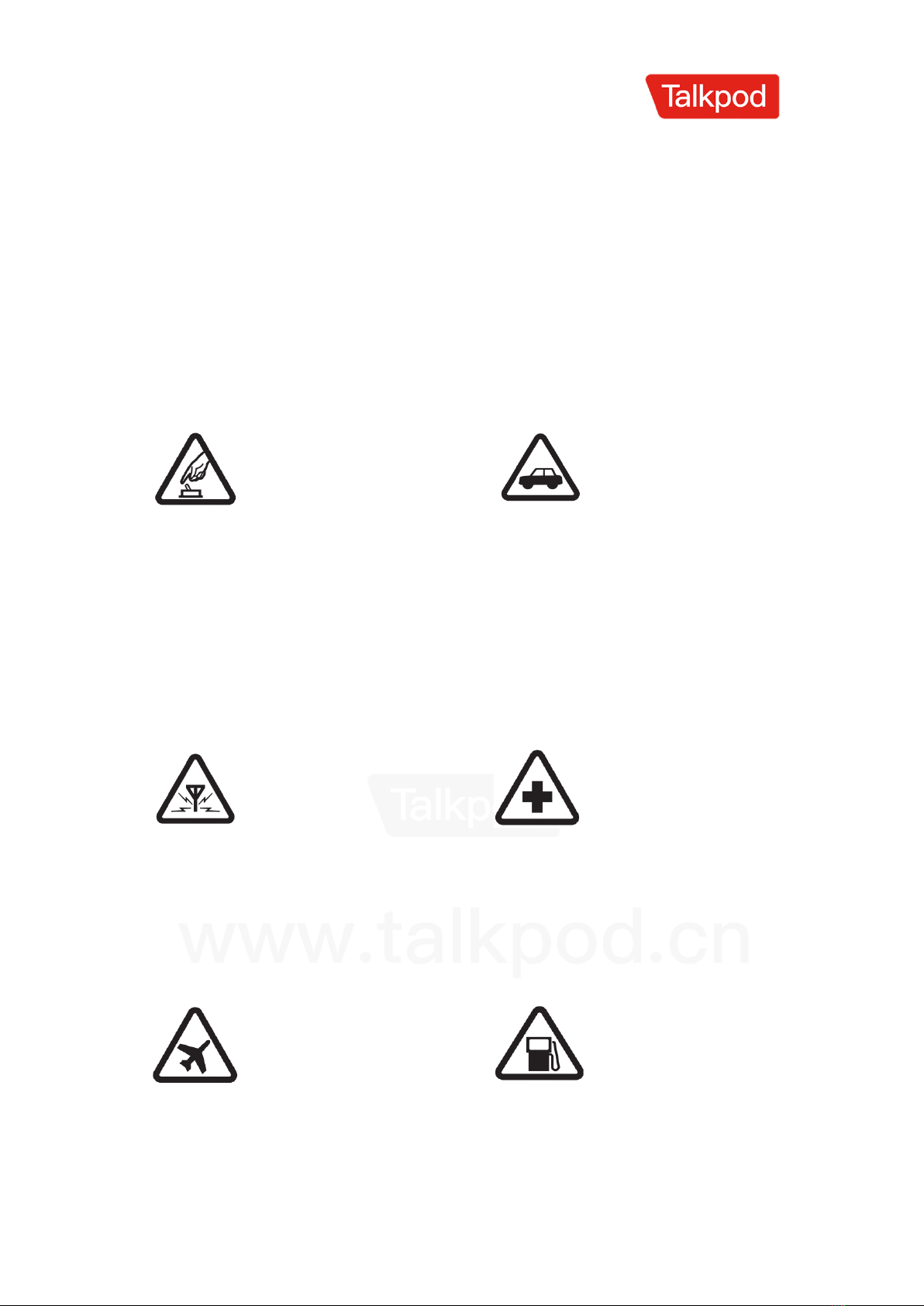
Safe Power-On
Do not power on the
two-way radio when its
usage is prohibited or
can cause interference or
danger.
Prioritize Traffic
Safety
Please comply with all
local traffic laws and
regulations. Whenever
possible, use both
hands to operate the
vehicle.
Interference
All two-way radios may
be susceptible to
interference from
external sources, which
can affect
communication
effectiveness.
Power-off in
Hospitals
Please adhere to any
relevant restrictions.
Power off the two-way
radio when in the
vicinity of medical
equipment.
Power-off on Aircraft
Please comply with any
relevant restrictions. The
use of two-way radios on
an aircraft can interfere
with the aircraft's
operation.
Power-off during
Refueling
Do not use the two-
way radio inside fuel
stations. Power off the
two-way radio when
near fuel or chemical
substances.

All rights reserved. © 2012-2023 Shenzhen Talkpod Technology Co., Ltd.
Proper Usage
As described in the
product documentation,
only use the two-way
radio in its designated
positions. Avoid
unnecessary contact with
the antenna area.
Qualified
Maintenance Service
Only qualified
technicians are
allowed to install or
repair this two-way
radio.
Accessories and
Batteries
Only use approved
accessories and
batteries. Do not use
non-original accessories
and batteries.
Keep it Dry
Your two-way radio
has precision-
designed electronic
circuits. Please keep it
dry.
Make Backups
Remember to make
backups of the
programmed
frequencies stored in the
two-way radio
Connecting to Other
Devices
Refer to the user
manual of the
connected device for
detailed safety
instructions. Do not
connect incompatible
products.

All rights reserved. © 2012-2023 Shenzhen Talkpod Technology Co., Ltd.
Familiarize with the Equipment
Power/Volume Switch
Turn clockwise until a "click" sound is heard to power on the two-way
radio. Turn counterclockwise until a "click" sound is heard to power off
the two-way radio. Adjust the volume by turning the switch left or right.
Antenna
The rubber antenna is used for signal reception and transmission.
Status Indicator
The red light illuminates during transmission, and the green light
illuminates when a signal is received.。
Speaker
Outputs sound.
Microphone
Inputs sound.
LCD Display Screen
Displays the status of the two-way radio during operation.
SOS Button
Long press to initiate an SOS distress signal; short press to customize
other functions.
Keypad
Used for entering frequencies and accessing functions.
Up/Down Selection
Adjusts the displayed frequency, menu number, or menu content by
moving up or down.

All rights reserved. © 2012-2023 Shenzhen Talkpod Technology Co., Ltd.
PTT (Push-to-Talk) Button
Pressing the PTT button puts the two-way radio in transmit mode, and
releasing it returns to receive mode.
Side Key 2, Side Key 3
The functions of the side keys can be customized through the menu.
Headphone Jack
Used for connecting external headphones or programming cables. The
programming cable allows for frequency programming and firmware
upgrades using PC programming software.

All rights reserved. © 2012-2023 Shenzhen Talkpod Technology Co., Ltd.
Attachment Installation
Installing the Battery:
Align the battery with the two small tabs on the bottom of the radio's
casing. Press the battery towards the aluminum plate, and the small
sliders on the upper left and right sides will click simultaneously,
indicating that the battery is properly installed.
Removing the Battery:
On the upper left and right sides of the battery, there are two small sliders
with arrow symbols. Press them downward simultaneously to remove the
battery.
Installing the Belt Clip:
Remove the battery first. Align the smooth slot on the back of the battery
with the belt clip, and press the belt clip downward to secure it in place.
Removing the Belt Clip:
Remove the battery first. Press down the elastic plastic piece in the
middle of the belt clip and simultaneously pull it upward to remove the
belt clip.
Installing the Antenna:
Hold the bottom of the antenna and rotate it clockwise into the antenna
socket on the top of the radio until it is securely tightened.
Removing the Antenna:
To remove the antenna, simply rotate it counterclockwise and detach it
from the antenna socket.

All rights reserved. © 2012-2023 Shenzhen Talkpod Technology Co., Ltd.
Battery Information
The battery is not charged when it leaves the factory. Please charge new
or long-unused rechargeable batteries before use. Charging and
discharging the battery for two to three cycles will optimize the battery
capacity. When the battery power is low, recharge or replace the battery.
Please use the designated batteries provided by Topcom for charging;
using other batteries may result in explosions and cause bodily harm.
◉ Do not short-circuit the battery terminals or dispose of the battery in
fire. Do not disassemble the battery pack casing without authorization.
◉ The ambient temperature during charging should be between 0°C and
40°C. Charging outside this range may affect proper battery charging.
◉ When charging, please turn off the power of the radio with the battery
inserted. Using the radio while charging will interfere with proper battery
charging.
◉ Avoid unplugging the power and battery during the entire charging
process to prevent disruption to the charging procedure.
◉ Even after a full and proper charge, if the usage time is significantly
reduced, it indicates that the battery's lifespan has ended. Please replace
it with a new battery.
◉ If the battery is fully charged, do not remove and reinsert it for charging,
as it may shorten or damage the battery pack's lifespan.
◉ Do not charge when the battery or radio is wet. Dry them with a cloth
before charging to avoid any hazards.
When jewelry, keys, decorations, or other conductive metals come into
contact with the battery electrodes, all batteries may cause damage to
the items or bodily harm. These conductive metals may create a short
circuit and generate significant heat. When handling any battery,
especially when placing it in pockets, bags, or containers with other
metallic objects, extra caution should be exercised.
Please follow the steps below for charging:

All rights reserved. © 2012-2023 Shenzhen Talkpod Technology Co., Ltd.
1.Plug the charger power plug into a 220V AC socket.
2.Place the battery or the radio with the battery inserted onto the
charging dock, or connect the USB charging cable to the battery's USB
port.
3.Confirm that the charging indicator turns red, indicating that charging
has started.
4.Charging takes approximately 8 hours. When the indicator turns green,
it indicates that the charging is complete.
Maintenance and Cleaning
1.Do not directly hold the antenna, earphone, or microphone.
2.Use a non-lint cloth to wipe off dust and dirt on the radio to prevent
poor contact.
3.When the radio is not in use, cover the earphone jack with the plug
cover.
4.After prolonged use of the radio, the buttons, control knobs, and casing
may become dirty. You can clean them using a mild detergent (avoid
using strong corrosive chemicals) and a damp cloth.

All rights reserved. © 2012-2023 Shenzhen Talkpod Technology Co., Ltd.
Key Descriptions
Symbol
Key Name
Function
Menu Key
In standby mode:
Short press: Enter the menu
Long press: Switch frequency
mode or channel mode
In menu mode:
Short press:Enter sub-menu,
confirm selection
Up/Down
Keys
In standby mode:
Short press: Adjust frequency up
or down (based on selected
frequency step)
Long press: Rapidly adjust
frequency up or down (based on
selected frequency step)
In channel mode:
In channel mode:
Short press: Select the next or
previous channel
Long press: Rapidly select the
next or previous channel
In menu mode:
Short press: Select menu items
up or down
FM Key In FM mode:
Short press: Adjust frequency up
or down (0.1MHz)
Long press: Rapidly adjust
frequency up or down (0.1MHz)
Back Key
In menu mode:
Short press: Go back to the

All rights reserved. © 2012-2023 Shenzhen Talkpod Technology Co., Ltd.
previous level or exit the menu
In standby mode:
Short press: Delete the last digit
when entering frequency
Long press: Switch channel
display mode: channel name,
channel frequency, channel
number (can only be switched in
channel mode)
AB Key
In standby mode:
Short press: Switch main
frequency or main channel
Long press: Activate scanning
In FM mode:
Short press: Activate FM
scanning
FM Key
In standby mode:
Short press: Enter FM radio mode
Long press: Lock/unlock the
keypad
In FM mode:
Exit FM radio mode
Number
Keys
In standby mode:
Directly input frequency
In channel mode:
Short press: Input 0-9 to quickly
access the corresponding
channel
In menu mode:
Short press: Input 0-9 to quickly
access the corresponding
function
Table des matières
Autres manuels Talkpod Radio