
STL U-1410 Manuel utilisateur

User Manual
Ver. 1.00
All brand names and trademarks are properties of their
respective owners.

Page 2
Contents:
Chapter 1: Introduction......................................................3
1.1 Product Introduction....................................................3
1.2 Features........................................................................3
1.3 System Requirements ..................................................4
1.4 Package Contents.........................................................4
Chapter 2: Getting Started .................................................5
2.1 Driver Installation........................................................5
2.1.1 Installation for Windows.......................................5
2.1.2 Installation for Mac OS X.....................................8
2.2 Verifying the installation............................................10
2.2.1 Verifying for Windows........................................10
2.2.2 Verifying for Mac OS X......................................11
2.3 Display Configuration ...............................................12

Page 3
Chapter 1: Introduction
1.1 Product Introduction
This USB 3.1 Gen1 Type-C to DisplayPort 4K Adapter connects a 4K
TV, monitor, or projector to your computer system. The adapter adds
Ultra 4K video support to your computer system through an available
USB 3.0 port. It supports a resolution up to 3840 x 2160. It is Windows
and Mac compatible.
1.2 Features
An ideal solution for expanding the connectivity of MacBook or
USB-C enabled host machine
Highest performance USB graphics solution available. Combines
both video and audio over a single USB cable and DisplayPort
cable
Connect multiple monitors with resolution as high as 3840x2160
(4K) to Windows-based laptops and desktops
Connects to Windows PCs via SuperSpeed USB 3.0. USB bus

Page 4
power (no power adapter required). Adapter is backwards
compatible with USB 2.0, but in most cases performance above
1080P over USB 2.0 will be unsatisfactory
Supports DisplayPort displays up to 3840x2160@30Hz.
3440x1440 displays will refresh at 50Hz. 2560X1600,
2560x1440, 1920x1080 (1080P) and all lower modes will refresh
at 60Hz
1.3 System Requirements
Windows® 7/8/8.1/10 (32/64 bit); Mac OS X 10.8 or above
Available USB Type-C port
1.4 Package Contents
1 x USB 3.1 Gen Type-C to DisplayPort 4K Adapter
1 x User Manual
1 x Driver CD

Page 5
Chapter 2: Getting Started
2.1 Driver Installation
The following section shows you how to install the USB 3.1 Gen1
Type-C to DisplayPort 4K Adapter driver on different operating
systems.
Important! Please connect the USB 3.1 Gen1 Type-C to DisplayPort
4K Adapter to your PC before the install.
2.1.1 Installation for Windows
1. Insert the provided CD into your disk drive. The CD-ROM will
start automatically. The following screen will show up and please
click “Install Driver”.

Page 6
*Note: Actual image may vary
Note: If the install program doesn’t run automatically, please
locate and double-click on the Autorun.exe file in the CD to
launch the install program.
2. Please click “USB 3.0 4K DP/HDMI”
*Note: Actual image may vary

Page 7
3. Please click “Install” to continue.
4. Click “Finish” to end of the driver installation steps.

Page 8
Note: On some machines, you may need to reboot before you can use
USB 3.1 Gen1 Type-C to DisplayPort 4K Adapter.
2.1.2 Installation for Mac OS X
1. Insert the provided CD into your CD-ROM drive.
2. Double-click the “USB Graphics”disc icon, double-click
package file “mac.dmg”, the following “USB Graphics”virtual
disk will be appeared on the desktop of your Mac OS X system.
Then double click “Drivers”folder.

Page 9
3. Double Click “USB 3.0 4K DP/HDMI Adapter” folder.
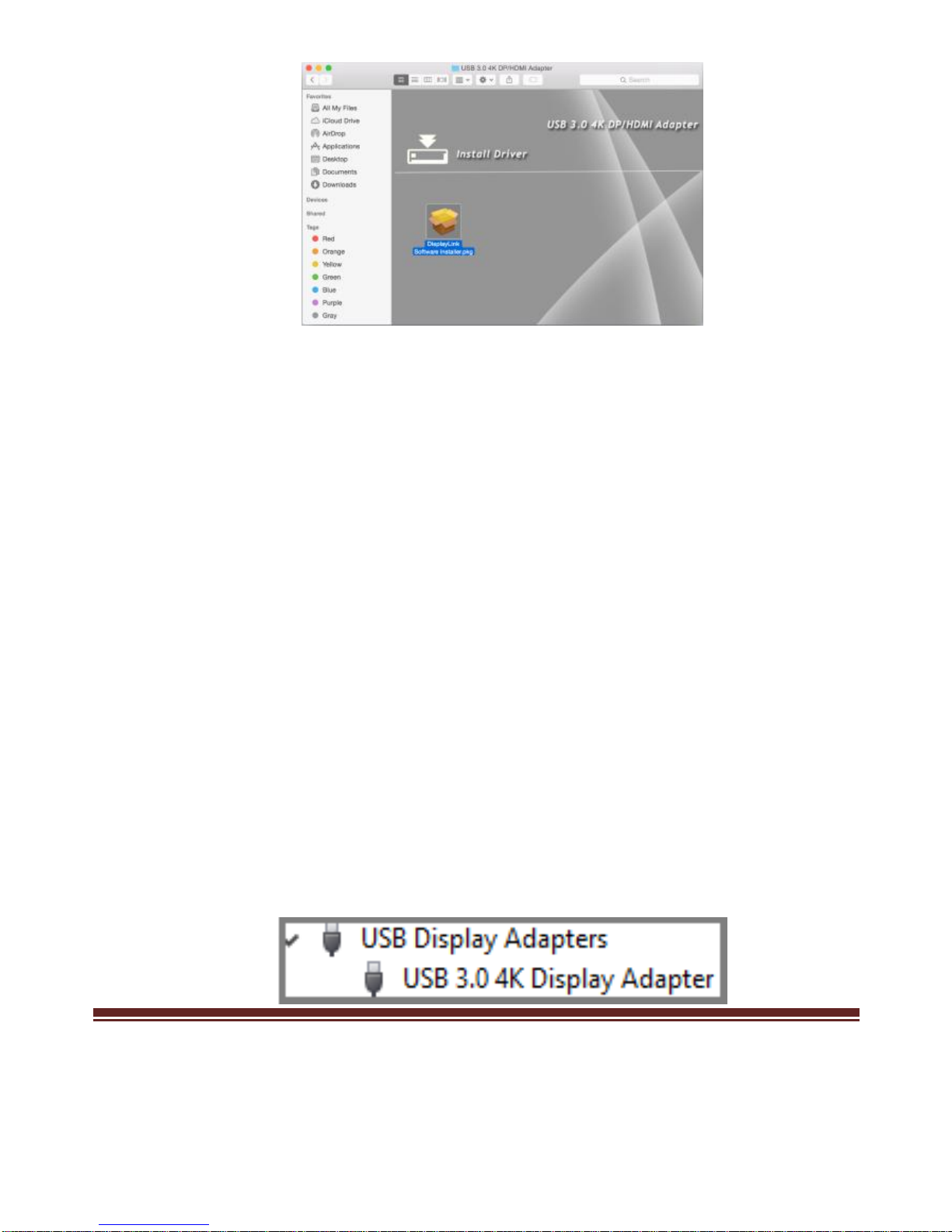
4. Select “DisplayLink Software Installer”to begin installing the
DisplayLink Driver on your Mac.
Page 10
5. Follow the instructions on screen to install the driver. After driver
installation is complete, you must restart your computer.
2.2 Verifying the installation
2.2.1 Verifying for Windows
1. Click on the “Device Manager”tab in the Windows Control
Panel.
Start > Control Panel > Device Manager
2. In the USB Display Adapters group, an item named USB 3.0 4K
Display Adapter should be displayed.
Table des matières
Autres manuels STL Adaptateur


