
Spreed.ME Spreedbox Manuel utilisateur

Spreedbox
Getting Started Guide
Last Updated: September 2017

Getting Started Guide
Spreedbox Pty. Ltd. Page 2
CONTENTS
1. Introduction ....................................................................................................................................3
2. Prerequisites ...................................................................................................................................4
3. Opening the box.............................................................................................................................. 5
4. USB Manual, Quick Start Guide & MAC Sticker .............................................................................. 6
5. International Power Plugs, Wireless USB Adapter & Micro SD Memory Adapter..........................7
6. Preparing Wi-Fi and Ethernet (CAT5) cable ....................................................................................8
7. Connecting the Power Supply......................................................................................................... 9
8. Connecting to your Network.........................................................................................................10
9. Spreedbox is ready to run.............................................................................................................11
10. Accessing your Spreedbox from the Internet ...........................................................................18
11. SSH Access.................................................................................................................................19
12. Allowing access to your Spreedbox ..........................................................................................20
13. TURN server ..............................................................................................................................21
14. Wi-Fi Hotspot Connection.........................................................................................................23
15. Links ..........................................................................................................................................24
16. Terminology ..............................................................................................................................24
17. Advanced...................................................................................................................................25
Adjusting the Time Zone ...................................................................................................................26
18. Troubleshooting........................................................................................................................26
Identifying the Local IP Address of your Spreedbox .........................................................................26

Getting Started Guide
Spreedbox Pty. Ltd. Page 3
1. Introduction
This Guide will help you get your Spreedbox up and running in minutes. There are extensive
tips contained in this Guide that will make setting up your Spreedbox quick and easy.
You should think of your Spreedbox as another computer that you are adding to your
organization’s network. The same considerations will apply - such as using network cables
(CAT5) or using wireless, configuring your network router, configuring firewalls, knowing
about DNS settings, port redirections and anti-virus settings. Having this knowledge of your
network and network security handy will let you configure your Spreedbox quickly.
This Guide is supplementary to the official “Quick Start Guide”manual [url] - which should
be used as the main guide for installing your Spreedbox. Once you have your Spreedbox
connected on your network, then you should be able to access your Spreedbox’s
configuration page using any web browser via the following URL:
https://spreedbox
NOTE: Some manuals in older versions of Spreedbox may not be up to date and may reference
http://spreedbox:8000. Contact your Reseller to clarify the version of your Spreedbox
firmware.
In some cases, the above URL will not be able to access your Spreedbox’s configuration page.
The reason is typically your organisation’s network and settings are not allowing
https://spreedbox to be exposed on your network. In such situations, the primary challenge
for you to successfully install your Spreedbox is to find out the IP address of your Spreedbox
on your network. This Guide will provide several ways to help you obtain that knowledge and
complete the process of installation.

Getting Started Guide
Spreedbox Pty. Ltd. Page 4
2. Prerequisites
Become familiar with your organisation’s network. You may need to know about
wired or wireless connection points, username/passwords to access your network,
DNS servers, gateways, your network router(s), your firewall, etc.
Make sure you can access your network’s router configuration page. You will need to
know its URL and username/password.
Make sure you can access your organisation’s firewall in case you need to configure it
so that your Spreedbox can access the internet.
Use a desktop or laptop computer connected to your local network so you can use a
web browser to access Spreedbox configuration page, router configuration page, etc.
A smartphone or tablet is also be suitable.
Make sure you have a working internet connection and that it is available to
computers on your network.
Find out the public / static IP address(es) or domain name of your network if you wish
to access your Spreedbox outside of your network.

Getting Started Guide
Spreedbox Pty. Ltd. Page 5
3. Opening the box

Getting Started Guide
Spreedbox Pty. Ltd. Page 6
4. USB Manual, Quick Start Guide & MAC Sticker
Keep your purchase receipt, Spreedbox manual and warranty card in a safe place.
Affix your unique serial number sticker onto the bottom of your Spreedbox.
TIP: Page 3 of the “Quick Start Guide” booklet contains the MAC address, Wireless
communication password and Serial number for your Spreedbox

Getting Started Guide
Spreedbox Pty. Ltd. Page 7
5. International Power Plugs, Wireless USB Adapter & Micro
SD Memory Adapter
Micro SD Memory Adapter –used when updating Spreedbox firmware.
Wireless USB Mini Adapter - insert USB dongle adapter into one of Spreedbox’s USB
ports.

Getting Started Guide
Spreedbox Pty. Ltd. Page 8
6. Preparing Wi-Fi and Ethernet (CAT5) cable
Wireless USB Mini Adapter has been inserted to a USB port.
Ethernet cable (CAT5) is connected into your Spreedbox and connected to your
network.

Getting Started Guide
Spreedbox Pty. Ltd. Page 9
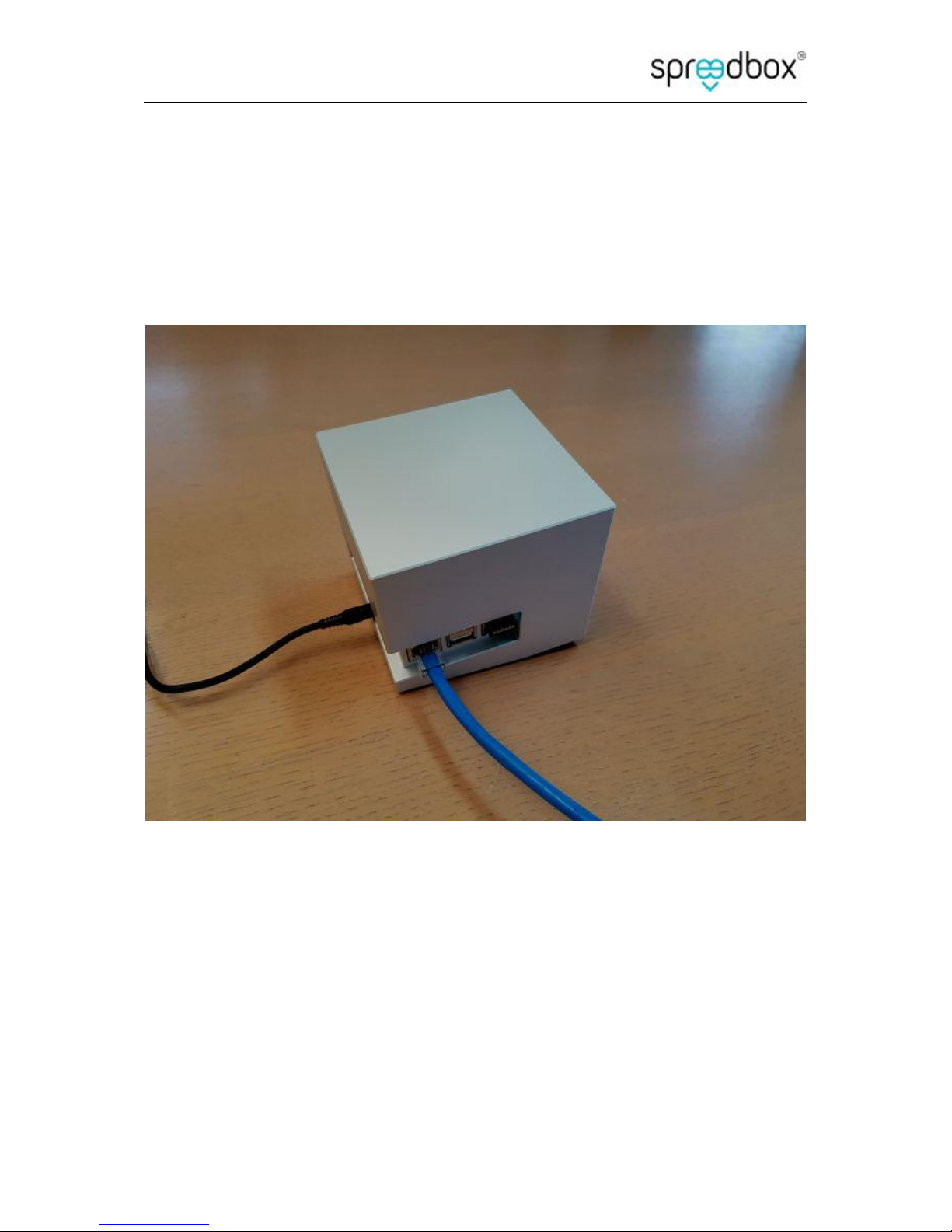
7. Connecting the Power Supply
Getting Started Guide
Spreedbox Pty. Ltd. Page 10
8. Connecting to your Network
Table des matières
Manuels Système de conférence populaires d'autres marques

Kramer
Kramer VIA GO Manuel utilisateur

AVT
AVT MAGIC AC1 Go Manuel utilisateur

ProSoft Technology
ProSoft Technology AN-X4-AB-DHRIO Manuel utilisateur

Sony
Sony PCS-I150 Manuel utilisateur

Middle Atlantic Products
Middle Atlantic Products VTC Series Manuel utilisateur

Prentke Romich Company
Prentke Romich Company Vanguard Plus Mode d’emploi


