3. Music Playback
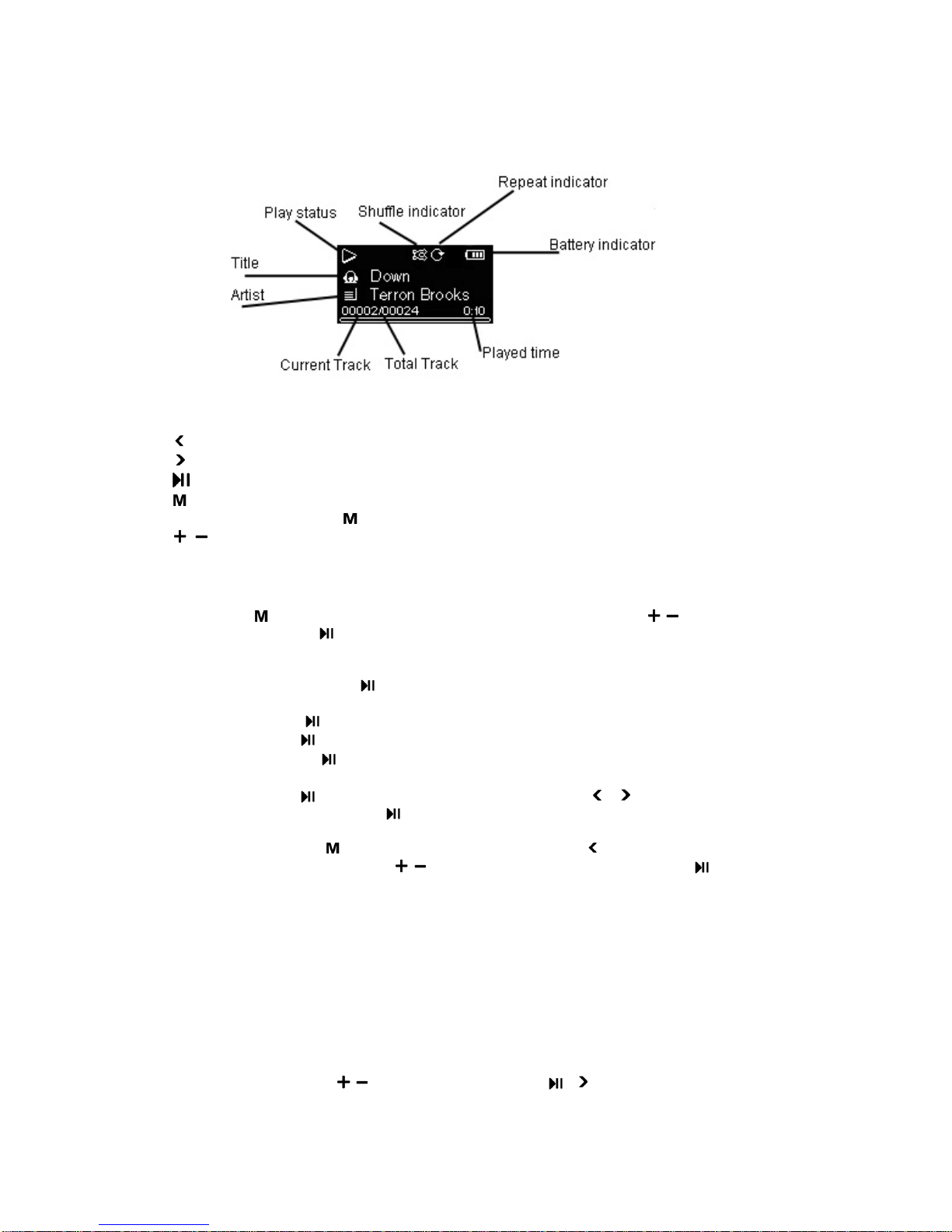
3.1 Playback screen
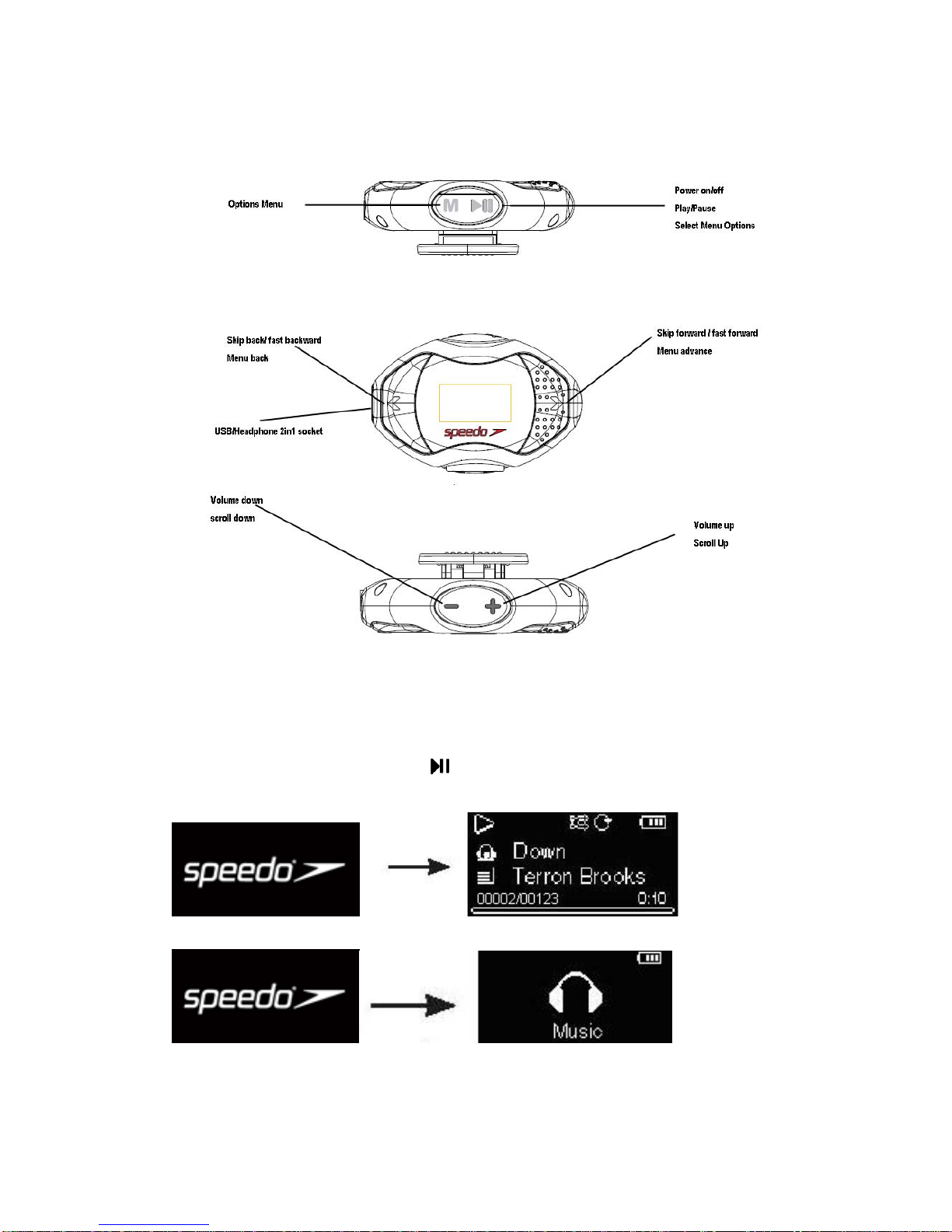
3.2 Music playback controls
Skips to the previous song, press and hold to fast backward
Skips to the next song, press and hold to fast forward
Starts/pauses playback
Press to show/ hide the Option menu
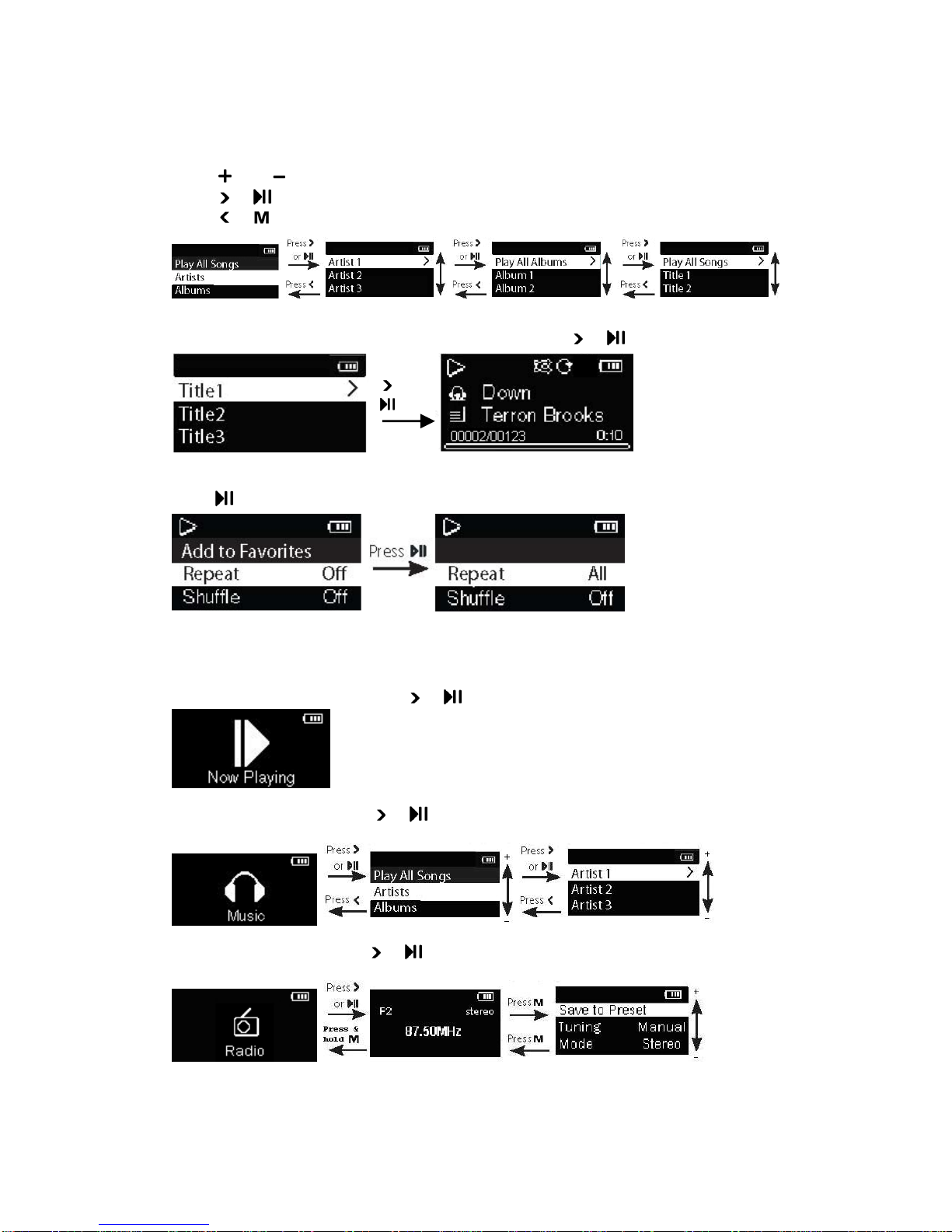
Press and hold to change playback order by artist, albums or genres.
/ Increases or decreases the volume during playback
3.3 Option menu (music playback)
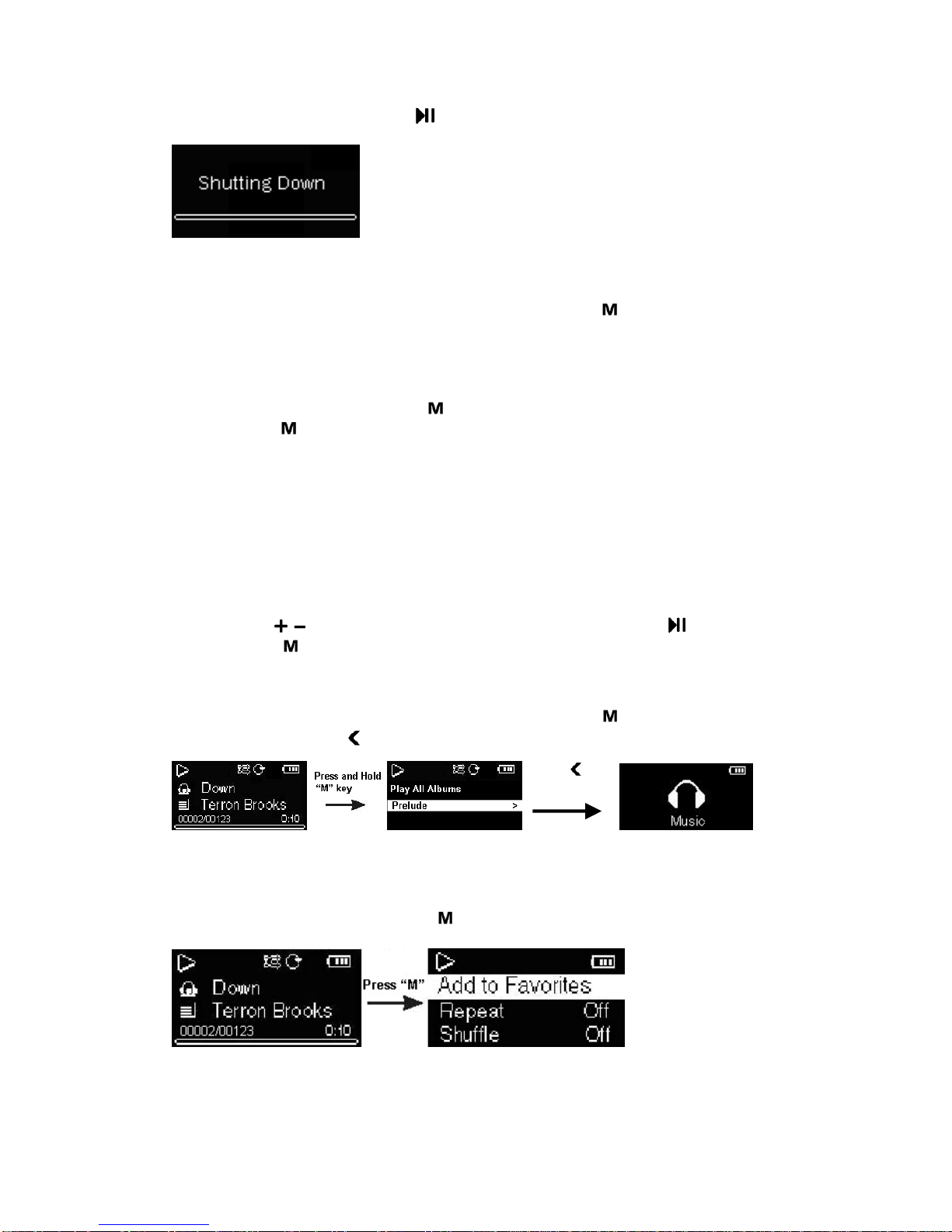
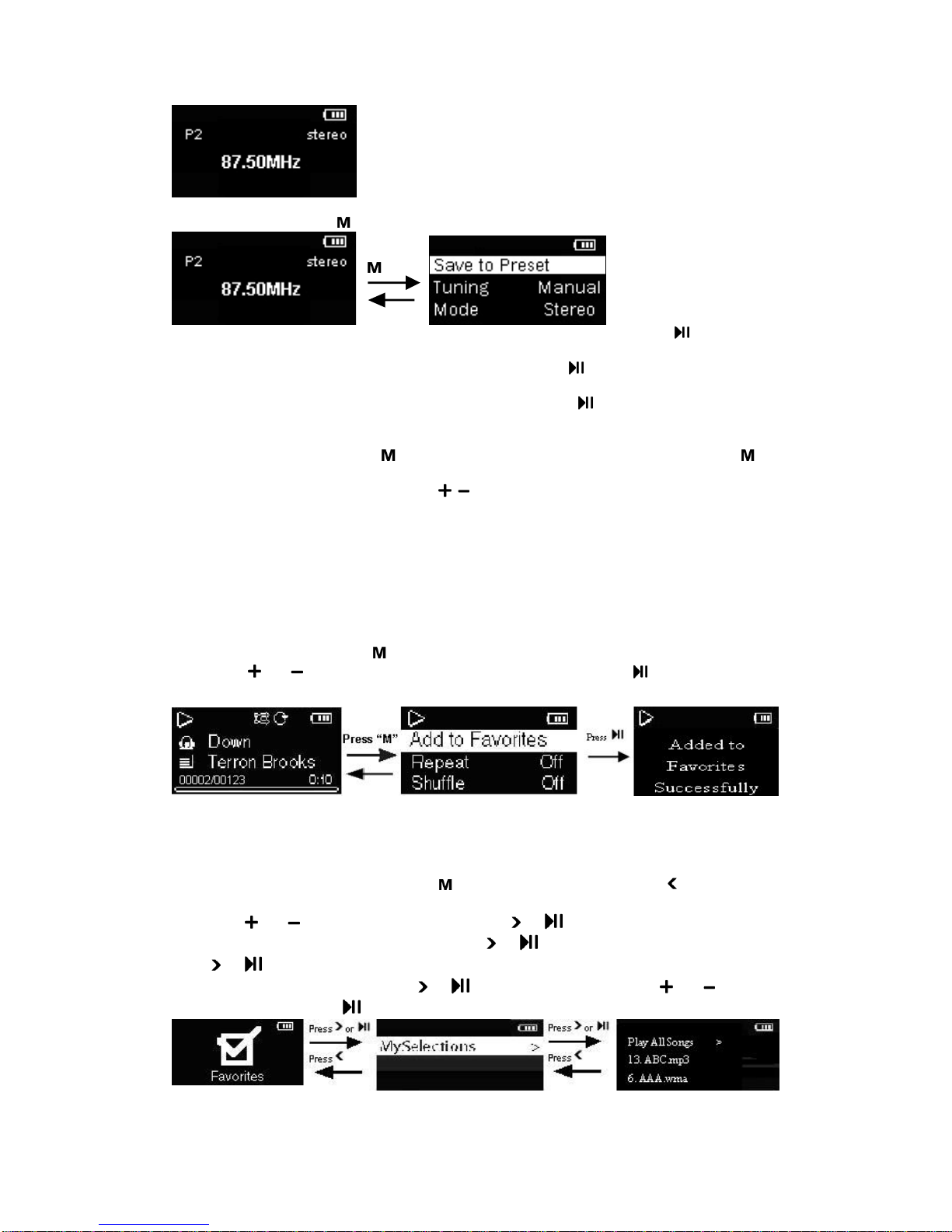
3.3.1 Press at the playback screen to show the Option menu. Press /to highlight an
option and then press to confirm the selection or change the setting.
The following options are available:
(1) Add to Favorites:press to add the current file in the Favorites playlist, Files can be
added to the Favorites playlist again if you select this option for the same file.
(2) Repeat: press to select Repeat current one, all, or off this function.
(3) Shuffle:press to activate or to off shuffle.
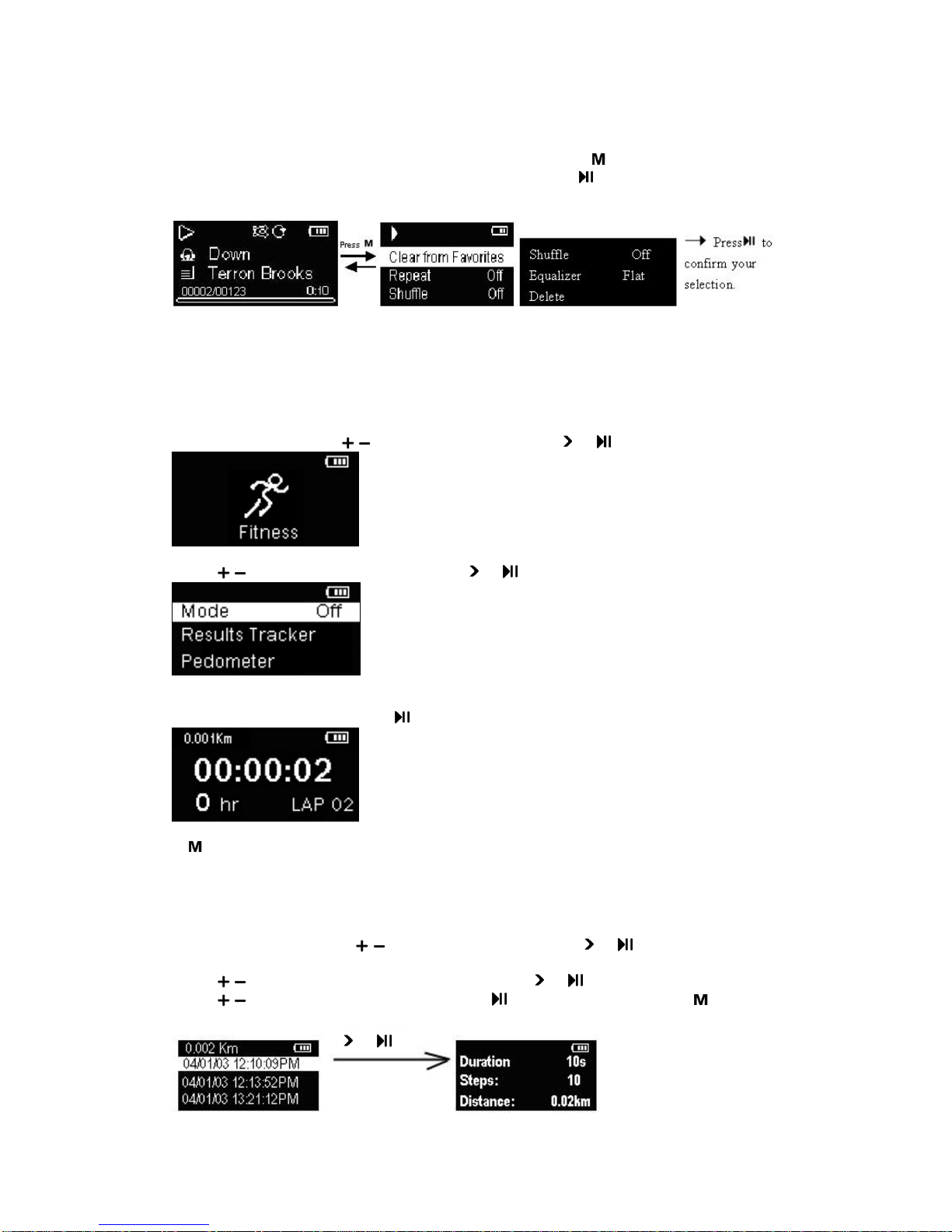
(4) Equalizer:press to select an equalizer mode. Options available: Flat, Bass, Pop,
Rock and Jazz.
(5) Delete: press and a delete file screen will appear, press or to double confirm the
deletion of the file or not, press again to remove current file from the player.
3.3.2 Press and Hold at the playback screen, then press can bring the unit back to
navigation list(Main menu), press /to choose the other function, and press to confirm
the selection and perform other function.
4. Radio
FM auto searching station
For the first time Radio is entered (no preset is stored before), unit will automatically search
whole band and store any found station into preset. After it’s done, unit will stay on the first
preset and tune to this station.
Play FM Radio (To turn the radio on)
In the Main menu, press /to select Radio and press or to enter in, the last frequency
will be automatically tuned.
- 6 -