sparkfun JetBot AI Kit Manuel utilisateur

Assembly Guide for SparkFun JetBot AI Kit
Introduction
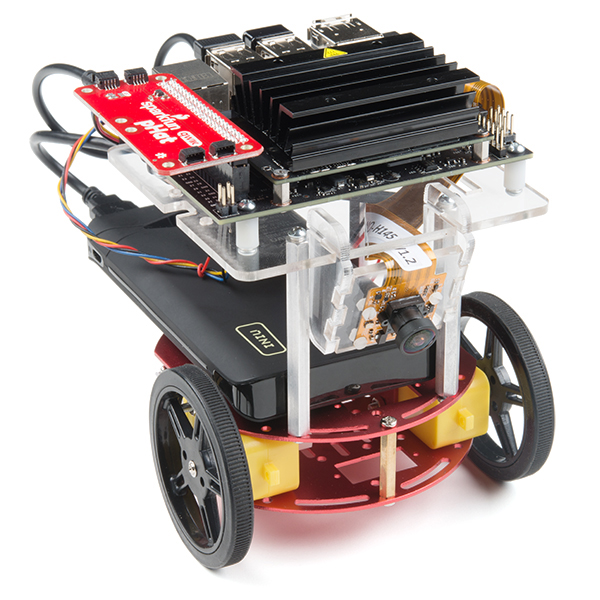
SparkFun’s version of the JetBot merges the industry leading machine learning capabilities of the NVIDIA Jetson
Nano with the vast SparkFun ecosystem of sensors and accessories. Packaged as a ready to assemble robotics
platform, the SparkFun JetBot Kit requires no additional components or 3D printing to get started - just assemble
the robot, boot up the Jetson Nano, connect to WiFi and start using the JetBot immediately. This combination of
advanced technologies in a ready-to-assemble package makes the SparkFun JetBot Kit a standout, delivering one
of the strongest robotics platforms on the market. This guide serves as hardware assembly instructions for the two
kits that SparkFun sells; Jetbot including Jetson Nano & the Jetbot add-on kit without the NVIDIA Jetson Nano.
The SparkFun JetBot comes with a pre-flashed micro SD card image that includes the Nvidia JetBot base image
with additional installations of the SparkFun Qwiic Python library, Edimax WiFi driver, Amazon Greengrass, and
the JetBot ROS. Users only need to plug in the SD card and set up the WiFi connection to get started.
Note: We recommend that you read all of the directions first, before building your Jetbot. However, we
empathize if you are just here for the pictures & a general feel for the SparkFun Jetbot. We are also those
people who on occasion void warranties & recycle unopened instructions manuals. However, SparkFun can
only provide support for the instructions laid out in the following pages.

Attention: The SD card in this kit comes pre-flashed to work with our hardware and has the all the modules
installed (including the sample machine learning models needed for the collision avoidance and object
following examples). The only software procedures needed to get your Jetbot running are steps 2-4 from the
Nvidia instructions (i.e. setup the WiFi connection and then connect to the Jetbot using a browser). Please
DO NOT format or flash a new image on the SD card; otherwise, you will need to flash our image back onto
the card.
If you accidentally make this mistake, don't worry. You can find instructions for re-flashing our image back
onto the SD card in the software section of the guide
The Jetson Nano Developer Kit offers extensibility through an industry standard GPIO header and associated
programming capabilities like the Jetson GPIO Python library. Building off this capability, the SparkFun kit includes
the SparkFun Qwiic pHat for Raspberry Pi, enabling immediate access to the extensive SparkFun Qwiic
ecosystem from within the Jetson Nano environment, which makes it easy to integrate more than 30 sensors (no
soldering and daisy-chainable).
The SparkFun Qwiic Connect System is an ecosystem of I C sensors, actuators, shields and cables that make
prototyping faster and less prone to error. All Qwiic-enabled boards use a common 1mm pitch, 4-pin JST
connector. This reduces the amount of required PCB space, and polarized connections mean you can’t hook it up
wrong.
Materials
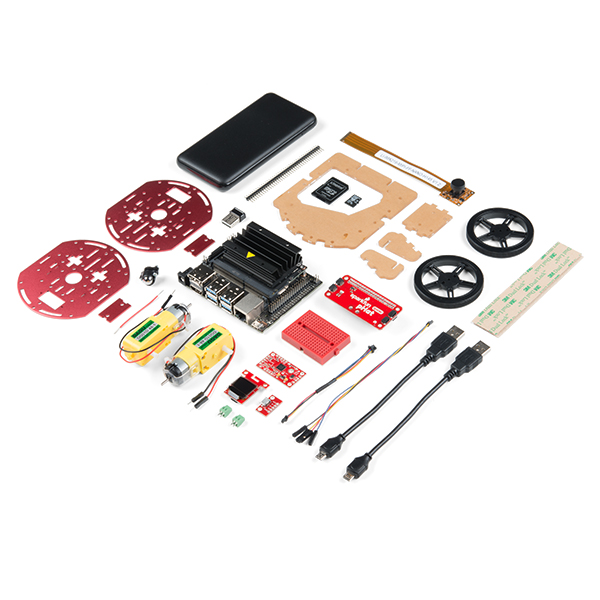
The SparkFun Jetbot Kit contains the following pieces; roughly top to bottom, left to right.
Part Qty
Circular Robotics Chassis Kit (Two-Layer) 1
Lithium Ion Battery Pack - 10Ah (3A/1A USB Ports) 1
2

Ball Caster Metal - 3/8" 1
Edimax 2-in-1 WiFi and Bluetooth 4.0 Adapter 1
Header - male - PTH - 40 pin – straight 1
2 in - 22 gauge solid core hookup wire (red) 1
Shadow Chassis Motor (pair) 1
Jetson Dev Kit (Optional) 1
SparkFun JetBot Acrylic Mounting Plate 1
SparkFun Jetbot image (Pre Flashed) 1
Leopard Imaging 145 FOV Camera 1
Screw Terminals 2.54mm Pitch (2-Pin) 2
SparkFun Micro OLED Breakout (Qwiic) 1
SparkFun microB USB Breakout 1
SparkFun Serial Controlled Motor Driver 1
Breadboard Mini Self-Adhesive Red 1
SparkFun Qwiic HAT for Raspberry Pi 1
SparkFun JetBot Acrylic sidewall for camera mount 2
SparkFun JetBot Acrylic Camera mount & 4x nylon mounting hardware 1
Qwiic Cable - 100mm 1
Qwiic Cable - Female Jumper (4-pin) 1
Wheels & Tires - included as part of circular robotics chassis 2
USB Micro-B Cable - 6" 2
Dual Lock Velcro 1

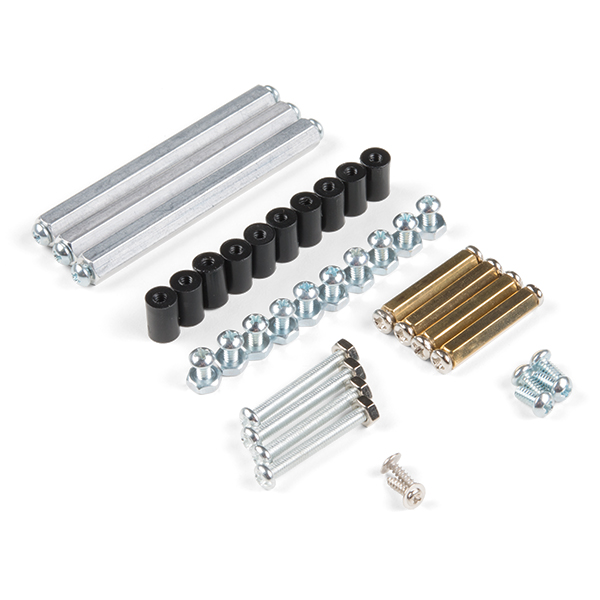
The SparkFun Jetbot Kit contains the following hardware; roughly top to bottom, left to right.
Part Qty
Hex Standoff #4-40 Alum 2-3/8" 3
Standoff - Nylon (4-40; 3/8in.) 10
1/4" Phillips Screw with 4-40 Thread 20
Machine Screw Nut - 4-40 10
Circular Robotics Chassis Kit (Two-Layer) Hardware 1
Recommended Tools
We did not include any tools in this kit because if you are like us you are looking for an excuse to use the tools you
have more than needing new tools to work on your projects. That said, the following tools will be required to
assemble your SparkFun Jetbot.
Small phillips & small flat head head screwdriver will be needed for chassis assembly & to tighten the screw
terminal connections for each motor. We reccomend the Pocket Screwdriver Set; TOL-12268.
Pair of scissors will be needed to cut the adhesive Dual Lock Velcro strap to desired size; recommended,
but not essential..
Soldering kit for assembly & configuration of the SparkFun Serial Controlled Motor Driver - example TOL-
14681
Optional- adjustable wrench or pliers to hold small components (nuts & standoffs) in place while tightening
screws; your finger grip is usually enough to hold these in place while tightening screws & helps to ensure
nothing is over tightened.
A Note About Directions
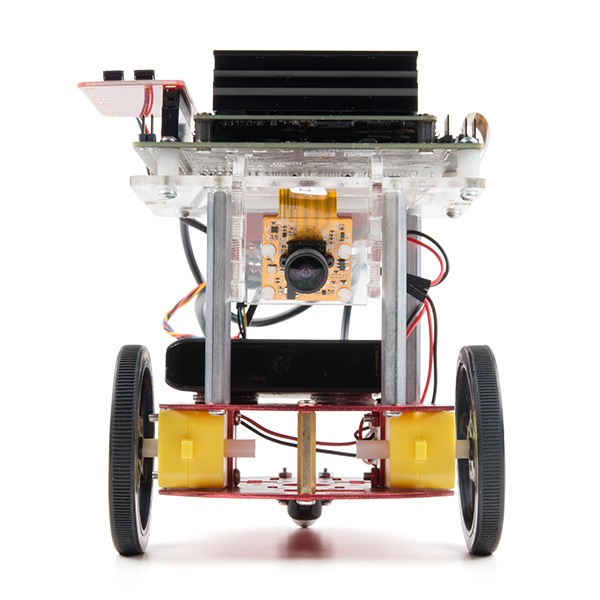
When we talk about the "front," or "forward" of the JetBot, we are referring to direction the camera is pointed when
the Jetbot is fully assembled. "Left" and "Right" will be from the perspective of the SparkFun Jetbot.

1. Circular Robotics Chassis Kit (Two-Layer) Assembly
If you prefer to follow along with a video, check out this feature from the chassis product page. You do not need to
use the included ball caster as a larger option has been provided for smoother operation.
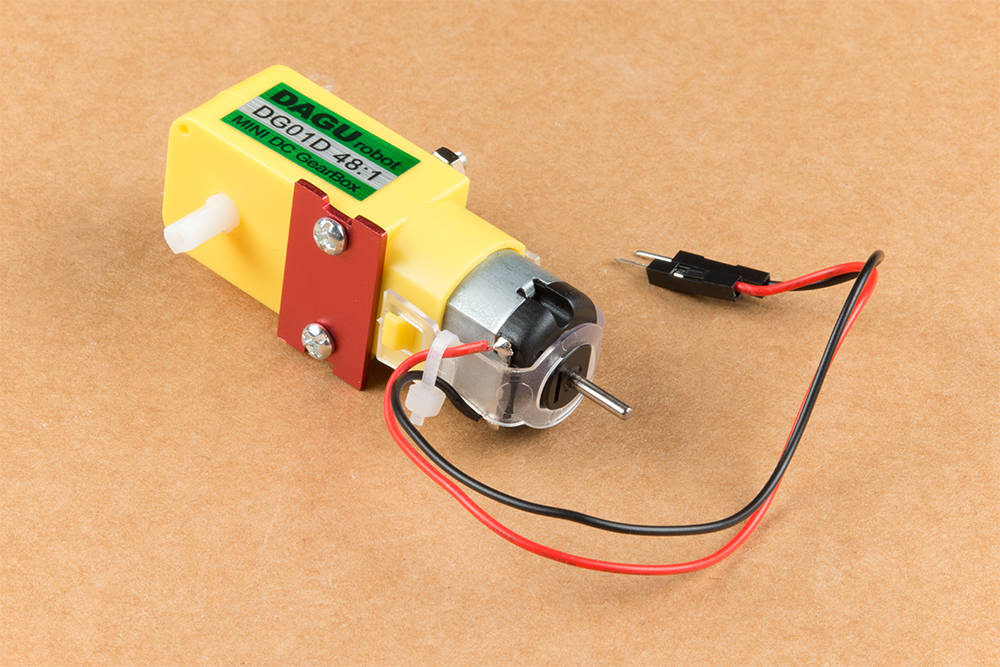
Start by attaching the chassis motor mount tabs to each of the "Shadow Chassis Motors (pair)" using the long
threaded machine screws & nuts included with the Circular Robotics Chassis Kit.
Product Showcase: Circular Robotics Chassis AssemblyProduct Showcase: Circular Robotics Chassis Assembly

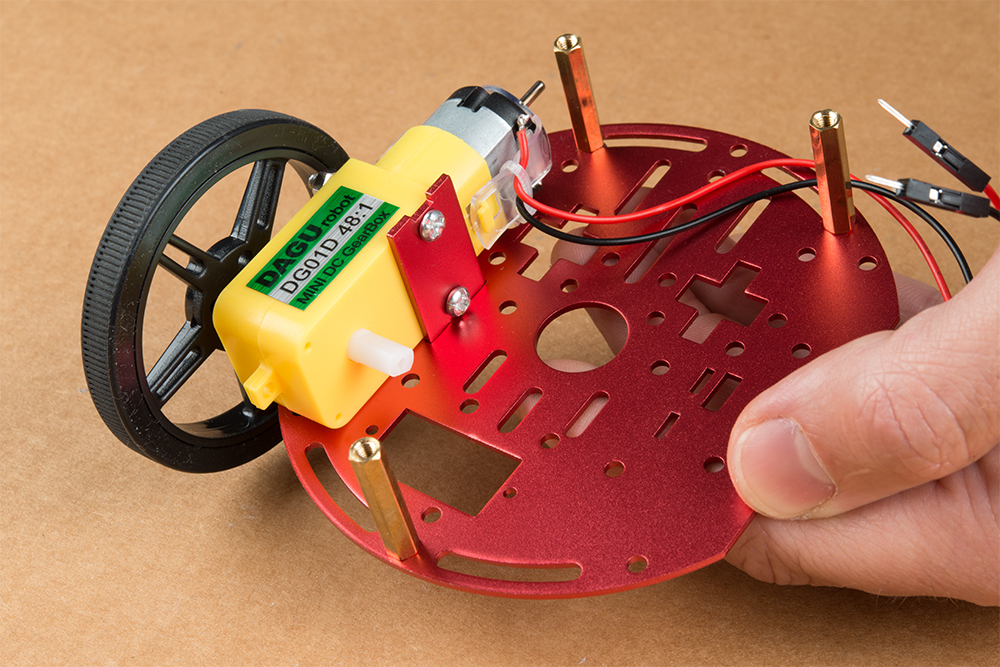
Fit the rubber wheels onto the hubs, install the wheel onto each motor, & fix them into position using the self
tapping screws included with the Circular Robotics Chassis Kit.
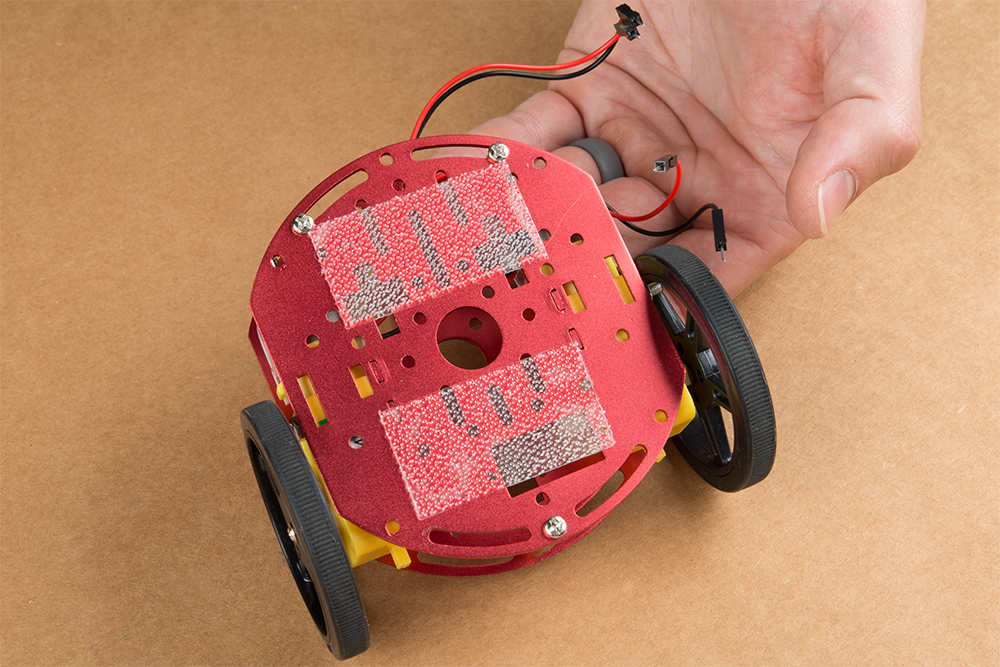
Install the brass colored standoffs included with the Circular Robotics Chassis Kit; two in the rear and one in the
front. The rear of the SparkFun Jetbot will be on the side of the plate with the two "+" sign cut outs. The rear of the
motor will be opposite the wheel where the spindle extends. This orientation ensures the widest base & most
stable set up for your Jetbot.
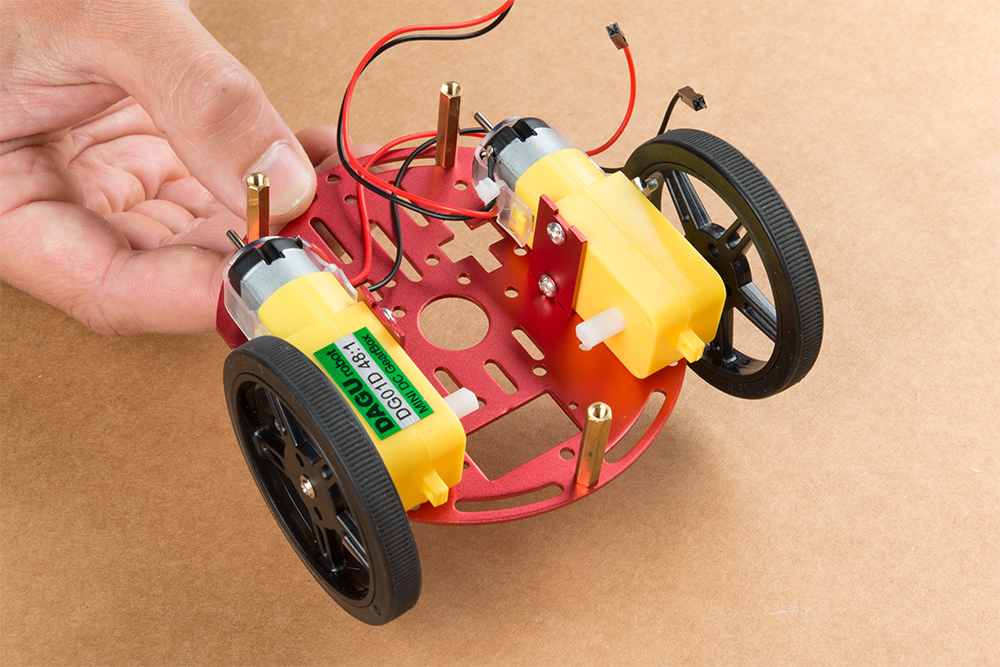
The motor mounts fit into two mirrored inlets in each base plate as shown. Install the motors opposite of one
another.

Depending on how you install the motor mounts to each motor will dictate how the motor can be installed on the
base plate. Note: Do not worry about the motor orientation as you will determine proper motor operation in
how you connect the motor leads to the SparkFun Serial Controlled Motor Driver. Notice how in the picture
below one motor has the label facing up, while the other has the label facing down.
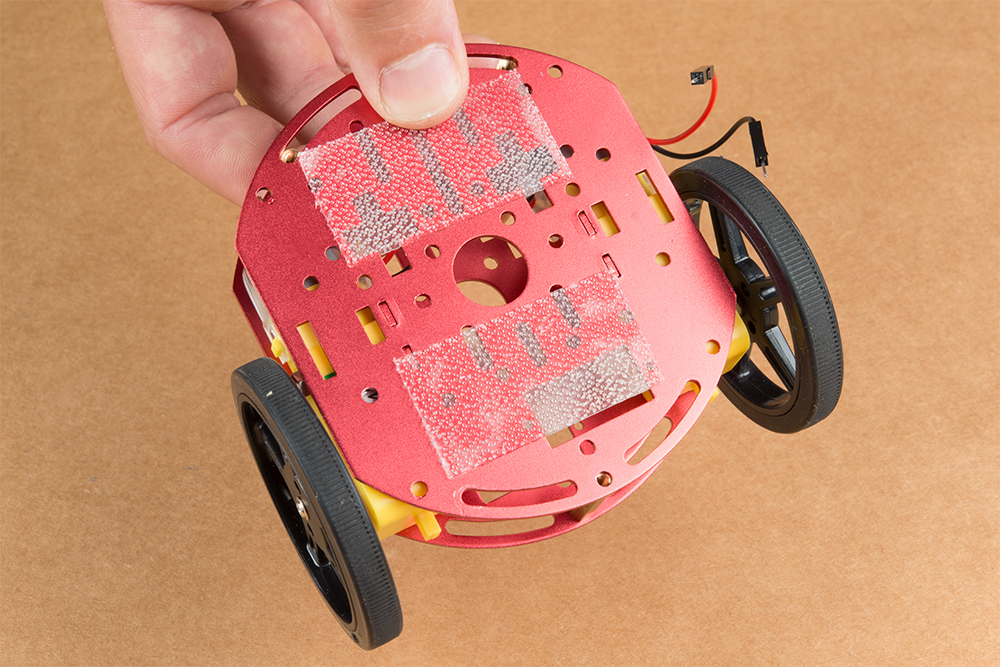
Place the other circular robot chassis plate on top of and align the two "+" and the motor mount tab recesses. Hold
the sandwiched chassis together with one hand and install the remaining Phillips head screws included with the
Circular Robotics Chassis Kit through the top plate & into the threaded standoffs.
Your main chassis is now assembled! The Circular Robotics Chassis Kit also contains a very small caster wheel
assembly, but we have included a larger metal caster ball to increase the stability of the SparkFun Jetbot. We will
cover the installation of this caster ball later in the tutorial.
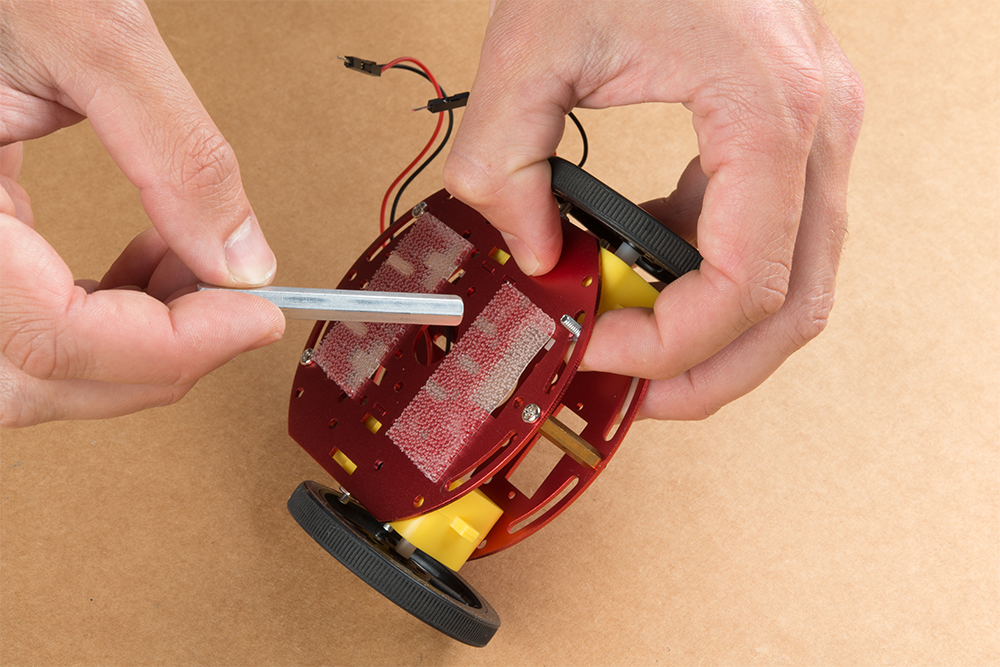
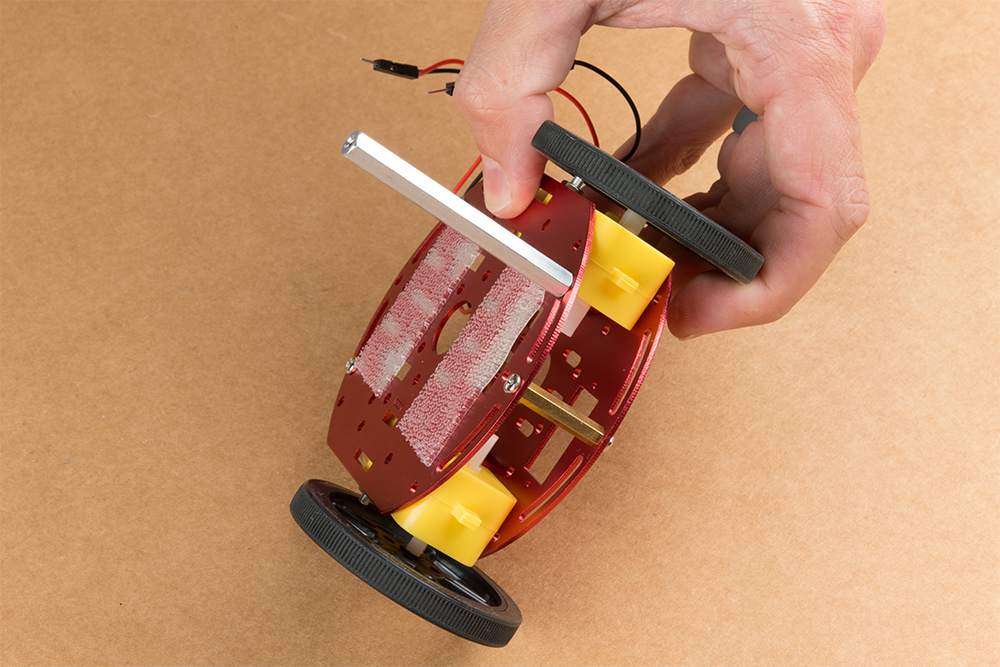
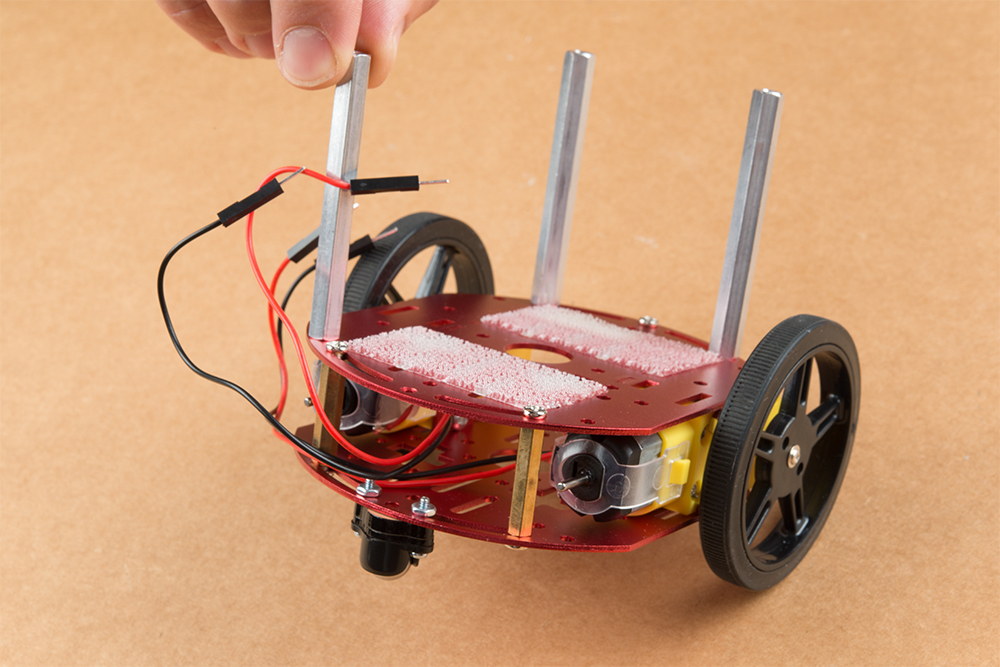
Utilize three of the included 1/4 in 4-40 Phillips Screws through the top chassis plate with threads facing up &
install the 2-3/8 in #4-40 Aluminum Hex Standoff until they are finger tight.

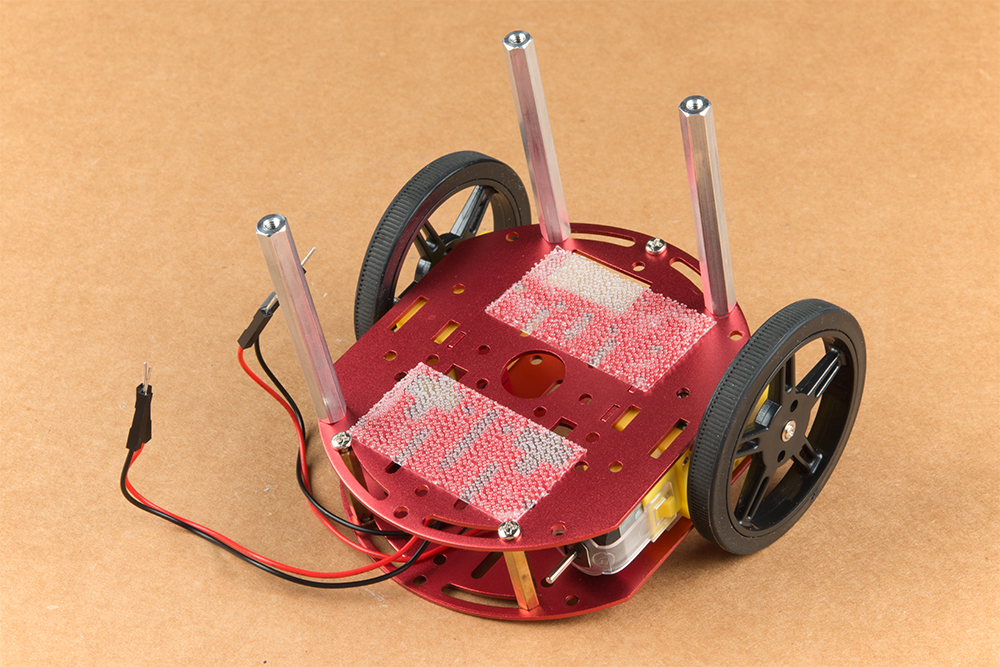
The aluminum stand offs should be pointing up as shown below.
The SparkFun JetBot acrylic mounting plate is designed to have two of these aluminum standoffs in the front &
one in the rear. We recommend the rear standoff on the left side of the chassis (as shown) so the 6 in microB usb
cables that will be installed later can more easily span the gap needed to power the JetBot.
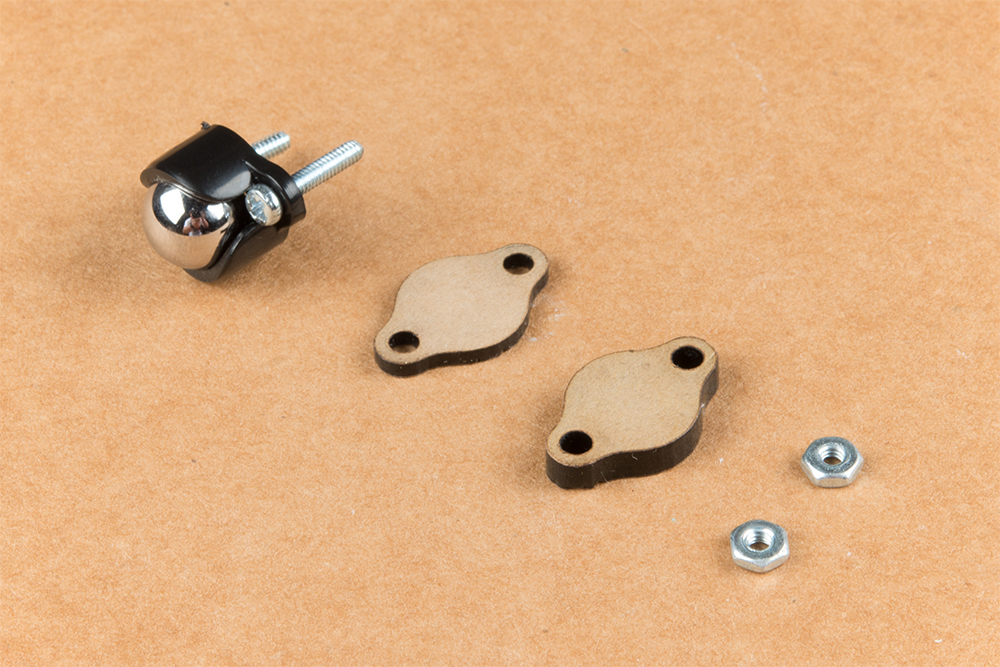
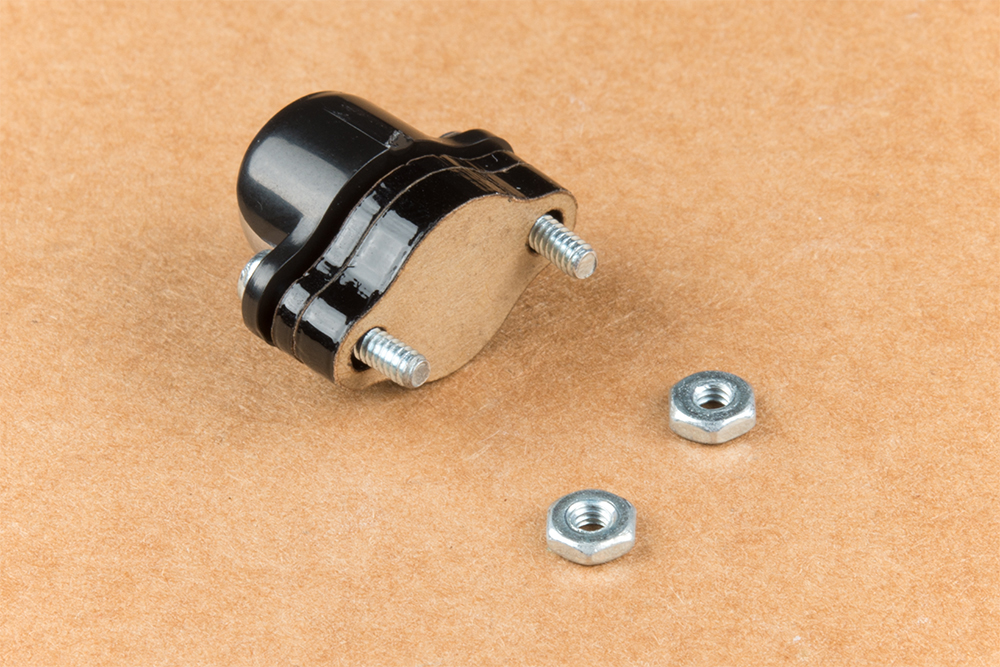
Un-package the 3/8 in Metal Caster Ball and thread the mounting screws through all pieces as shown. Note the
full stack height will help balance the Jetbot in a stable position.

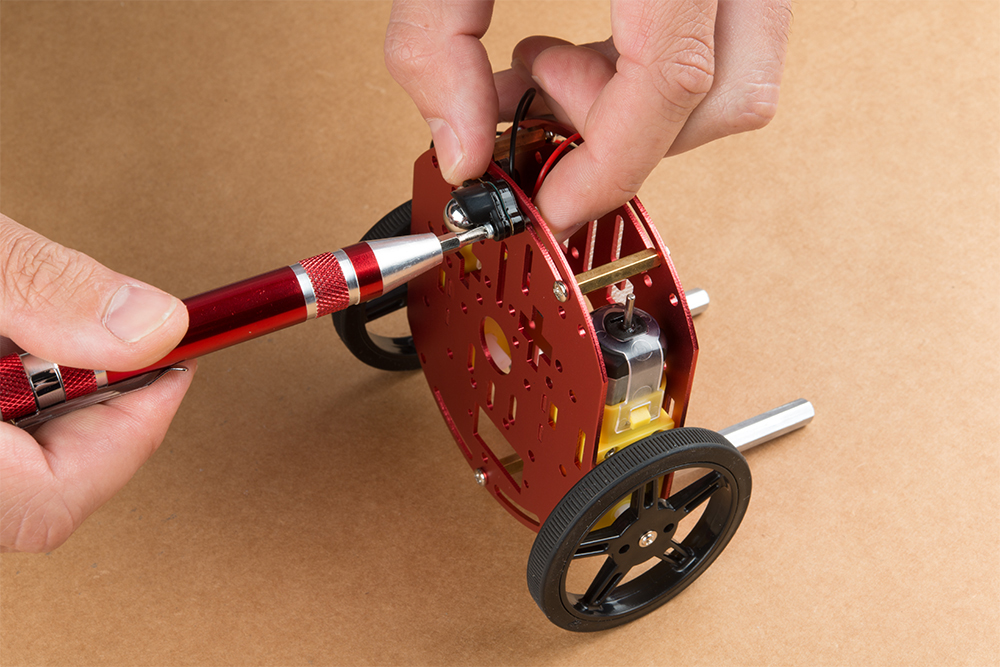
Install the caster wheel using the Phillips head screws and nuts included with the 3/8 in caster ball assembly. The
holes on the caster assembly are spaced to fit snug on the innermost segment of the angular slots near the rear of
the lower plate on the JetBot chassis. Again, hand tight is just fine. Note: if you over tighten these screws it will
prevent the ball from easily rotating in the plastic assembly. However, too loose and it may un-thread; go
for what feels right
After you have installed the caster & aluminum standoffs, thread the motor wires through the back of the chassis
standoffs for use later.
2. Camera Assembly & Installation
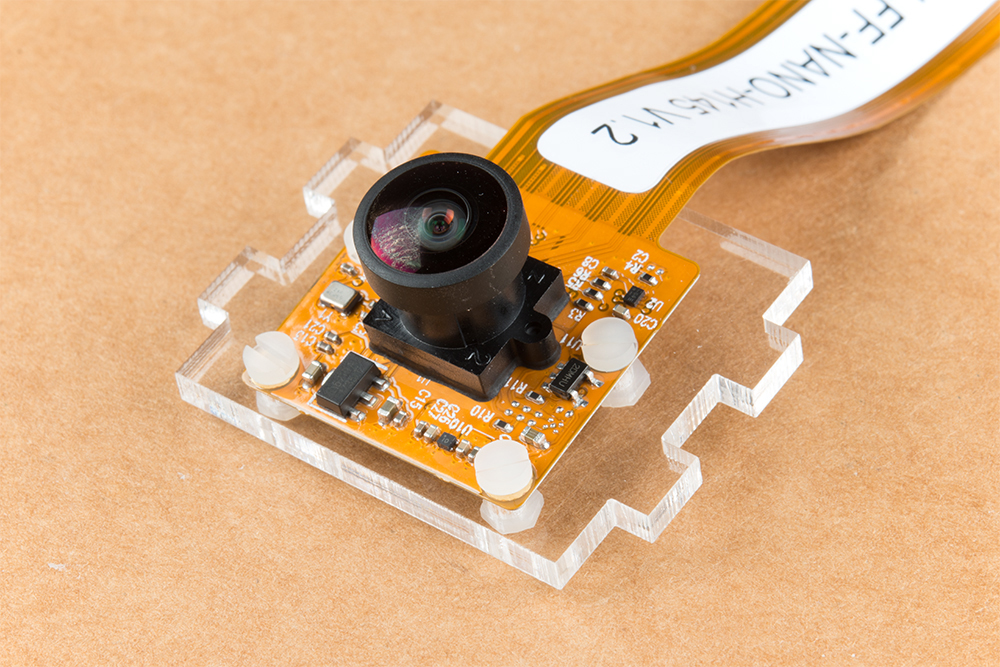
Unpackage the Leopard Imaging camera & align the four holes in the acrylic mounting plate with those on the
camera.
Note: ensure that the ribbon cable is extending over the acrylic plate on the edge that does not have
mounting holes near the edge; as shown below.

Place all four nylon flathead screws through the camera & acrylic mounting plate prior to fully tightening the nylon
nuts. This will ensure equal alignment across all four screws. Tighten the screws while holding the nuts with finger
pressure in a rotating criss cross pattern; similar to how you tighten lug nuts on a car rim.
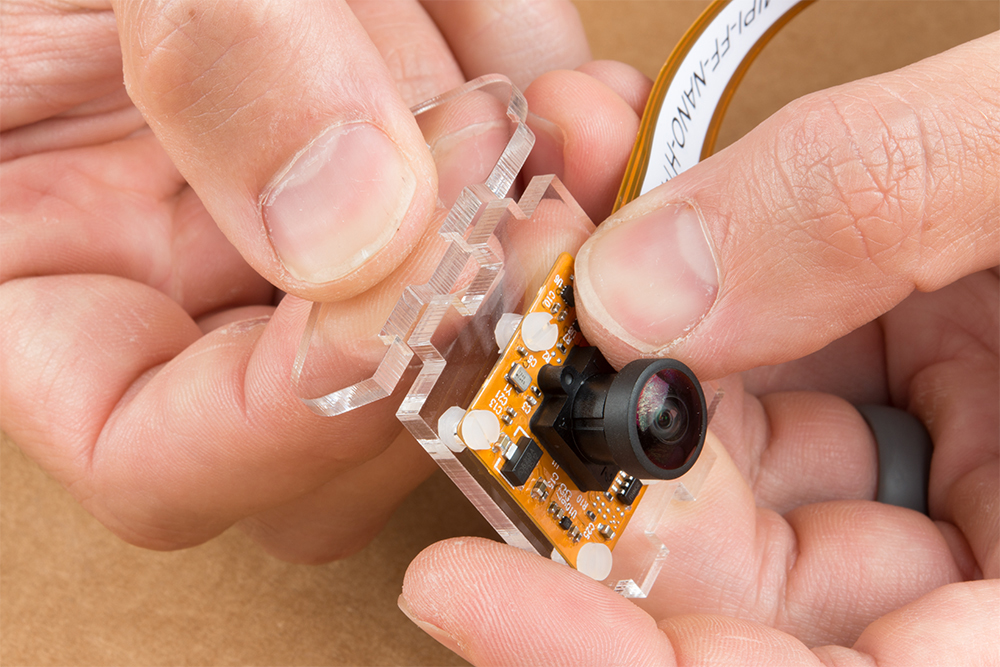
Align one acrylic sidewall with the camera mounting plate as shown below ensuring that the widest section of the
sidewall is oriented to the top of the camera mount where the ribbon cable extends.
Apply even pressure on each piece until they fit together. Note: these pieces are designed to have an
interference fit and will have a nice, satisfying "click" when they fit together.
Repeat this process on the other side to fully assemble the camera mount.
Table des matières
Autres manuels sparkfun Robotique


Manuels Robotique populaires d'autres marques

STEMCenter USA
STEMCenter USA Pi-Bot v2.00 Manuel utilisateur

SunFounder
SunFounder PiDog Manuel utilisateur

Universal Robots
Universal Robots UR5 Manuel utilisateur

Universal Robots
Universal Robots E Series Manuel utilisateur

YASKAWA
YASKAWA MOTOMAN-MPL80 II Manuel utilisateur

EFORT
EFORT ECR5 Manuel d'instructions