
Sony Ericsson K850 Manuel utilisateur

Trouble Shooting Guide, Mechanical
4/000 21-1/FEA 209 544/131 A
Company Internal ©Sony Ericsson Mobile Communications AB
Trouble Shooting Guide, Mechanical
Applicable for K850
Contents
1General...............................................................................................................2
1.1 Service functions in the software...........................................................2
1.2 Misuse and other no warranty issues....................................................3
2Appearance Problems.......................................................................................7
3Network/Signal Problems .................................................................................8
4On/Off Problems..............................................................................................10
5Audio Problems...............................................................................................12
6Key Problems...................................................................................................16
7Slider Problems .....................................................Error! Bookmark not defined.
8Display Problems ............................................................................................17
9Illumination Problems.....................................................................................18
10 Alert Problems.................................................................................................19
11 SIM Problems...................................................................................................20
12 Charging/Capacity Problems .........................................................................21
13 Camera Problems............................................................................................23
14 Data Communication Problems .....................................................................26
15 Software Problems..........................................................................................27
16 Revision History..............................................................................................28

Trouble Shooting Guide, Mechanical
4/000 21-1/FEA 209 544/131 A
Company Internal ©Sony Ericsson Mobile Communications AB 2(28)
1 General
This document outlines the mechanical repairs that should be made in an attempt to fix the common failures that are seen in the
field. To gain a complete understanding of how to test and repair a specific failure, this document should be used in conjunction
with the Test Instructions, Mechanical and the Working Instructions, Mechanical.
1.1 Service functions in the software
The service menu will be accessed with the following key combination. Use the navigation keys ⇒*⇐⇐*⇐*
They are as follows:
Service info
Service settings
Service tests
Text labels
The phones software has a built in service functionality that allows you to test some of the phones functions. (See point 2 above) It
looks like this:
Main display
LED/illumination
Keyboard
Speaker
Earphone
Microphone
Vibrator
Camera
Flash LED
Video call camera
Memory Stick
FM Radio
Real time clock
Total call time
NOTE: Different names will occur depending on language setting and customization.

Trouble Shooting Guide, Mechanical
4/000 21-1/FEA 209 544/131 A
Company Internal ©Sony Ericsson Mobile Communications AB 3(28)
1.2 Misuse and other no warranty issues
Misuse is not covered by warranty. This chapter will explain what’s not covered by warranty. Phones that have been exposed to
misuse will not be covered by warranty.
This means: if it is possible to repair the phone, the customer will have to pay for the repair. SEMC will not allow any of these
phones to be claimed into WCMS. Some local perspectives may interfere with this. Please reference to local directives.
1.2.1 Action
Make a general visual inspection for misuse.
Below are some examples of what is not covered by warranty.
Front window broken
due to misuse. LCD cracked due to
drop. Clear scratches Mark after drop Corrosion components
on the PCB.

Trouble Shooting Guide, Mechanical
4/000 21-1/FEA 209 544/131 A
Company Internal ©Sony Ericsson Mobile Communications AB 4(28)
Corrosion components on
the PCB. Corrosion components on the
PCB. SIM reader damaged by
liquid. System connector damaged by
liquid
Components around system
connector damaged by liquid System connector pad(s)
damaged by liquid

Trouble Shooting Guide, Mechanical
4/000 21-1/FEA 209 544/131 A
Company Internal ©Sony Ericsson Mobile Communications AB 5(28)
1.2.2 Liquid damage sticker
In the phone there is placed a sticker that can give you a hint to see if the phone is damage by liquid or not. This sticker is located
near the SIM reader (Fig. 1.2.1) and it is possible to see it without disassemble the phone.
Fig. 1.2.1
On the pictures below you will see the different between a sticker that has been in contact with liquid (Fig. 1.2.3) and with one that
hasn’t (Fig. 1.2.2).
This sticker is ok This sticker is not ok
The white sticker that has been in contact with
liquid turns into a red or pink sticker. In this
case you should check the phone for liquid
damage
(See point 1.1.1)
.
Note: There must be clear marks after liquid on
the PCB before rejecting the phone for repair.
Fig. 1.2.2 Fig. 1.2.3

Trouble Shooting Guide, Mechanical
4/000 21-1/FEA 209 544/131 A
Company Internal ©Sony Ericsson Mobile Communications AB 6(28)
1.2.3 Action
Make a general visual inspection for misuse, corrosion or oxidation from liquid damage. No further action should be taken for a liquid
damaged phone. Handle the unit according to local directives.

Trouble Shooting Guide, Mechanical
4/000 21-1/FEA 209 544/131 A
Company Internal ©Sony Ericsson Mobile Communications AB 7(28)
2 Appearance Problems
Problem Area Items to Check Repair Action Reference Image
Visually inspect the cosmetic quality of
all user viewable surfaces •If dirty – Clean parts as necessary.
•If unacceptably scratched or damaged
– Replace damage parts as necessary.
NOTE: Misuse is not covered by
warranty. Refer to chapter 1.2
Visually inspect all keys •If dirty – Clean parts as necessary.
•If unacceptably scratched or damaged
– Replace damaged parts as
necessary.
NOTE: Misuse is not covered by
warranty. Refer to chapter 1.2
Appearance
Visually inspect for improper gap
between seams •Reassemble or replace damaged parts
as necessary.

Trouble Shooting Guide, Mechanical
4/000 21-1/FEA 209 544/131 A
Company Internal ©Sony Ericsson Mobile Communications AB 8(28)
3 Network/Signal Problems
Problem Area Items to Check Repair Action Reference Image
Before proceeding !•Do software update content refresh.
Note: this problem will not be solved by
a regular software update.
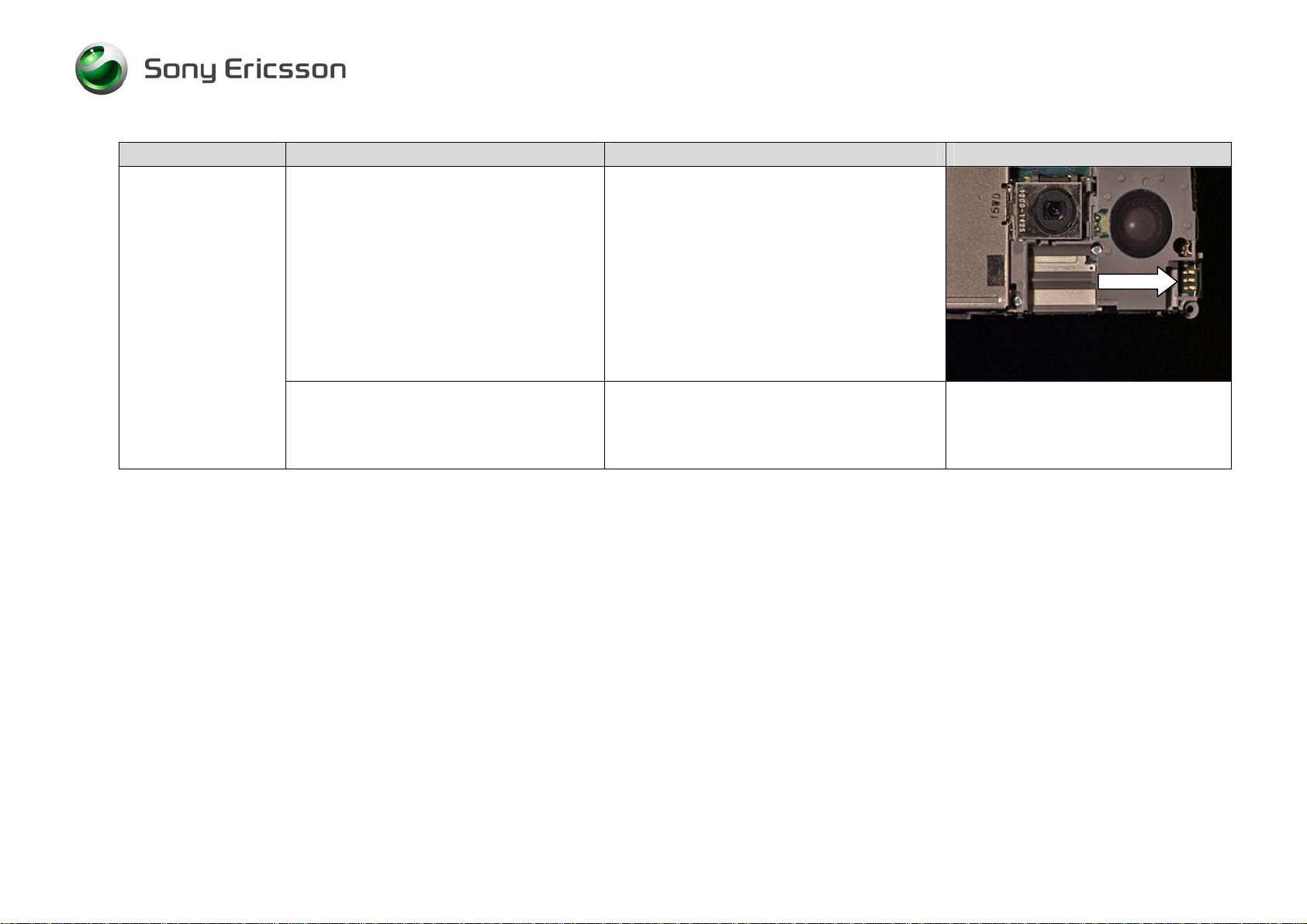
Visually inspect SIM holder. •If dirty or oxidized – Clean it
•If damaged – Replace the Card FPC
Complete (SIM/COMBO)
No Signal or Poor
Signal
Visually inspect antenna contact pads
and the antenna connector. •If dirty or oxidized – Clean it
•If damaged – Replace the Antenna
PIFA.
Trouble Shooting Guide, Mechanical
4/000 21-1/FEA 209 544/131 A
Company Internal ©Sony Ericsson Mobile Communications AB 9(28)
Problem Area Items to Check Repair Action Reference Image
Visually inspect the Antenna Connector •If dirty or oxidized – Clean it.
•If damaged – Handle the unit
according to local directives.
If the issue has not been resolved !
•Handle the unit according to local
directives.

Trouble Shooting Guide, Mechanical
4/000 21-1/FEA 209 544/131 A
Company Internal ©Sony Ericsson Mobile Communications AB 10(28)
4 On/Off Problems
Problem Area Items to Check Repair Action Reference Image
Check whether the phone vibrates 10 to
15 seconds after pressing the power
key and whether the keypad
illuminates.
•If activation of the vibrator or keypad
are detected, refer to the “Display
Problems” chapter 8
Before proceeding !•Do software update content refresh.
Note: this problem will not be solved be
a regular software update.
Cannot be power on,
Cannot be detected on USB cable on
EMMA III.
1. Log on to EMMA III as usual.
2. Use SEPI A1 with power charger
attached.
3. Press keys 2 and 5 when you connect
the phone.
Visually inspect contact pads on
battery. •If dirty or oxidized – Clean pads.
•If damaged – Replace the battery.
Visually inspect battery connector. •If dirty or oxidized – Clean it.
Note: Take care not to bend the
connector pin’s
•If damaged – Handle the unit
according to local directives.
Power On
problems
Visually inspect the power key. •If damaged – Replace on/off key.
Autres manuels pour K850
4
Table des matières
Autres manuels Sony Ericsson Téléphone mobile


