Important Steps before Deployment
1. GETTING CELLULAR NETWORK REGISTERED FIRST
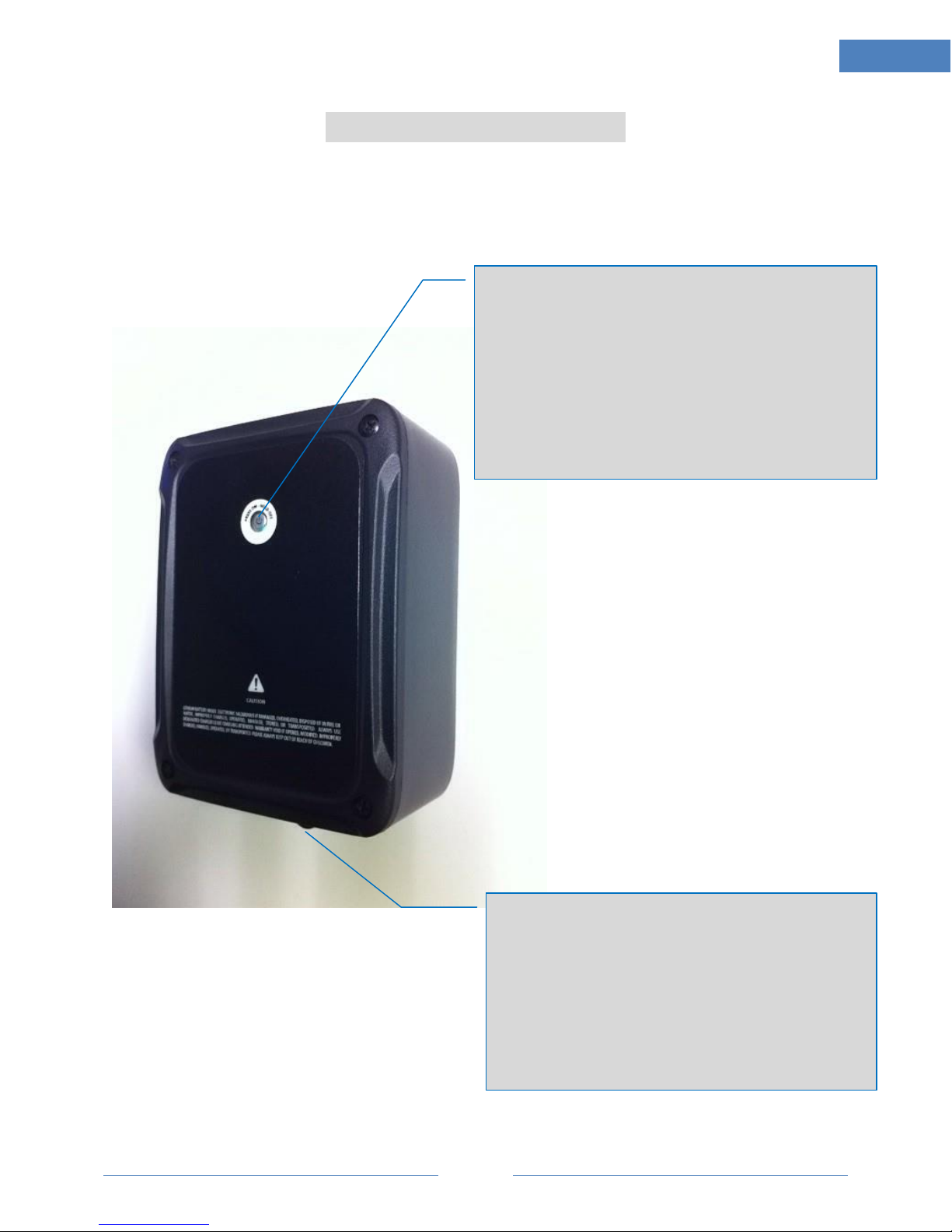
-Power on the device by single press on the power button.
-Make sure the red power indicator slow blinking (half second on, half second off).
-The slowly blinking red will turn to fast blinking (¼ second on, ¼ second off), meaning
cellular is registered and in normal transmission status. This usually takes 3-10 seconds.
If it stays in solid red and does not change to blinking status, it may indicate failure of network
registration and signals cannot be transmitted. It could be caused by:
-The wireless carrier does not have coverage in this area. User can try from a different
location a few miles away.
-Device is in problem status. Contact Technical Support for further diagnostic.
2. GETTING GPS READY (VERY IMPORTANT IF TO DEPOLOY COVERTLY)
-After network is registered, DO NOT deploy this device to a hidden place yet.
-Instead, bring this device in hand and outdoor for a 2-10 minutes (varies depending on
environmental and weather conditions) until a blue/green background light surrounded
power button area becomes flashing.
-At this time, local satellite is acquired and locked. Now this device can be deployed in a
covert position.
3. GOOD PLACEMENT AND BAD PLACEMENT (VERY IMPORTANT IF TO DEPOLOY COVERTLY)
-The front of this device is where internal antenna is mounted.
-It is important NOT to get this side facing against metal object, battery, very thick materials,
for wireless signals can be significantly reduce or completely blocked, resulting in excessive
seeking status or not detectable at all.
-ALWAYS have this front side have a way pass out to the sky, directly or indirectly, without
metal objects in between.
-ALWAYS avoid placing this device in a metal enclosure, where radio signals are shielded.
4. PUTTING THE CHARGING PORT COVER ON IF OUTDOOR USE.
-Water leaking inside can damage this electronic device and is risky of electronic hazardous.
-Never drop into water or overheat.