
SolarPath SPSS450 Manuel utilisateur
2
Product Description Using the accessories
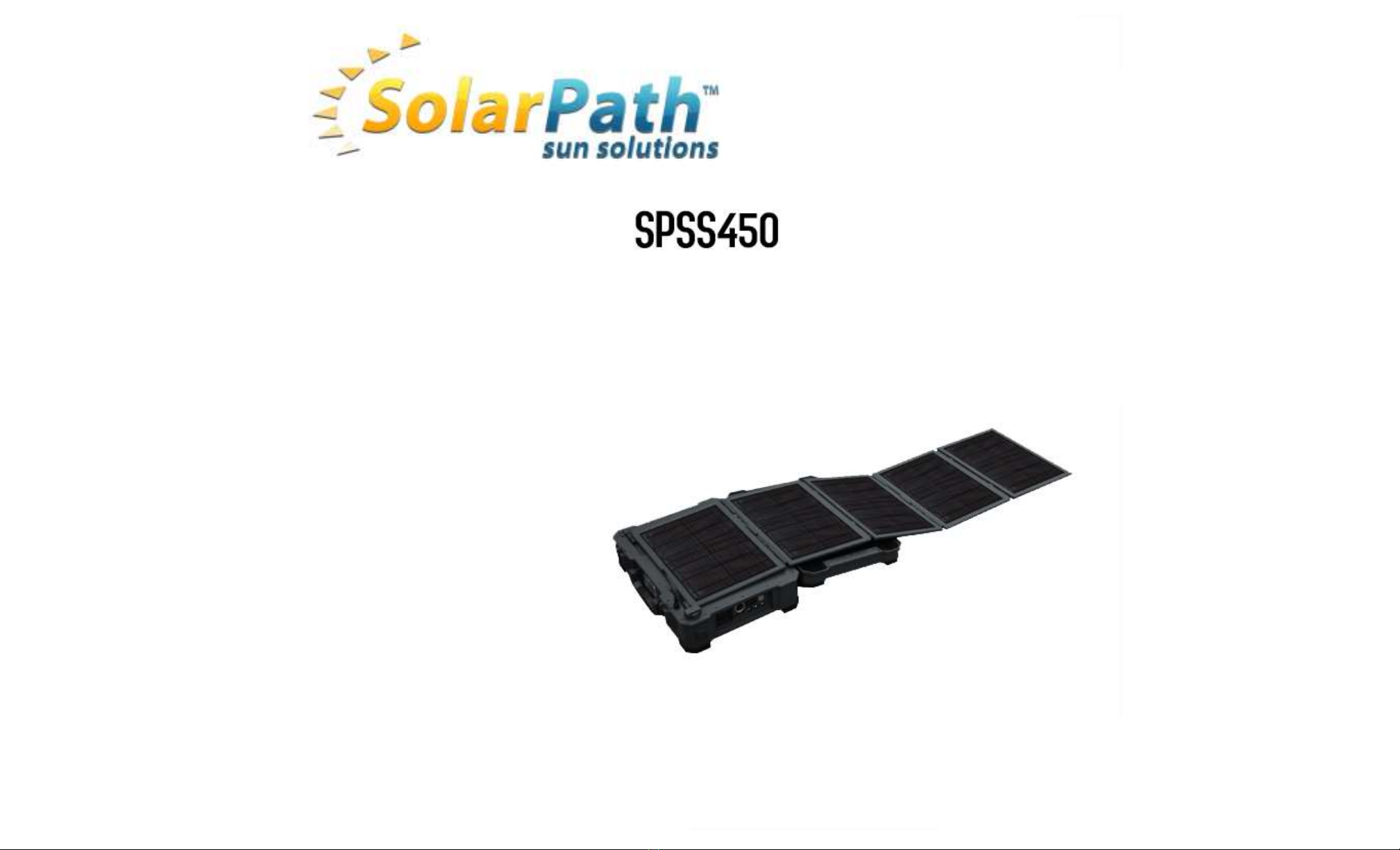
The SPSS450 combines highly efficient Solar panels, a solar charger, a power inverter and a Lithium
Polymer battery in to a robust, waterproof case creating an easy-to-use, 'plug and play' back-up
system.
Open the 1/0 access door by setting the door locks to the "OPEN" position. It is
recommended that the unit be placed horizontally as shown in
Figure 1.
This system is specifically designed for mobile off-grid applications, where space and weight
limitations are abundant. The SPSS450 portable solar system is the perfect system for
emergencies providing up to 532 Watt-hours of energy. The built-in solar charge controller allows
the expansion of an additional 18 V solar panel (Max. 70 W).
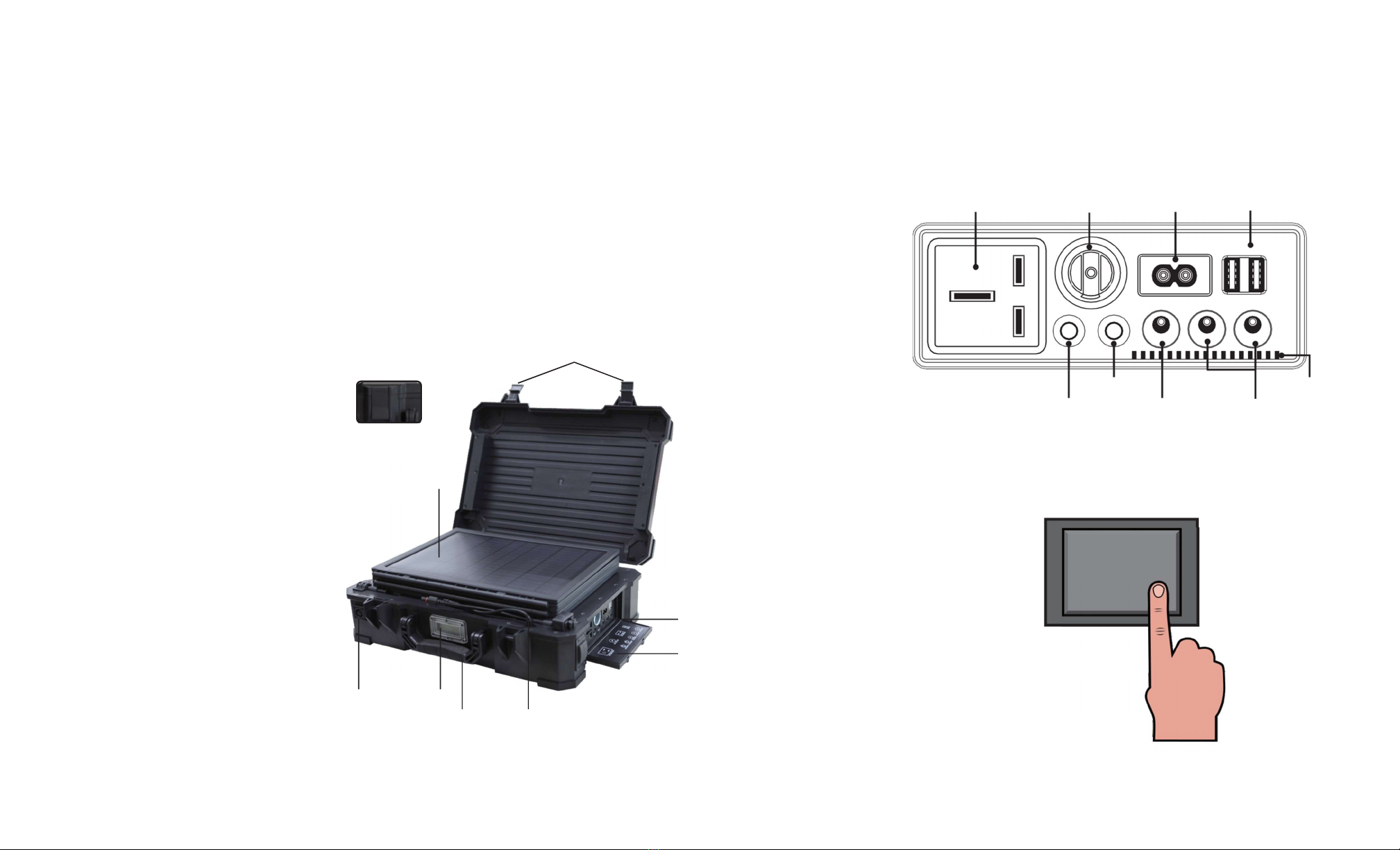
AC Output 12V Cigarette Output AC Input (2-pin inlet)
5V USB Outputs
Components
Pull to
open
Latches
DC Output Switch
AC Output Switch DC Input (Solar)
Exhaust vents
12V Outputs
Solar Panels Figure 2. Accessories
LED Flashlight
I
Flip the Main switch to the ON position. This will turn on the digital display.
Gasket
1/0
access door
LED Flashlight
switch
Display
Main switch
Handle Connect cable
Figure 1.
Properties of the 350w portable solar system
4
3
AC output
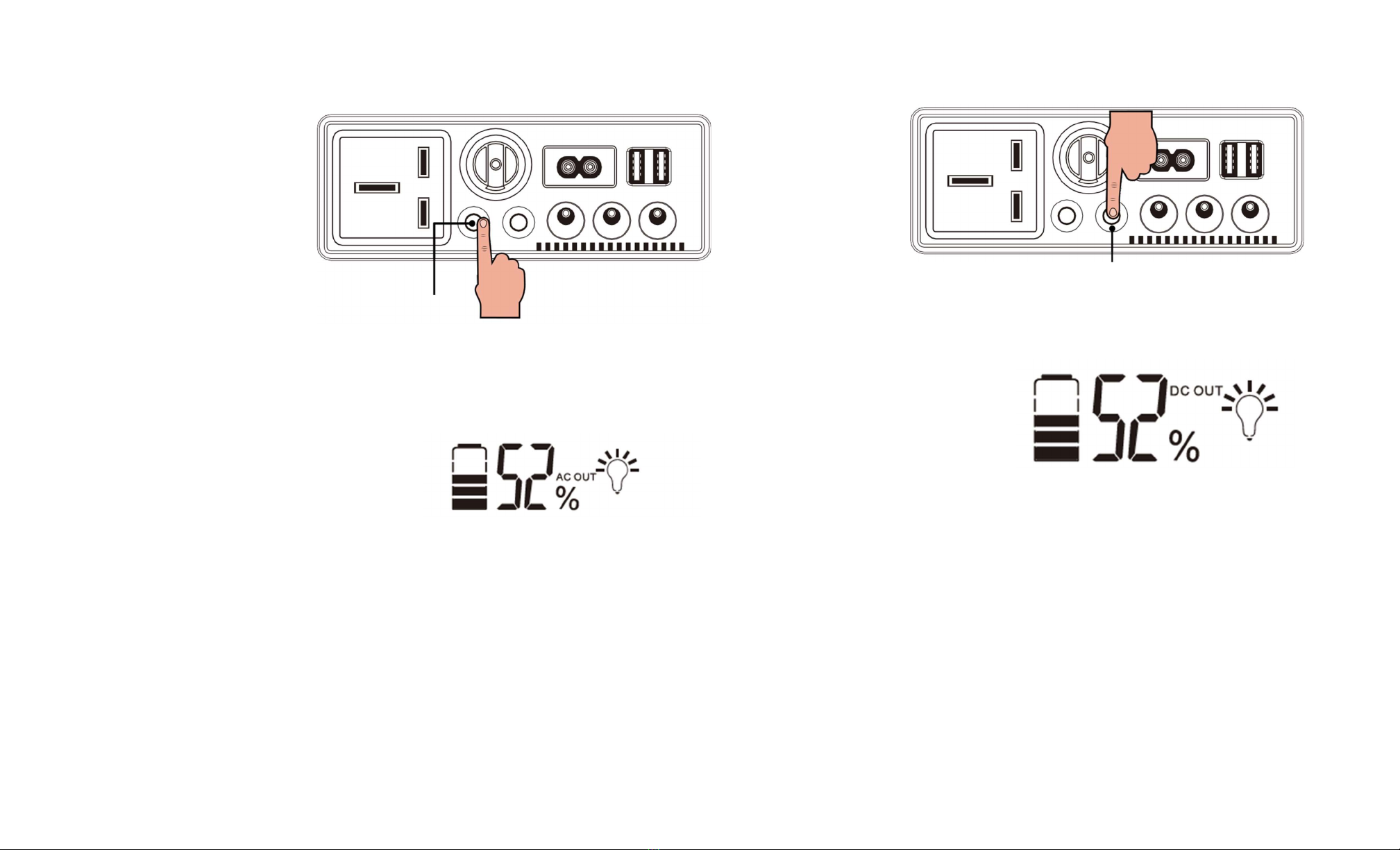
Once the Main switch is ON, press the AC output switch to turn the internal inverter on.
Figure 3. Turning ON the AC output
When the AC output is turned ON, the LCD display will light blue, and "AC OUT" along with
the light bulb icon will be shown.
DC output
With Main switch is ON, press the DC output switch to turn the internal inverter on.
DC Output Switch
Figure 5. Turning ON the DC output
When the DC output is turned ON, the LCD display will light up blue, and "DC OUT"
along with the light bulb icon will be shown.
Figure 4. Digital Display when AC output is ON
-
Figure 6. Digital Display when DC output is ON
The DC output can now be used. Please limit the current load for each DC output. Please
do not overload the output as doing so may damage the unit. Please turn OFF the DC
output when not in use. Figure 7 shows the maximum current per DC output.
The AC output can now be used. The maximum load it can handle is
350 Watts.
Please do not overload the output as doing so may damage the unit. Please turn
OFF
the AC output
when not in use. Inverters have small idle power consumption, leaving
the switch ON will drain the battery over time.
AC
Out
p
u
t
Sw
itch
6
5
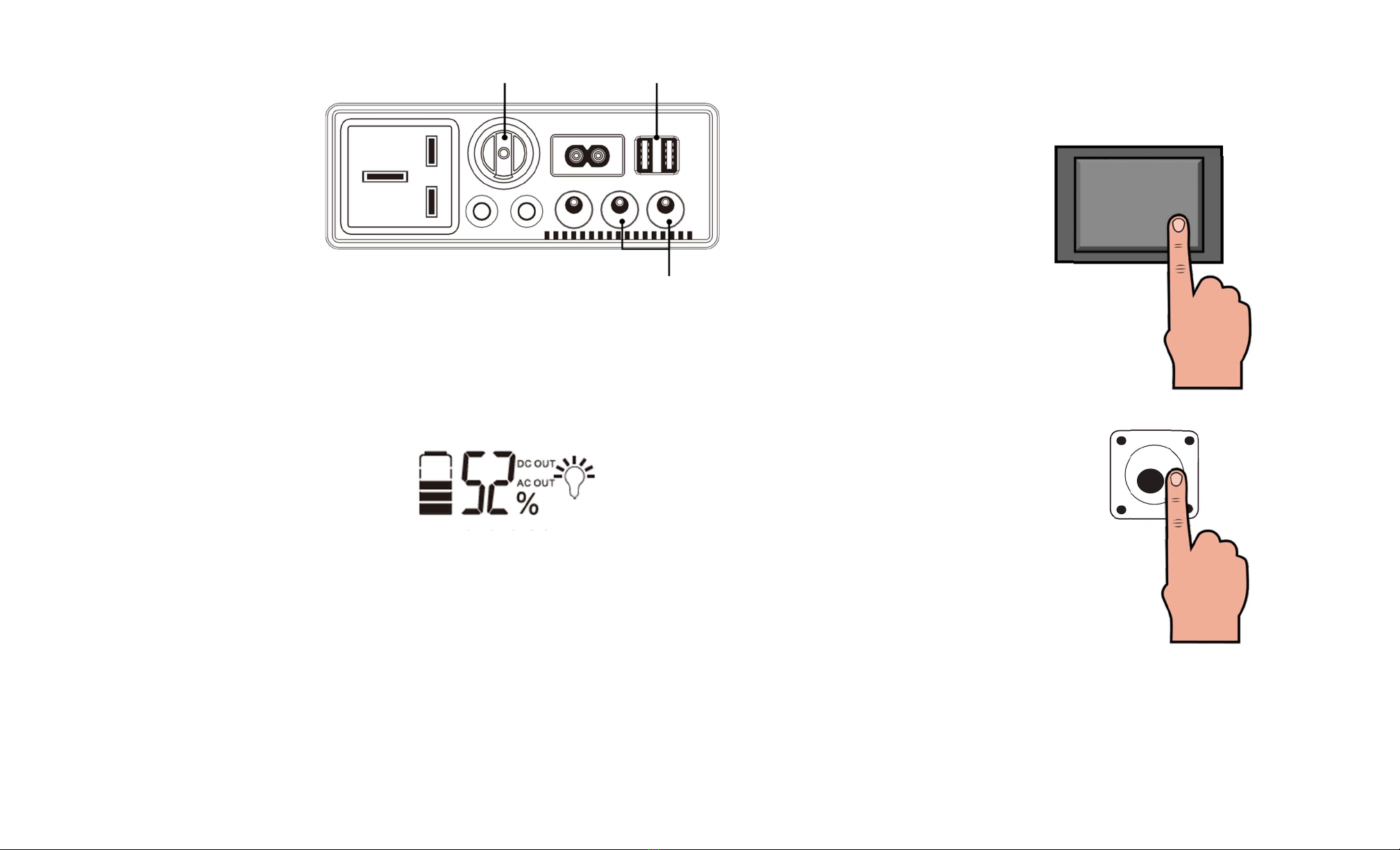
12V, SA Max. SV, 2A Max. Flashlight
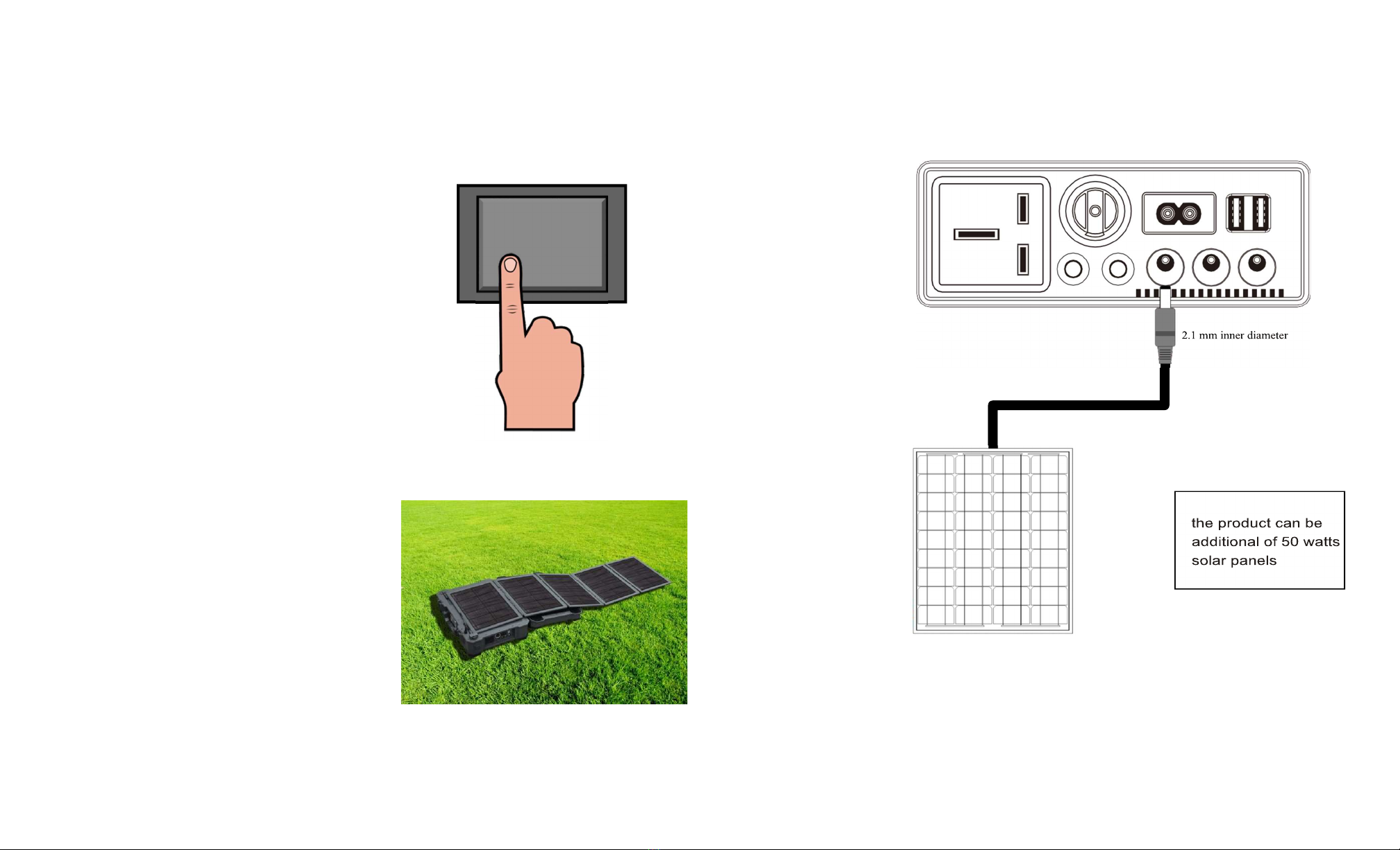
The 350 W portable solar system has a built-in flashlight. To use the flashlight, flip
the Main switch to the ON position, this will turn on the digital display.
12V, SA Max.
Figure 7.
Maximum current ratings for DC outputs
AC and DC outputs
The AC and DC outputs can be ON at the same time. When the Main switch is ON, press
the AC output switch and then the DC output switch (or vice versa) to turn both outputs on.
When both outputs are turned ON, the LCD display will light blue, and "DC OUT" and "AC
OUT" along with the light bulb icon will be shown.
.
Then press the flashlight switch located next to the left latch.
Figure 8.
Digital Display when both outputs are ON
Please turn
OFF the AC and DC outputs
when not in use.
The first press of the switch activates
Lighting Mode.
A
second press activates
SOS Mode
(for emergency situations). Finally, a third press turns
OFF
the flashlight.
7
8
Charging Charging with additional solar panels
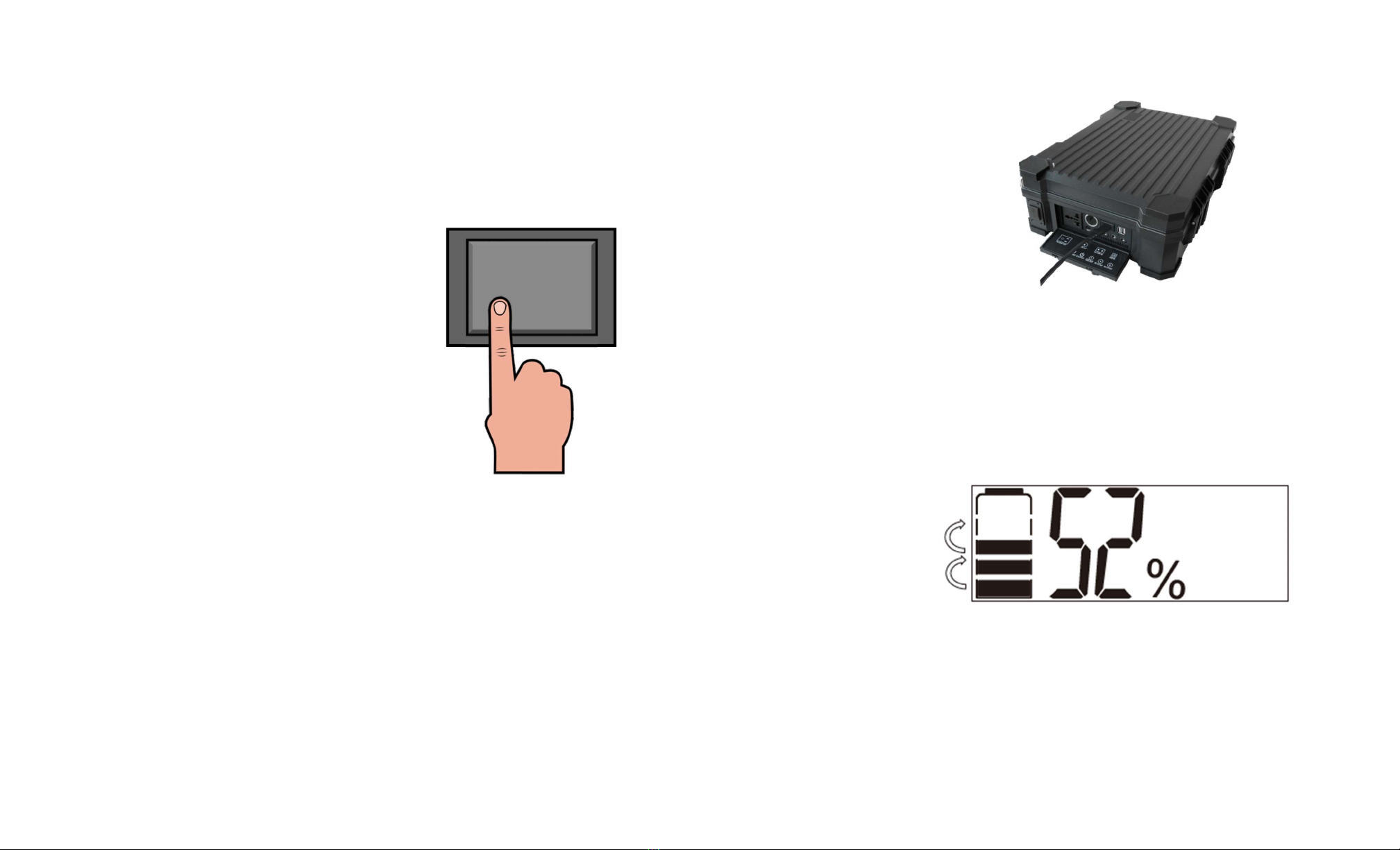
To speed up the charging time, an 18V solar panel can be used at the DC input terminal
Charging via Solar
If not planning on using the unit while charging with solar, make sure that the Main
switch is in the OFF position.
with a maximum of input of 70 Watts.
Find a sunny, dry location that is free from overhanging tree branches, obstructions or
shading. Unclip the two latches on the side of the unit and open the top cover
completely as shown in Figure 9.
Figure 9. Charging via solar panels
When charging with the built-in SOW solar modules, it will take about
17 hours
to fully
recharge the internal battery.
12V Solar Panel
Figure 10. Adding external solar panel
Male DC Power Plug
5.5 mm outer diameter
9
10
If planning on using the unit while charging with solar, make sure that the Main switch is
in the ON position. Then turn ON the desired output.
AC and DC outputs
can also be
used while the unit is being charged by solar. However, limit the current output to the
values mentioned earlier.
Charging via AC
When charging via AC 2-pin inlet, make sure that the Main Switch is in the
OFF
position.
It is recommended that when charging via AC input do not use the AC and DC output
terminals.
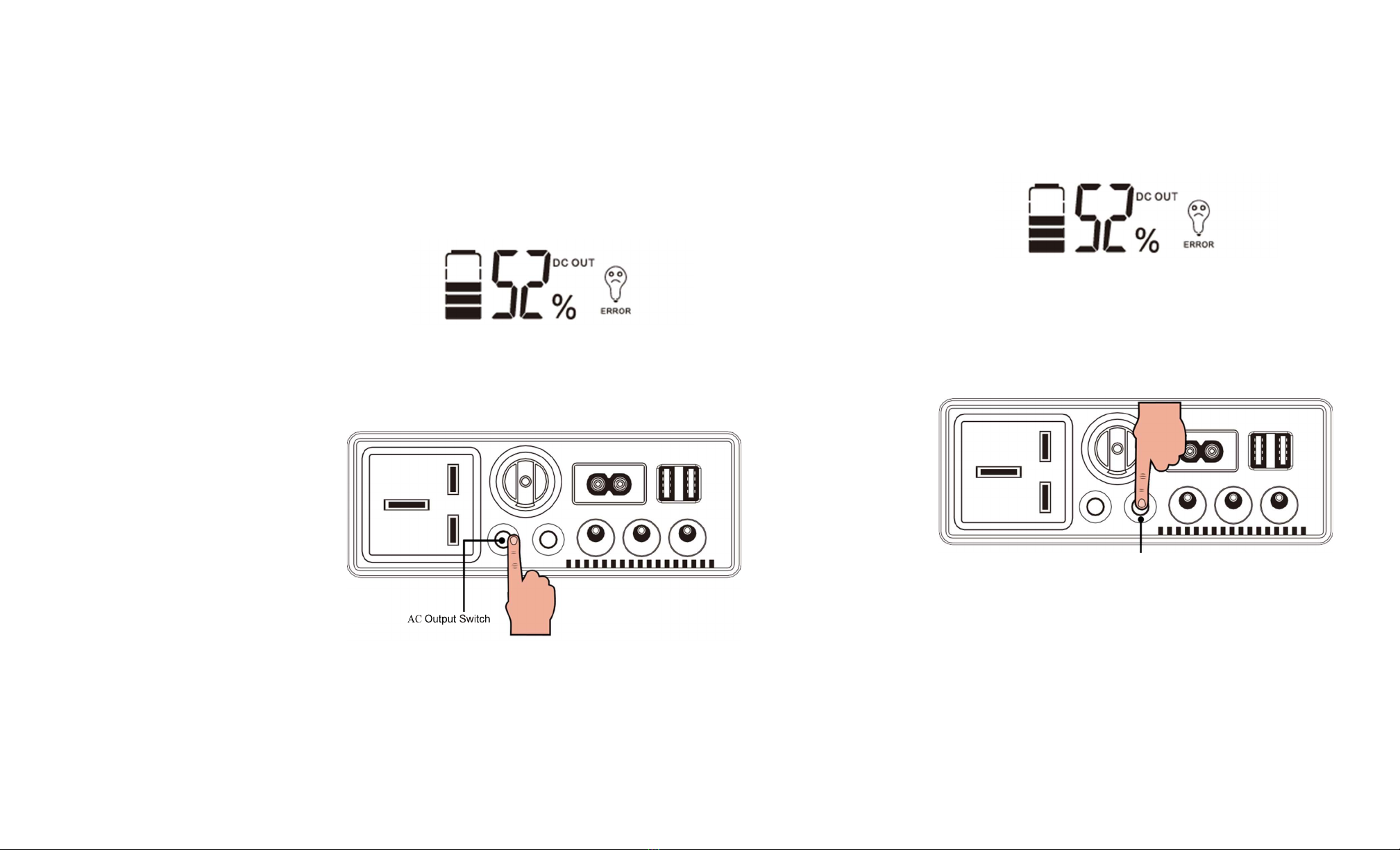
Connect the 2-pin inlet AC cable that is included with the unit. The unit can be charged
in vertical or horizontal position. Figure 11 shows the unit being charged
horizontally
with the AC cable.
Figure 11. Charging via AC power cable
It will take about
3 hours
to fully recharge the internal battery. Do not cover or block the
exhaust vents when charging with the AC cable. The unit can be
left plugged in
once
the battery is fully charged. This will maintain the battery when the unit is not in
operation.
State of Charge
When charging with the solar panel(s) or with AC power, the display will turn on, and
after a few seconds, the backlight will turn off.
Figure 12 . Digital display charging motion
The display will show a "charging motion” when charging via solar panel(s) or AC power.
The state of charge is shown by percentage, and by the battery icon. Each bar in the battery
icon represents about 20% of charge. Once the battery is fully charged, the "charging
motion" will stop, and the state of charge will remain at 100%.
11
12
Troubleshooting
AC output load exceeded the maximum rating of the inverter:
If the AC output load exceed the maximum power rating of 350 Watts, the internal
inverter will shut off to avoid damaging the unit. When this happens, the digital display will
show a flashing "ERROR" message with a sad face light bulb icon as shown in Figure 13.
The "AC OUT" text will flash as well.
DC output load exceeded the maximum current rating:
If the DC outputs exceed the maximum current rating shown in Table 4, the DC output will
shut off to avoid damaging the unit. When this happens, the digital display will show a
flashing "ERROR" message with a sad face light bulb icon as shown in Figure 14. The
"DC OUT" text will flash as well.
Figure 14. AC output error message
Figure 13. AC output error message
To clear the message, disconnect all of the load(s) and press the AC output switch to turn
the inverter on to restore power.
Once the AC output button is pressed, the message should be gone and the system
should be back to normal.
To clear the message, disconnect all of the load(s) and press the AC output switch to turn
the inverter on to restore power.
DC Output Switch
Once the DC output button is pressed, the message should be gone and the system
should be back to normal.
AC output load exceeded the maximum rating while DC output is on (or vice versa):
If one of the outputs overloads while the other is in operation, the digital display will only
flash the "ERROR" message and flash the output that has encountered the issue. Please
correct the issue as described above.
Unit will not power on:
If the unit will not power on, try to flip the Main switch
ON
and
OFF
a couple times to
check if there is a connection issue. If the unit still will not power on please call Dosun
Electronics Co., Ltd Support to find a possible resolution.

13
14
Unit not charging with the built-in solar panels:
If the unit is not detecting the solar panels, make sure that the unit is not shaded or that
the unit is not being blocked from sunlight. If the unit is exposed to full sunlight and still will
not charge via solar please call Dosun Electronics Co., Ltd Technical Support to find
a possible resolution.
Unit not charging with external solar panel:
Please make sure that the DC power plug is in the right socket, and that is making
proper connection. Make sure that the solar panel is not shaded or that is not being
blocked from sunlight. If none of the above fixes the problem, please call Dosun
Electronics Co., Ltd Technical Support to find a possible resolution.
Unit not charging via AC power cord
Please make sure that the AC power plug is making proper connection. Make sure that
both end plugs are all the way in. If none of above fixes the problem, please call Dosun
Electronics Co., Ltd Technical Support to find a possible resolution.
Do's and Don'ts
Do's:
•
Clean the built-in solar panels when dirty with window cleaner or with a wet cloth.
•
Store the unit in a dry place free from moisture, heat, and water.
•
Ensure the solar panels are exposed to sufficient light – ideally, position them
to face the sun directly.
Don'ts:
•
Store or place the unit near fire or places that can achieve higher temperatures.
Doing so may cause damage to the unit internals, and or battery explosion.
• Submerge the unit under water. Although the unit is not waterproof, it is water
resistant as long as the accessory door is closed.
•
Leave the unit outside when raining.
•
Overload the AC or DC outputs. Follow the power and current ratings mentioned
earlier in this manual.
Warnings
•
Keep the unit away from small children. Allow only adults to use the unit.
•
Do not dismantle or modify the system. Doing so, can result in damage to the unit
and or onto yourself. Any modifications that will alter the device will void the
warranty.
• In case of a hazard or emergency, turn OFF the unit immediately.

15
Specifications
Solar Panels
Description
Parameter
Maximum Power
Battery
LED Flashlight
Weight
10W(x5)
Lithium Polymer 12V 48Ah
3W, lighting mode, SOS mode
23.5 lbs.
Accessories
Accessory
Parameter
AC 10ov ~24ov output
350W Max
DC 12~23v input 100W Max
AC 220V input
12V DC power plug outputs
100W Max
96W Max
12V DC cigarette socket 96W Max
5V DC USB output
10
W
Ma
x
Table des matières
Autres manuels SolarPath Équipement d'éclairage

Manuels Équipement d'éclairage populaires d'autres marques


Qazqa
Qazqa Suplux SL 3 Black 103062 Manuel utilisateur

Commercial Electric
Commercial Electric 54568141 Manuel utilisateur

CREE LIGHTING
CREE LIGHTING 304 Series Manuel utilisateur

Goobay
Goobay 49867 Manuel utilisateur

ECOMAN ITALIA
ECOMAN ITALIA LED T8 Manuel utilisateur

Alkalite
Alkalite Krypton KT-81 Manuel utilisateur


