
Sodiff SDM-1701S Manuel utilisateur
BEFORE USING
PACKAGE ITEMS
MONITOR
INSTALLATION
ADJUSTMENT OF
YOUR LCD
MONITOR
STAND
ALTERATION
APPENDIX
Safety Precautions ..........................................2~3
Contents of Box ..................................................4
Environment ........................................................5
Monitor’s Tilt Adjustment.................................5
Signal Connection...............................................6
Plug and Play.......................................................6
Adjust Explanation .............................................7
Button Position....................................................7
Auto Save.............................................................8
OSD/Menu-Analog ............................................8
OSD/Menu-Digital .............................................9
OSD Function ...................................................10
How to use as the wall tapestry.......................11
Resolution and Frequency ................................12
Specification of Monitor..................................13
Inconvenience of Using ...................................14
FCC Information to User..................................14
SDM1701S(¿ „fi )2004.2.254:51PM˘`1
2
Safety Precautions
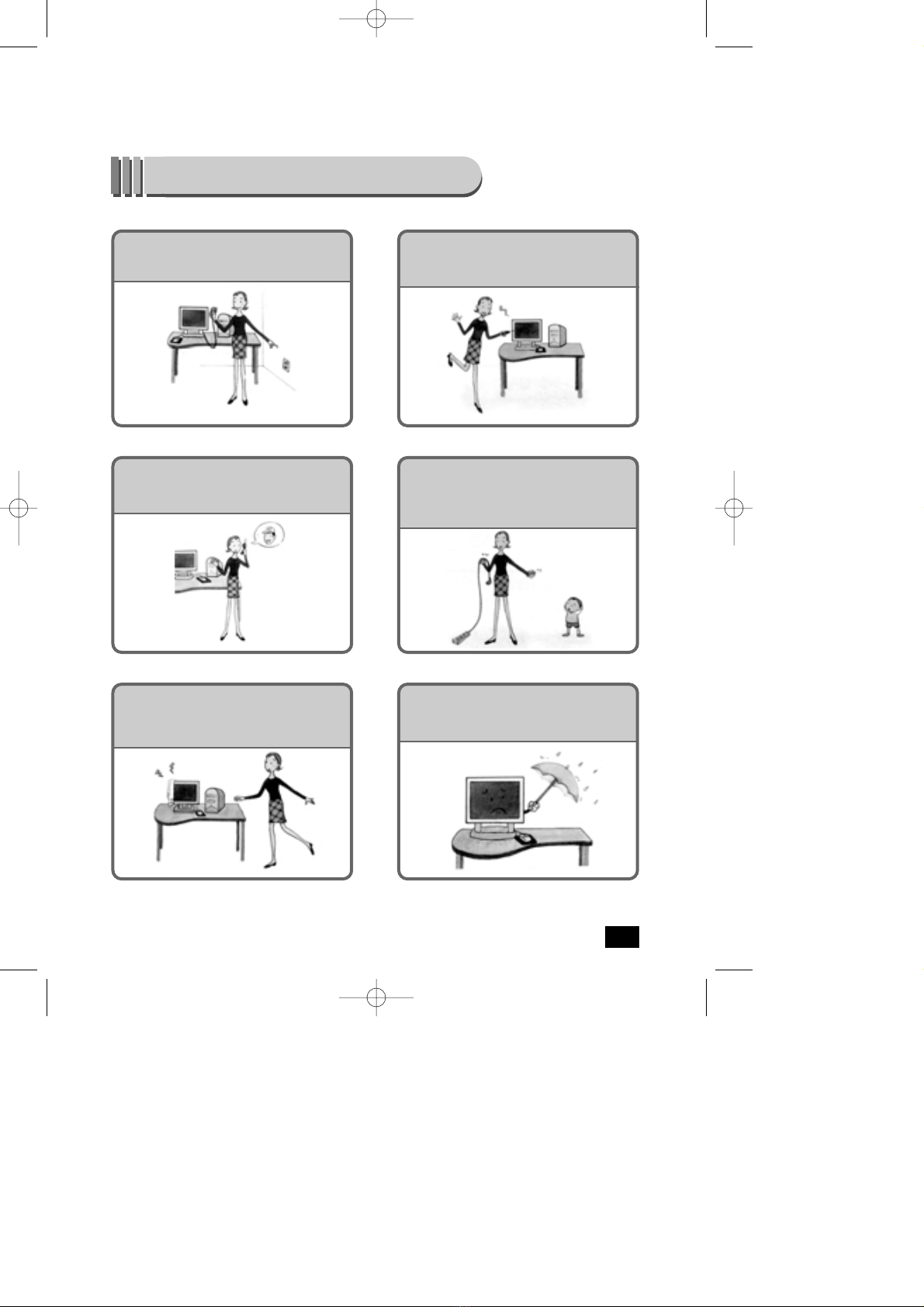
Before connecting the AC power cord, make
sure the voltage rating of the electrical supply.
Never insert anything metallic into the cabinet
openings of the liquid crystal display (LCD) monitor;
doing so may create the danger of electric shock.
To avoid electric shock, never touch the inside of
the LCD monitor. Only a Qualified technician
should open the case of the LCD monitor.
Never use your LCD monitor if the power cord has
been damaged. Do not allow anything to rest on the
power cord, and keep the cord away from areas
where people can trip over it.
Opened ventilation of monitor cabinet is Provided
for heated air to prevent overheating, these openings
should not be blocked or covered.
SDM-1701/1901
Place the LCD monitor on a solid surface And treat it
carefully. The screen is made of thin glass with a
plastic front surface and can be damaged if dropped,
hit or scratched.
SDM1701S(¿ „fi )2004.2.254:51PM˘`2
3
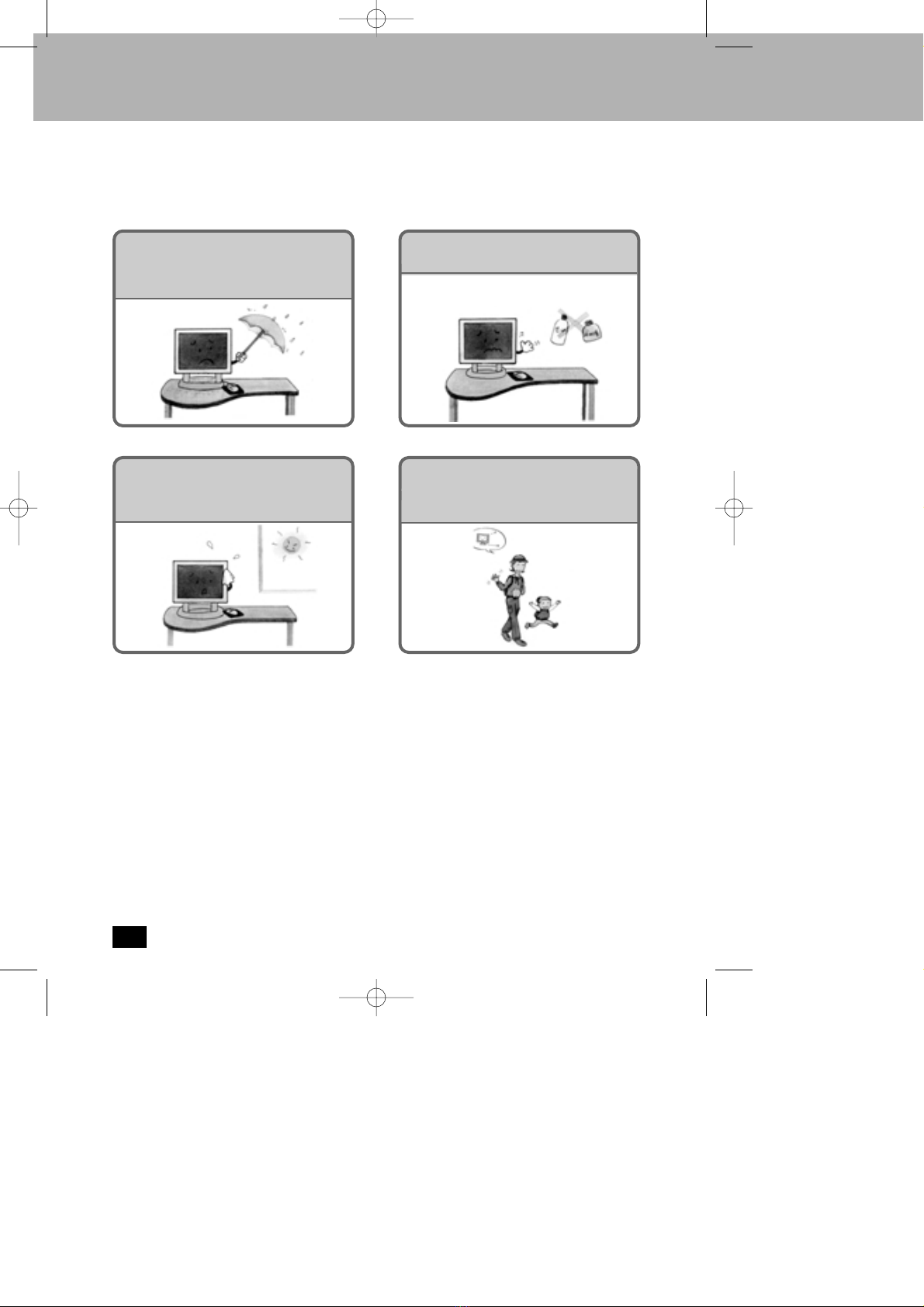
High temperature can cause problems.
Donifl t use your LCD monitor in direct sunlight,
and keep it away from heaters, stoves, fireplaces,
and other sources of heat.
Unplug the LCD monitor when it is going to
be left unused for an extended period of time
Do not expose the LCD monitor to rain or use it near
water(in kitchens, near swimming pools, etc.). If the
LCD monitor accidentally gets wet, unplug it and
contact an authorized dealer immediately
Do not clean the front panel with Kenton-type
materials (e.g., acetone), ethyl alcohol, toluene, ethyl
acid, methyl, or chloride - these may damage the
panel.
SDM1701S(¿„fi)2004.2.254:51PM˘`3
4
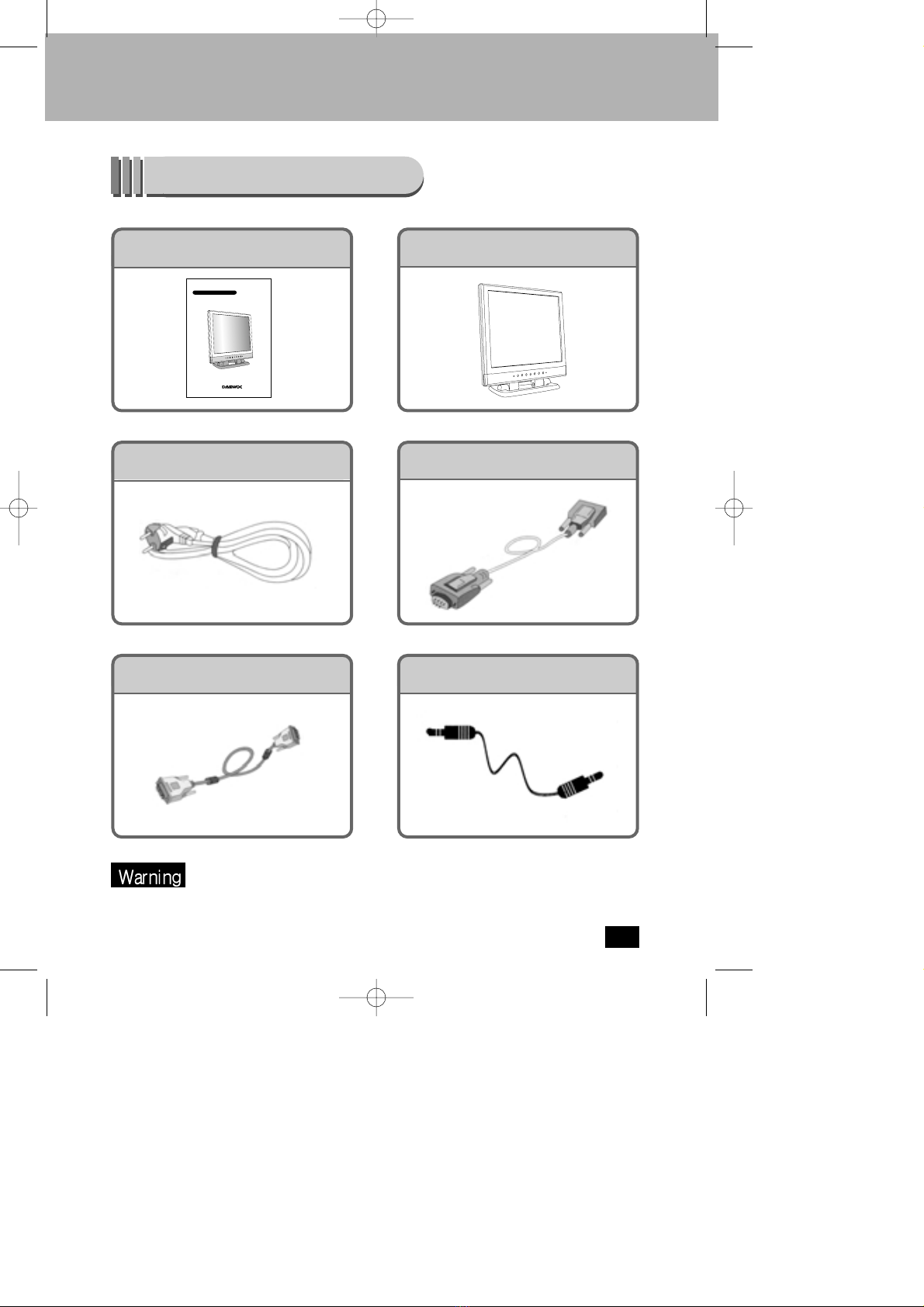
Contents of Box
User Manual Monitor
Power Cord D-SUB Signal Cable
DVI Signal Cable
Please make sure the following items are included with your monitor.
If any items are missing, contact your dealer.
TFT-LCDMonitor SDM-1701/SDM-1901
»¿º…‡‚…›
Sound Cable
TFT-LCD Moniteur LCD17ANM
GUIDE UTILISATEUR
SDM1701S(¿„fi)2004.2.254:51PM˘`4
5
Install the Monitor
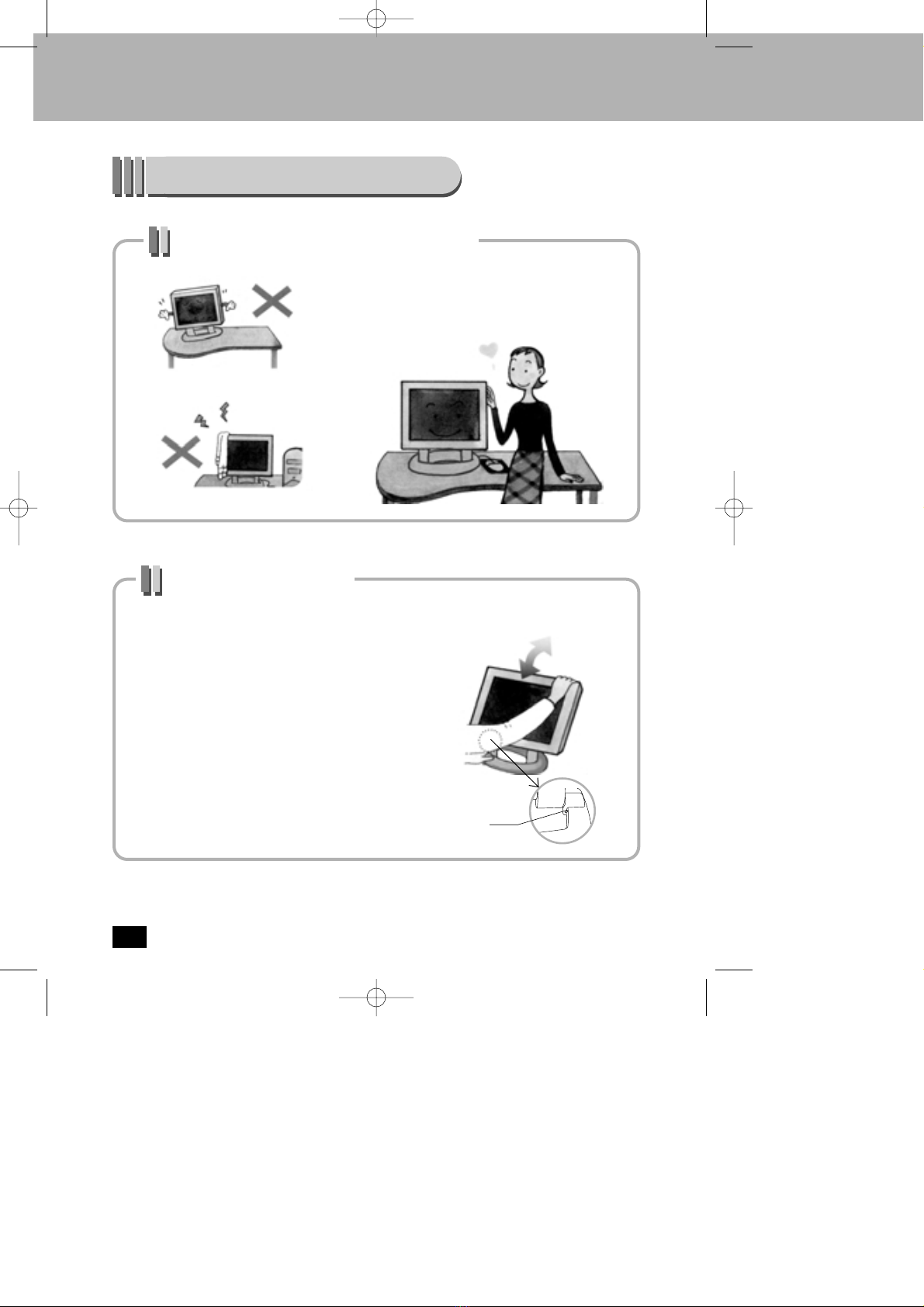
Setting up an Ergonomic Working Environment
Place the LCD monitor on a solid and level
surface and treat it carefully.
Monitor’s Tilt Adjustment
Tilt the screen so as you feel comfortable
working with your monitor.
If you want to fold stand, Please operate
the lever at the rear of your monitor stand.
Lever
SDM1701S(¿„fi)2004.2.254:51PM˘`5
6
Connecting Your LCD Monitor
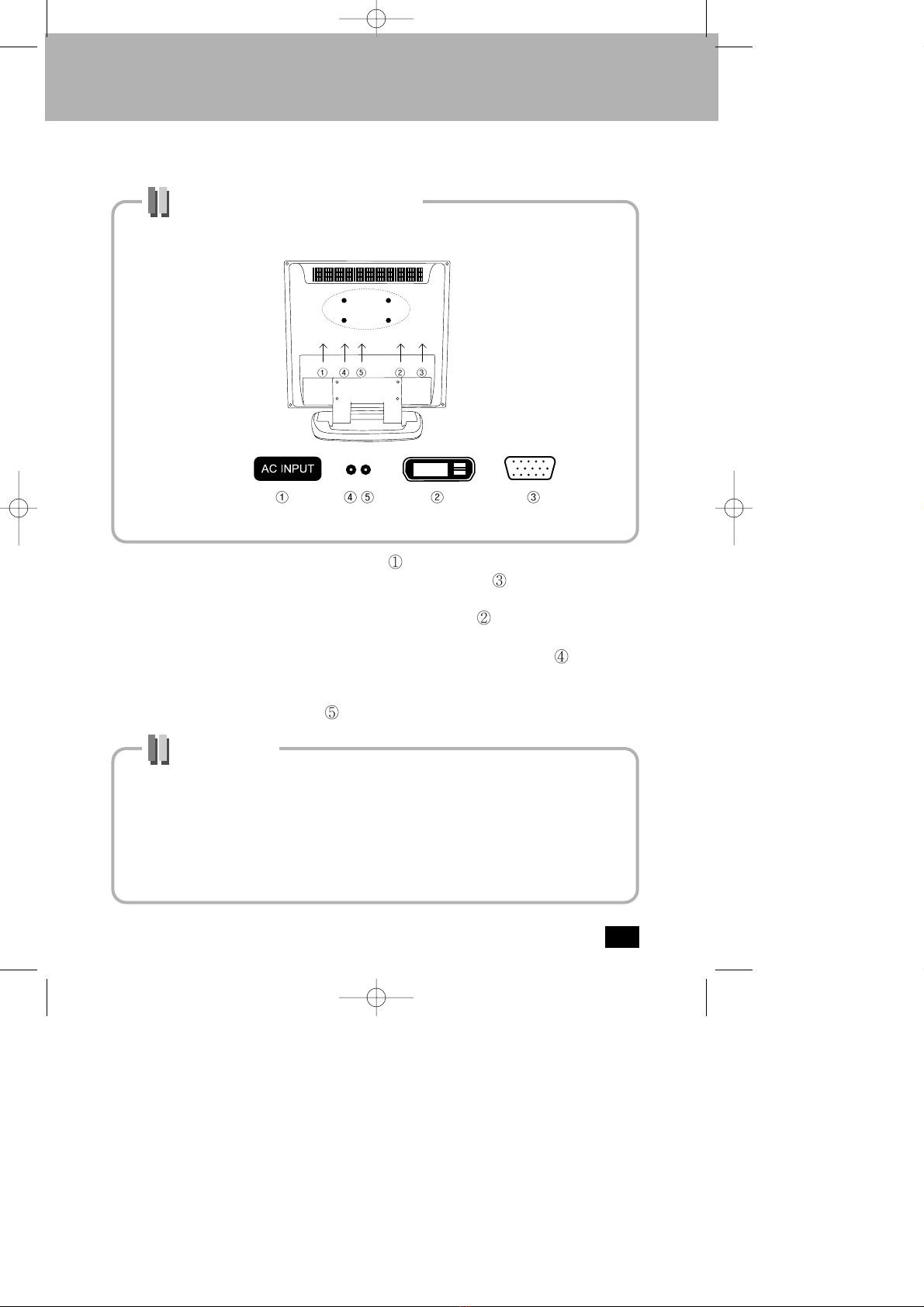
How to connect the monitor with the power supply and the signal cable.
Cable connections
1. Power is supplied by connecting power cord to ’s direction on the rear of your monitor.
2. You can see analog display by connecting D-SUB signal cable to ’s direction on the rear
of your monitor.
3. You can see digital display by connecting DVI signal cable to ’s direction on the rear of
your monitor.
4. Connect the cable to computer’s sound output after connecting sound cable to ’s direction
on the rear of your monitor, then you can listen through the speaker inside monitor.
5. If you want to listen by using not speaker inside monitor but earphone or headphone, ,
connect earphone or headphone to ’s direction
Plug and Play
The adoption of the new VESA Plug and Play solution eliminates complicated and time consuming
setup. It allows you to install your monitor in a Plug and Play compatible system without the usual
hassles and confusion. Your PC system can easily identify and configure itself for use with your
display. This monitor automatically tells the PC system its Extended Display Identification Data
(EDID) using Display Data Channel (DDC) protocols so the PC system can automatically configure
itself to use the flat panel display. If your PC system needs a video driver, set to
XGA(1024x768)@75Hz monitor as default or Flat panel.(1024x768)
SDM1701S(¿„fi)2004.2.254:51PM˘`6
7
Adjust Explanation
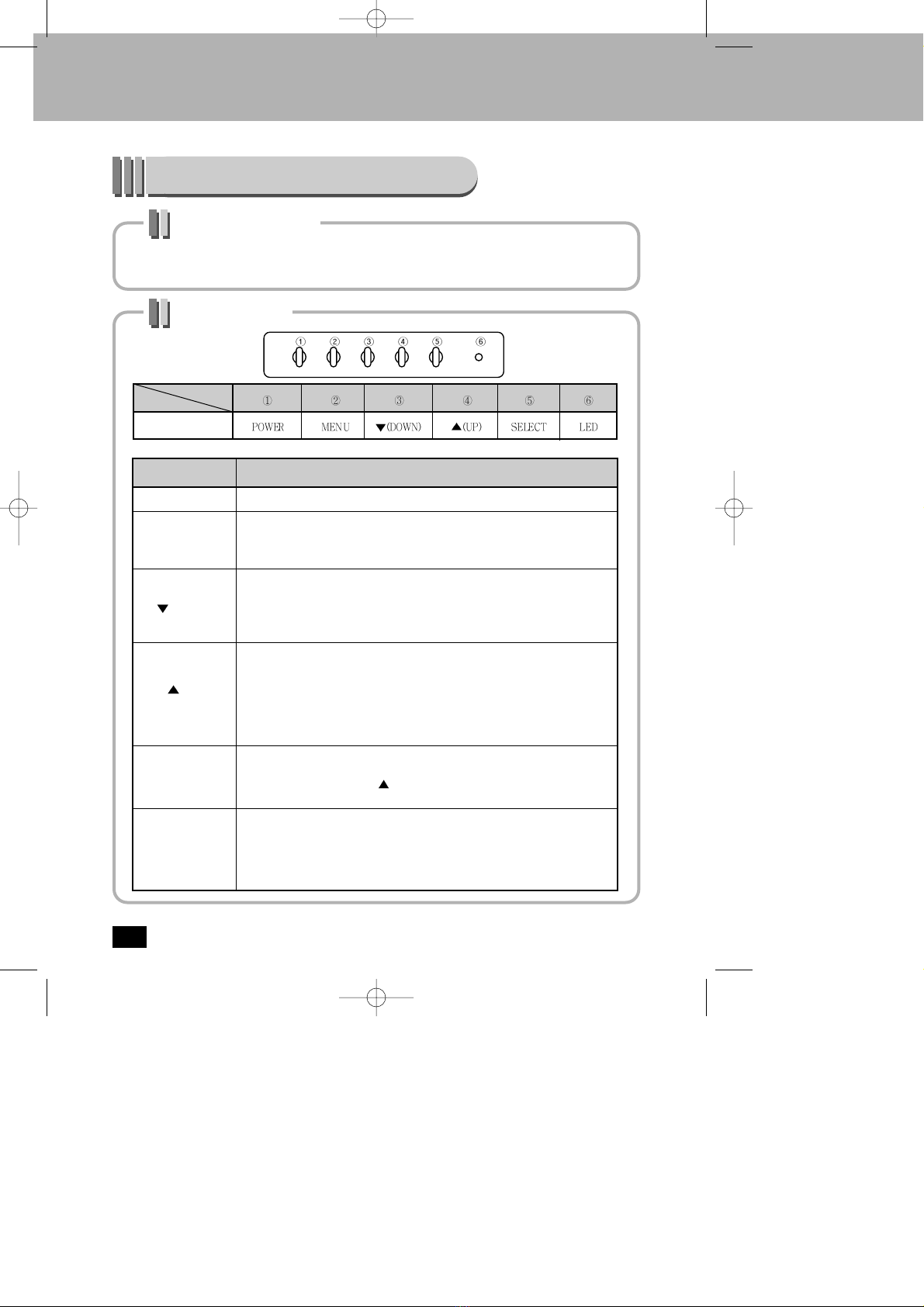
Buttons for function controls of monitor are under the monitor .
Adjust your monitor picture, after reading the button explanation correctly.
Button Position
Nom
POWER
Power ON/OFF the monitor
MENU
OSD(On Screen Display) On/OFF
Sub menu EXIT
Main menu EXIT
(DOWN)
Brightness control
OSD Main menu right direction
OSD Sub menu down direction
Adjustment of select menu
Descriptions
(UP)
Volume control
Mute will be stopped by pressing this key on mute status.
OSD Main menu left direction
OSD Sub menu up direction
Adjustment of select menu
SELECT
OSD menu select
Press this key after pressing (UP) key, and then this key works as mute.
LED
GREEN : Normal Operation
OFF : Turns off the monitor
Orange : Power saving mode or no signals
LCD17ANM
No.
model
Monitor Function
SDM1701S(¿„fi)2004.2.254:51PM˘`7
8
Auto Adjustment
Whenever you open the on-screen menu and allow an adjustment window to remain active
for about 10 seconds without pressing other buttons, the monitor automatically saves any
adjustment you have made. You can adjust time limit 10 seconds to 40 seconds .
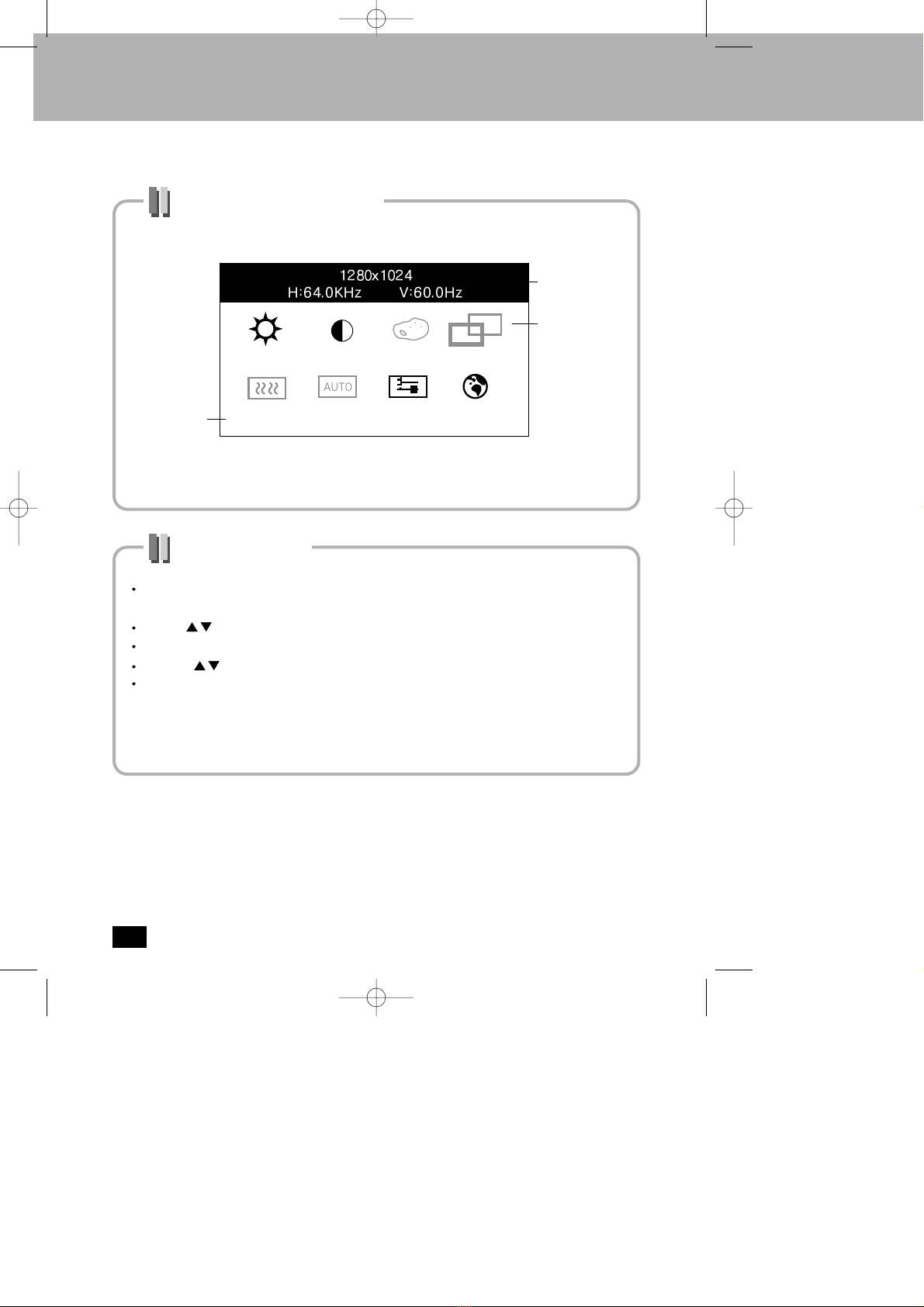
OSD (On Screen Display)
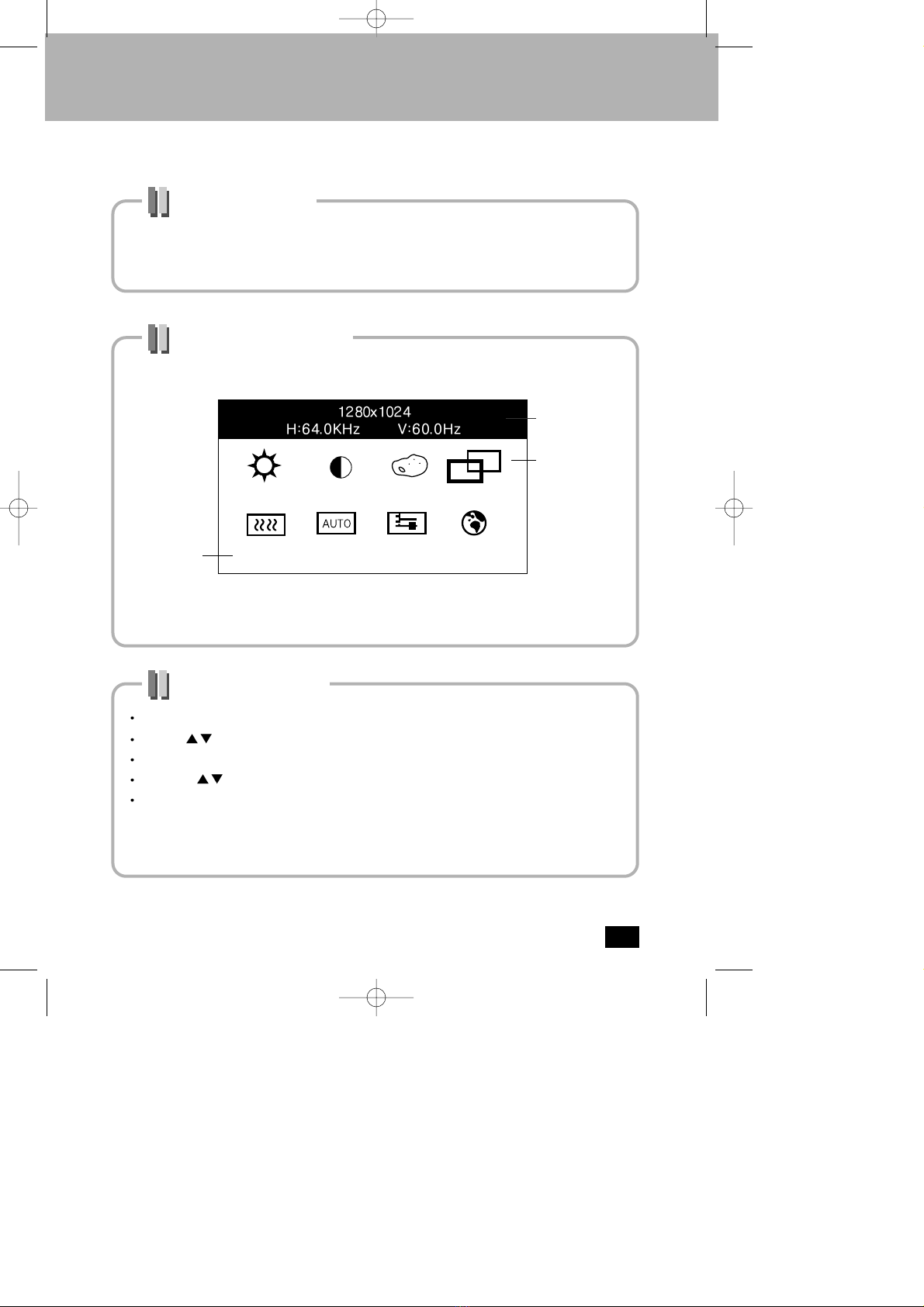
Accessing the Menu
Press the menu button to call the main OSD menu.
Use the buttons to move from one function to another function.
To enter the function, Press the SELECT button.
Then use buttons to adjust value .
To return to the main menu, press the MENU button.
NOTE : The numeric value indicator is provided as a point of reference only and has
nothing to do with a real measurement .
Analog OSD
Mode Information
Fonction Icone
Function Names
BRIGHTNESS
SDM1701S(¿„fi)2004.2.254:51PM˘`8
9
OSD (On Screen Display)
Accessing the Menu
Press the menu button to call the main OSD menu. On Digital OSD there are no
functions that is Color Control, Position, Clock/Phase, Auto Adjust.
Use the buttons to move from one function to another function.
To enter the function, Press the SELECT button.
Then use buttons to adjust value .
To return to the main menu, press the MENU button.
NOTE : The numeric value indicator is provided as a point of reference only and has
nothing to do with a real measurement .
Digital OSD
Mode Information
Fonction des Icones
Fonctions Nom
BRIGHTNESS
SDM1701S(¿„fi)2004.2.254:51PM˘`9
10
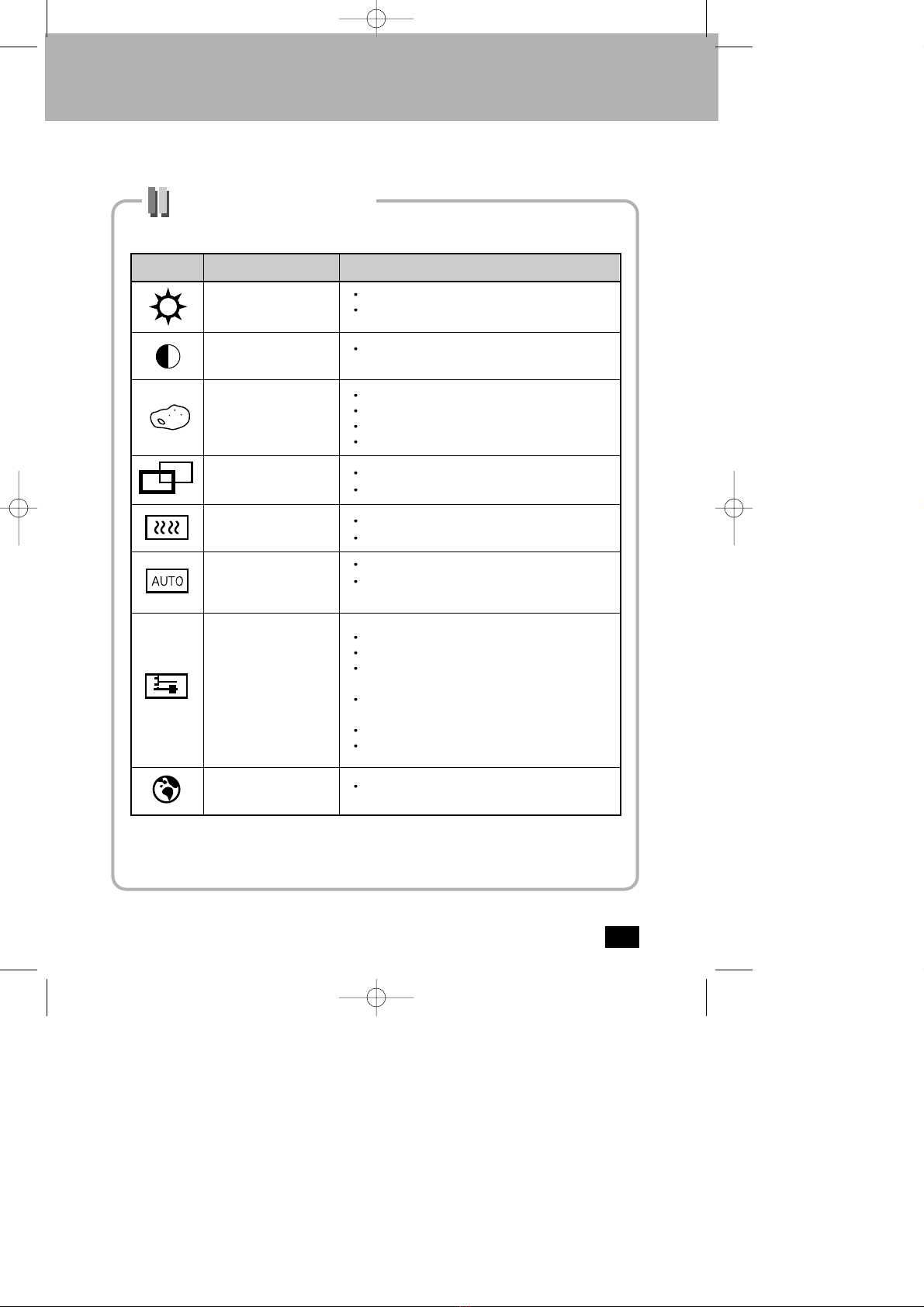
OSD Function Explanation
Icons Name
BRIGHTNESS
Brightness adjustment`s function
You can adjust BRIGHTNESS by controlling
backlight brightness.
Descriptions
CONTRAST
COLOR CONTROL
POSITION
CLOCK / PHASE
AUTO ADJUST
MISCELLANEOUS
LANGUAGE
You can adjust CONTRAST by controlling input
signal level.
Color temperature adjustment`s function
USER: R/G/B block level adjustment
MODE 1: Color temperature 9300K
MODE 2: Color temperature 6500K
H-Position: Horizontal position adjustment
V-Position: Vertical position adjustment
Phase: Detailed adjustment
Clock: Picture adjustment
self-adjust to the incoming video signal
The values of phase, Clock and position are adjusted
automatically.
RECALL : Restores default values.
SOUND : Volume control/Mute
OSD Time : Adjustable in the range of 10 to 40
seconds.
OSD Position : Adjusts the horizontal/Vertical
position of the OSD Menu.
Auto Color : adjust color.
Input Select: Analog/Digital select
language select (English, Deutsch, French, Spanish,
Italian)
SDM1701S(¿„fi)2004.2.254:51PM˘`10
Table des matières
Autres manuels Sodiff Moniteur


