
Social Micro II SM301 Manuel utilisateur
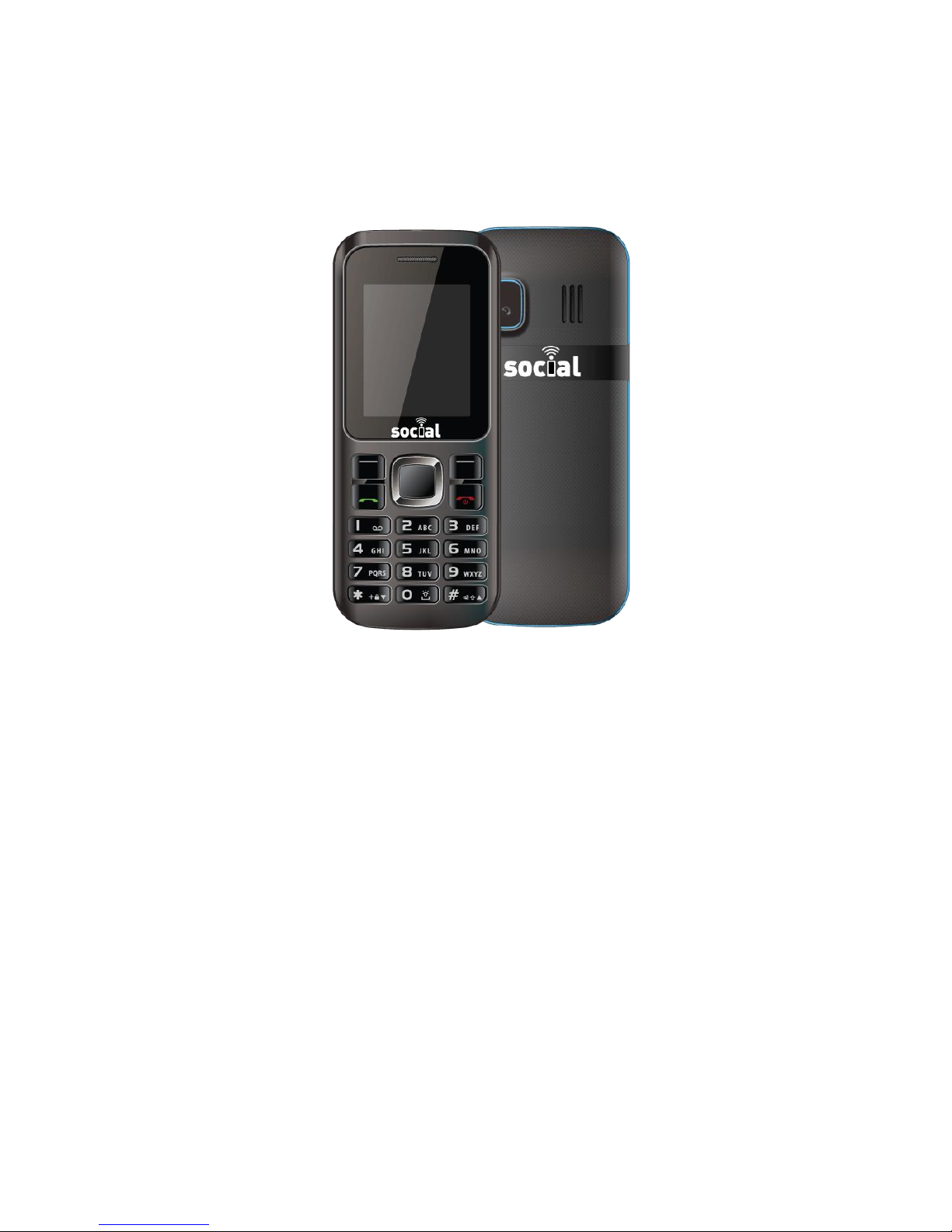
Micro II SM301
User Manual
08
Fall

Table of Contents
Getting Started ................................................................................................. 4
Insert the SIM Card and Battery ............................................................................4
Insert the Media Card.............................................................................................4
Keys and Parts..........................................................................................................5
Basics .................................................................................................................. 6
Display Indicators.....................................................................................................6
Writing Text................................................................................................................7
Phone ................................................................................................................. 8
Make or Answer a Call ...........................................................................................8
In-Call Menu .............................................................................................................8
Speakerphone .........................................................................................................9
Profiles................................................................................................................. 9
Changing Profiles.....................................................................................................9
Customizing Profiles.................................................................................................9
Voicemail........................................................................................................... 9
Messaging........................................................................................................ 11
Sending a Text Message.......................................................................................11
File Manager ................................................................................................... 11
Viewing Images .....................................................................................................11
Changing Wallpapers...........................................................................................12
Playing Audio Files .................................................................................................12
Sending Files via Bluetooth...................................................................................12
Entertainment.................................................................................................. 12
FM Radio.................................................................................................................13

Audio Player ...........................................................................................................14
Sound Recorder.....................................................................................................15
Video Player ...........................................................................................................15
Organizer ......................................................................................................... 16
Calendar.................................................................................................................16
Alarm .......................................................................................................................17
Settings ............................................................................................................. 17
Dual SIM Settings....................................................................................................17
Phone Settings........................................................................................................17
Network Settings ....................................................................................................18
Security Settings .....................................................................................................18
Bluetooth.................................................................................................................19
Restore Factory Settings .......................................................................................20
Access Codes ................................................................................................. 20
Help and Support ........................................................................................... 20

Getting Started
Insert the Battery
1. Remove the back cover.
2. Line up the battery contacts, and put the battery in.
3. Press the back cover down until it locks into place.
4. To switch on, press and hold the power button.
Insert the Media Card
1. Switch the phone off, and remove the back cover.
2. If the battery is in the phone, lift it out.
3. Slide the memory cardholder down towards the bottom of the
phone. It will pop up.
4. Put the media card in, contact area face down.
5. Slide the holder up until it locks into place.
6. Line up the battery contacts, and put the battery in.
7. Press the back cover down until it locks into place.
8. To switch on, press and hold the power button
Keys and Parts
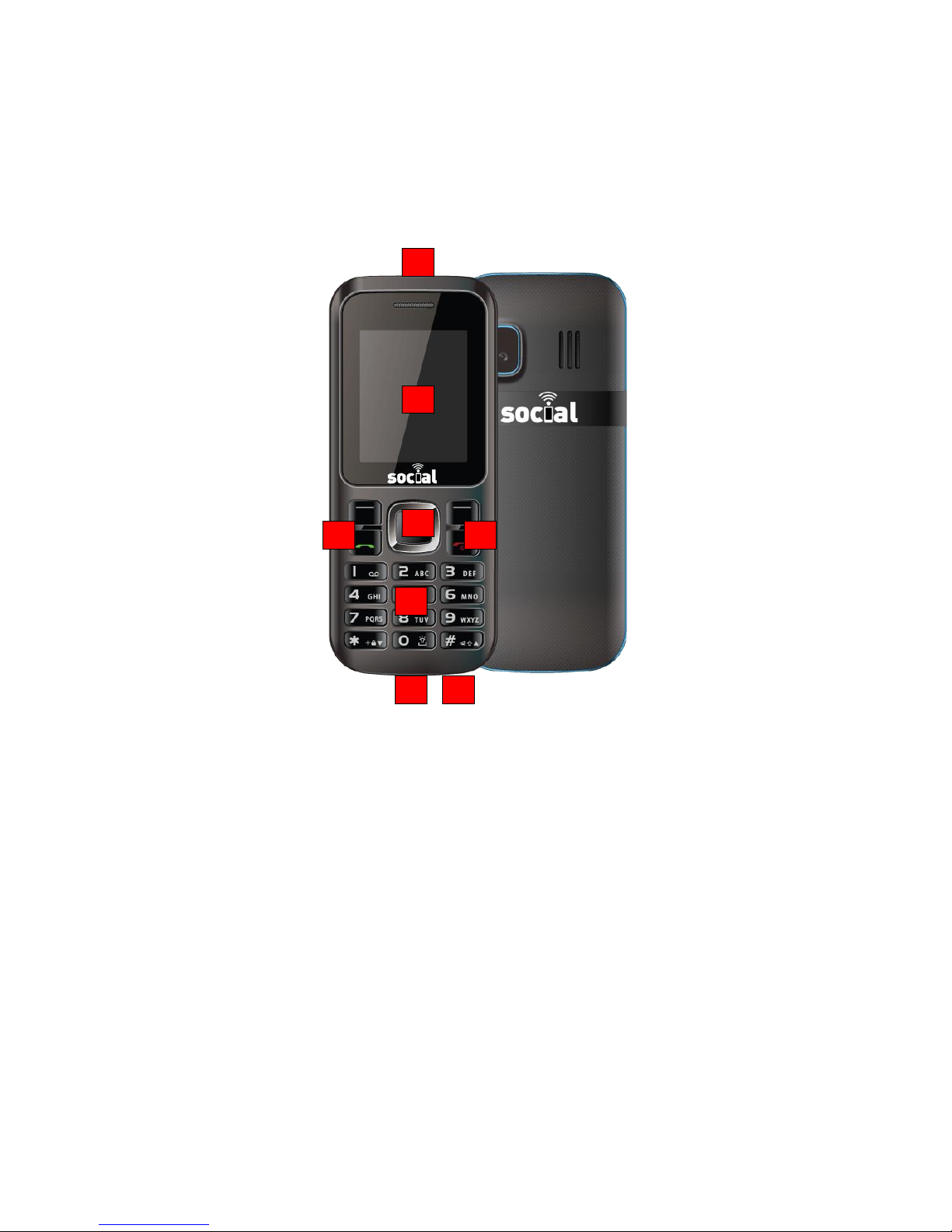
Explore the keys and parts of your phone.
1 Charger & Micro-USB connector
2 Headset connector (3.5 mm)
3 Screen
4 Answer call key
5 End/Power key
6 Keyboard
7 Number keys
8 Direction pad
1
2
3
4
5
6
7
8
9 Soft keys
10 Flashlight
11 Loudspeaker
TIP: By default, the phone will automatically lock the keypad after a set
period of time. To unlock, press the left soft key and then *.
Basics
Display Indicators
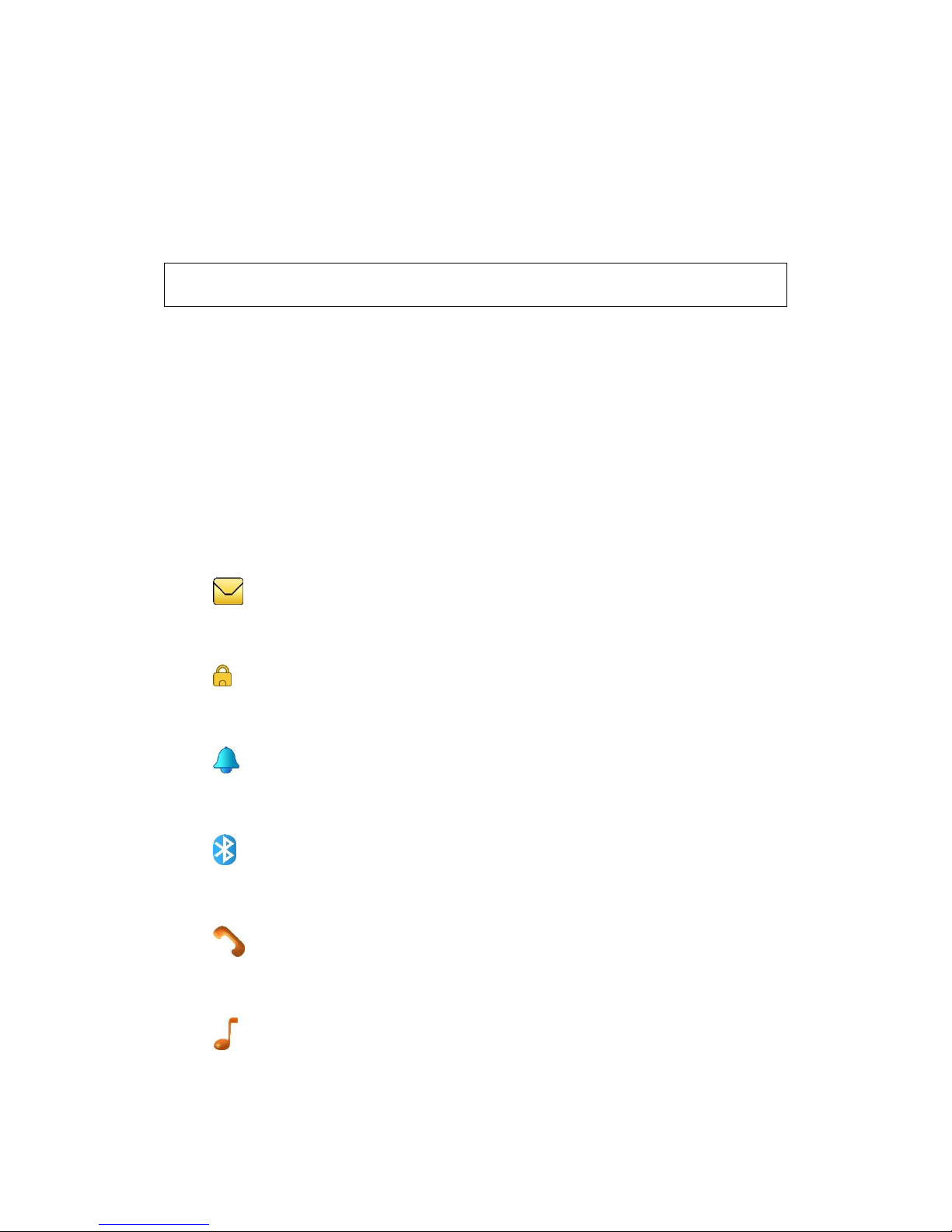
The display indicators on your phone tell you the battery life, signal
strength, and much more.
You have unread messages.
The keys are locked.
An alarm is set.
Bluetooth is on.
There is a missed call.
The General profile is selected.

The Silent profile is selected.
The Outdoor profile is selected.
Writing Text
With the keyboard you can write your messages in no time.
Change the default language
To set the default language, go to Settings > Phone settings >
Language. Choose a language and press OK.
Change the default input method
To set the default input method, go to Settings > Phone settings > Pref.
input method. Choose the input method and press OK.
Switch to number mode
To temporarily enter a number while composing a message, press the
ALT button and then a number key. To switch to number mode, while
composing a message, press Options > Input method > Numeric and
then press OK.
Switch between character cases
Press the shift key.
Type in the number or character printed at the top of a key
Press the ALT key and then the key with the character you want to
enter.

Type in a special character or symbol
Press the SYM key, and select the symbol.
Phone
Make or Answer a Call
1. On the home screen, type in the phone number.
2. Press the Call key.
3. If asked which SIM to use, select a SIM and press OK.
In-Call Menu
During a call, select the Options menu for these in-call features:
Preserve: keep the current call, can be carried out in second groups.
Main menu: return to the main menu.
Recording: start recording the current call.
Mute: temporarily mute the microphone so that the other party can’t
hear you. Restore the microphone by selecting unmute.
Volume: during a call, you can adjust the speaker volume

Speakerphone
During a call, press the left soft key for H-free (hands-free) to conduct
the call through the loudspeaker. Press the left soft key again for H-held
(handheld) to conduct the call through the handset speaker.
Profiles
Changing Profiles
To change profiles, select Menu > Profiles. Select a profile and press
OK.
Customizing Profiles
To customize a profile, select Menu > Profiles. Select a profile and press
Options > Customize. Adjust your desired settings. Then press Options >
Save and press Select.
Voicemail Setup
To set up voicemail, simply call your own US phone number and wait
for the welcome message. When you hear the welcome message,
press the star (*) key and follow the prompts.
Helpful Hints
Hold down 1 to speed dial your voicemail. The first time you do
this, you will be asked to set up your voicemail phone number.
While listening to your messages, you can press the # key at any
time to skip to the next message.
To return to the main menu at anytime, press * * .
To back-up to the previous menu or cancel a command, press *
.

Messaging
Sending a Text Message
With text messages, you can quickly contact your friends and family.
1. Select Menu > Messaging.
2. Select Compose message.
3. Write your message.
4. To add a contact as a recipient, select Send to. Choose whether
to add a recipient from your Phonebook or from the SIM card. To
type in a recipients’ phone number, select Enter number.
5. Once the recipient number or contact is selected, press Send. If
asked, select which SIM to use.
File Manager
The File Manager lets you browse directories and files stored on the
memory card. NOTE: You must insert a memory card in order to use the
File Manager.
Viewing Images
1. Select Menu > File Manager.
2. Select any image file stored on the memory card.
3. Click Options > View details.
4. Press left or right on the direction pad to scroll through images.
Changing Wallpapers
When viewing any image, select Options > Use as > Wallpaper. Press
OK.
Ce manuel convient aux modèles suivants
1
Table des matières
Autres manuels Social Téléphone portable


