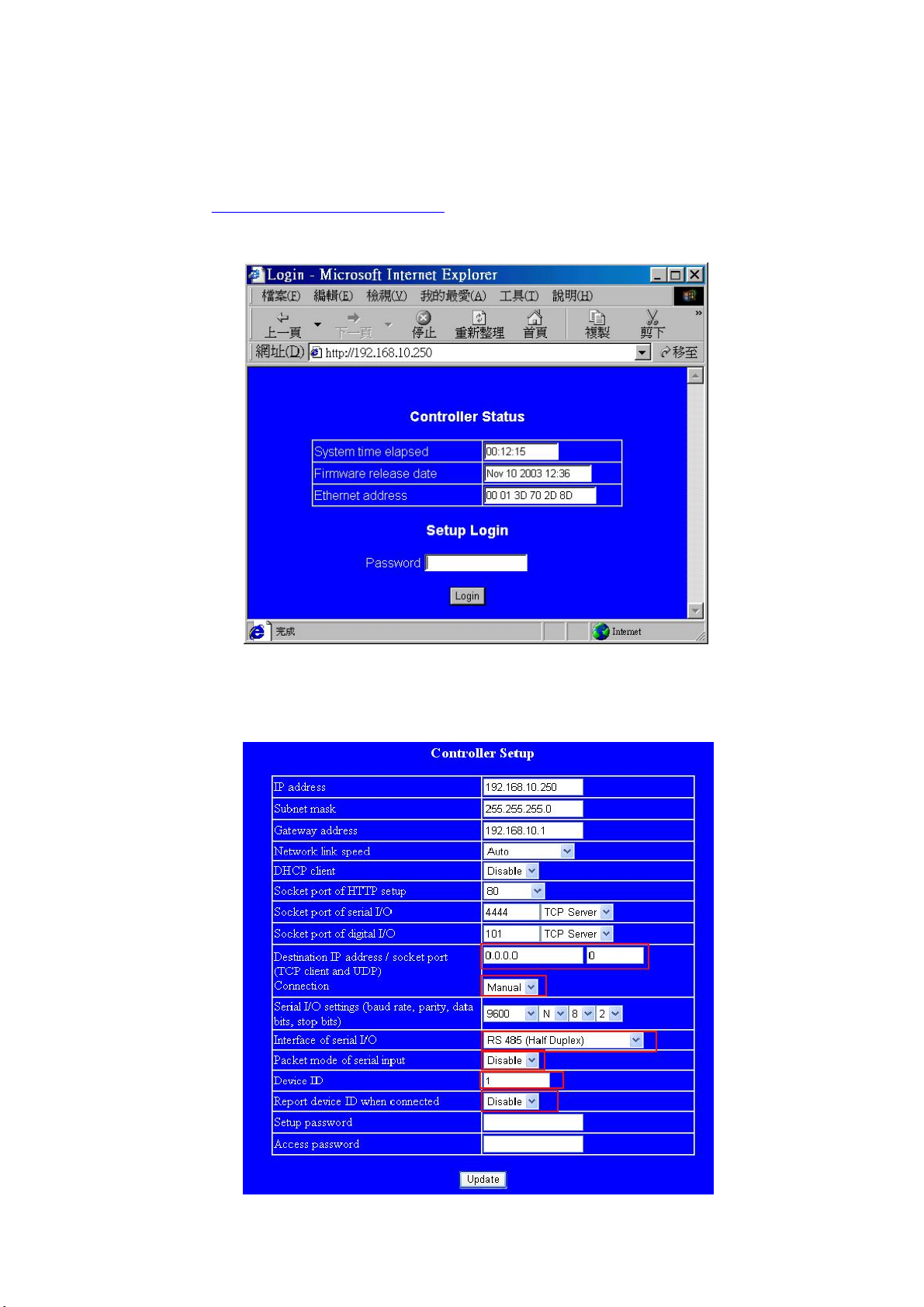
IP address
Disable(Set IP as reser ve d at DHCP Serve r Com if
DHCP is activated )
80 (port which is used as to enter setting web page)
0.0.0.0,0 (Set the connection as Manual)
Disable
Disable
10
1
Subnet mask
Gateway address
DHCP client
Socke t port of HTTP setup
Socke t port of serial I/O
Socke t port of digital I/O
Interface of serial I/O
Dervice ID
Report device ID when
connected
Setup password
Access password
Packet mode serial input
Packet mode interpacket
timeout
Destination IP address /
socket port (TCP client and
UDP) Connection
Serial I/O settings(baud rate,
parity,data bits,stop bits)
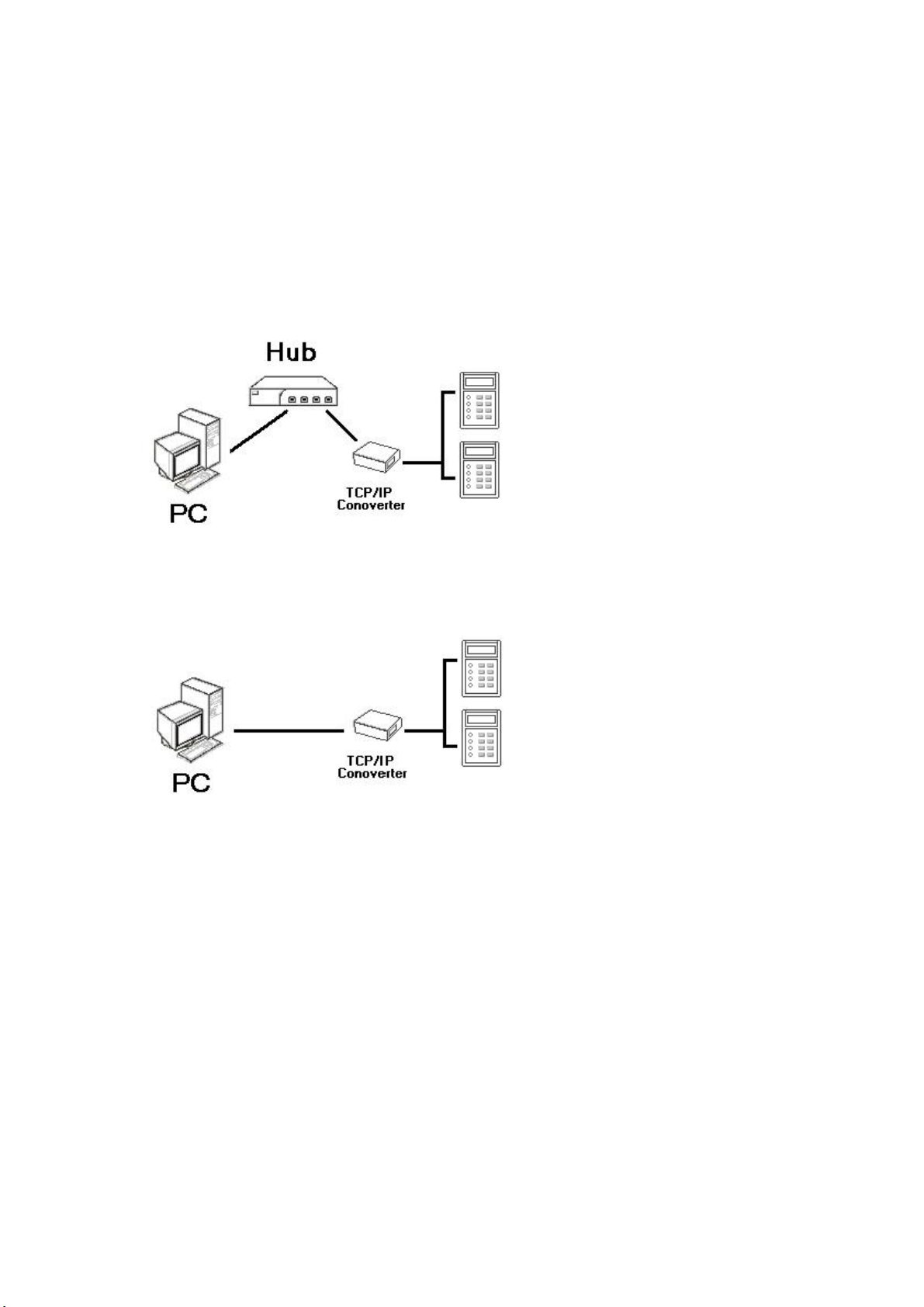
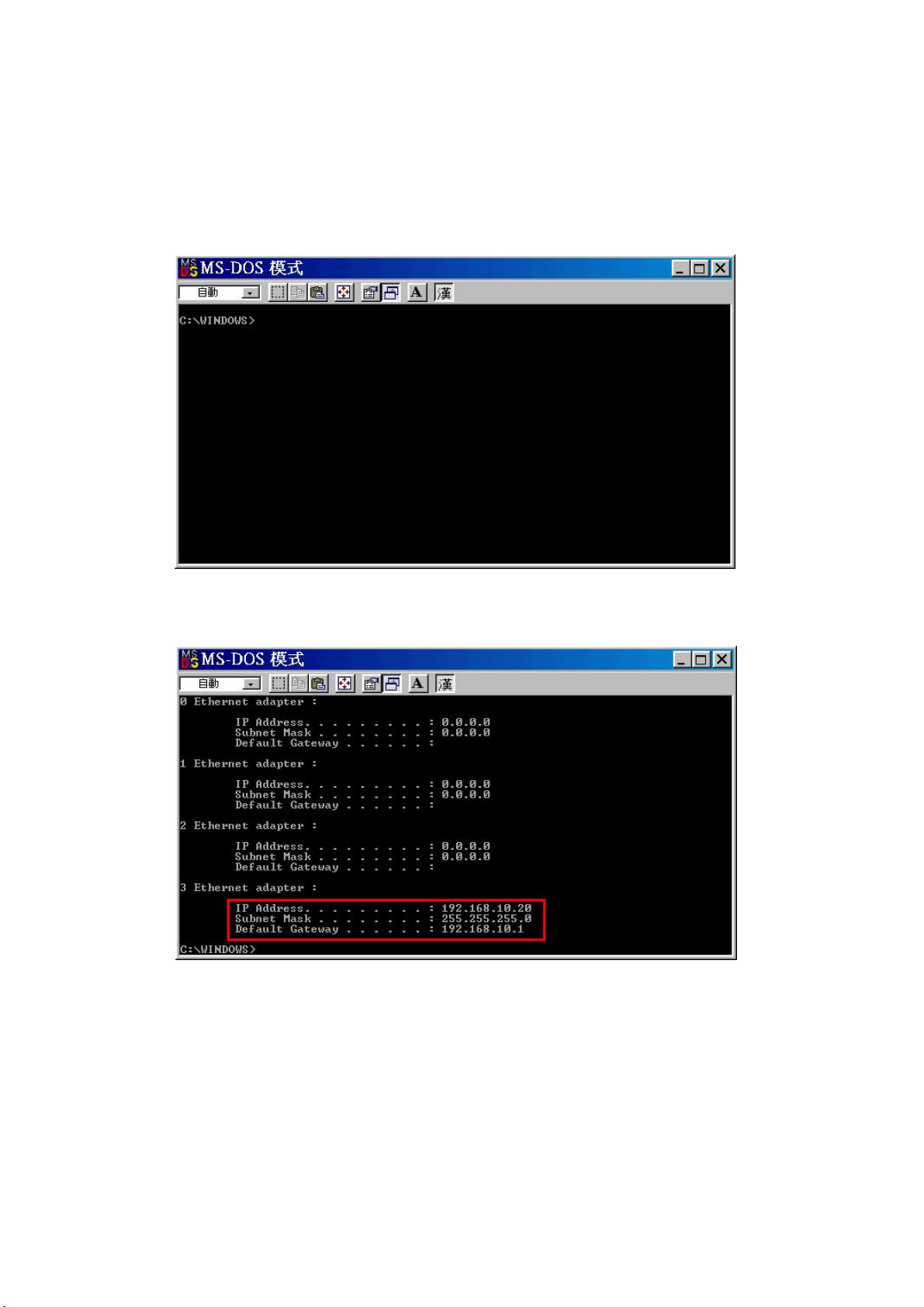
TCP/IP Converter's IP A ddress
Subnet Mask(defau lt 255.255.255.0)
Gateway Address
4444,TCP Server (Select and set as TCP server)
Socket port value ranges from 1024 ~ 65535
101,UDP Set this valu e as pe rmanent as user will not
need this function.
.
.
.
.
.
.
ST680 sets as 9600,N,8,2
ST3000 sets as 9600,N,8,1
ST6000 sets as 9600,N,8,1
SF1000 sets as 9600,N,8,1
SF1000 T sets as 9600,N,8,1
ST500A set s as 9600,N,8,1
.
.
.
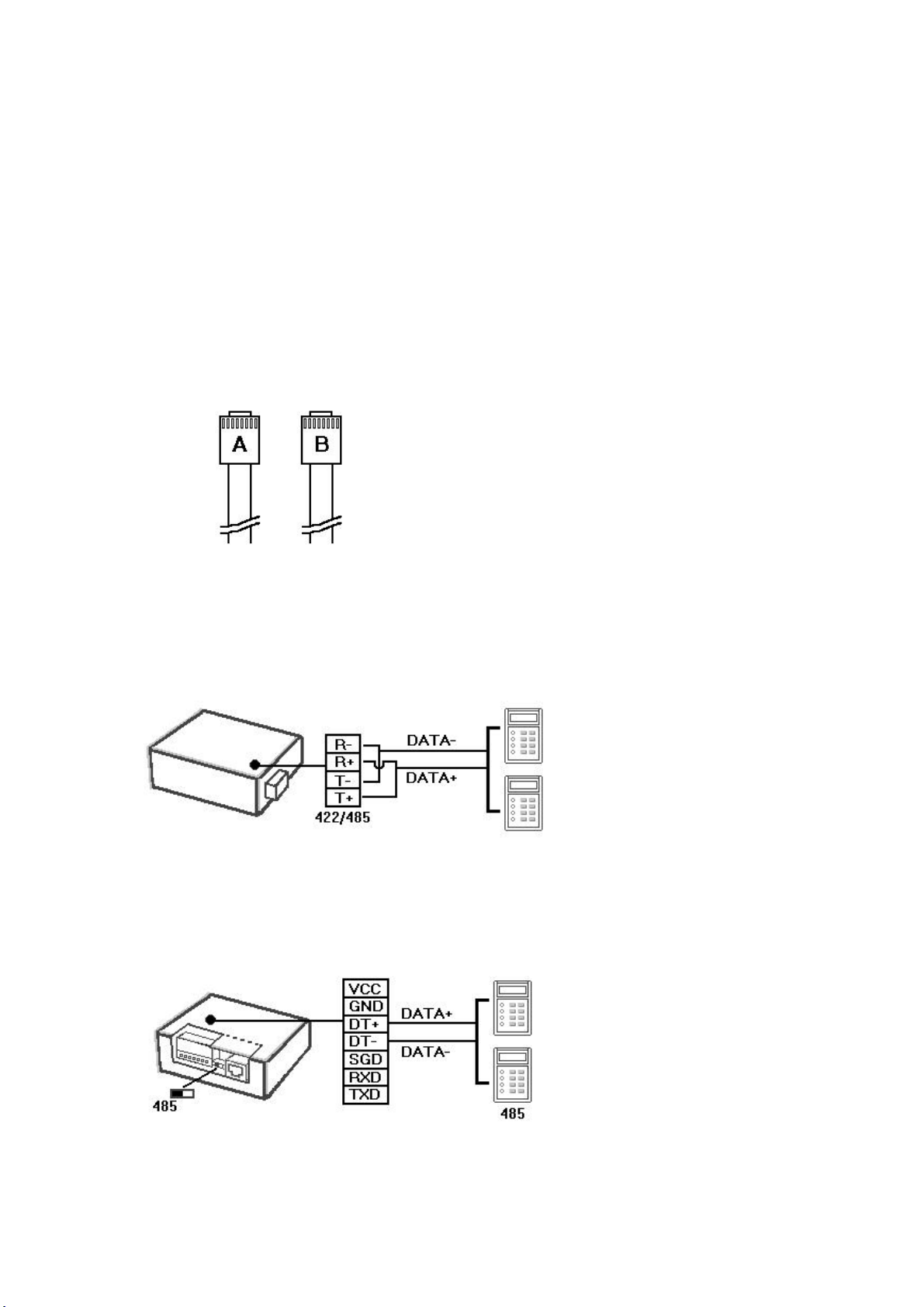
Select RS 232 if the external reader is using RS 232
communica tion mode.
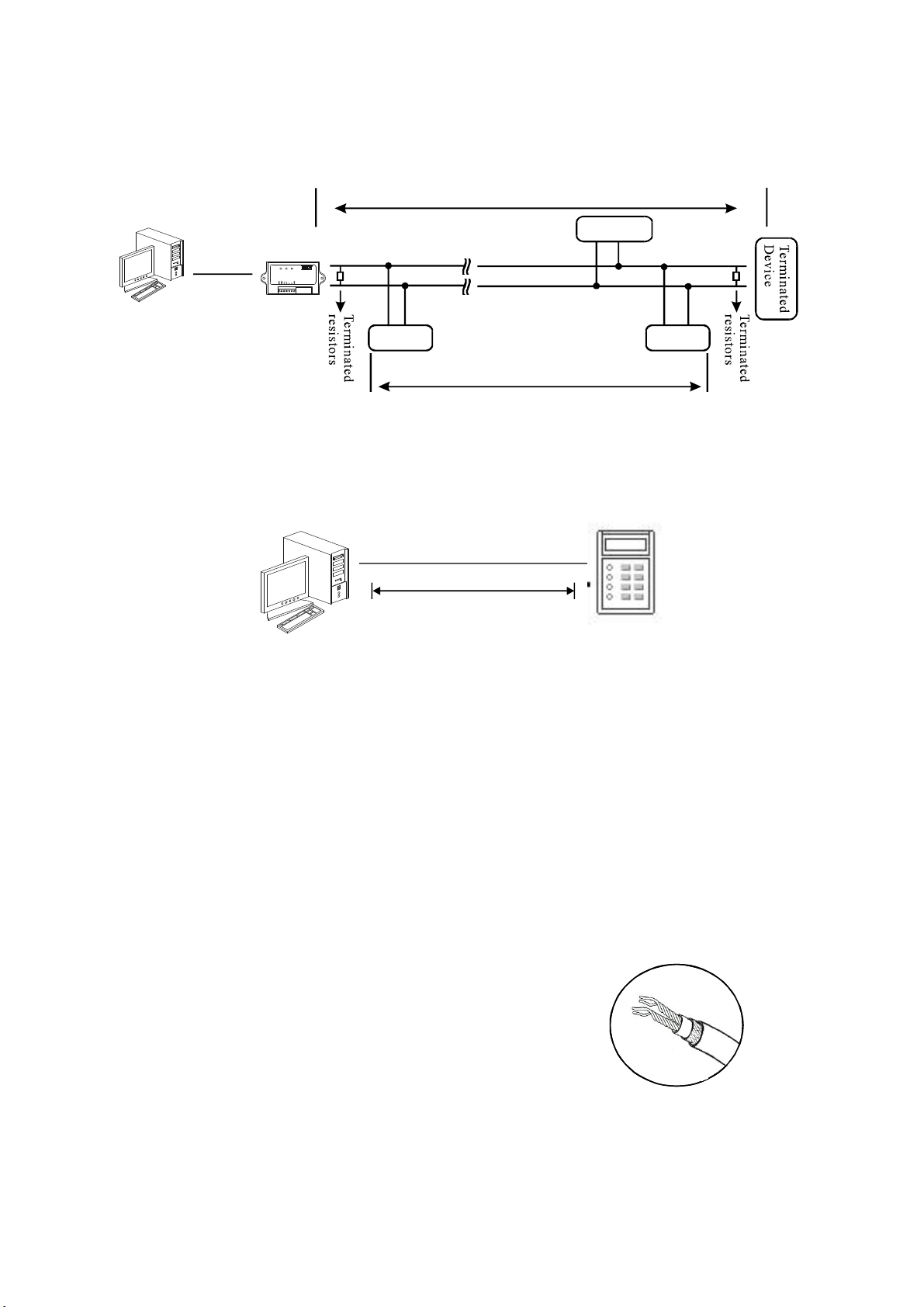
Select RS 485 (Half Duplex) if the ex te rnal reader is
using RS 485 communication mode.
Select RS 485 (Half Duplex) if TCP/IP Converter is
builti n and switch the reader to RS 485.
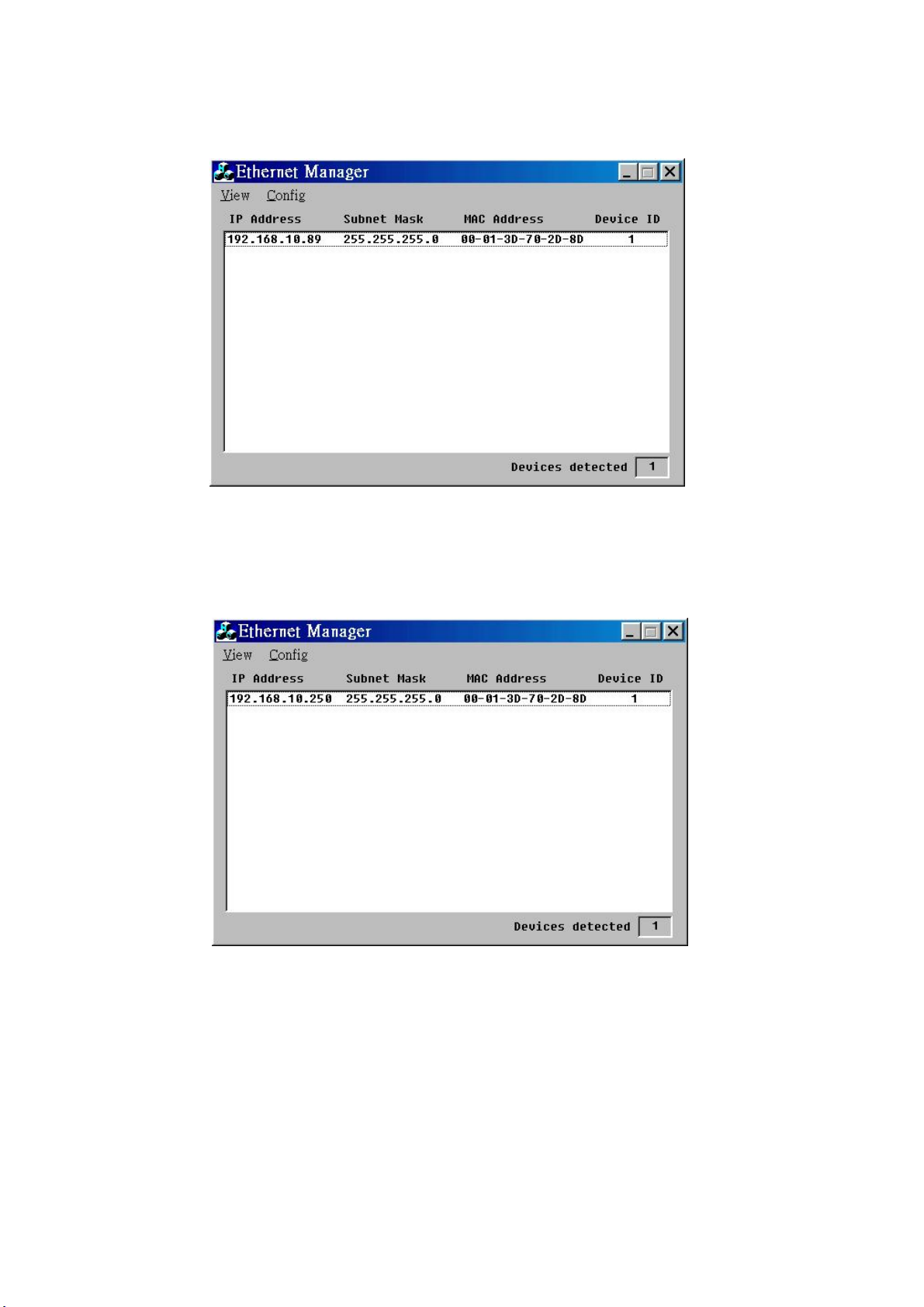
Setup password:
ETM.EXE s Config IP Address will be disable
if any setup password appeared here.
' 【 】->【 】
Not available (leave this space blank as it is reserved or
else it may n ot be a ble to connect)
8
(Default value as 1, please do not alter the value or else it
may not be able to connect)
Network link speed Auto; se t as AUTO