
SMS Audio SYNC by 50 On-Ear Bluetooth Manuel utilisateur
SYNC by 50
PORTABLE BLUETOOTH®SPEAKER
OWNER’S MANUAL

SYNC by 50 Portable Bluetooth®Speaker

You have just purchased the ultimate in personal audio
performance, comfort, style and luxury.
Please take a few moments to familiarize yourself
with the controls and operation of your new portable speaker.
Also, please take note of any warning notices throughout this
manual. Listening to any audio source at loud volumes can
cause permanent hearing damage.
P.S. Tweet up and let me know what you think: @SMSAudio and @50cent.
SYNC by 50 Portable Bluetooth®SpeakerCongratulations
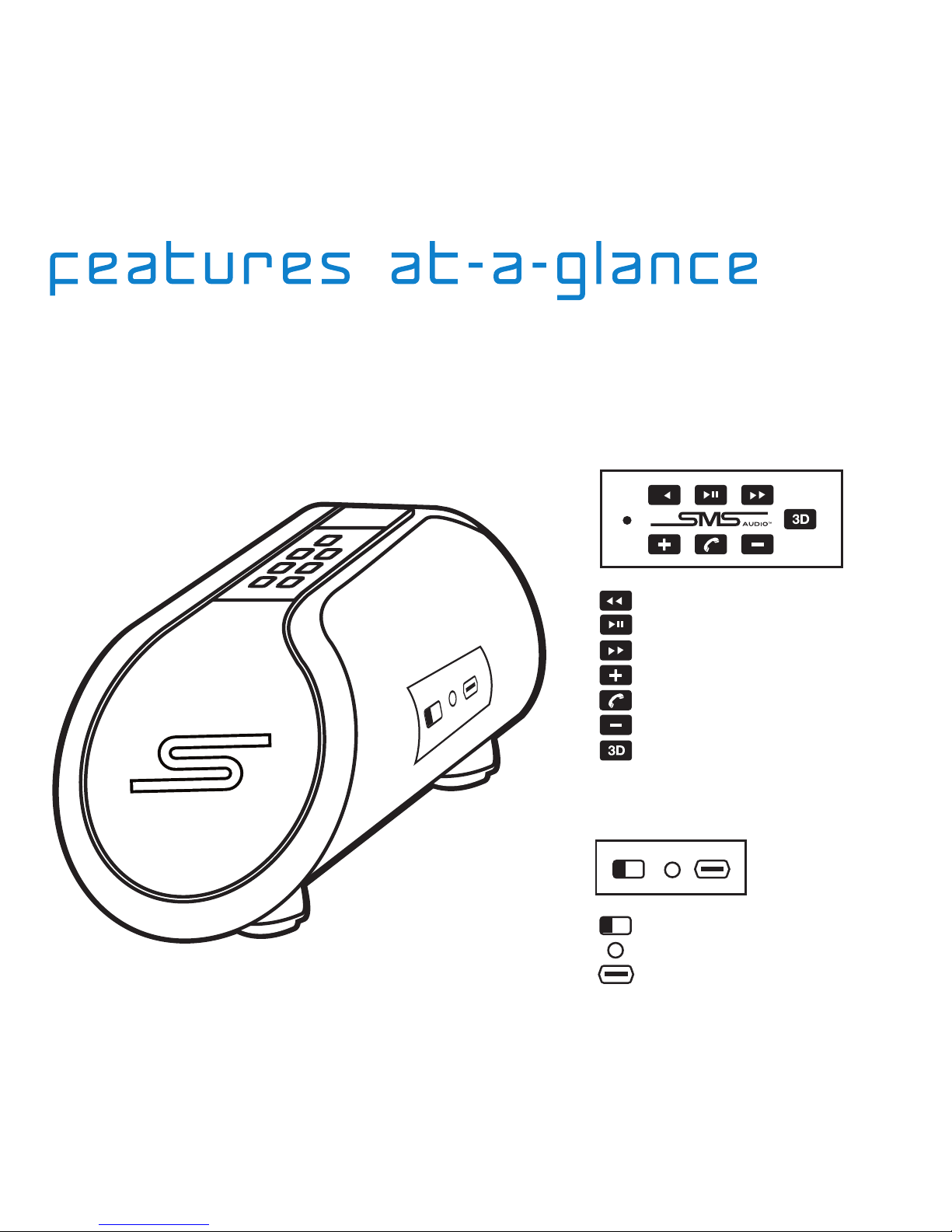
Refer to this guide for button descriptions and
locations of other features mentioned throughout
the manual.
Button Locations & Descriptions
Controls:
Ports and Switches:
Track Back
Play / Pause
Track Forward
Track forward
Talk
Volume Down
3D Sound
Power Off / Power On / Pair
3.5mm Audio
Micro USB Charge Port
Powering On/Off:
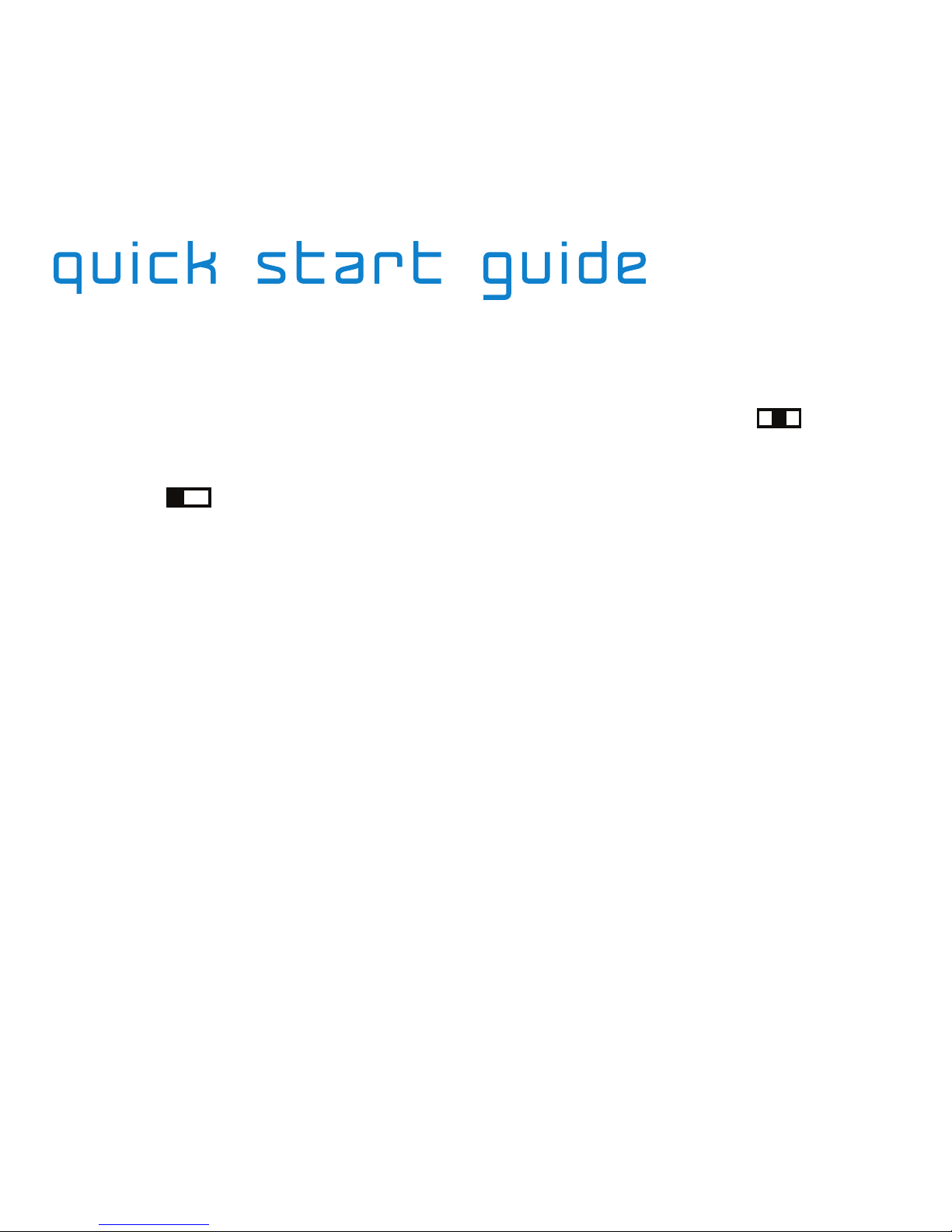
To turn on: push power/pairing switch to center position. A tone will sound
indicating the power is on and LED light will begin to blink.
To turn off: push power/pairing switch to off position. LED light will stop
blinking.
Notice: The SYNC by 50 Portable Bluetooth Speaker has a rechargeable lithium-ion battery.
Please charge fully before first use.
Connecting Your Device:
1. Make sure your device is in Bluetooth discovery mode.
2. When power is on and LED light is on, push and hold the power/pairing
switch in the SYNC position for approximately 2 seconds. 3 LED lights will
begin to flash in rotation.
3. Release the power/pairing into the center position and choose ‘SYNC
by 50’ on your pairing device (New devices will connect automatically
– some older devices may require password ‘0000’ to be entered).
4. Once connected, the next time the SYNC by 50 Portable Bluetooth
Speaker is turned on, it will automatically connect to your device.
Getting Started

On-Board Controls / Phone Mode
Listening to Music:
Using Bluetooth: Once your device is connected to the SYNC by 50 Portable
Bluetooth Speaker, begin to play music and you will be listening wirelessly.
Using 3.5mm Audio Cable: Instead of using Bluetooth to listen wirelessly,
you may also use the supplied audio cable to listen. Simply plug the
straight end of the audio cord into the 3.5mm jack on the speaker and the
other end into your device.
Full On-Board Controls:
While using Bluetooth to connect wirelessly, user will have full functionality*
to change the volume or track as well as pause the music and answer phone
calls (button functionality explained in Features at-a-Glance).
*SMS Audio does not guarantee the compatibility of all devices and functions. Limited
funtionality with 3.5 mm cord.
Music Controls: Phone Controls:
Play/Pause
Touch Play/Pause to
launch the phone’s MP3
player and begin playing
music. Touch this button
to pause and resume
playback.
Select a song
Touch or .
Answer a call while
playing music
To Answer Call, touch
Talk. To reject Call, touch
Play/Pause. Touch Talk
again to End Call. Music
will resume when call is
ended or rejected.
Change the volume
Press + or – .
Voice dial
Touch Talk once. (Some
phones might not support
this feature.)
Redial
While in voice mode, touch
Talk twice.
Answer a call
Touch Talk once.
End a call
Touch Talk once.
Refuse a call
While your phone is ringing,
Touch Play/Pause.
Change the volume
Touch + or – .
Transfer a call between
connected devices
Touch Talk twice.

Near Field Communication
NFC (Near Field Communication):
Phones that support NFC will have the ability to power on/off and also pair
their device to the SYNC by 50 Portable Bluetooth Speaker.
How to use NFC:
1. Mark the NFC checkbox from your phone’s main application screen
(Settings > More > NFC).
2. While the NFC feature is turned on and the phone screenactive, place phone
within 1 inch of the SYNC by 50 Portable Bluetooth Speaker.
3. Once detected, the phone should display a confirmation screen.
4. Tap Next and the phone will automatically pair to the SYNC by 50 Portable
Bluetooth Speaker.
*In order to use NFC features, your device must support NFC.
Battery Status:
The color of the LED light on the top of the SYNC by 50 Portable Bluetooth
Speaker will indicate current battery charge.
Blue: 60 – 100%
Green: 15 – 60%
Red: < 15%
* SYNC by 50 Portable Bluetooth Speaker also supports battery indicator on pairing device.

Using 3D Sounds:
To enable 3D sound while listening to music, simply touch the 3D sound
button to select the next pre-set 3D sound effect.
1. Normal – playback of the original music source (two beeps indicate normal
mode is selected).
2. eXTX – delivers much wider and affluent surround sound images based on
the acoustic crosstalk cancellation technology.
3. Live – delivers a natural and soft 3D sound field effect simulating that of a
live performance.
4. Wide – provides a panoramic 3D audio image of widely spread main vocal
and center-placed instrumentals.
5. MEX – not only delivers wide stereo sound image, but also enhances low-
frequency sound to provide rich and deep bass tones.
*If Bluetooth codec is connected to apt-X codec, have the change to SBC to use
3D sound effects.
Using apt-X:
If your device supports the apt-X codec, the SYNC by 50 Portable Bluetooth
Speaker will automatically be active. You may also press and hold the 3D
sound button for 2-3 seconds to select 3D or apt-X mode. Once 3D mode is
selected, you can cycle through 5 different pre-set sound effects.
*3D sound effects are not supported for apt-X codec.
3d Sounds / Apt-x

LED Light Messaging:
Maintaining Your SYNC by 50 Bluetooth Speaker:
- Do not place the product near fire. The battery may heat up and explode.
-
Do not drop or apply excessive force to the product as it may become damaged.
- When storing the product for an extended period of time, store it in a dry
place and avoid extreme temperatures.
- If the product gets wet, avoid exposure to heat or an electrical current.
- Always use a compatible USB/AC adapter to charge your SYNC by 50
Portable Bluetooth Speaker.
Resetting SYNC by 50 Portable Bluetooth Speaker:
If the SYNC by 50 Portable Bluetooth Speaker needs to be reset, hold the
power switch in the pairing position and touch the volume up button at the
same time.
LED Messages / Maintenance / Restting
Power On
Blue, Green or Red SOLID LED
light depending on battery level.
Turning Off
Red LED dims and disappears.
Low Battery
SOLID Blue, Green or Red
light depending on battery level.
Recharging
One of Blue, Green or Red stays on.
Recharging Complete
All LEDs turn off.
Pairing Mode
Blue , Green and Red LEDs flash
in rotation.

Troubleshooting:
Problem: Not Charged
Solution 1: Connect SYNC by 50 Portable Bluetooth Speaker to a power source
for approximately 3 hours to fully charge. While charging, red LED light will
illuminate. Once charged, LED will turn off.
Problem: Product does not turn on.
Solution 1: Make sure the SYNC by 50 Portable Bluetooth Speaker is
fully charged.
Problem: I do not get as much talk time as I used to get
.
Solution 1: Make sure the SYNC by 50 Portable Bluetooth Speaker is
fully charged.
Note: The rechargeable lithium-ion battery is an expendable product and the battery life
will diminish over time.
Problem: No sound is coming out of the speaker.
Solution 1: The battery may be dead. Recharge the battery.
Solution 2: Make sure the paired audio source is turned on and
transmitting music.
Solution 3: Make sure the SYNC by 50 Portable Bluetooth Speaker and the
transmitting devices volumes are both turned up and not on mute.
Troubleshooting
Autres manuels pour SYNC by 50 On-Ear Bluetooth
2
Table des matières
Manuels Intervenants populaires d'autres marques


Bowers & Wilkins
Bowers & Wilkins 4 Manuel utilisateur

Sonance
Sonance SONOS OUTDOOR Series Manuel utilisateur

Electro-Voice
Electro-Voice EVID FM4.2 Manuel utilisateur

Pioneer
Pioneer XW-HTD630 Manuel utilisateur

Onn
Onn BWA16AA002 Manuel utilisateur

HP
HP GL313AA - USB Speakers PC Multimedia Manuel utilisateur