SMS Alert 9
Page 7of 7
11 Programmable
strings All the strings are programmable, except inputs 2 and 3.
12 Dual state inputs SMSmessagesaresendwhentheinputistriggeredbyapplying
negativepower,andagainwhenthenegativepowerisremoved,
e.g. input 2 and 3.
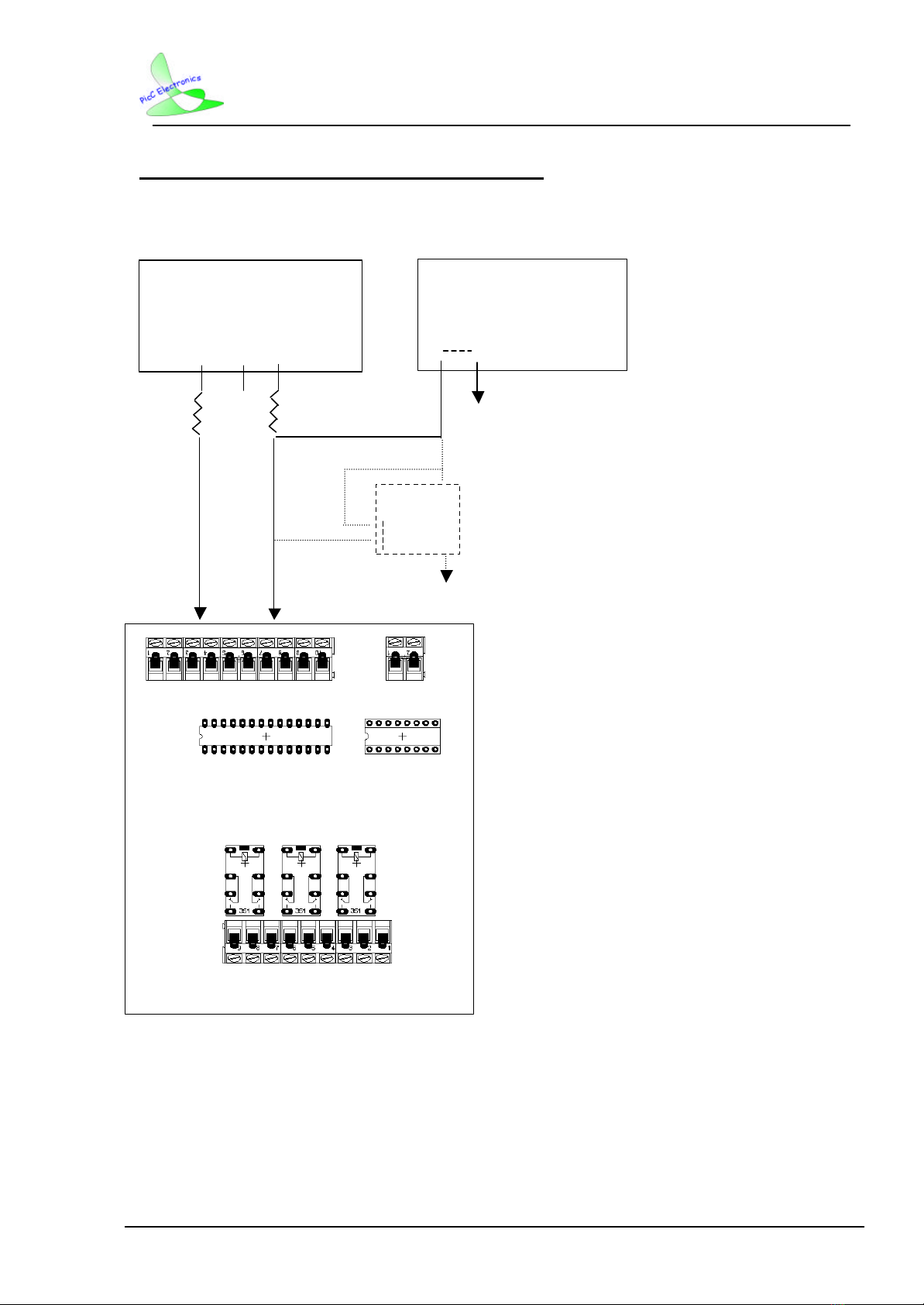
13 Interfacing to an
alarm panel Most alarm panels work on a negative closed loop principle.
SMS 1234 03 to the SMS Alert to change it to trigger on a
negative power remove (removing negative power from the
input).
Fault finding / Troubleshooting
1No cellphone signal If there is no network signal, go to Menu, Settings, Phone
Settings, Network Selection, and select Manual.Don’tchoose
between MTN and Vodacom, just go back to the main menu,
do the same thing over again and when you get to Network
Selection, choose Automatic.
2Flashing green LED Re-power the SMS Alert system. This happens when the SMS
Alert’spower is connected(reset)three times ina short period.
The automatic reset recovery is then disabled to protect the
phone until power is removed and applied again.
3Weak reception &
the aerial touching
wires
No wires must touch the aerial of the phone. The SMS Alert
won’t work inside a metal container. Use our magnetic
external extension aerials for weak reception.
4“Insert SIM-card”
error Remove the SIM-card and slightly twist the SIM-card contacts
more upward with a small screwdriver.
5Other equipment
used in conjunction
with SMS Alert
It is not recommended that other receivers, transmitters or
equipment be kept inside the SMS Alert box.
6Ad-hoc behaviour Ensure that a very good / smooth Power Supply Unit (PSU), or
power from the alarm panel is used where florescent tubes or
machinery are not in the proximity of the SMS Alert. Auxiliary
outputs on panels do not provide sufficient power.
7The green light goes
on but no SMS is
received
Make a call from the SIM card to any number -this will release
a call. You can also take out the SIM card and put it in another
phone and follow the voice prompts.
8Resetting the
system Never use the on/off button on the cellphone. Disconnect the
power from the SMS Alert instead and reconnect.
9Cellphone screen
dim or not working From time to time the screen might go dim. It will not prevent
the unit from working. It can be fixed manually. Please contact
us for support if it happens.
Thank you for using this product! Please note the following:
2. For software/hardware updates, please visit www.smsalert.co.za.
3. For support, phone us on 083 235 4916. Please note that your first point of call must be your
supplier or installer. If they are unable to help you, we will be more than happy to assist.