SMART
ROOM
SOUND
TROUBLESHOOTING
If a problem arrises,please try the troubleshooting frequently asked guide below. If the problem
is not listed please contact SMARTROOMSOUND Customer Service Support.
Q: Speaker has not been found during setup
A: Please check power cord is correctly connected in to speaker and transformer, Check the
Before commencing any electrical work ensure the supply is switched OFF at the mains.
Q: Speaker has failed to connect to Bluetooth
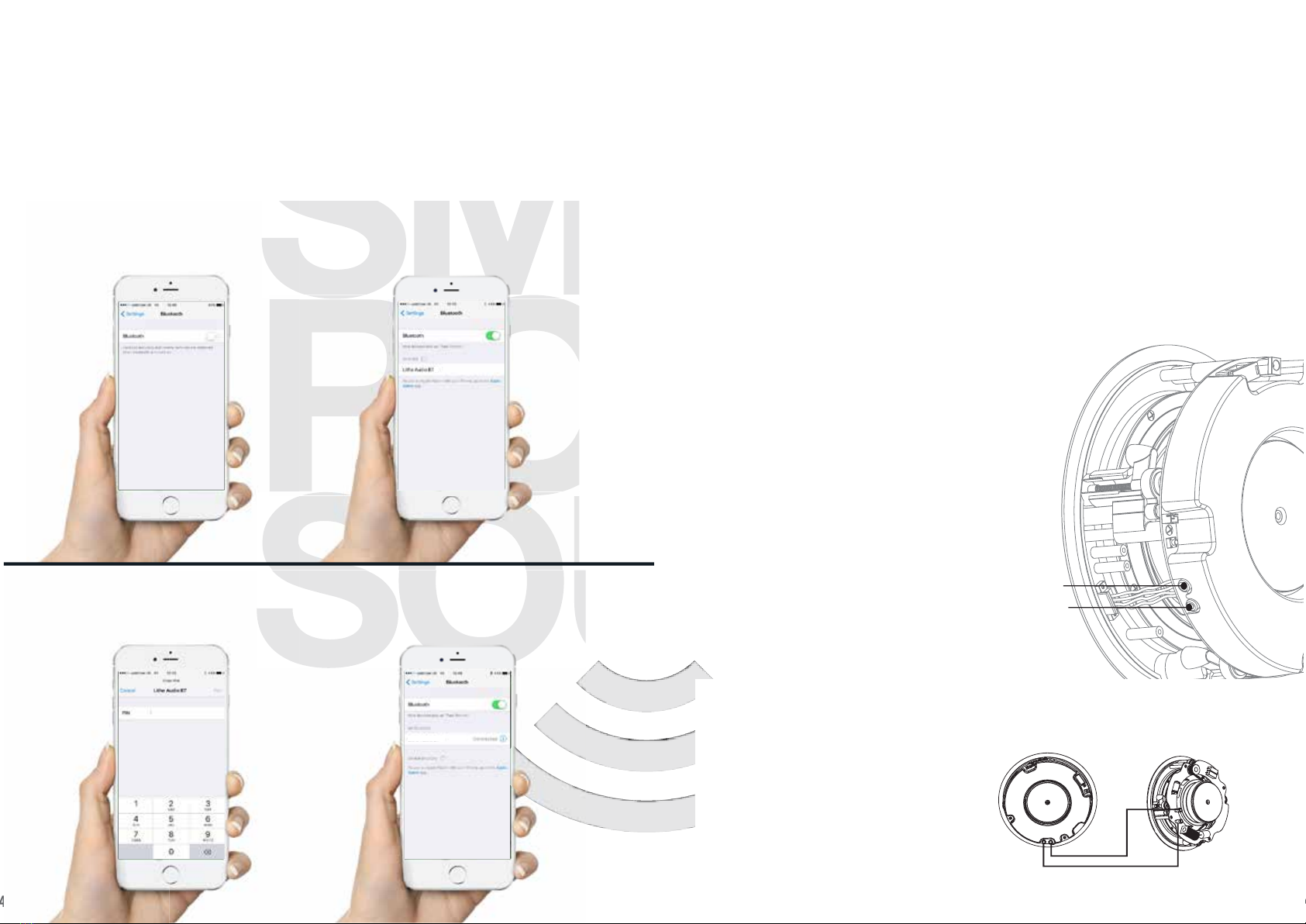
A: Please retry setup and pairing process,follow setup steps 1 - 4 to connect device. Please
ensure speaker password is entered correctly. Ensure the device is within 10m range.
Q: Device is connected to Bluetooth speaker but no sound
A: Ensure your device volume is NOT muted,increase the volume
Q: Can the speaker be installed into the bathroom ceiling.
A: The IP rated models‘LBT1/IP’ or‘FLC6/IP’ can be installed in zone 2 or 3 of a bathroom.
Ensure you read the saftey precautions on page 1 before installation. Warning: Do not use
the product in water or directly above the bath or shower area.
For further queries and support questions please visit www.litheaudio.com/support
REGULATION INFORMATION
EUROPE
SMARTROOMSOUND declares that this product herewith complies with the requirements of the EMC
Directive 2004/108/EC, Low Voltage directive 2006/95/EC, Eco-Design Directive 2005/32/
EC, RoHS Directive 2011/65/EU and the R&TTE Directive 1999/5/EC when installed and
used in accordance with the manufacturer’s instructions.A copy of the full Declaration of
Conformance may be obtained at smartroomsound.com/support/policies.
SMARTROOMSOUND have a standby mode or remove the power cord from the AC mains.
RECYCLING INFORMATION
This symbol on the product or on its packaging indicates that this product shall not be treated
as household waste.
Instead please deliver it to the applicable collection point for the recycling of electrical and
electronic equipment.By recycling this product correctly, you will help conserve natural
resources and prevent potential negative environmental consequences.For more detailed
household waste disposal service or the shop where you purchased the product(s) from.
SPECIFICATIONS
LED INDICATOR COVER
To mask the LED indicator,use the LED cover sticker included
VOLUME CAPPING SWITCH
If installing in a children’s bedroom,hotel room or commercial space you may wish to cap the
volume at 50%.Using the Volume capping switch on the back of the speaker you can select either
100% or 50% max volume output.
CONNECTION RESET BUTTON
Press and hold the ‘Reset Button’ for 2 seconds to clear the connection memory.
All paired devices will be deleted.
STEREO / MONO SELECTOR
If using a secondary passive speaker you can select if the muisc is played in Stereo (left and right
channels) or in Bridged Mono (single channel). Use the switch on the back of the speaker to select
Stereo or Mono output.
7 8
• Sound Quality THD+N<0.009%,
65Hz-20kHz
• RMS Power: 50W RMS
• Impedance:8 Ohms
• Sensitivity (1W/1m):90dB
• Audio Sample Rate:8Khz
• Line In Analog (RCA),auto-detecting
• Type:Class D (Digital)
• Woofer: 6.5” Kevlar Woven /
Polypropylene Cone
• Tweeter: 1.2”Titanium Cone
• Bluetooth System:BluetoothV4.0
• Frequency Range:2.4GHz - 2.4832GHz
(ISM Band)
• RF Channels:79 (USA,Japan & EU)
• Wireless Range:Up to 10 metres
• ID Device Name:SMARTROOMSOUND
• Power Input Supply : 100 - 240V ~ / 2A
• Transformer Output Supply : DC24V / 2.5A
• Dimensions (W x D) 230 x 95mm (6.5 x 3.8 in)
• Weight 1.75kg (3.85 lbs)
• IP rating: IP44 (Model: LBT1/IP or LBT2/IP only)
• Operating Temperature 0º to 40º C
(32º to 104º F)
• Storage Temperature -20º to 70º C
(4º to 158º F)
• Standby power: 1.3W / 0.02A
• Connected power: 1.5W / 0.03A
• Playing Music: 2.8W - 10.5W / 0.03A - 0.09A **
*
** Power Consumption depends on the type of music & volume.
Specifications subject to change without notice.
Increased Bass & volume requires more power loading
on the amplifier.
blue light is flashing. Press reset button for 5 seconds to reboot the speaker.
information about recycling of this product, please contact your local council office, your
smartroomsound.com