
SMART ICE S30B Manuel utilisateur

User Manual
SMART ICE S30B Laser Therapy System
Before operating this unit, please read this manual completely.

Contents
1. Precaution................................................................................................1
1.1 System Security Device......................................................................1
2. Product Introduction............................................................................... 3
2.1 Overview of SMART ICE.....................................................................3
2.2 Performance Parameters.................................................................. 4
3. Instructions.............................................................................................. 5
3.1 Turn on The System...........................................................................5
3.2 Login System......................................................................................6
3.3 Treatments Data Setting................................................................... 6
3.4 Starting The Treatment..................................................................... 7
3.5 After The Treatment.......................................................................... 7
3.6 Other Functions................................................................................. 8
3.6.1 Quick Start.................................................................................... 8
3.6.2 Pateints Data................................................................................ 8
3.6.3 Pre-set Protocol............................................................................9
3.6.4 Video Tutorial............................................................................. 10
3.6.5 Account Management................................................................10
3.6.6 System Setting............................................................................12
4. Maintenance and Fault Diagnosis......................................................... 13
5. Product list............................................................................................. 13

User Manual
1
1.Precautions
Please read this user manual before using this system, and pay more attention to the safety
precaution in this manual.
Please keep the user manual for future reference.
Important safety instructions
When using this SMART ICE Photonics Energy System, it is necessary to comply with the following
basic precautions.
Danger
1) Absolutely forbidden to look at the treatment window directly through the Hand piece in case
of retinal damage.
2) It is forbidden to emit laser to the same treatment site for a long time to prevent skin injury.
Attention
1) Do not bend or turn round the optical fiber which connects the hand piece and the system
control unit, or the optical fiber will be damaged.
2) Please put the hand piece on the Hand piece holder after use of the system
3) Please do not open the system case to adjust or fix the system without our permission. Only
our company after sales staff or authorized professional staff could adjust or fix the system.
4) Please turn off the key switch, turn off the rocker switch, unplug the power cord if long time
not use the system. Keep the system in a dry and cool environment.
5) Clean the system with alcohol if there is dust or greasy dirt on the system case.
1.1 System Security Device
SMART ICE physiotherapy devices are designed with some safety devices, and the operator must
be familiar with their location and method of use.。
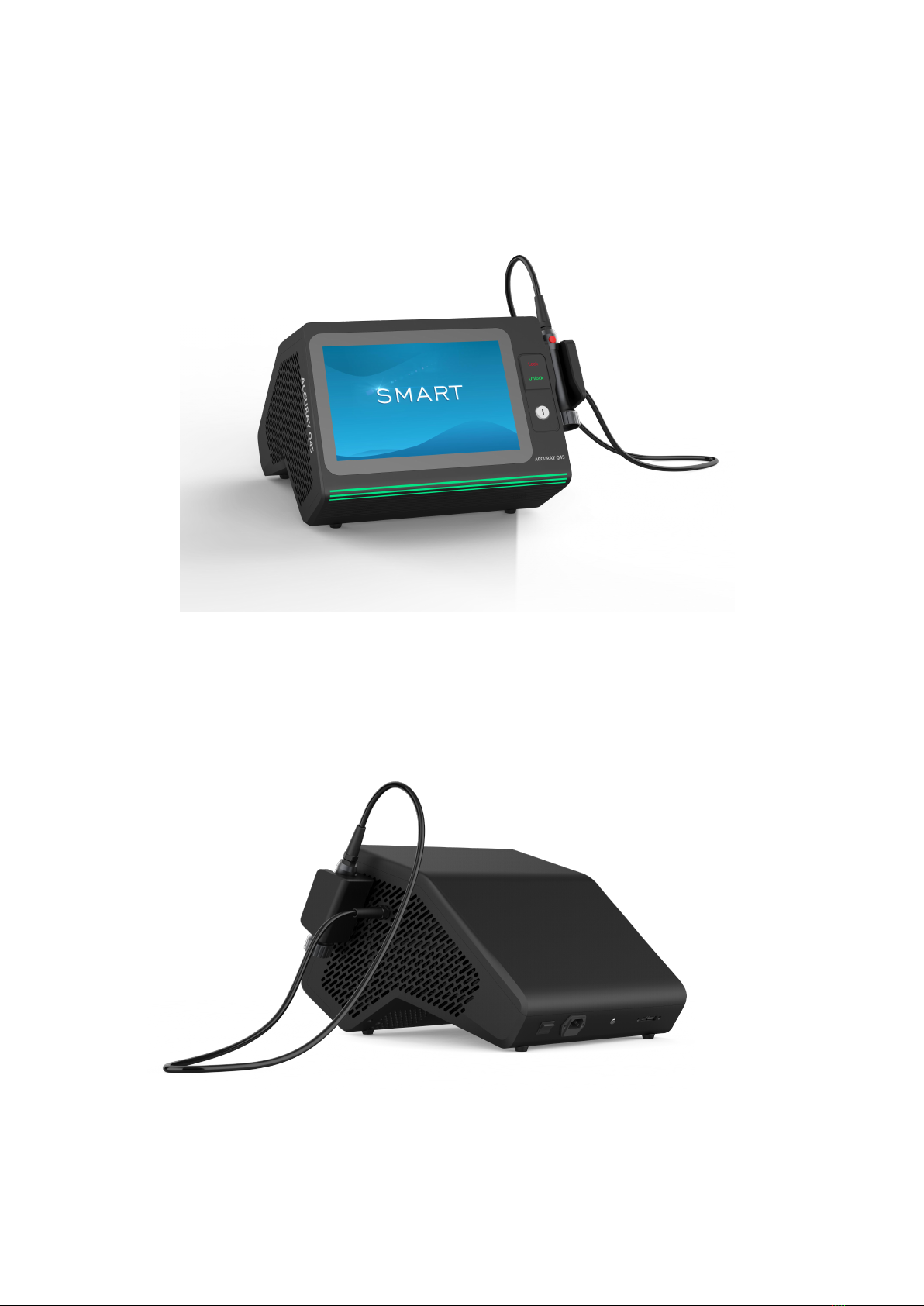
Key switch: The key switch is used to open and close the laser light output control system of the
device. Only when use the key provided by our company can ensure the normal use of the
equipment, which can prevent the illegal use of this machine.
Take the key from the special transparent accessory bag, insert the key into the key switch hole
on the front panel of the main unit, and turn the key clockwise to "ON". After using the machine,
turn the key counterclockwise to "OFF", and remove the key for safekeeping.
User Manual
2
Emergency switch: The emergency switch is used to turn off the laser light output control system
of the device in an emergency. In an emergency, click "Unlock" on the front panel of the main
unit, and the device will stop emitting light. And the machine will restart working when clicking
"Lock" on the front panel of the host.
Safety interlock: The safety interlock is used to open and close the laser light output control
system of the device. Only when use the safety interlock provided by our company can ensure
the normal use of the equipment, which can prevent the illegal use of this machine. Remove the
safety interlock from the special transparent accessory bag, and insert the safety interlock into
the safety interlock hole on the back of the main unit as shown with the red dot facing upward.

User Manual
3
2. Product Introduction
2.1 Overview of SMART ICE
The SMART ICE physiotherapy instrument uses a semiconductor laser with a wavelength of
810nm + 980nm. The therapist can choose to use single wavelength or both wavelength
according to his or her needs. The biological stimulation effect generated by the laser is mainly
used to illuminate the human diseased tissue through the semiconductor laser beam to reduce
or eliminate pain and improve Local blood circulation, tissue repair, rapid anti-inflammatory and
other effects. This laser is in the near-infrared band, which can penetrate deep into the tissue and
act on the body, so that the tissue can absorb light energy well and relieve pain.
Outline of the Machine
The SMART ICE physiotherapy instrument has three main components:
1. Laser system control device
2. Color touch screen
3. Treatment handle
5
4
3
2
9
1
8
7
6

User Manual
4
Treatment handle profile
2.2 Performance Parameters
Terms
Value
Type
Diode Laser
Wavelength
810nm+980nm
Max Power
15W+15W
Spot Size
Φ10mm
Working mode
CW /Single(Pulse) / Repeat mode/B mode
Power Supply
AC100-125V ,60Hz
Input Power
300W
Dimension
425mm*465mm*310mm
Weight
12kg
Item No.
Name
Item No.
Name
1
Display
6
Press button
2
Key switch
7
Power cord socket
3
Emergency switch
8
Safety interlock
4
Treatment handle
9
USB socket
5
Treatment handle
hanger
Treatment handle button

User Manual
5
3 Instructions
3.1 Turn On The System
Step 1: Find the key switch and safety interlock in the special transparent accessory packaging
bag.
Step 2: Insert the key switch into the key switch port on the front panel of the main unit. The
safety interlock is inserted upwards to the INTERLOCK port on the rear panel of the main unit as
shown in the figure below.
Figure 3.1 Key switch Figure 3.2 Safety interlock
Step 3: Insert the power plug into the AC110V wall power, then press the press switch on the rear
panel of the host to "I" to turn on the device, turn the key switch to "ON", click Unlock on the
front panel of the host to ensure that the emergency stop switch is turned off, The system starts
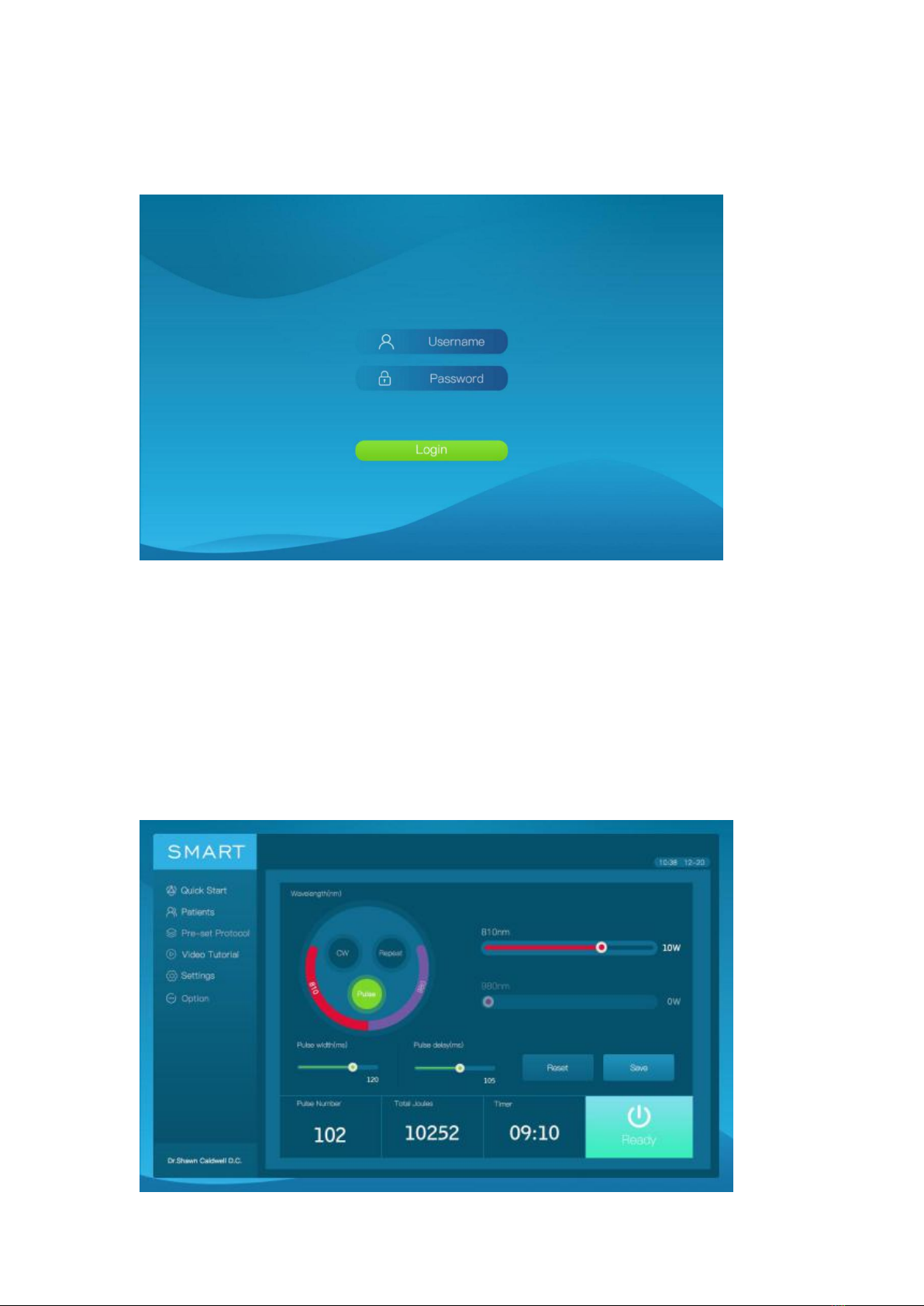
and the device enters the boot animation interface as shown in the figure.
User Manual
6
3.2 Login System
The physician inputs username and password to login the system.
Note: User name: admin Password: admin123456
3.3 Treatments Data Setting
Click Logo "SMART ICE" on the upper left corner to enter the main interface, you can choose the
appropriate treatment plan for the patient.
In this interface, you can make a treatment plan, there are four working modes, including CW
mode, Pulse mode, Repeat mode, B mode, you can set the power, pulse width, Timer, etc. before
thetreatment.

User Manual
7
Note:
1. Click the "Reset" icon in the main interface to reset the treatment parameters to zero.
2. Click the "Save" icon in the main interface to save the set treatment parameters as a treatment
plan. After entering the name, you can find this treatment plan on the "Pre-set Protocol"
interface.
3, The following table shows whether the corresponding parameters can be set and displayed in
the four modes:
3.4 Starting The Treatment
In the main interface, after setting the parameters, click "Ready" to enter the "Ready" state, press
the button of the treatment handle, and the treatment head emits light to start treatment.
Note: After setting the treatment time, the interface will count down to display the remaining
treatment time.
3.5 After The Treatment
When the treatment is completed, the interface will display a note to confirm whether to save
the treatment record or not. Click Yes to save the treatment record.
power
Pulse width(ms)
Pulse delay(ms)
Timer
Pulse Number
Total Joules
CW
Yes
No
No
Yes
No
Yes
Repeat
Yes
Yes
Yes
Yes
Yes
Yes
Pulse
Yes
Yes
No
Yes
No
No
B
Yes
Default 100
Default 100
Yes
Yes
Yes

User Manual
8
3.6 Other Functions
3.6.1 Quick Start
This feature allows patients to quickly experience the treatment. Click "Quick Start" on the left
side of the screen, and then select the corresponding treatment time to enter the treatment
interface.
3.6.2 Patients Data
Click "Patients" on the left side of the screen. In this interface, you can query the patient by
entering the phone number, and click the corresponding number icon to display detailed
treatment information. On the patient treatment information display interface, you can view the
treatment records of each stage of the patient, such as treatment mode, time, power setting,
total joules, etc.
Table des matières
Autres manuels SMART Équipement médical


