7Controls
4. FRONT PANEL CONTROLS
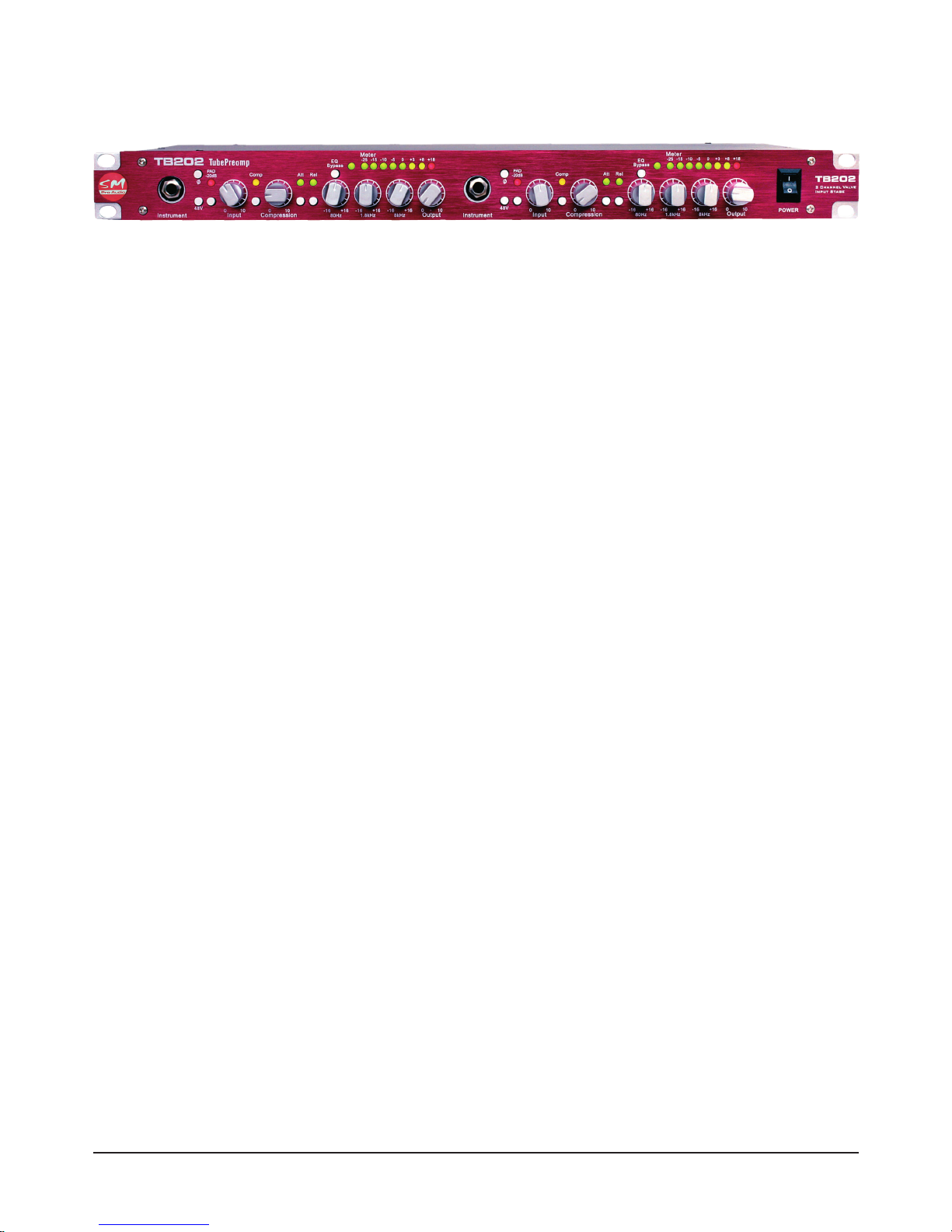
The SM TB101/202 front panel has a very simple design including Input stage, Compressor stage,
EQ stage, and output level control stage.
4.1 Input stage
Phase reversal switch
A phase reverse switch is available for reversing the phase of the signal by 180 degrees. This can
be desired in situations such as recording a snare drum from above and below the drum simulta-
neously. By reversing the phase on one of your microphone signals you will achieve a better result,
recording full range of signal without a phase cancellation occurring.
Phantom power switch/s
You can enable or disable phantom power each channel of input. This is required for condenser
microphones without a battery or stand alone power supply.
LED clip indicator
The clip indicator LED illuminates when there is too much incoming signal strength.
-20dB PAD switch
The PAD switch enables or disables the PAD which reduces the input signal by 20dB. Useful if your
incoming signal is too powerful and cannot be reduced prior to insertion into the TB101/202.
Rotary input control
The rotary input control sets the input gain level of the incoming signal.
4.2 Compressor stage
Compression on/off switch & LED Indicator
Turns the compressor stage on or off. The indicator shows the on/off status of the compressor.
Rotary compression control
The rotary compression control sets the compression ratio of the compressor. The compression
ratio expresses the difference between the input level change and the output level change. A com-
pression ratio of 6:1, for example, indicates that for every 6dB of level change on the input signal
there is only 1dB of level change on the compressed signal. The higher the compression ratio, the
smaller the dynamic range.
Fast/slow attack switch & LED Indicator
This switch toggles the attack setting of the compressor between fast and slow attack times. The
indicator shows the status ‘fast’ of the the attack setting. The attack setting on a compressor deter-
mines how fast it will react to the input sound. Short attack times quickly bring down the level of the
loud, fast transients in the audio signal; long attack times let more sound through before the com-
pressor engages, resulting in a punchier sound.
Fast/slow release switch & LED Indicator
This switch toggles the release setting of the compressor between fast and slow release times. The