
Skytech SLT-3236T Manuel utilisateur
SLT-3236T
HD LED TV

5
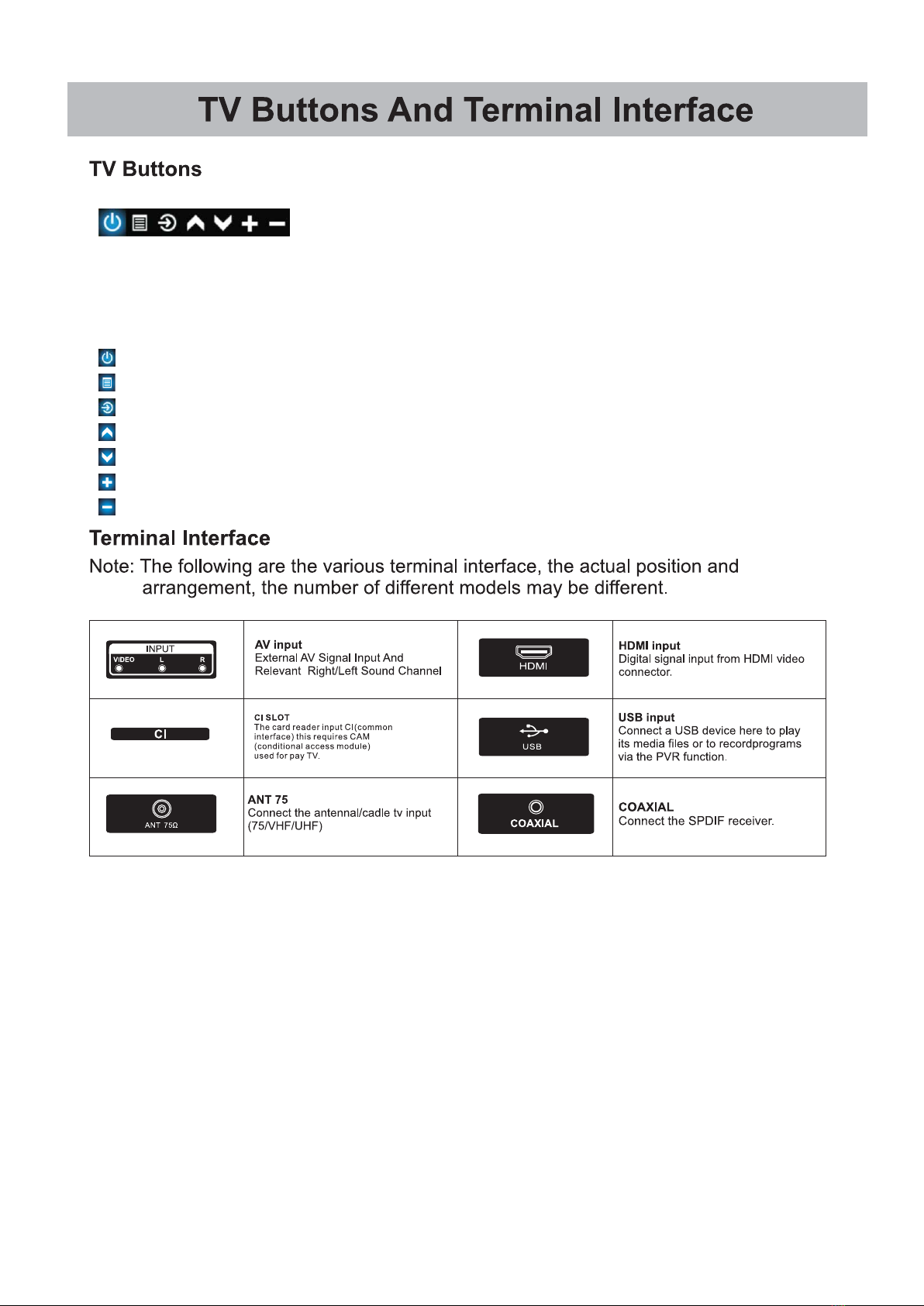
Note : The key instructions are subject to below.
Display \ Hide key icon : When there is no button icon popping up, press the key, the key
icon will pop up like the picture shows above, the key icon will automatically turn off after 5
seconds of inactivity.
Icon selection : Short press the button, move the loop to the right, select the icon.
Icon function selection : Long press the key to achieve the function of the selected icon.
Icon Description :
: Power o Icon : Corresponding to the "POWER" button of remote .
: Menu Icon : Corresponding to the "MENU" button of remote.
: Source Icon : Corresponding to the "SOURCE" button of remote.
: Volume+ Icon : Corresponding to the "VOL+" button of remote.
: Volume- Icon : Corresponding to the "VOL-" button of remote.
: CH+ Icon : Corresponding to the "CH+" button of remote.
: CH- Icon : Corresponding to the "CH-" button of remote.
6
7
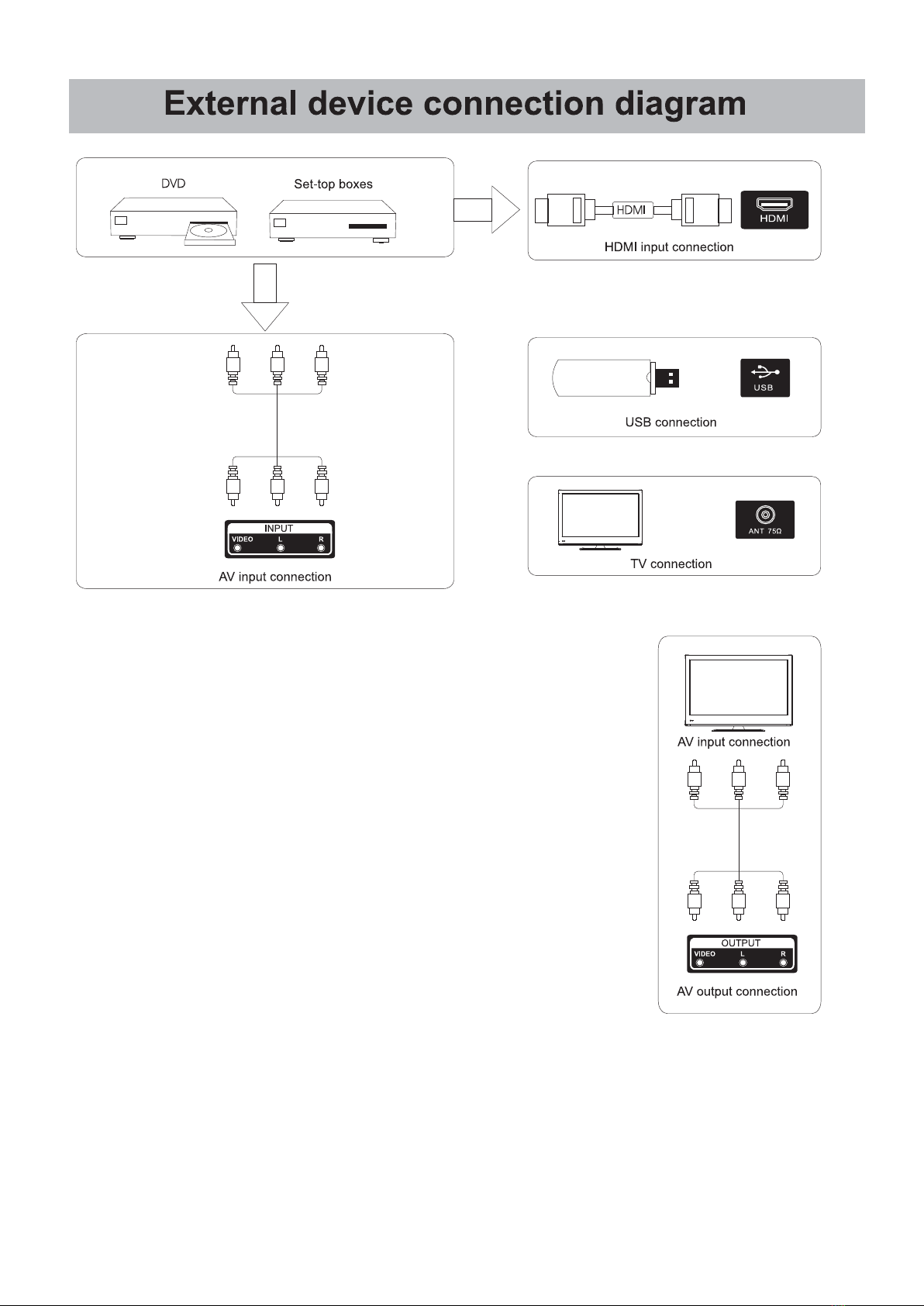
TV ANT
FM ANT
TV signal output
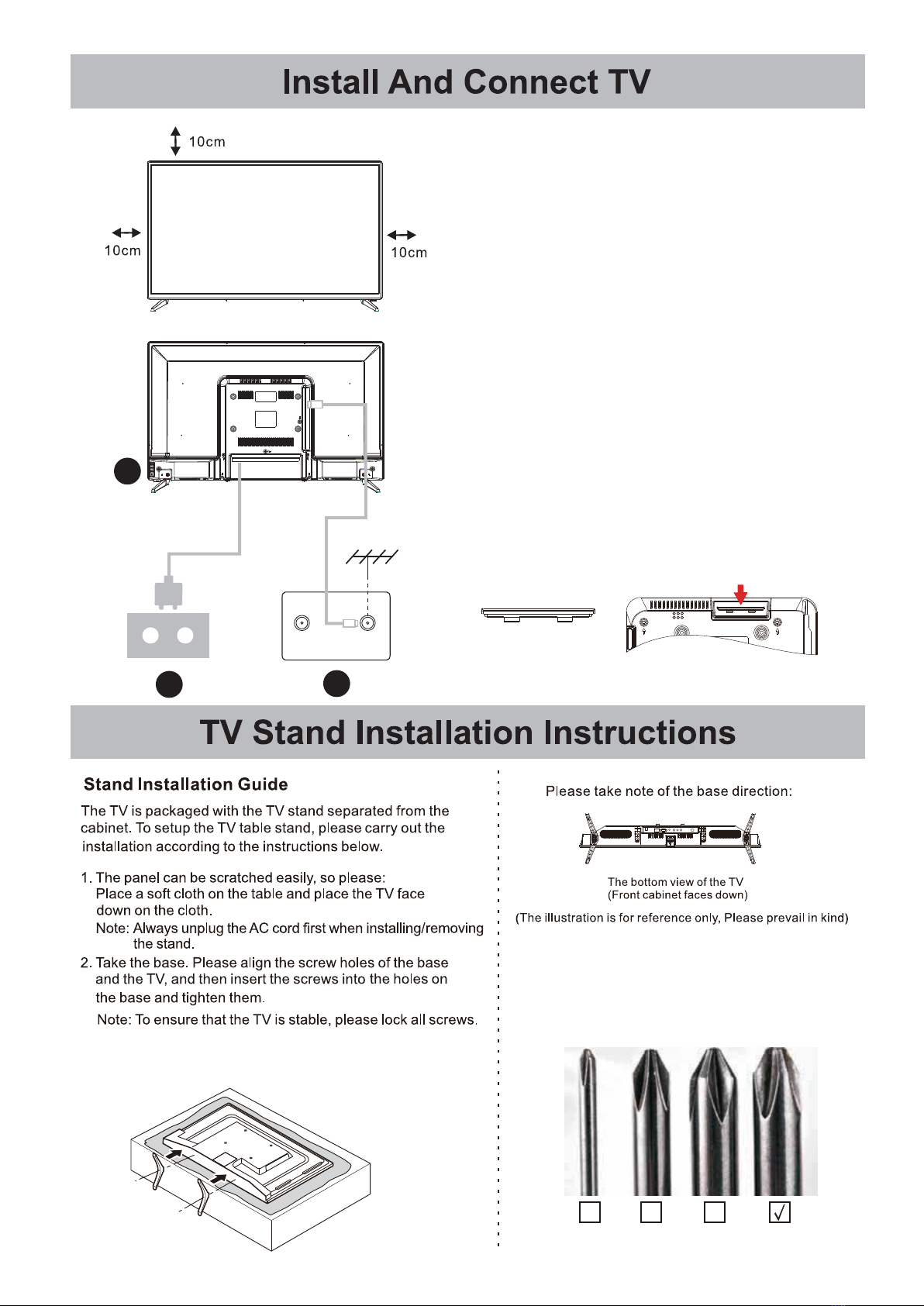
Set your TV
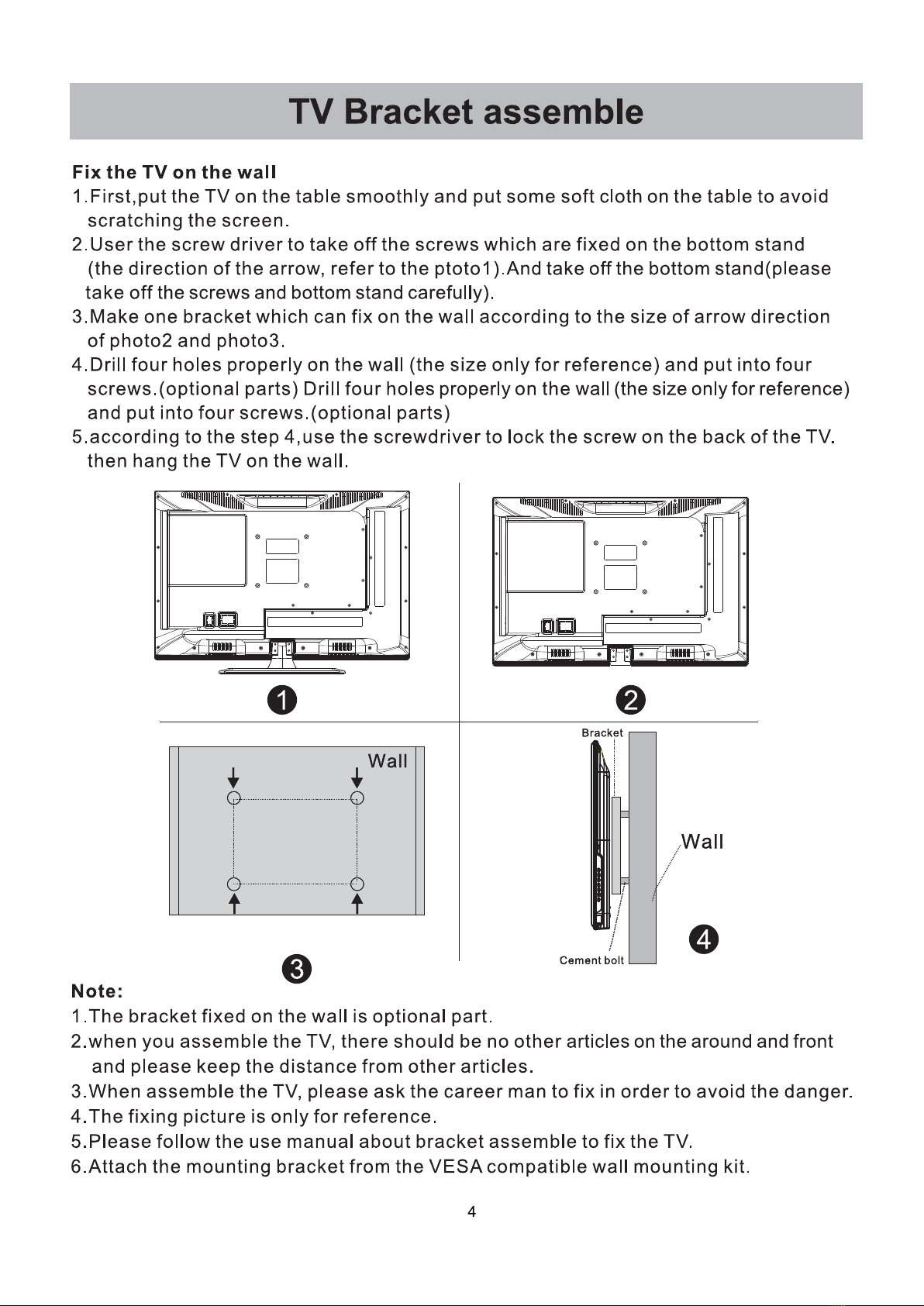
To put your TV in a firm place which can
bear the weight of the TV.
To avoid danger, please don’t expose the
TV near water or heating place (such as
light, candle, heating machine),do not block
the ventilation at the back of TV.
Connect antenna and power
1.Connect the antenna cable to the antenna
socket on the back of the TV.
2.To plug the power cord of TV.
(AC 100-240V~ 50/60Hz).
1
3
Turn on TV
3.Press the power button of the TV the
indication light will turn to green. if it is
on standby mode (the light is red),press
the power button on the remote control
to turn on the TV.
Note: Picture for reference purposes only.
2
Note: If the model has a CI card slot on its top, a silicone
plug for the CI card slot can be found in the accessory
bag (for models without CI card slot, there is no such
silicone plug), please insert the silicone plug into the
slot when the CI card is not in use.
The stand of some TV models is designed with
snap-in type, easily installed by snapping into
stand groove, instead of screw.
Suggestion:
To make it more convenient for base installation and to
avoid any risk of scratches and damage, we advise you
using the type of PH2 screwdriver.
PH00 PH0 PH1 PH2
X X X
Autres manuels Skytech Téléviseur LED


