
SkyLine Mirage Plus Manuel
1
Table of Contents
Cases
Frame Identification
Component Identification
Frame
Channels
Halogen Lights
SkyTrak™Lights
Panels
End Panels
Detachable Graphics
Marquee Header
Shelving
Product Display
Bubble Panel
Case Table – Transporter Case
Transporter Cases
Warranty
Set-Up
Accessories
Repacking
Mirage®Plus is available two sizes – 8’ and 10’ wide backwalls. The following set-up and repacking
instructions depict our 10’ 92” Mirage Plus. Both Mirage displays set up using the same sequence,
although the number of components vary between models.
Please read the entire section before attempting set-up.
Although Skyline products are designed to withstand the rigors of a heavy trade show schedule, with many
set-ups and take-downs, care should be taken when handling your display. Valuable graphic panels can
be damaged if not properly handled. Place graphic panels in protective plastic bags provided before
repacking. Be careful not to drop panels into the case as this could damage their edges.
If you have any questions about setting up your display or have lost components, call your local Skyline
distributor. For the number of your distributor, or the distributor in a city in which you are exhibiting, call
Skyline at 1-800-328-2725.
Thank you for choosing Skyline – have a great show!
2
2
3
4
6
8
10
12
13
14
15
18
19
20
22
23
27
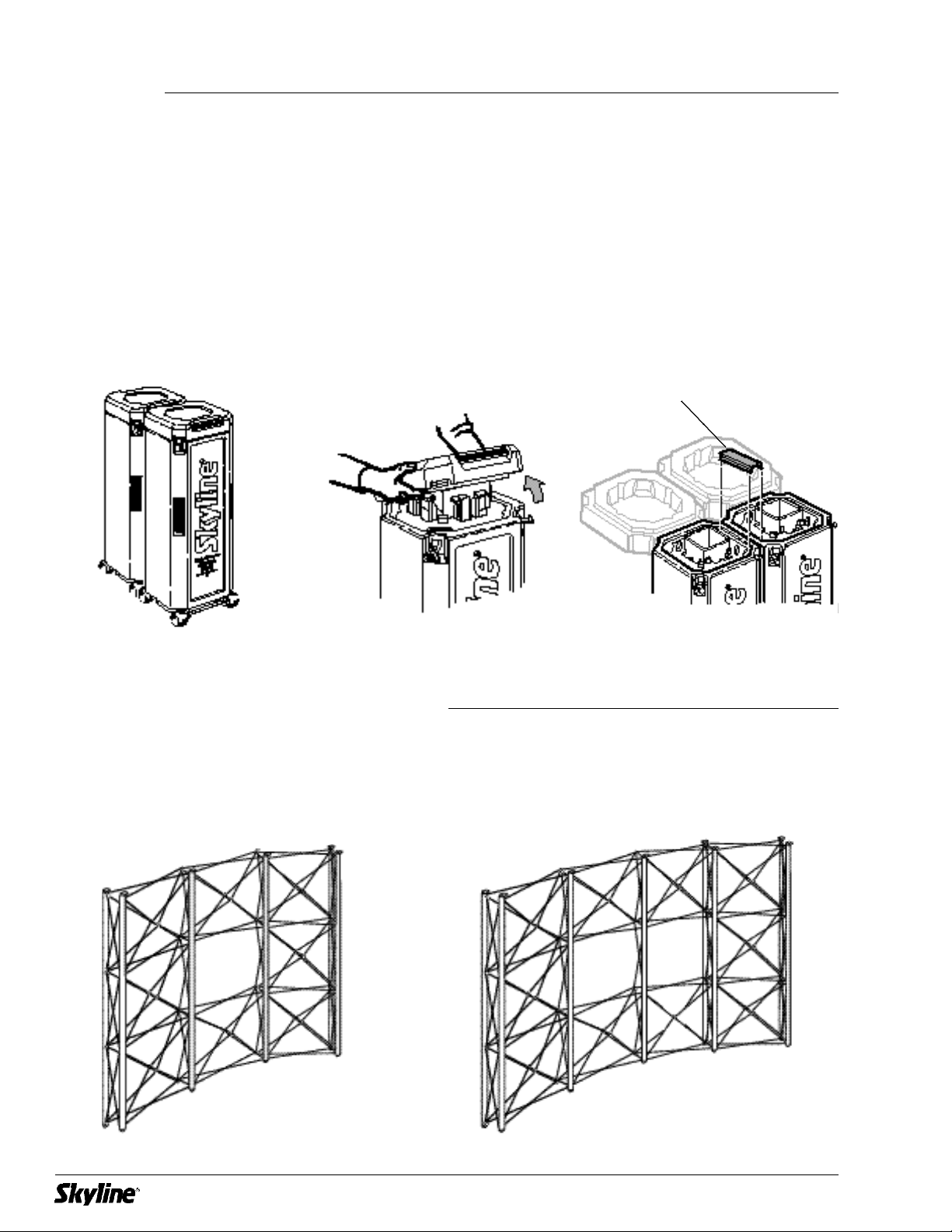
Transporter Case
Cases connect for easy
transporting.
To open case lid, flip latches up
and rotate counter-clockwise to
loosen.
Remove case connector bracket
and put in a safe place for
reconnecting your cases after
your show.
8’ 92” 10’ 92”
2
Case connector
bracket
Case
Frame Identification
Mirage®Plus is available two sizes – 8’ and 10’ wide backwalls. Both Mirage displays set up using the
same sequence, although the number of components vary between models.
3
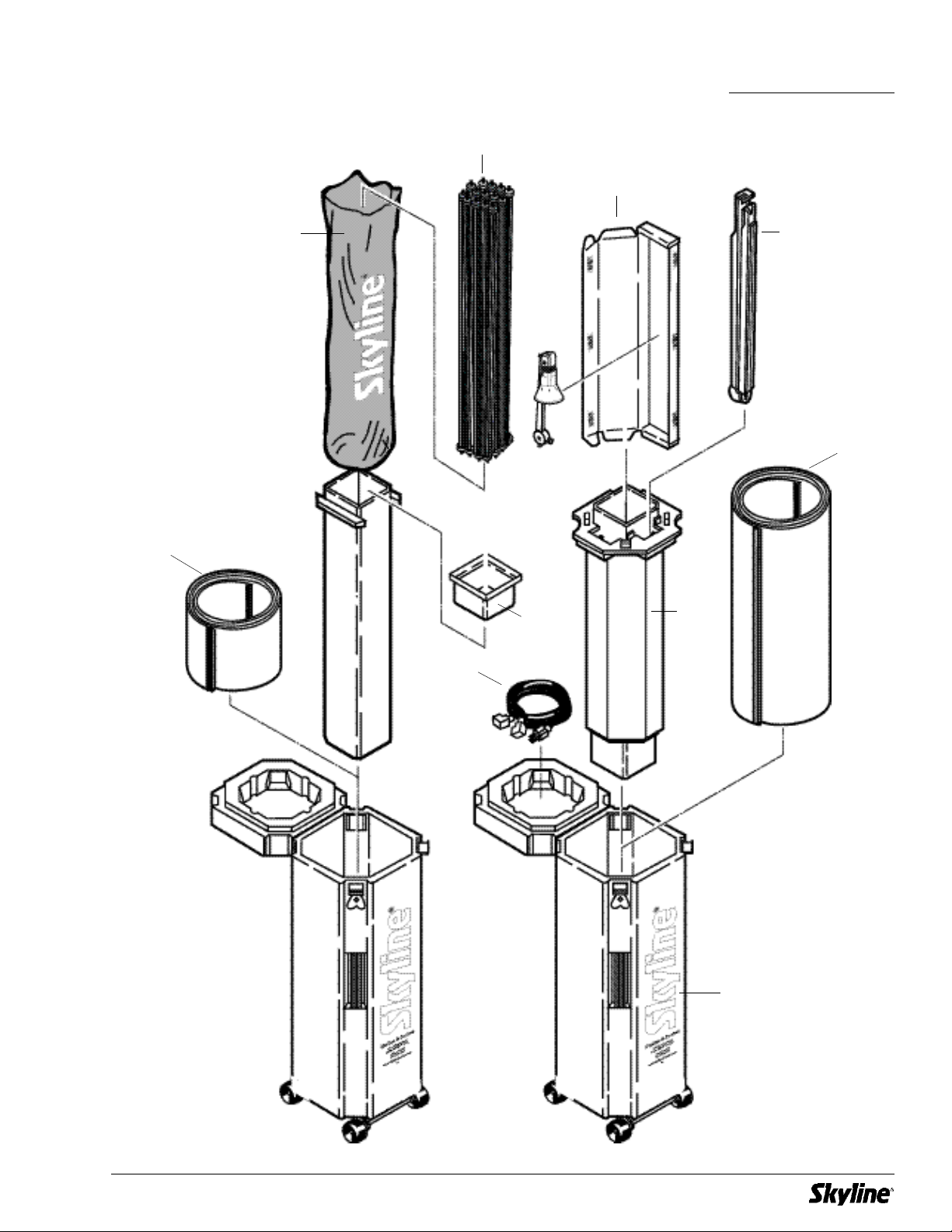
Channels
Light package (optional)
Panels
End panels
Core
Core tray
Light cord
Transporter case
Protective bag
Frame
Transporter Case Components
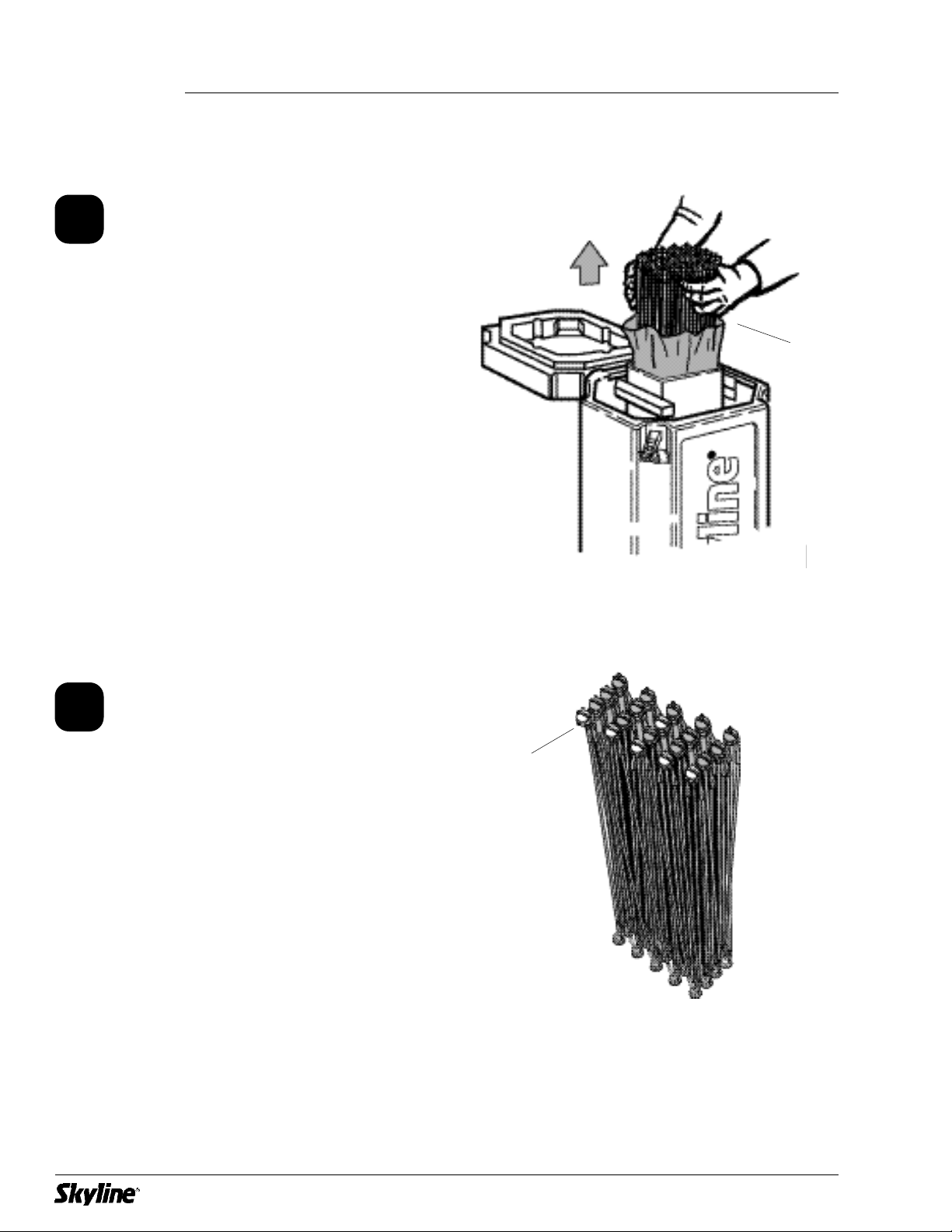
Remove frame from protective
bag in center core of case.
(Keep protective bag for repacking
your frame.)
Place frame in standing position
with blue hubs up and facing
you. Spread frame apart enough
to grasp the rod in the center of
the frame (about 2’ square).
4
1
Frame
2
Frame
Blue hubs
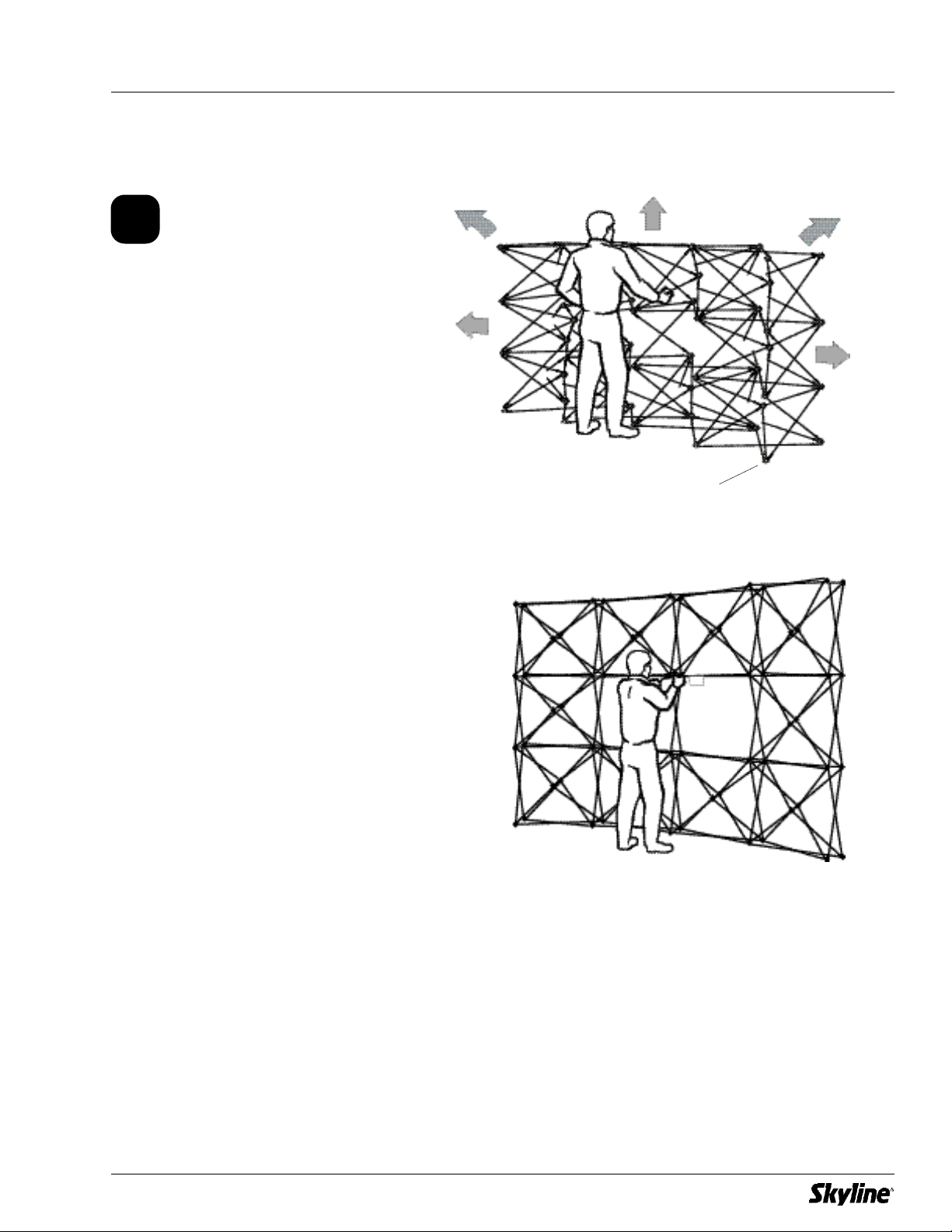
Frame will lock into place when it
is fully expanded.
Grasp frame rod with label
attached in the center of the
frame and lift to expand frame.
5
3
Blue hubs
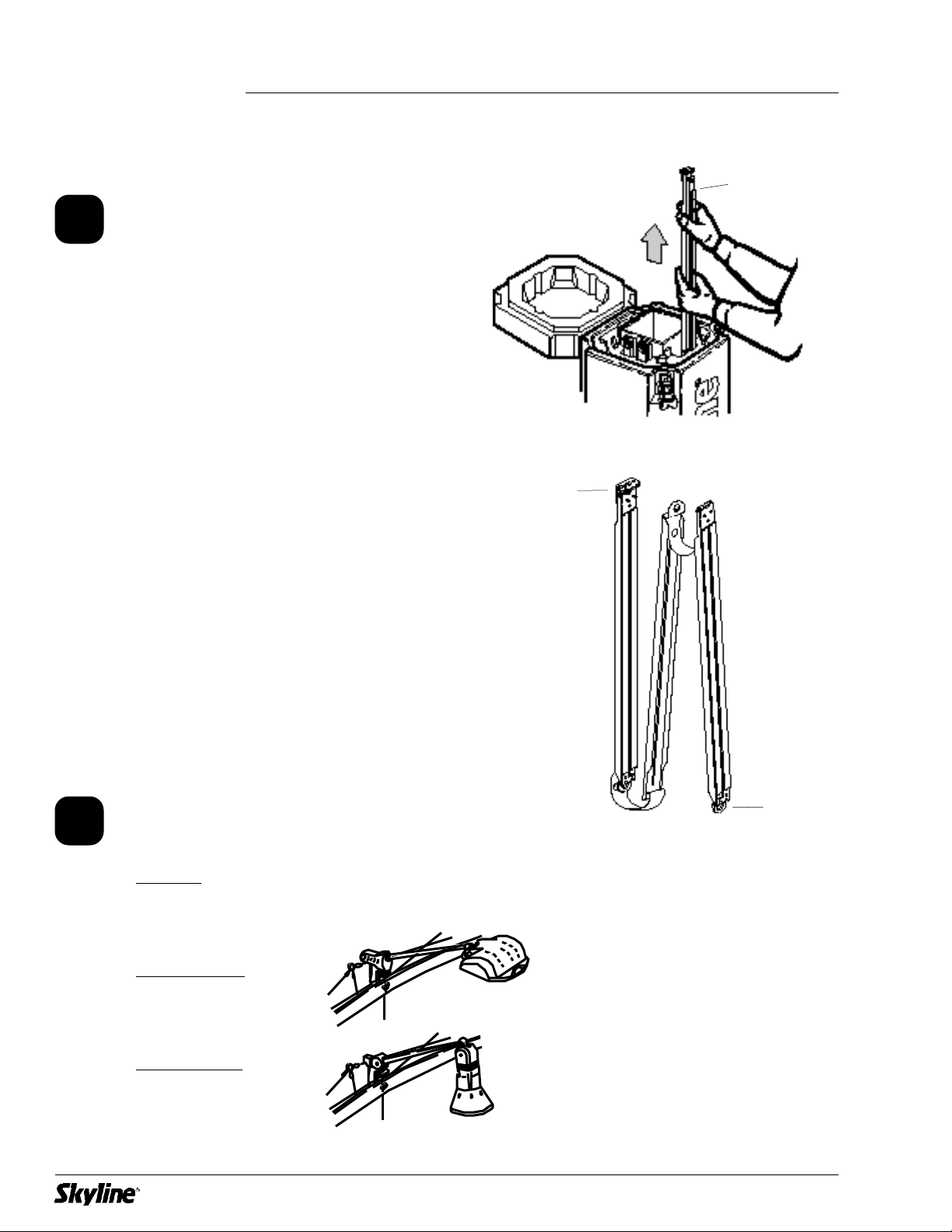
If you have no lights or a backlit
Marquee header proceed to Step 5.
If you have Halogen lights go
directly to Step 8-H on page 8.
If you have SkyTrak lights go
directly to Step 8-S on page 10.
Remove channel from case core.
Identify what lights you have, if
any, before you install the
channels (see below).
Your channels are hinged for easy
set up. The light clip is on the top
channel.
3-section channel
with hinges
Top
Bottom
6
Channel
4
!
Channels
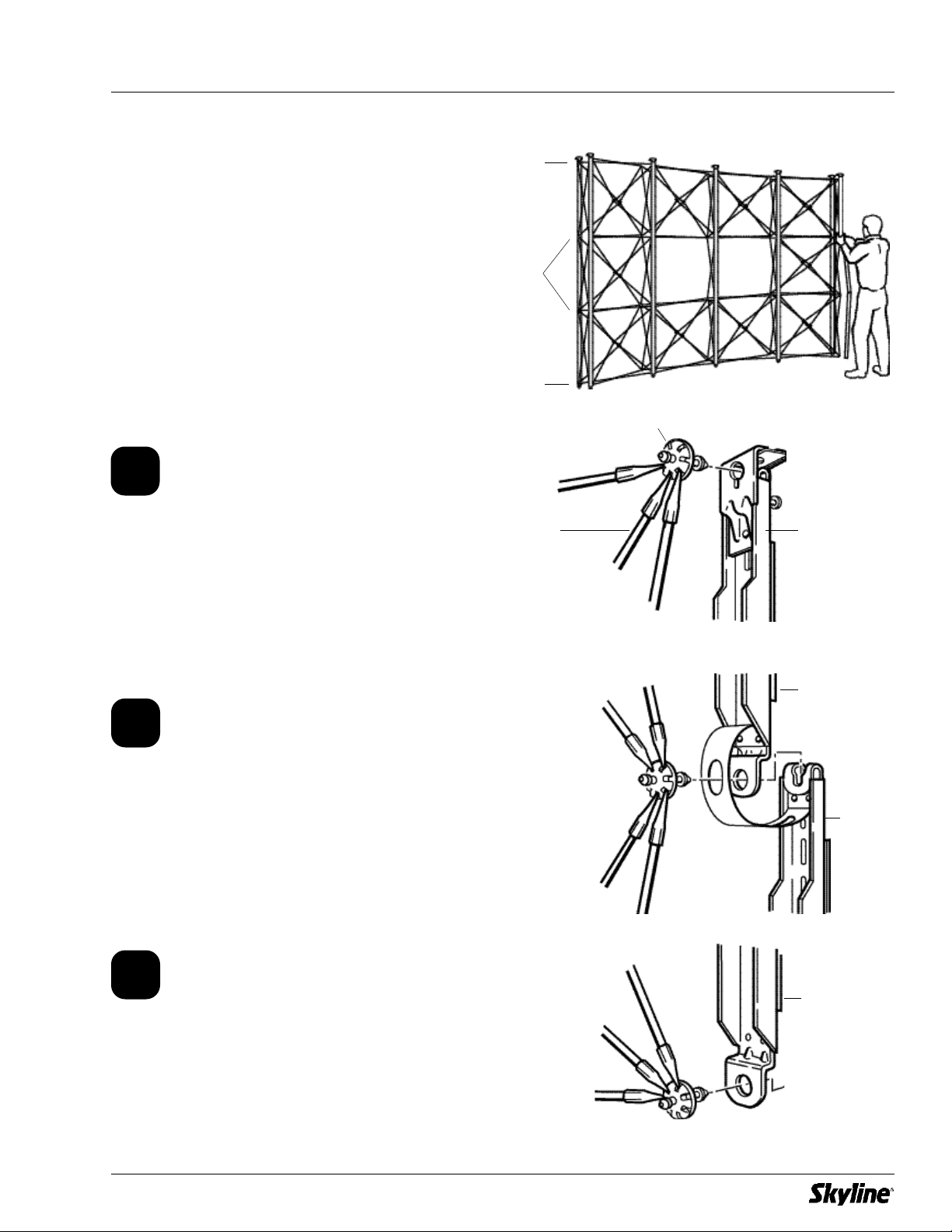
Channels are applied to all
quadrants on front side of frame.
Extra channels are applied to
each end on back side of frame.
Top Connection
Connect top channel section to
top hub of display frame.
Center Connection(s)
Connect bottom of top channel
to hub of display frame. Slide
top of next channel up onto
same hub.
Bottom Connection
Connect bottom of channel to
hub of display frame.
7
Frame
(from backside)
Hub
Top
Channel
Top
Channel
Center
Channel
Bottom
Channel
Step 5
Step 6
Step 7
5
6
7
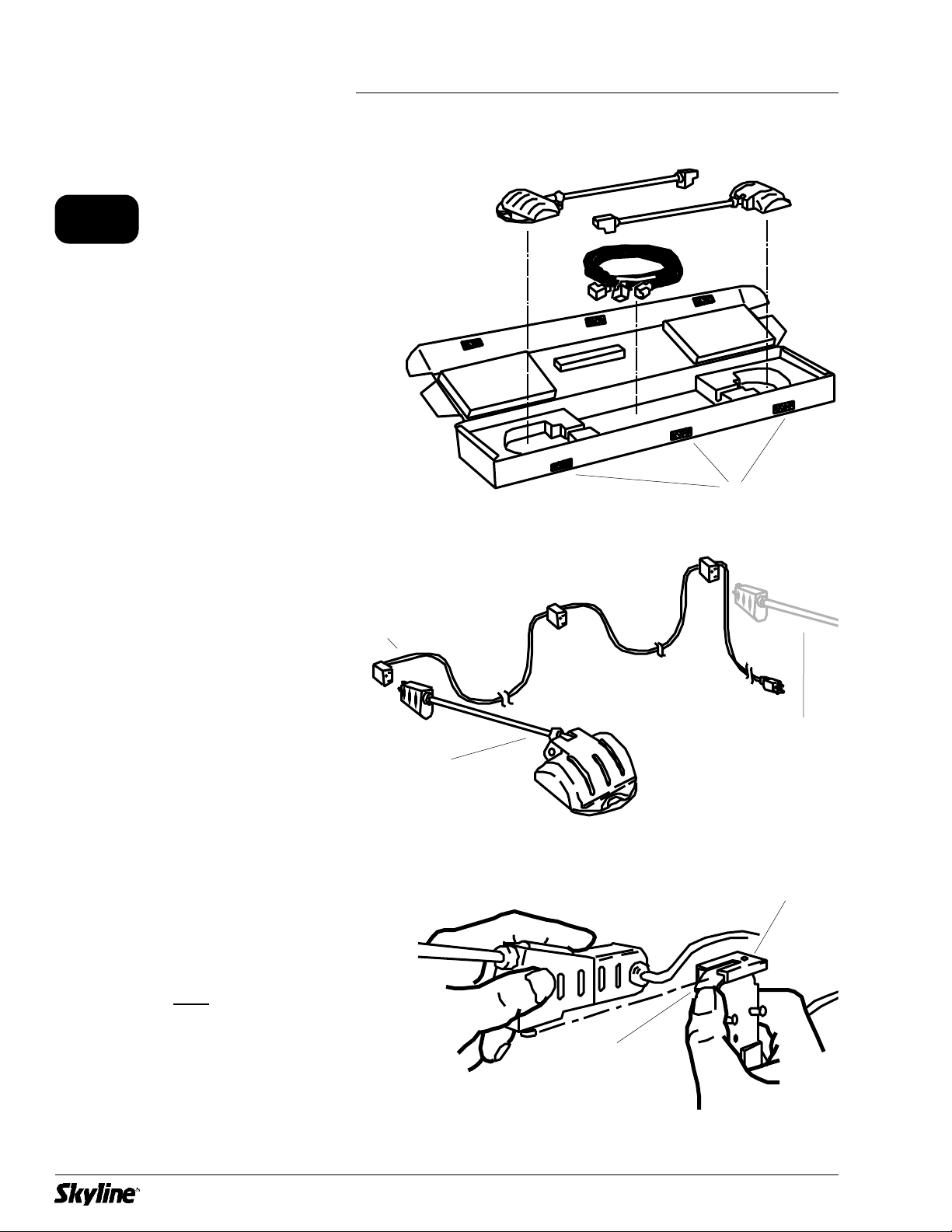
Attach light cord to fixture.
The fixture box opens on the side
and is fastened with hook and
loop tabs.
Attach fixture to clip on top
section of channel. Hold down
locking tab and back fixture into
clip.
8
Light cord
Hook and loop tabs
Fixture
Clip on top channel
Locking tab
8-H
Additional
Fixture
Halogen Lights
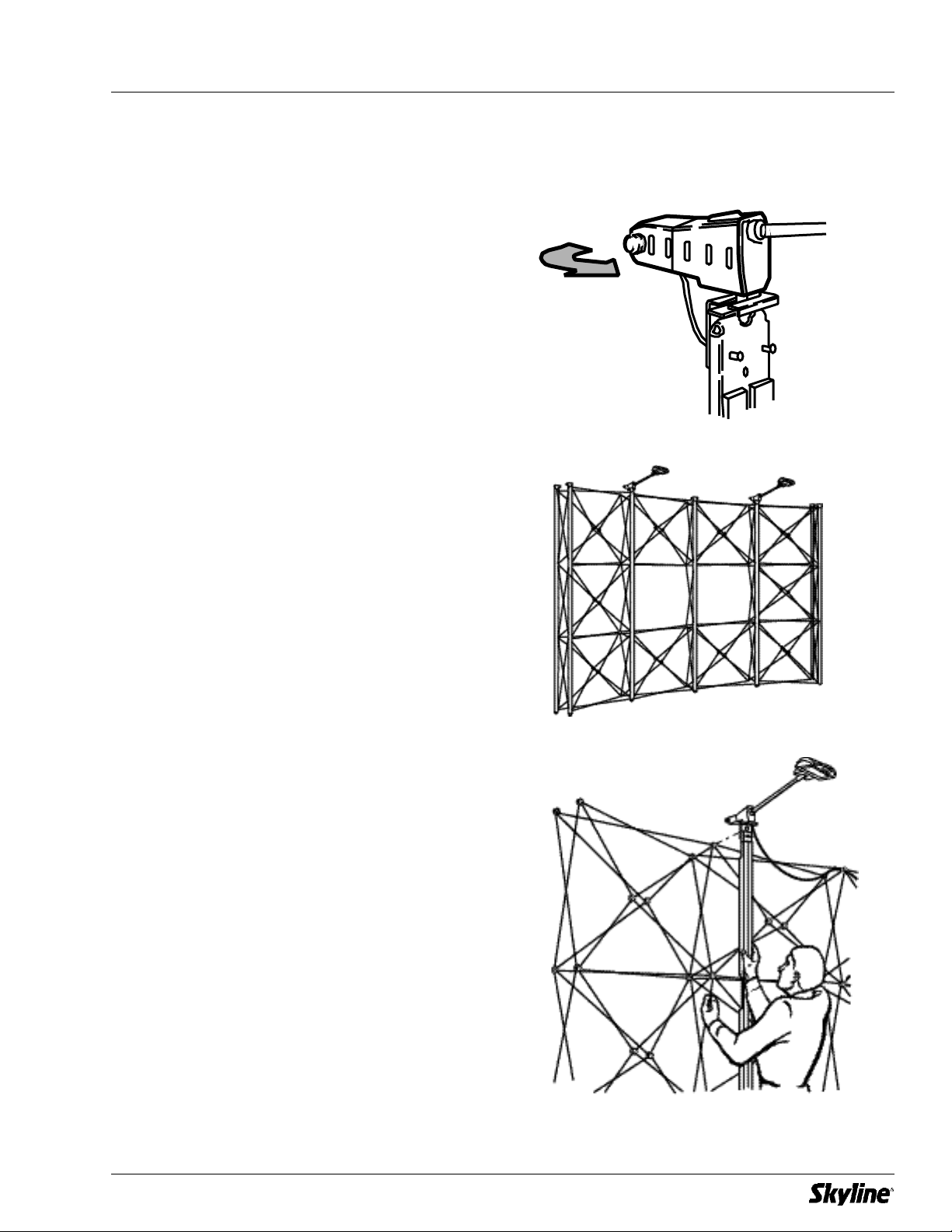
Rotate fixture 90º counter-clockwise.
Repeat for remaining fixture(s).
See Steps 5-7 for details on
channel installation.
Place channels with light fixtures
in desired position on frame (see
illustration at right for typical
placement).
Remaining channels without lights
are installed on open quadrants
on front of frame and on end
quadrants on back of frame.
9
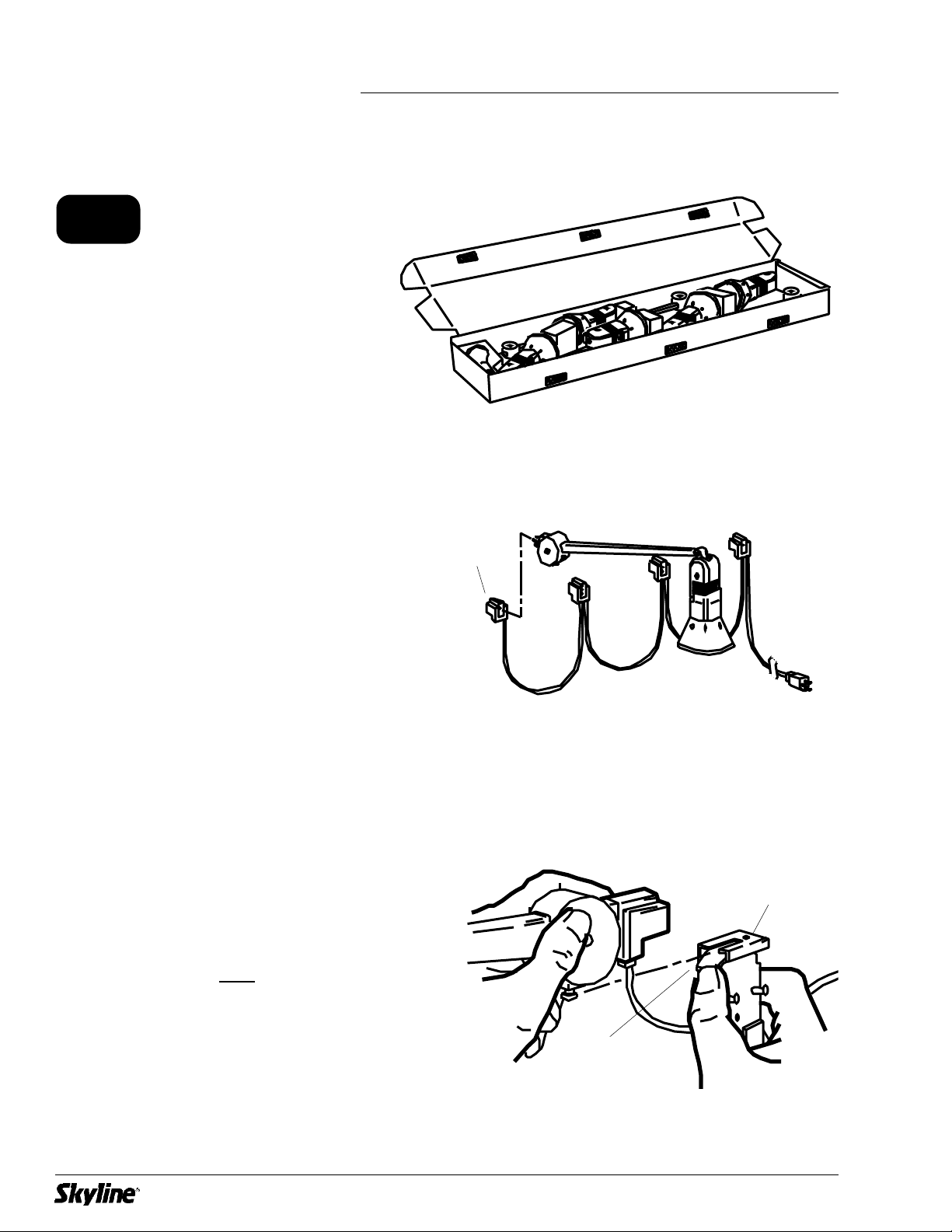
Attach SkyTrak fixtures to light
cord (found in lid of Transporter
case).
Attach assembled fixture to clip
on top section of channel. Hold
down locking tab and back
fixture into clip.
The fixture box opens on the side
and is fastened with hook and
loop tabs.
10
8-S
Light cord
Clip on top channel
Locking tab
SkyTrak™Lights
Table des matières
Autres manuels SkyLine Moniteur


