
Sky Sky Gnome Manuel utilisateur

Sky Gnome
User guide
www.sky.com/skygnome

SKY GNOME 1
WELCOME TO THE WORLD OF SKY GNOME
Listen to digital satellite TV and radio channels
Portable, compact and wireless
Stereo sound
LCD multi-information display
10 channel presets
Built-in volume and channel control
Use with headphones or link to a sound system
Rechargeable battery pack with up to 8 hours battery life
USING THIS GUIDE
To find the topic you want, click the links on the contents page,
use the bookmarks on the left or perform a search (press <ctrl>+<f>).
You can print all or some pages by going to File > Print.

2 SKY GNOME
REGULATORY INFORMATION
The product complies with the following European Council Directives and safety standards:
Radio and Telecommunications Terminal Equipment (R&TTE) Directive 1999/5/EC
(Reference standard EN301 357 / Reference standard EN300 220-1)
Radio and Telecommunications Terminal Equipment (R&TTE) Directive IR2030
Low Voltage Directive (LVD) 73/23/EEC
For operation and use in the UK, ROI, Channel Islands and Isle of Man.
SKY GNOME WARRANTY
If you purchased your Sky Gnome directly from Sky, it comes with a warranty against faults arising in the first 12 months following
delivery. The following are not covered by the warranty: faults arising from misuse, accidental or deliberate damage, damage arising
from using the Sky Gnome with equipment that is not supplied by or on behalf of Sky, cosmetic damage which does not affect the
functionality of the Sky Gnome or damage caused by events outside the reasonable control of Sky or its equipment suppliers. To
report a fault, please call Sky on 08702 43 23 27. If a reported fault cannot be remedied over the phone we will arrange collection of
your faulty product and delivery of a replacement. This warranty is provided by British Sky Broadcasting Limited and only applies to
Sky Gnomes ordered from Sky and does not apply outside the UK, Isle of Man and Channel Islands. It does not affect your statutory
rights.
If you have a faulty product and wish to return it, but did not purchase it directly from Sky, please contact the vendor.

SKY GNOME 3
SAY HELLO TO SKY GNOME 4
WHAT’S IN THE BOX? 6
IDENTIFYING PORTS AND OTHER PARTS 8
FIRST THINGS FIRST 9
STEP 1: CONNECTING THE BASE STATION TO YOUR SKY/SKY+ BOX 9
STEP 2: ENABLING SKY GNOME 10
STEP 3: CONNECTING SKY GNOME 11
GET READY TO ROAM 13
CHARGING THE BATTERY 13
TURNING THE POWER ON AND OFF 13
ABOUT THE DISPLAY 13
CHANGING CHANNELS 14
ADJUSTING THE VOLUME 15
ADJUSTING THE CONTRAST 15
USING PRESET CHANNELS 16
LISTENING TO RECORDED PROGRAMMES (SKY+ ONLY) 17
OVERRIDING SKY GUIDE BEHAVIOUR 18
LISTENING TO SKY GNOME ON YOUR SOUND SYSTEM 19
LISTENING TO SKY GNOME ON YOUR HEADPHONES 19
WHAT TO DO IF THERE’S INTERFERENCE 20
PROBLEM SOLVING 21
SPECIFICATIONS 24
CONTENTS
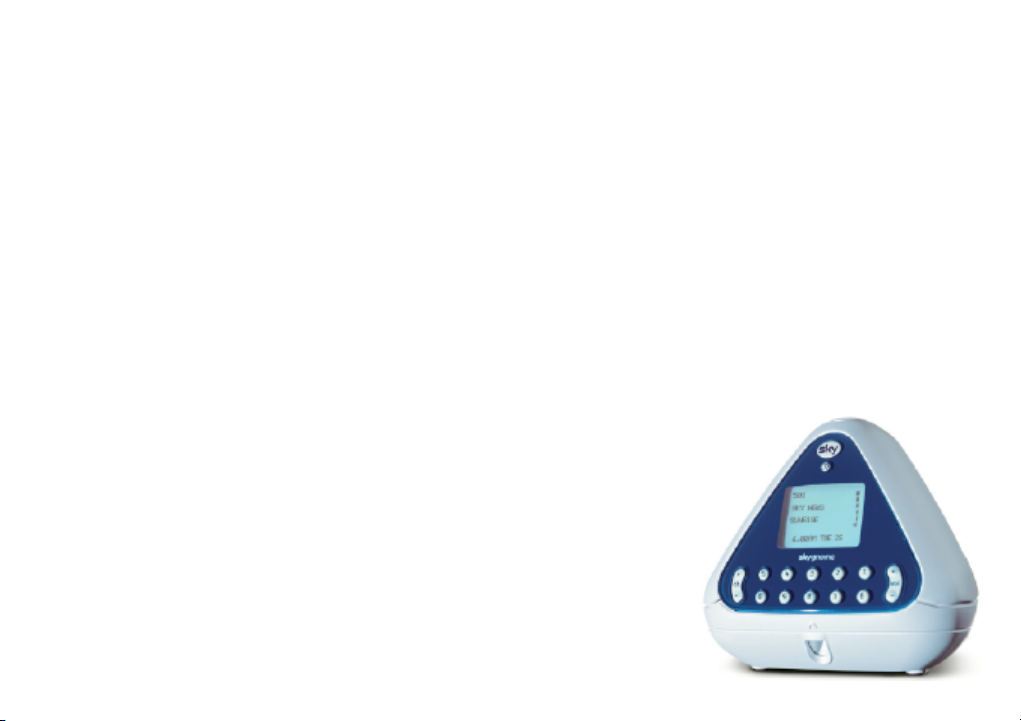
4 SKY GNOME
SAY HELLO TO SKY GNOME
Sky Gnome lets you listen to your favourite digital satellite TV and radio channels inside or outside your
home. News, sport, music, radio channels and much more - Sky Gnome gives you greater freedom to enjoy
Sky entertainment.
This guide covers essential information on installing and using your Sky Gnome. Please read it carefully
before making any connections!
PLEASE REMEMBER
• You need a digital satellite system to use Sky Gnome and a Sky digital subscription to receive Sky digital
channels.
• Sky Gnome responds to channel changes made on your Sky/Sky+ box and vice versa.
• The operating range depends on walls and barriers between the base station and Sky Gnome receiver.
The typical range for changing channels with Sky Gnome is 30m from the base station. The typical
audio range may be greater.
• Your TV doesn’t have to be on when you’re using Sky Gnome.
• Sky Gnome needs to be charged for 16 hours initially. In normal use, the
battery will take approx. 8 hours to charge fully.
• Avoid using other wireless devices close to Sky Gnome, such as radios
and radio microphones.
• Avoid obstructing the path of transmission with large metal objects.
• For improved performance, position the base station and Sky Gnome
away from the TV, Sky/Sky+ box and any other electrical equipment.
• Position the base station off the floor, away from metal pipes and cables.

SKY GNOME 5
SAFETY FIRST
• Sky Gnome’s base station is intended for use indoors only. The Sky Gnome receiver is intended for use indoors
when connected to the mains.
• Do not store or operate in areas of high temperature or high humidity (e.g. near heaters, fires, or in bathrooms,
showers).
• Sky Gnome is not waterproof. Switch off the base station and/or receiver immediately if liquids are dripped or
spilled onto them. Allow them to dry out thoroughly before switching on again.
• Never bring naked flames (e.g. candles) near Sky Gnome.
• Interference with operation of other equipment, e.g. pacemakers, hearing aids: - Sky Gnome uses RF energy for
its operation and some unshielded equipment may not operate correctly if used in close proximity. Consult your
physician or the manufacturer if you have any doubts about the effect of RF power on your equipment’s operation.
Switch off Sky Gnome’s base station and receiver immediately if you suspect that interference is taking place.
• Use only the mains power supply adapters that are provided with Sky Gnome.
• Ensure that the mains power supply adapters are always accessible when in use. Switch off the supply or
disconnect the plug when not using Sky Gnome.
• Use only approved batteries to replace the battery pack supplied with Sky Gnome. Refer to the chapter on charging
the battery for further information.
• Do not force or distort the battery connector; connection may only be made in one orientation.
• Do not dispose of the battery pack in an open fire or with household rubbish.
• Do not dispose of Sky Gnome with household rubbish. Take it to a civic amenity site.
• Do not touch or press the LCD screen with a sharp or pointed object.
• Do not attempt to disassemble any part of Sky Gnome, other than the receiver battery compartment.
• There are no other user-accessible parts.

6 SKY GNOME
WHAT’S IN THE BOX?
Check the contents of the box:
SKY GNOME BASE STATION POWER LEADS X2

SKY GNOME 7
RECHARGEABLE BATTERY PACK
The battery pack is already in
the battery compartment. Once
you’ve set up the equipment and
connected the battery, you need
to charge the pack for 16 hours
initially.
AUDIO LEAD DATALINK ADAPTER
Warning! Never try to plug the
data lead (RJ11) into the telephone
socket of your Sky/Sky+ box.

8 SKY GNOME
IDENTIFYING PORTS AND OTHER PARTS
SKY GNOME FRONT SKY GNOME BACK BASE STATION FRONT BASE STATION BACK
1 SKY KEY
2 POWER / BACK UP
3 LCD DISPLAY
4 CHANNEL +/-
5 VOLUME +/-
6 HEADPHONES PORT
7 NUMBER KEYS 0-9
1 CARRY GRIP
2 SPEAKERS
3 STEREO LINE OUT
4 DC IN
5 BATTERY COMPARTMENT
1 POWER LIGHT 1 DC IN
2 AUDIO LEFT
3 AUDIO RIGHT
4 DATA IN (RJ11)
vol
1 2 3 4 5
6 7 8 9 0
ch
+
–
+
–
1
2
3
4
5 6 7
1
2
3
4511234

SKY GNOME 9
FIRST THINGS FIRST
Sky Gnome has to be installed properly before you can start to use it. Follow each step carefully, using the
pictures as a guide.
STEP 1: CONNECTING THE BASE STATION TO YOUR SKY/SKY+ BOX
BASE STATION
SKY/SKY+ BOX
power lead data lead
audio left audio right
RF out 2
RS232 audio
left/right
01 Turn off your Sky/Sky+ box and take out the mains plug.
02 Connect the audio lead to the audio sockets on the back of the base
station, matching the colours red (right) and white (left).
03 Connect the other end of the audio lead to the audio sockets on the
back of your Sky/Sky+ box.
04 Take the datalink adapter and put its data lead into the Data in
socket on the back of the base station.
05 Connect the RS232 connector of the datalink adapter to the RS232
socket on your Sky/Sky+ box, and tighten the screws.
06 Connect the RF out 2 connector of the datalink adapter to the
RF out 2 socket on your Sky/Sky+ box. If there’s already a cable
in the RF out 2 socket, take it out and plug it into the back of the
datalink’s RF out 2 connector.
07 Take one of the supplied power leads and connect it to the DC in
socket on the back of the base station. Don’t plug the base station’s
power lead into the mains until you’ve completed the entire setup.
The base station is now fully connected to your Sky/Sky+ box.
Table des matières
Autres manuels Sky Récepteur


