Skytraq Venus 6 Watch of Travel Honey 65 channels
3
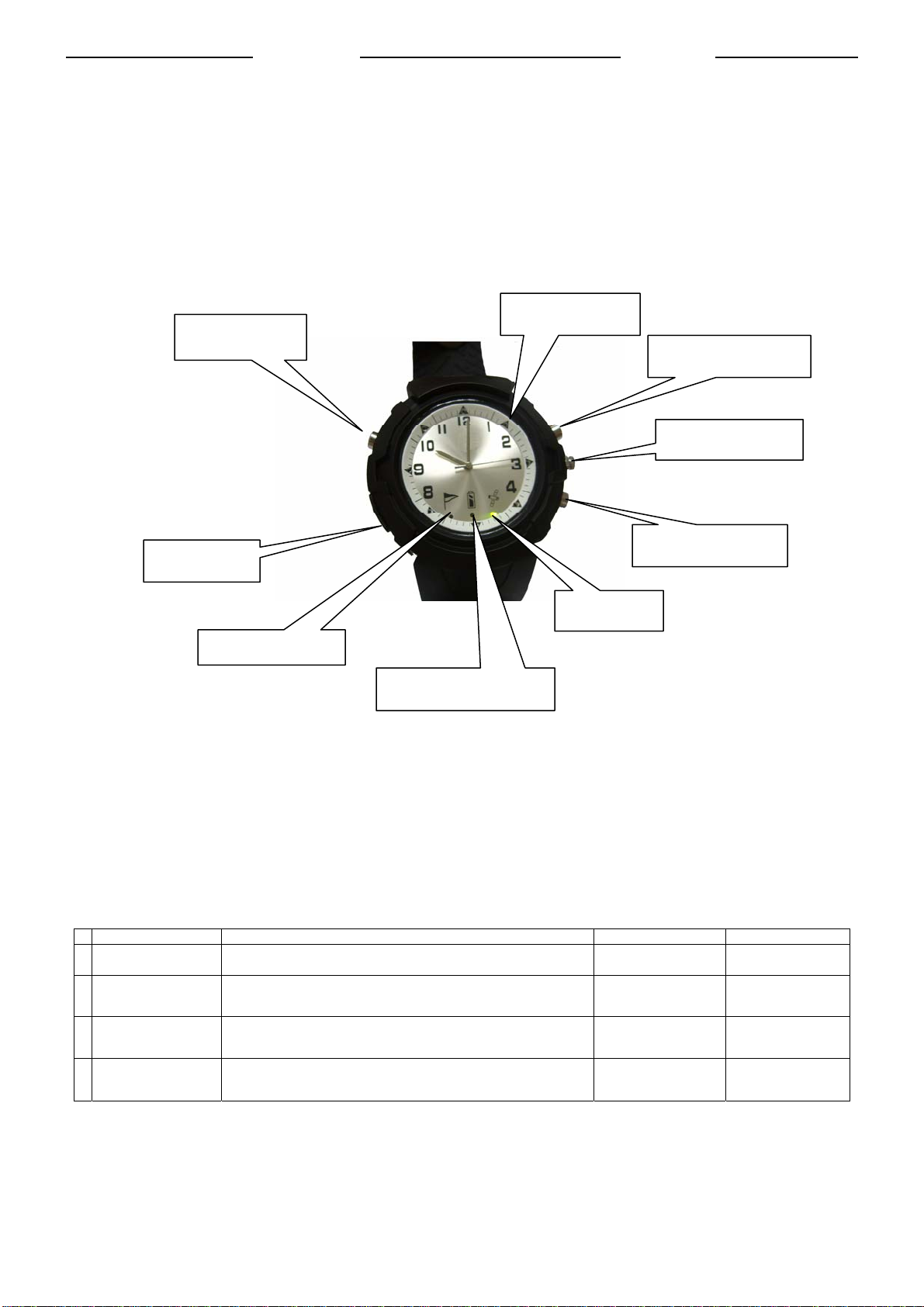
3. Destination Indicator (Blue): Steady light on indicate distance to destination is <15M
4. 8 Direction Indicator :
(i) Once destination has been successfully established, all 8 arrow direction lights would sequentially flash once
(ii) Once POI of DL mode has been successfully established, all 8 arrow direction lights would sequentially flash once.
(iii) Once destination has been established with LF mode, direction arrow would light steadily, pointing to the destination direction
continuously.
5. Operations
5.1 Before you use
For the first time using Travel Honey, please charge battery until it is fully charged. Take the USB cable and connect it to the power jack then connect another
side to PC, Laptop or car cigarette adaptor. This will begin to charge the battery. Charging time is 3 hours typically. A fully charged battery can last for 21
hours continuously operation.
5.2 Start to use
Turn on Travel Honey with switch into either LF or DL mode. Once Travel Honey power is turned on automatic search for GPS signal would begin. Once
GPS position is fixed, the GPS (Green) LED will start to flash once every second. When under DL mode with LEDs flashing every sec; pressing once
to switch to LD mode and LEDs flash in every 5 sec.
NOTE: Travel Honey is only workable outdoors.
1 To use Location Finder
NOTE: please confirm the GPS LED flashing in every 5 sec.
1-1. Set a destination:
1-1-1. Save current location: Confirm GPS position is fixed and indicator is flashing in every 5 sec. Current location
would be stored after 2 second press into POI button. Once destination has been successfully established, all 8 arrow
direction lights would sequentially flash once. LF mode would rewrite new destination over old by press POI button
once again.
* Press DL/LF button once again would switch to DL mode and become key locker which avoiding clear
memory.
1-1-2. Using soft-ware to pre-set destination
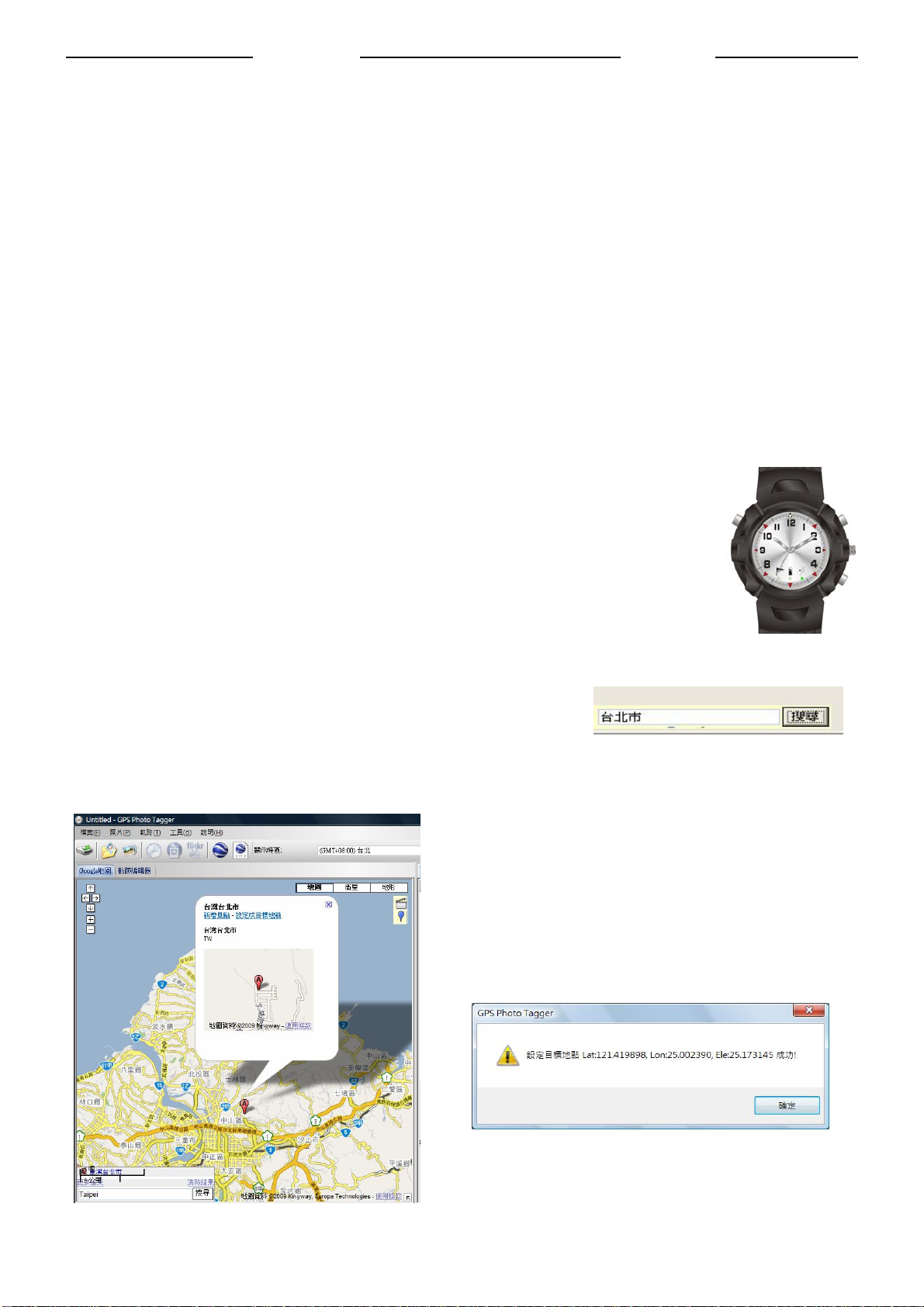
(1) Run Photo Tagger software and find a search engine by enter address or longitude and latitude on the
left hand button. After red sign of A has come out on the map,, then press “Save as target" function appeared in the dialog box and waiting for “Yes" button to
finish setup.
(2) Places you’ve been or a place has been marked: Upload your data/ photo,
and find the marked red “balloon” signs. Use “Save as target” function appeared in
the dialog box, and automatic connection with hard-ware would store the appointed
location as a destination within Travel Honey. After the location has been saved, a
successful storage dialog box would appear.
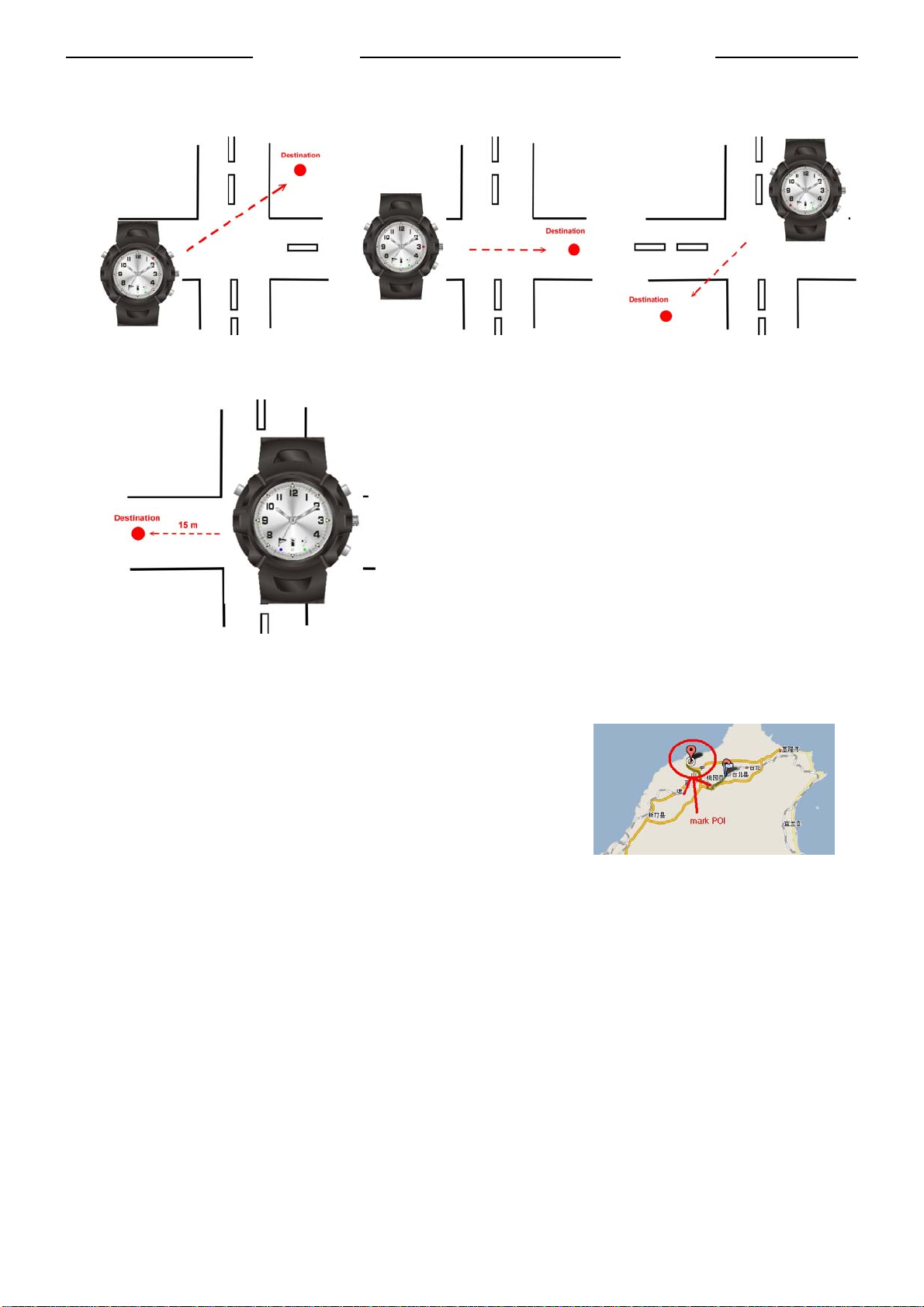
NOTE: The power charging LED must face the user and “12 o’clock” on
the watch must be toward the direction the user is going to.