man-en-smx-rns02.docx
© 2020 SIMPLINX
Contents
Legal Notices ........................................................................................................................................- 1 -
Warning Notice System ................................................................................................................- 1 -
Qualified Personnel ......................................................................................................................- 1 -
Disclaimer.....................................................................................................................................- 1 -
Change Log ...........................................................................................................................................- 2 -
Preface..................................................................................................................................................- 3 -
Purpose of the Document ............................................................................................................- 3 -
Required Level of Knowledge .......................................................................................................- 3 -
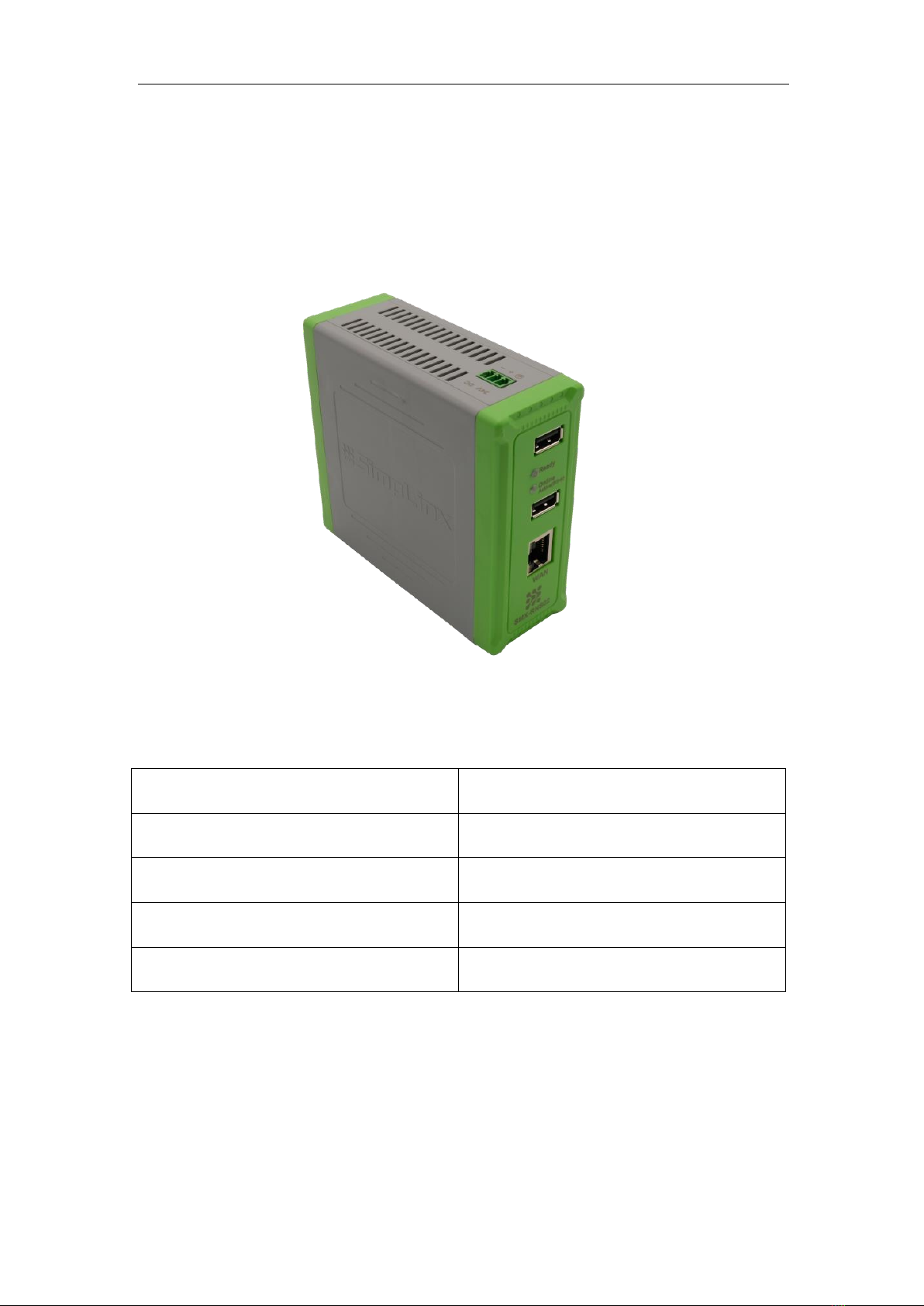
1. Product Description and Certificates...........................................................................................- 5 -
1.1. Properties .......................................................................................................................- 6 -
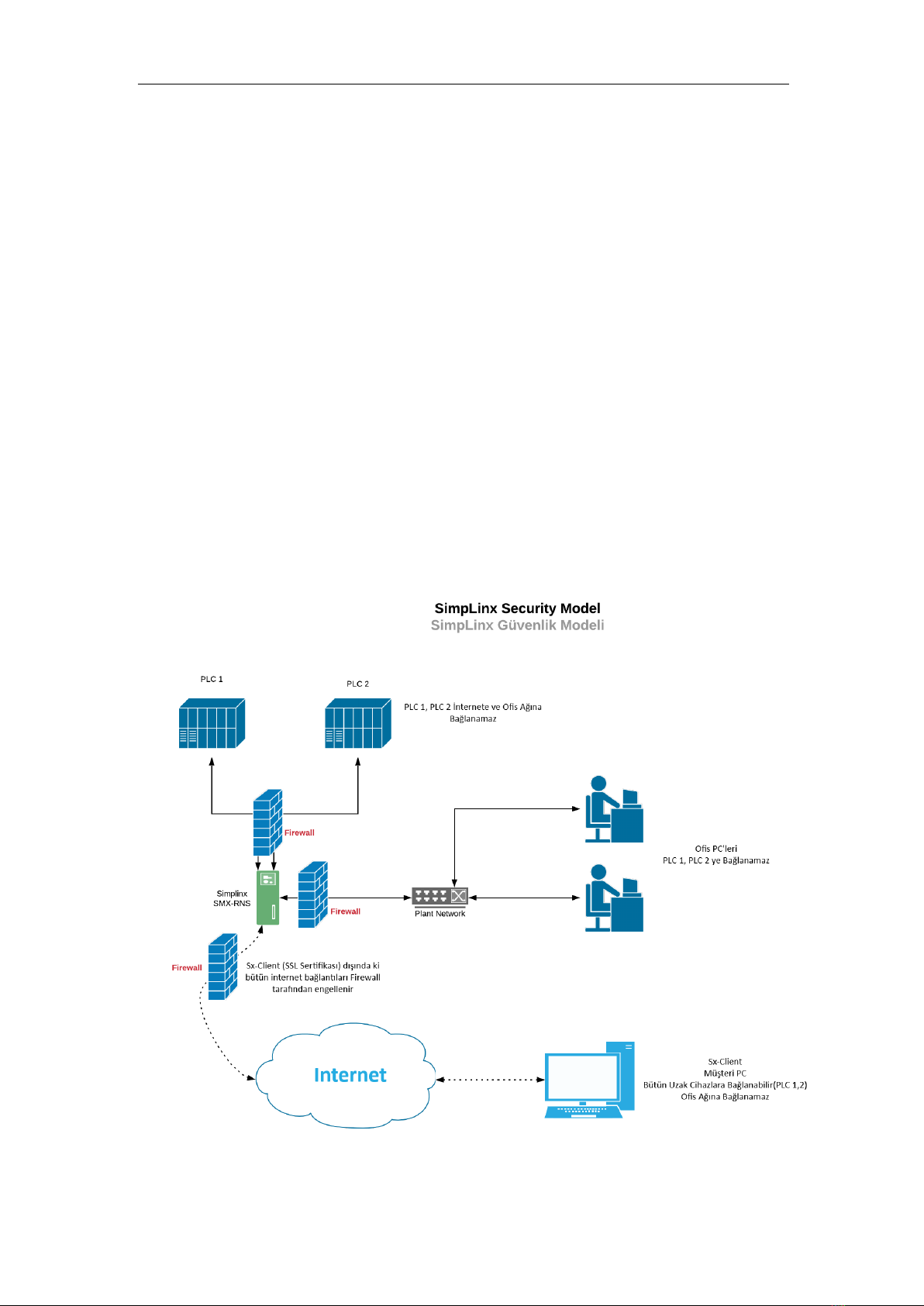
1.2. Security...........................................................................................................................- 6 -
1.3. Approvals / CE.................................................................................................................- 7 -
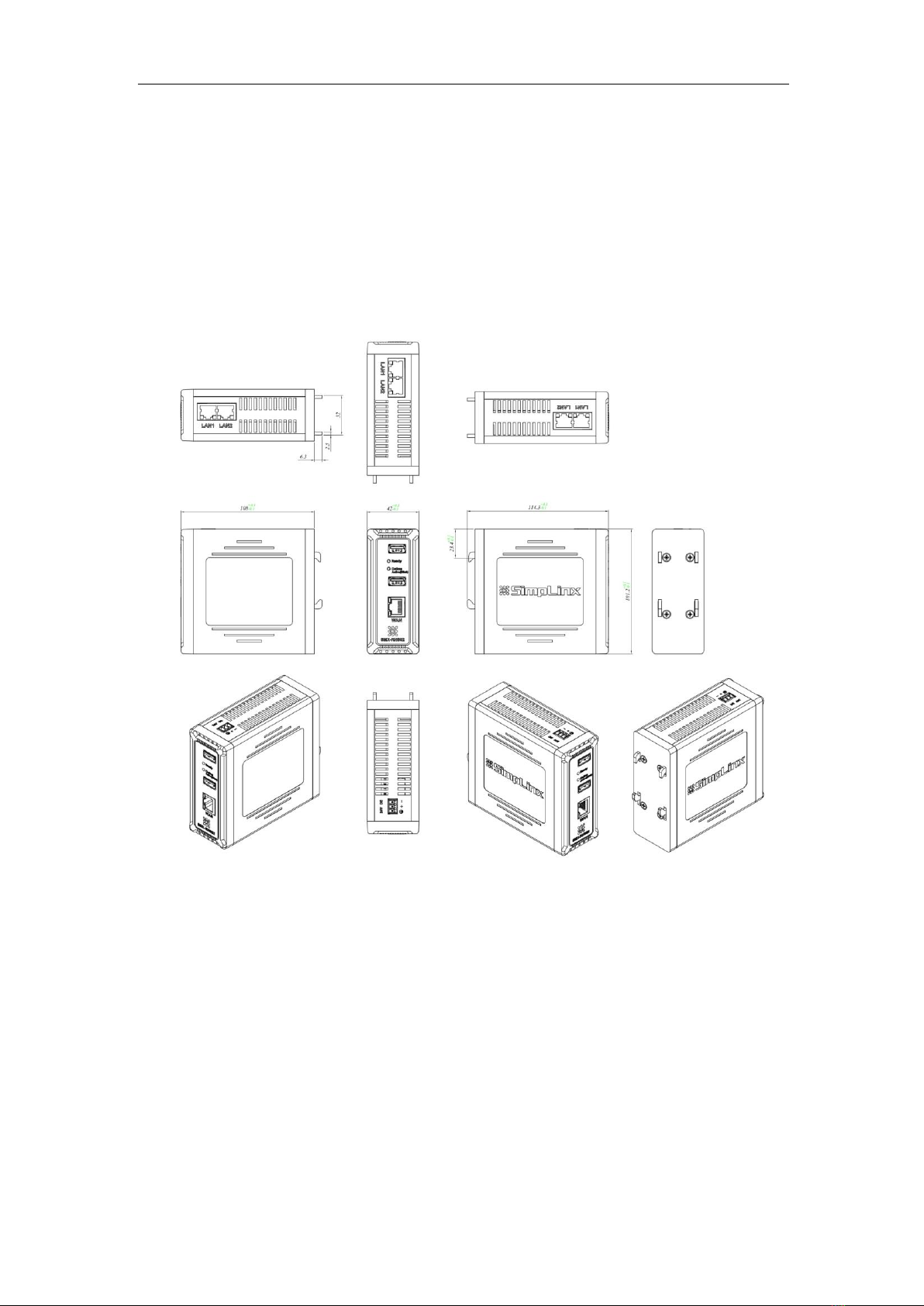
2. Physical Properties and Drawings................................................................................................- 8 -
2.1. Drawings.........................................................................................................................- 9 -
3. Setup..........................................................................................................................................- 10 -
3.1. Mounting ......................................................................................................................- 10 -
3.2. Removing......................................................................................................................- 10 -
4. Electrical Connection .................................................................................................................- 11 -
4.1. Schema .........................................................................................................................- 12 -
5. Device Connections ...................................................................................................................- 13 -
5.1. Ethernet Devices...........................................................................................................- 13 -
5.2. Use of Ethernet Ports as a Switch.................................................................................- 13 -
5.3. USB Devices ..................................................................................................................- 15 -
6. Registering SMX-RNS02 .............................................................................................................- 16 -
7. Preparing SMX-RNS02 ...............................................................................................................- 17 -
7.1. Internet Connection Options........................................................................................- 17 -
7.2. Device LEDs and Meanings ...........................................................................................- 17 -
7.3. Installation of SMX-N1559 USB Wi-Fi Module (Optional) ............................................- 18 -
7.4. Ethernet Connection with PC (Service IP) (Optional) ...................................................- 18 -
7.5. Energizing your device..................................................................................................- 19 -
7.6. Making Basic Settings ...................................................................................................- 19 -
8. How to Get Device Status via Communication? ........................................................................- 21 -
8.1 TCP Socket ............................................................................................................................- 21 -
8.2 Modbus TCP..........................................................................................................................- 21 -
9. Web Interface............................................................................................................................- 22 -
9.1. LAN Settings Page.........................................................................................................- 22 -
9.2. WAN Settings Page .......................................................................................................- 23 -
9.3. Wireless Settings Page..................................................................................................- 23 -
9.4. Proxy Settings ...............................................................................................................- 24 -
9.5. Advanced Settings Page................................................................................................- 24 -
9.6. Import/Export Page ......................................................................................................- 27 -
9.7. Change Password Page.................................................................................................- 28 -
9.8. Status Page ...................................................................................................................- 28 -
10. Accessories ............................................................................................................................- 29 -
10.1. Installation of the SMX-N1599 USB WiFi Module.........................................................- 29 -
10.2. SMX-RS01 Connection ..................................................................................................- 29 -